 ProMapRanker
Best Animation Software in 2026

Key takeaways
- Blender is the strongest free starting point, because it covers 3D animation plus 2D drawing through Grease Pencil.
- Toon Boom Harmony remains the professional standard for television 2D animation, while Adobe Animate suits web and interactive work.
- OpenToonz, Pencil2D, Synfig Studio, and Krita cost nothing and teach real skills that transfer to paid tools.
- Moho is the best value paid route into rigged character animation, and TVPaint suits hand drawn, frame by frame work.
- Your animation style matters more than the price tag, so test a free tool for a few weeks before you subscribe.
Quick comparison
| Pick | Great for | Pricing starts at | Free tier | |
|---|---|---|---|---|
 Blender Blender | Free 3D animation and 2D drawing | Free | Yes | Visit |
 Adobe Animate Adobe Animate | Vector animation for web and interactive content | $22.99 per month | Free trial | Visit |
 Toon Boom Harmony Toon Boom Harmony | Professional 2D television animation | $30.00 per month | Free trial | Visit |
 OpenToonz OpenToonz | Studio grade 2D animation for free | Free | Yes | Visit |
 Pencil2D Pencil2D | Simple frame by frame drawing | Free | Yes | Visit |
 Synfig Studio Synfig Studio | Vector tweening without drawing every frame | Free | Yes | Visit |
 Moho Moho | Rigged character animation at a fair price | See website | Free trial | Visit |
 Krita Krita | Painted animation and illustration | Free | Yes | Visit |
 TVPaint Animation TVPaint Animation | Hand drawn frame by frame animation | See website | Free trial | Visit |
The best animation software
We compared official feature pages, pricing pages, app store listings, and public reviews to find the best animation software for beginners, hobbyists, and working animators. The list mixes free open source tools with paid studio apps, so you can start at zero cost and upgrade only when a project demands it.
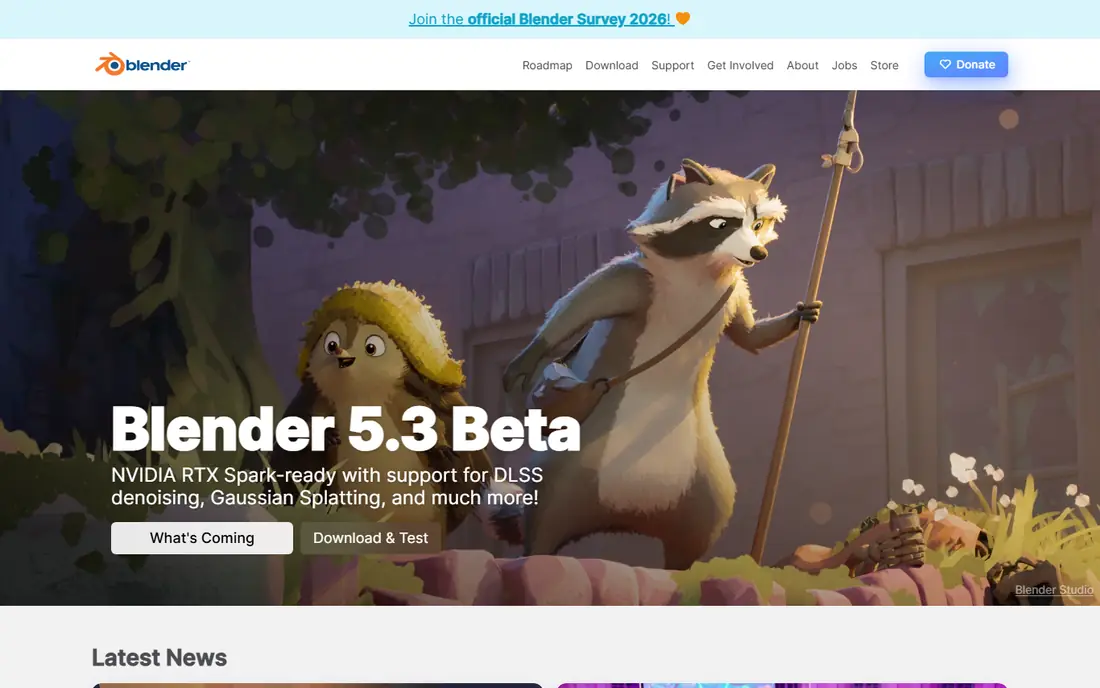
Blender is hard to beat on value, because it is free, open source, and used for short films, games, and motion graphics. You can model a character, build a rig, animate a scene, add lighting, and render the result without buying extra software. Grease Pencil adds 2D drawing and animation inside the same 3D space, which is useful for storyboards, 2D shorts, and mixed media work.
The trade off is learning time. The interface packs a huge number of tools into one window, and beginners often need tutorials to find the animation timeline, graph editor, and dope sheet. That effort pays off, because Blender skills transfer to studio work, and the community produces free guides, add ons, and example files. If you want one free tool that can grow with you for years, start here.
- Full 3D pipeline with modeling, rigging, and rendering
- Grease Pencil for 2D animation
- Huge free tutorial community
- Interface takes time to learn
- Very large feature set can overwhelm beginners
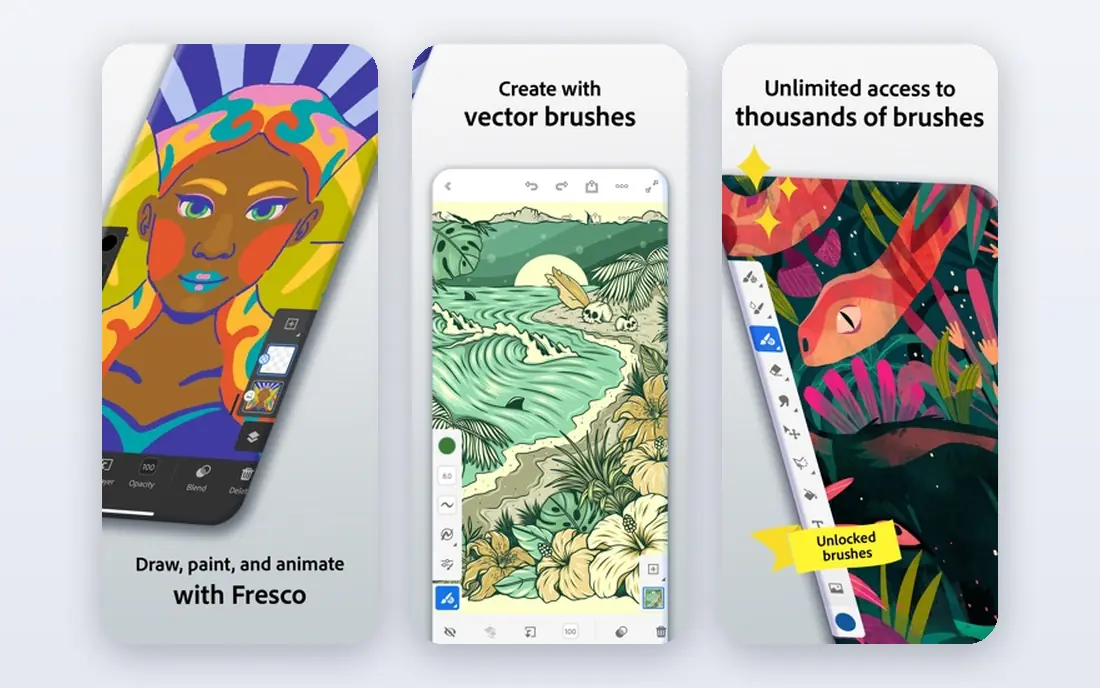
Adobe Animate is built for animated content that lives on the web, in apps, and in interactive projects. Vector art stays sharp at any size, and you can build character rigs, add lip sync, and export to HTML5 Canvas, WebGL, video, and animated GIF formats. If you already use Photoshop or Illustrator, assets move between apps with little friction, which speeds up a small team workflow.
The price is the main barrier. At $22.99 per month on an annual plan in recent listings, Animate is a subscription commitment, not a one off purchase, though a free trial lets you test it first. It is also less natural for long, hand drawn film animation than Toon Boom Harmony or TVPaint. For web banners, explainer clips, game art, and interactive stories, it remains a practical choice.
- Smooth vector drawing and rigging
- HTML5 Canvas and WebGL export
- Works well with other Adobe apps
- Subscription cost adds up
- Less suited to hand drawn frame by frame film work
Toon Boom Harmony is the tool behind many television productions, and its workflow reflects that scale. You can draw frame by frame, build cut out rigs with deformers, manage multiplane cameras, and composite scenes with a node based system. Essentials starts around $30 per month in recent listings, with Advanced and Premium tiers adding more compositing, effects, and pipeline tools.
Beginners should expect a learning curve, and the interface rewards study and practice. The benefit is a direct path to studio jobs, since Harmony skills appear in job listings for 2D animation far more often than most rivals. If you aim to work in television or feature 2D animation, learning Harmony early is a smart investment, even if you start on a free tool first.
- Industry standard 2D pipeline
- Strong cut out rigging and compositing
- Tiered editions for students to studios
- Steep learning curve
- Higher cost at Advanced and Premium tiers
OpenToonz grew from software used in professional animation production, and it shows in its toolset. It supports scanned drawings, vector and raster levels, onion skinning, a schematic node view, and effects, which lets you build a full 2D scene without paying for a license. For students who want studio style workflows on a zero budget, it is one of the best animation apps available.
The catch is polish. Installation, project setup, and some menus feel technical compared with Pencil2D, and you may need community guides to get started. Once the workflow clicks, though, OpenToonz handles serious projects, including multi scene shorts. Pair it with Krita or another drawing app if you prefer to paint frames elsewhere and animate them in OpenToonz.
- Professional 2D toolset at no cost
- Raster and vector workflows
- Effects and compositing tools
- Setup and interface feel technical
- Documentation can be uneven
Pencil2D is the best free animation software for a first project, because it removes almost every barrier between an idea and a moving drawing. The timeline is simple, onion skinning shows the previous and next frames, and you can draw with raster or vector layers. It runs well on modest computers, which makes it a good pick for classrooms and older laptops.
Its limits appear as projects grow. There are few effects, no deep compositing system, and no rigging tools for long character series. That is fine for learning timing, squash and stretch, and walk cycles, which are the skills that matter most early on. When a short outgrows Pencil2D, move the finished frames or the skills you learned into OpenToonz, Krita, or Blender.
- Very light and easy to learn
- Raster and vector layers
- Onion skinning built in
- Limited effects and compositing
- Not suited to long, complex productions
Synfig Studio suits animators who like vector art but do not want to draw every frame by hand. You set key poses, and Synfig creates the in between frames, which speeds up explainer videos, logo animation, and simple character work. It also includes bones, layers, filters, and a parameter system for reusable motion, all at no cost.
The interface is the weak point. Menus and panels feel dated, and the bone system takes practice before it feels natural. Tutorials help, and once you understand keyframes and waypoints, Synfig becomes a fast tool for clean, flat style animation. If your style is hand drawn and textured, Krita or TVPaint will feel more natural, but for smooth vector motion on a budget, Synfig is strong.
- Automatic tweening saves drawing time
- Bone system for character work
- Free and open source
- Interface feels dated
- Learning curve for the bone and parameter system
Moho, formerly Anime Studio, is built around rigged characters. You draw a character once, add bones, and then animate poses instead of redrawing the character in every frame. Smart Bones help limbs bend naturally and keep faces consistent, which makes Moho well suited to episodic series, YouTube shows, and explainer videos where speed matters.
Debut is the lower cost entry point, listed around $59.99 one time in recent comparisons, while Pro adds more rigging, physics, and export options. Check the current vendor page, since editions and prices change. Drawing in Moho feels less fluid than Krita or Clip Studio Paint, so many animators draw characters elsewhere and rig them in Moho. For output volume per hour, few tools match it at this price.
- Smart Bones for natural character motion
- One time purchase options
- Good for episodic and explainer work
- Drawing tools are weaker than rivals
- Price and edition details change often
Krita starts as a digital painting app, and that is its strength for animation. The brush engine handles textured, painterly, and hand drawn styles with a quality that rivals paid painting software. The animation timeline supports frame by frame work, onion skinning, and audio, so you can paint a short, add sound, and export video without leaving the app.
For long rigged series, Krita is not the best pick, since it lacks the deep rigging and scene management of Harmony or Moho. For animated illustrations, music visuals, storyboards that move, and short painted films, it is excellent. Many animators use Krita to paint frames and then assemble or composite them in Blender or OpenToonz, which plays to each tool's strengths.
- Excellent brush engine
- Animation timeline with onion skinning
- Free and open source
- Less suited to complex rigged series
- Animation tools are simpler than dedicated apps
TVPaint Animation is made for animators who think in drawings, not rigs. The brush engine feels close to paper, the timeline supports traditional exposure sheets and light table views, and you can manage large frame counts for film work. Studios use it for feature and short film 2D animation where hand drawn quality matters most.
That focus comes with cost and scope limits. TVPaint is priced as professional software, so check the vendor page for current editions, and it does not try to match Harmony for cut out rigging or Moho for fast episodic rigs. If your goal is a beautiful hand drawn short, and you are ready to invest in a dedicated tool, TVPaint is the most traditional feeling option on this list.
- Natural drawing feel for traditional animators
- Strong timeline and light table tools
- Used in professional 2D production
- Higher price than free rivals
- No vector rigging focus like Harmony or Moho
How we picked these
We compared official feature pages, pricing pages, app store listings, and public reviews for each tool. We favored software that is still maintained in 2026, supports the animation style it claims to serve, and exports to common video and image formats. We also weighed learning curve, community help, and price, since a tool you cannot learn or afford will not help you finish a project. We did not claim hands on testing, and prices can change, so check the vendor page before you buy.
How to choose the right animation software
Match the tool to the style you want to make
Start from the finished look, not the feature list. Hand drawn shorts suit Pencil2D, Krita, TVPaint, and OpenToonz, while rigged character series suit Moho and Harmony. Clean vector explainers suit Synfig and Animate, and 3D shorts suit Blender. Picking by style keeps you from buying a powerful tool that fights the way you like to draw.
Test the drawing feel before you pay
Animation is drawing repeated hundreds of times, so comfort matters. Use the free plan or trial to draw a walk cycle, test onion skinning, and export a short clip. Check pen pressure on your tablet, timeline speed, and how easy it is to fix a single frame. If those basics feel awkward in the trial, they will feel worse on a deadline.
Plan for sound, export, and editing
A finished animation needs sound, titles, and final export. Check that your pick supports audio scrubbing, common video export formats, and the frame rates your project needs. Many animators edit in a separate video editor, so confirm that exported clips import cleanly into your editor of choice. Also confirm file compatibility if you plan to share project files with a team.
Learn one tool well before collecting more
It is tempting to install every free app on this list, but progress comes from finishing shorts in one tool. Choose a starter app, finish three short pieces, and only then add a second tool for a specific gap, such as compositing in Blender or painting in Krita. That habit builds a portfolio faster than switching apps every week.
Frequently asked questions
What is the best free animation software?
Blender is the best free animation software for overall range, since it covers 3D and 2D work at no cost. For pure 2D drawing, OpenToonz offers a studio grade toolset for free, while Pencil2D is easier for a first project. The best free 2D animation software for you depends on whether you want hand drawn frames, vector tweening, or rigged characters.
What are the best animation apps for beginners?
Pencil2D, Krita, and FlipaClip style mobile apps are the easiest starting points, because their timelines are simple and onion skinning is built in. The best apps for animation on a phone or tablet favor touch drawing and short clips, while desktop apps give you more control for longer work. Start simple, learn timing and spacing, then move to a deeper tool.
Is Blender good for 2D animation?
Yes. Blender Grease Pencil lets you draw and animate in 2D inside a 3D space, with layers, fills, and camera moves. It is not as simple as Pencil2D for a first drawing, but it adds 3D camera motion and compositing that pure 2D apps lack. Many creators use Blender for mixed 2D and 3D shorts that would be hard to build elsewhere.
What is the best software for animation for television work?
Toon Boom Harmony is the most common answer in television 2D production, thanks to its rigging, compositing, and scene management. TVPaint is a strong choice for hand drawn television and film work, while Moho suits fast episodic series on a smaller budget. The best app for animation in a studio also depends on the pipeline the studio already uses, so check job listings in your target field.
Do I need a paid tool to make good animation?
No. Free tools on this list have been used for finished shorts, festival work, and online series. Paid tools save time through rigging, compositing, and support, and they can matter for studio jobs. The best software for animation at your stage is the one that lets you finish work regularly, and for many beginners that is a free tool plus good tutorials.
What is the best 2D animation software free for Windows and Mac?
OpenToonz, Pencil2D, Synfig Studio, and Krita all run on Windows and Mac, and Blender runs on both plus Linux. OpenToonz gives the deepest 2D pipeline, Pencil2D gives the simplest start, Synfig gives vector tweening, and Krita gives the best painting feel. Try two of them for a weekend project and keep the one whose timeline feels most natural.
Sources
See where you really rank - block by block
ProMapRanker scans Google Maps across a grid of your service area. Simple monthly plans from $19, white-label on every plan.
Start freeKeep reading
 youtube alternatives
Best YouTube Alternatives in 2026
Looking for youtube alternatives in 2026? We compare Vimeo, Dailymotion, Twitch, Rumble, and more on price, audience, monetization, control and privacy.
Read → what's the best ai tool for photo editing
What Is the Best AI Tool for Photo Editing in 2026
What is the best AI tool for photo editing? We compare ten tools for 2026, from Photoshop and Lightroom to Luminar, Topaz, Canva and mobile editors today.
Read → twitter alternatives
Best Twitter Alternatives in 2026
Compare the best twitter alternatives for 2026, from Bluesky, Threads, and Mastodon to Reddit, Tumblr, and Micro.blog, with free plans and audience notes.
Read →