 ProMapRanker
Best Android Cleaner Apps Free in 2026

Key takeaways
- Files by Google is the safest free starting point, with no paid tier for cleaning and no ads in its core cleanup tools.
- SD Maid SE gives the deepest cleanup for experienced users, finding leftover files from uninstalled apps that simpler tools miss.
- CCleaner, AVG Cleaner, and Avast Cleanup work, but expect ads and paid upsells, and read each cleaning suggestion before you confirm.
- Cleaner apps free storage, but they do not turn an old phone into a new one, and aggressive cleaning can force apps to rebuild caches.
Quick comparison
| Pick | Great for | Pricing starts at | Free tier | |
|---|---|---|---|---|
 Files by Google | Safe free cleanup | Free | Yes | Visit |
 SD Maid SE | Deep cleanup for experienced users | Free | Yes | Visit |
 CCleaner | Familiar desktop-brand cleaning | Free | Yes | Visit |
 AVG Cleaner | Cleaning with battery tools | Free | Yes | Visit |
 Avast Cleanup | Cleaning inside a security brand | Free | Yes | Visit |
 All-In-One Toolbox | All-round device tools | Free | Yes | Visit |
 Droid Optimizer | One-tap cleanup and scheduling | Free | Yes | Visit |
The best Android cleaner apps free
We compared official app listings and vendor pages for cleaner apps live in October 2026 with a real free tier. Our pick for most people is Files by Google, with SD Maid SE for users who want deeper control. Be wary of cleaner apps that promise huge speed gains, hide paid features behind a one-tap clean button, or ask for permissions they do not need.
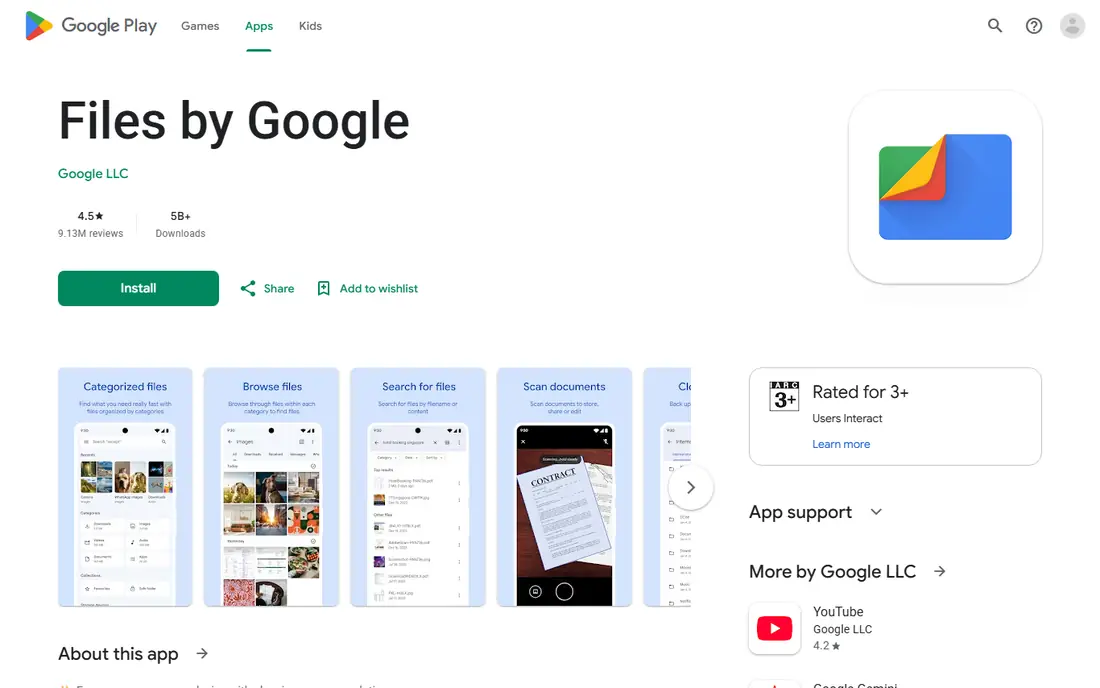
Files by Google is the default we recommend first. It finds junk files, duplicate files, large files, old screenshots, and apps you rarely use, and it shows you each suggestion before you delete anything. There is no paid version needed for cleaning, and the core cleanup tools carry no ads, which is rare in this category.
Its simplicity is the limit. It will not find every leftover file from uninstalled apps, and it does not offer the deep scanners in SD Maid SE. For most phones, that is enough: review each card, keep photos you have not backed up, and delete only what you recognize. If Files frees enough space, you do not need another cleaner.
- Free with no paid cleaning tier
- Finds junk, duplicates, and large files
- Made by Google for Android
- This is the official app store listing, as Files has no standalone homepage
- Cleanup is simpler than SD Maid SE
- Some phones already include it

SD Maid SE is the only deep cleaner we would recommend without hesitation. It is open-source, ad-free, and its CorpseFinder scanner finds leftover files from apps you already removed, which simpler cleaners often miss. The SystemCleaner and other tools give experienced users fine control over what gets deleted.
That control comes with a learning curve. The interface lists many scanners with technical names, and the first setup takes a few minutes of permission steps. Run a scan, review the results, and then leave scheduled cache cleaning off: clearing caches on a schedule only forces apps to rebuild them, which costs battery for no lasting gain.
- Open-source and ad-free
- CorpseFinder finds leftovers from uninstalled apps
- Detailed control over each scan
- Interface is technical for beginners
- Setup asks for storage permissions in several steps
- Scheduled cache cleaning can waste battery

CCleaner brings a well-known desktop cleaning brand to Android, with junk cleaning, cache clearing, and an app manager in one place. Users who already trust the desktop version will find the layout familiar, and the free tier does clean real cache files.
The free experience is the problem. Full-screen premium upsells appear quickly, and some users report background activity that shows up in battery use. Recent reviews also note problems after Android updates, with some cleaning functions needing payment. Try it only if you want the brand, and compare its results with Files by Google first.
- Familiar interface from the desktop version
- Junk and cache cleaning
- App manager included
- Heavy paid upsells in the free version
- Background activity reported by users
- Some features need a paid plan
AVG Cleaner, from the same parent company as CCleaner, pairs junk cleaning with battery analysis and app management. It finds large files, duplicate photos, and rarely used apps, and its interface is easy to follow. For users who want cleaning plus a battery view in one app, it is a reasonable choice.
Expect the same trade-offs as CCleaner: ads, premium prompts, and features that push you toward a paid plan. The battery tools rarely change much on a modern phone, since Android already manages background apps. Use it for storage cleanup, review every suggestion, and skip the extra optimizer features unless you find them useful.
- Junk cleaning plus battery and app tools
- Familiar brand
- Photo and file analysis
- Same parent company as CCleaner, with similar upsells
- Ads and premium prompts
- Battery tools add little for most phones
Avast Cleanup offers junk cleaning, photo analysis, and app hibernation, which pauses apps you rarely use to save resources. It comes from a known security brand, which gives it more trust than unknown cleaners in the Play Store. The free tier handles basic cleanup well.
Full features sit behind a paid plan, and several tools duplicate what Android already does in Settings. The premium prompts are frequent, so set expectations before you install it. If you already use Avast security products, the shared interface may suit you; otherwise, Files by Google covers the same core job free.
- Junk and photo cleaning
- App hibernation tools
- Trusted security brand
- Paid upsells for full features
- Some tools duplicate Android settings
- Interface pushes premium plans
All-In-One Toolbox bundles junk cleaning with a wide set of device tools, including batch uninstall, file management, and system information. That breadth suits users who want one app for several small jobs rather than a separate tool for each. The free tier covers the core cleaning functions.
The breadth is also its weakness. The interface can feel cluttered, ads appear in the free version, and some tools are thin compared with dedicated apps. Review cleaning suggestions carefully, since a broad toolbox can suggest more deletions than a focused cleaner. It is a decent second option, not a replacement for Files by Google for most users.
- Junk cleaning plus many device tools
- Batch app management
- File tools in one app
- This is the official app store listing, as the tool has no standalone product homepage
- Ads in the free version
- Tool set can feel cluttered
Droid Optimizer is a simple, friendly cleaner with one-tap cleanup and a clear breakdown of what takes up storage. It suits users who want a quick pass without learning a technical interface, and its free tier covers the main cleaning job. The layout makes it easy to see large files and rarely used apps.
We would leave its scheduled cleaning off, for the same reason as with SD Maid SE: repeated cache clearing forces apps to rebuild caches and costs battery. Its deep cleaning is also thinner than SD Maid SE, so it will miss some leftovers from uninstalled apps. Use it for simple, occasional cleanup, and check each suggestion before you confirm.
- Simple one-tap cleanup
- Scheduled cleaning option
- Clear storage breakdown
- This is the official app store listing, as the tool has no standalone product homepage
- Scheduled cleaning can waste battery
- Fewer deep tools than SD Maid SE
How we picked these
We compared official vendor pages and app store listings for Android cleaners live in October 2026 with a real free tier. We favored tools from known developers, tools that show what they will delete, and tools with no history of removal from the Play Store for policy problems. We left out unknown cleaners with aggressive ads, cleaners that promise unrealistic speed gains, and any app we could not confirm as live. We did not claim hands-on testing, so our findings rest on published features, pricing, and public reviews.
Choosing a cleaner without losing files or money
Start with your phone settings before you install anything. Android Settings and Files by Google already find junk, duplicates, and large files on most phones, and they do so without ads or upsells. If those tools free enough space, stop there: an extra cleaner adds little and may add ads.
If you install a third-party cleaner, read every suggestion before you tap delete. Back up photos and videos first, since a cleaner cannot tell a duplicate you want from a copy you meant to keep. Check permissions too: a cleaner needs storage access, but it does not need contacts, messages, or unrelated data to clear cache files.
Finally, ignore speed promises. Cleaning storage can help a full phone run better, but it does not upgrade old hardware, extend battery life by magic, or fix a failing app. A cleaner that claims otherwise, or that hides its paid tier behind a single clean button, is a sign to uninstall it and return to Files by Google.
Frequently asked questions
What is the best Android cleaner app free?
Files by Google is the best free choice for most people, since it is free, ad-free for core cleanup, and made by Google. SD Maid SE is better for experienced users who want deep cleanup. Both beat ad-heavy cleaners on trust and cost.
Do I need a cleaner app on Android?
Often, no. Modern Android phones include storage tools in Settings, and Files by Google covers most cleanup needs. Third-party cleaners help most on older phones with little storage, or for users who want one-tap cleanup and leftover-file scanning.
Are free cleaner apps safe?
Trusted cleaners from Google, SD Maid, CCleaner, AVG, and Avast are safe when used carefully, but unknown cleaners can be ad-heavy or misleading. Download only from the Play Store, review every deletion, and avoid apps that promise unrealistic gains or ask for unrelated permissions.
Why do some cleaner apps push paid plans so hard?
Many free cleaners earn money from ads and premium subscriptions, so they promote paid features inside the free version. Files by Google and SD Maid SE are exceptions, with no paid cleaning tier and no ads in core cleanup. If upsells annoy you, stick with those two.
Can a cleaner app speed up my phone?
It can help if storage is nearly full, since a full phone can slow app installs and updates. It will not fix old hardware, a weak battery, or a buggy app. Restarting the phone, updating apps, and removing apps you do not use often help as much as cleaning caches.
Sources
- https://play.google.com/store/apps/details?id=com.google.android.apps.nbu.files
- https://sdmaid.darken.eu
- https://www.ccleaner.com/ccleaner-android
- https://www.avg.com/en-us/avg-cleaner-android
- https://www.avast.com/cleanup-android
- https://play.google.com/store/apps/details?id=imoblife.toolbox.full
- https://play.google.com/store/apps/details?id=com.ashampoo.droid.optimizer
See where you really rank - block by block
ProMapRanker scans Google Maps across a grid of your service area. Simple monthly plans from $19, white-label on every plan.
Start freeKeep reading
 zscaler alternatives
Best Zscaler Alternatives in 2026
Looking for zscaler alternatives? We compare 9 SASE and zero trust platforms on architecture, data protection, pricing, and fit for your network and team.
Read → zapier alternatives free
Best Zapier Alternatives Free in 2026
Nine automation tools for zapier alternatives free in 2026, all with genuinely free tiers, plus free plan limits, starting prices and upgrade paths explained.
Read → which platform is best for online reputation
Which Platform Is Best for Online Reputation in 2026
Wondering which platform is best for online reputation? We compare 8 review, listing, and response tools for small and multi-location businesses and agencies.
Read →