 ProMapRanker
Best Android Apps in 2026: 8 Apps Compared

Key takeaways
- Google Maps, WhatsApp and Google Photos cover the core daily jobs for most Android users, and all three are free.
- ChatGPT is the most useful new addition for research, writing and planning on a phone.
- Bitwarden and Signal are the best picks for security and private messaging, and both offer strong free tiers.
- Do not install dozens of apps at once. Pick one app per job, use it for a week, then add another only if you need it.
- Check app permissions and storage use before you keep an app, especially for free apps with ads.
Quick comparison
| Pick | Great for | Pricing starts at | Free tier | |
|---|---|---|---|---|
 Google Maps Google Maps | Navigation and places | Free | Yes | Visit |
 WhatsApp WhatsApp | Messaging and calling | Free | Yes | Visit |
 ChatGPT ChatGPT | AI help on the go | Free | Yes | Visit |
 Spotify Spotify | Music and podcasts | Free | Yes | Visit |
 Google Photos Google Photos | Photo backup and search | Free | Yes | Visit |
 Bitwarden Bitwarden | Passwords and passkeys | Free | Yes | Visit |
 Signal Signal | Private messaging | Free | Yes | Visit |
 Notion Notion | Notes and projects | Free | Yes | Visit |
The best Android apps
We compared the best Android apps on everyday usefulness, free tier quality, cross device sync and privacy. The eight below cover navigation, messaging, music, photos, security, AI help and notes, plus news reading through the apps that surface it best.
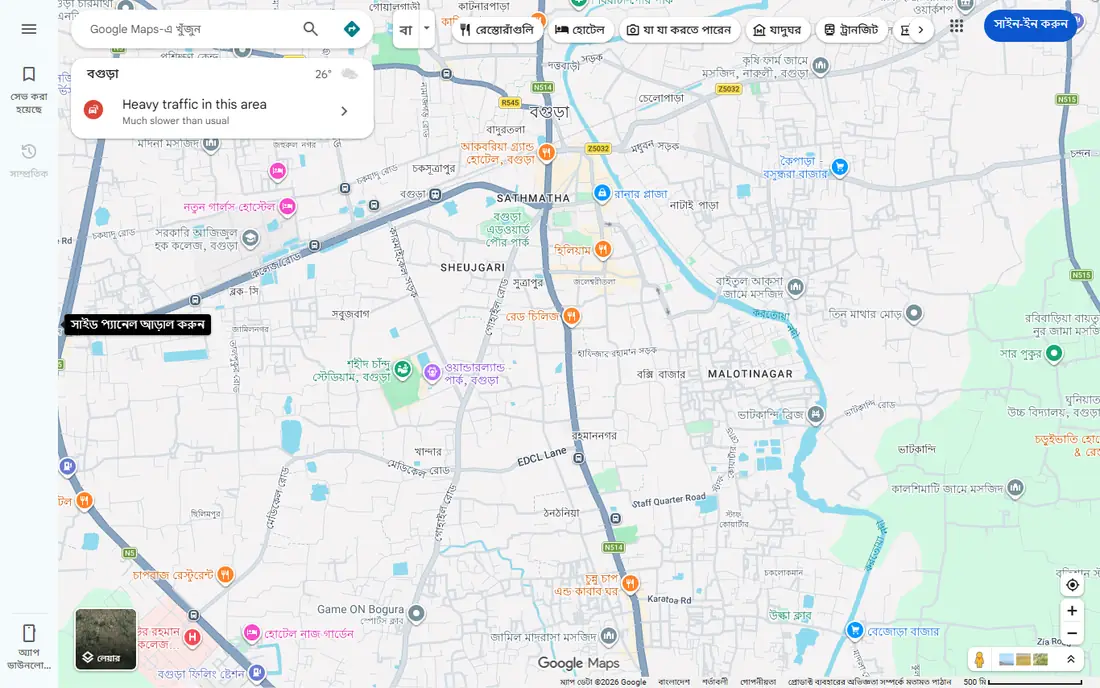
Google Maps remains the default navigation app on Android for good reason. It gives driving, walking, cycling and transit directions with real time traffic, and you can download a city map for offline use before a trip. Business pages show hours, reviews, photos and busy times, which helps you decide where to go without opening another app.
Privacy settings deserve a check. Location history, timeline and ad personalization are on by default for many users, so review them in settings if you want tighter control. Battery use on a long drive is also real, so keep a car charger handy. For most Android users, Maps is the first app to keep and the hardest to replace.
- Real time traffic and transit directions
- Offline maps for trips
- Business hours, reviews and photos
- Location history and data collection need careful settings
- Battery use on long drives
WhatsApp is the messaging app most people already have, which is its main strength. You can message, call and video call friends and family free of charge, with end to end encryption on personal chats. Groups, communities and channels also make it useful for schools, teams and local groups.
The phone number link is the main limit. You need a number to sign up, and moving to a new number or phone needs care to keep chats and groups. Backup settings also vary by device, so check them before you switch phones. WhatsApp is best when your contacts already use it, which for many people is almost everyone.
- Free messaging and calls
- End to end encrypted chats
- Groups and channels for communities
- Tied to a phone number
- Backup and account recovery can be confusing
- Owned by Meta
ChatGPT is the most useful new Android app for everyday thinking work. You can draft a message, plan a trip, summarize a long article, brainstorm ideas or explain a topic in plain language, all from your phone. Voice mode makes it practical while walking or cooking, when typing is awkward.
The free tier has limits, and answers can be confident but wrong, so check important facts before you act on them. Paid plans add newer models and higher limits, but the free tier is enough for many daily tasks. ChatGPT suits anyone who wants a fast helper for writing and planning, with a habit of verifying key details.
- Fast answers for writing, research and planning
- Voice mode on mobile
- Works across devices
- Free tier has usage limits
- Answers can be wrong and need checking
- Paid plan needed for the newest models
Spotify is still the easiest music app for most Android users. The catalog covers music and podcasts in one place, personalized playlists surface new artists, and the app works on phones, tablets, speakers and cars. For news and learning, podcasts on Spotify also cover daily news, technology and current events in audio form.
The free tier has ads and limits mobile playback to shuffle for many playlists, which frustrates listeners who want a specific song on demand. Paid plans remove ads and add offline downloads, but the price has risen over time, so check the current rate before you subscribe. Spotify is best for listeners who value discovery and a single app for music and podcasts.
- Large music and podcast catalog
- Personalized playlists
- Offline downloads on paid plans
- Free tier has ads and shuffle limits on mobile
- Paid plan price has risen in recent years
Google Photos solves the most common phone problem: losing photos when a phone is lost or replaced. Automatic backup keeps photos safe, and search by person, place, object or text in an image makes it easy to find a photo months later. Sharing albums with family is also simple, without sending large files by message.
Storage is the catch. The free 15 gigabytes is shared across Google Photos, Drive and Gmail, so a large photo library can fill it. You can use storage saver quality to stretch it, or pay for more Google storage. Google Photos is best for Android users who want backup and search without thinking about it.
- Automatic backup
- Search by person, place or object
- Easy sharing and albums
- Free storage is shared with Google account storage
- Full quality backup can fill storage fast
Bitwarden is the password manager we recommend most often for Android. The free plan covers unlimited passwords and passkeys, with sync across phones, tablets and computers. That matters, because a password manager only helps if it is on every device you use, and Bitwarden makes that free.
The interface is plainer than some paid rivals, and features such as emergency access and advanced reports sit on the paid plan. Those extras are nice but not essential for most users. Bitwarden suits anyone who still reuses passwords, because it makes unique passwords and passkeys practical on Android.
- Free plan covers passwords and passkeys
- Open source
- Sync across devices
- Interface is plainer than some rivals
- Advanced features need the paid plan
Signal is the best choice when privacy is the priority. Messages, calls and media are end to end encrypted by default, with no ads and no tracking for advertising. Disappearing messages, safety numbers and sealed sender features give extra control for sensitive conversations.
The limit is reach. Fewer contacts use Signal than WhatsApp, so you may need both apps. Signal also needs a phone number to sign up, which some privacy focused users dislike. Use Signal for private chats with people who will install it, and WhatsApp for the wider circle that already uses it.
- End to end encryption by default
- No ads or tracking
- Disappearing messages and safety features
- Smaller contact base than WhatsApp
- Needs a phone number
- Fewer social features
Notion is the most flexible notes app on Android. You can keep simple notes, plan a project, track habits, store research and build a small wiki, all in one workspace. Templates help you start without building a system from scratch, and sync across phone and computer keeps notes available wherever you work.
Flexibility is also the drawback. Notion can feel complex when you first open it, and it is easy to spend more time organizing than doing. Offline use is limited compared with a simple notes app. Notion suits people who want one workspace for notes and projects, and who will start with a single template rather than building everything at once.
- Notes, tasks, databases and docs in one app
- Templates for planning
- Sync across devices
- Can feel complex at first
- Offline use is limited
- AI features need a paid add on
How we picked these
We compared official app pages, free tier terms and app store listings for the most useful Android apps in October 2026, plus public reviews of everyday usefulness and privacy. We kept only apps that work on Android in the United States, that offer a real free tier, and that cover a distinct daily job. We did not claim hands on testing that did not happen, and we left out apps with narrow appeal or unclear privacy terms.
How to set up a new Android phone
Start with the essentials: navigation, messaging, photos and passwords. Install Google Maps, WhatsApp, Google Photos and Bitwarden first, sign in, and check backup and privacy settings. That core set covers getting around, staying in touch, saving photos and securing accounts, which are the jobs most people need every day.
Next, add one app per extra job. Add Spotify for music and podcasts, ChatGPT for AI help, Signal for private chats and Notion for notes and projects. For Android news, use the news features inside Google, Spotify podcasts and ChatGPT summaries rather than installing several news apps at once. One good source per topic keeps your home screen calm.
Finally, review permissions and storage after a week. Remove apps you did not open, turn off location and background access for apps that do not need it, and check storage use in settings. A phone with eight useful apps beats a phone with eighty forgotten ones, and it runs faster and lasts longer on a charge.
Frequently asked questions
What are the best Android apps to download first?
Google Maps, WhatsApp, Google Photos and Bitwarden are the best first downloads for most Android users. They cover navigation, messaging, photo backup and passwords. Add Spotify for music, ChatGPT for AI help and Notion for notes once the core set is working well.
What is the best Android app for news?
There is no single best news app, because news habits differ. Google News offers a broad daily briefing, while Spotify podcasts cover news in audio form and ChatGPT can summarize a topic quickly. Pick one daily source, check it once or twice a day, and avoid installing several news apps that duplicate the same stories.
What is the best free Android app?
Google Maps is the strongest free Android app overall, because navigation, traffic and place information are free and used daily. WhatsApp, Google Photos, Bitwarden and Signal also offer strong free tiers. The best free app depends on the job, but Maps is the one most users would miss first.
Are Android apps safe to download?
Apps from the Google Play Store are checked, but they are not risk free. Check the developer name, recent reviews and permissions before you install, and avoid apps that ask for access they do not need. Keep Android and apps updated, and use Bitwarden and device lock features to protect accounts if a phone is lost.
What is the best mobile app overall?
For Android, Google Maps and WhatsApp are the most useful apps for most people, because they cover travel and communication. Spotify leads for music, Google Photos leads for photo backup, and ChatGPT leads for AI help. The best app is the one that solves a daily job well, not the one with the most downloads.
How many apps should I install on Android?
Install only the apps you use each week. Start with eight to twelve core apps, review them after a month, and remove any you did not open. Fewer apps mean less clutter, less battery use, less storage pressure and fewer privacy permissions to manage.
Sources
See where you really rank - block by block
ProMapRanker scans Google Maps across a grid of your service area. Simple monthly plans from $19, white-label on every plan.
Start freeKeep reading
 zendesk alternatives
Best Zendesk Alternatives in 2026
Compare the best Zendesk alternatives in 2026, from budget help desks to AI-first support tools, with current pricing, free plans, and honest trade-offs.
Read → wordpress alternatives
Best WordPress Alternatives in 2026
Looking for the best WordPress alternatives? We compare 8 free and paid options for blogs, business sites, stores, and developer-led projects in 2026.
Read → which real estate company has the best training
Best Real Estate Company Training in 2026
Compare which real estate company has the best training, from Keller Williams and eXp to Compass and Coldwell Banker, by program, mentor, and fit in 2026.
Read →