 ProMapRanker
Best Analytics Tools for Ecommerce in 2026


Free baseline for every store · Pricing starts at: Free
Key takeaways
- Every store should run Google Analytics 4 as a free baseline, then add a commerce tool only when a clear question stays unanswered.
- Triple Whale, Northbeam and Polar Analytics suit Shopify brands that spend on ads and need attribution tied to profit, not just clicks.
- Shopify Analytics covers basic store reporting well, but deeper reports and custom analysis need higher Shopify tiers or a separate tool.
- Mixpanel and Amplitude answer behaviour questions about funnels and retention, while Littledata fixes tracking accuracy across ad platforms.
- Pricing on most dedicated tools scales with GMV or order volume, so budget for growth rather than comparing entry prices alone.
Quick comparison
| Pick | Great for | Pricing starts at | Free tier | |
|---|---|---|---|---|
| Google Analytics 4 | Free baseline for every store | Free | Yes | Visit |
 Triple Whale | Shopify attribution and profit | See website | Yes | Visit |
 Shopify Analytics | Native store reporting | See website | No | Visit |
 Northbeam | High ad-spend attribution | $1,500 per month | No | Visit |
 Polar Analytics | Larger DTC brands | See website | No | Visit |
 Mixpanel | Funnel and behaviour analysis | See website | Yes | Visit |
 Amplitude | Product analytics at scale | See website | Yes | Visit |
 Littledata | Tracking accuracy | See website | Free trial | Visit |
 Lifetimely | Profit and lifetime value | See website | Yes | Visit |
 Looker Studio | Custom dashboards | Free | Yes | Visit |
The best analytics tools for ecommerce
We compared vendor pricing pages, Shopify app listings and public product documentation for tools that are live in October 2026, and we focused on the questions each tool answers.
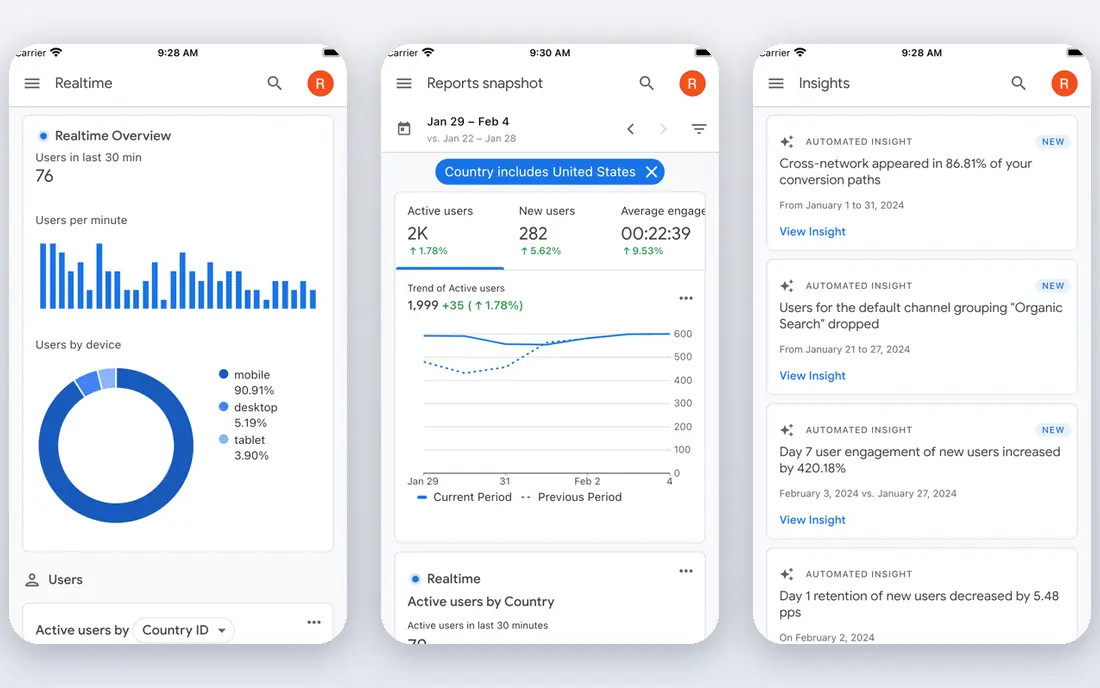
Google Analytics 4 is the baseline every store should run, even if you later buy a dedicated tool. It tracks traffic sources, product views, checkout steps and revenue, and its data-driven attribution gives a reasonable view of which channels assist sales. Integration with Google Ads and Search Console adds context without extra cost.
The limits appear as you grow. GA4 does not track profit or margin, its interface takes time to learn, and large reports can be sampled. Use it as the reference point for checking other tools, and add a commerce tool when you need profit, attribution across Meta and TikTok, or simpler reporting.
- Free with deep traffic and ecommerce reporting
- Data-driven attribution included
- Integrates with Google Ads
- Learning curve is steep for new users
- No profit or margin reporting
- Sampling can affect large reports
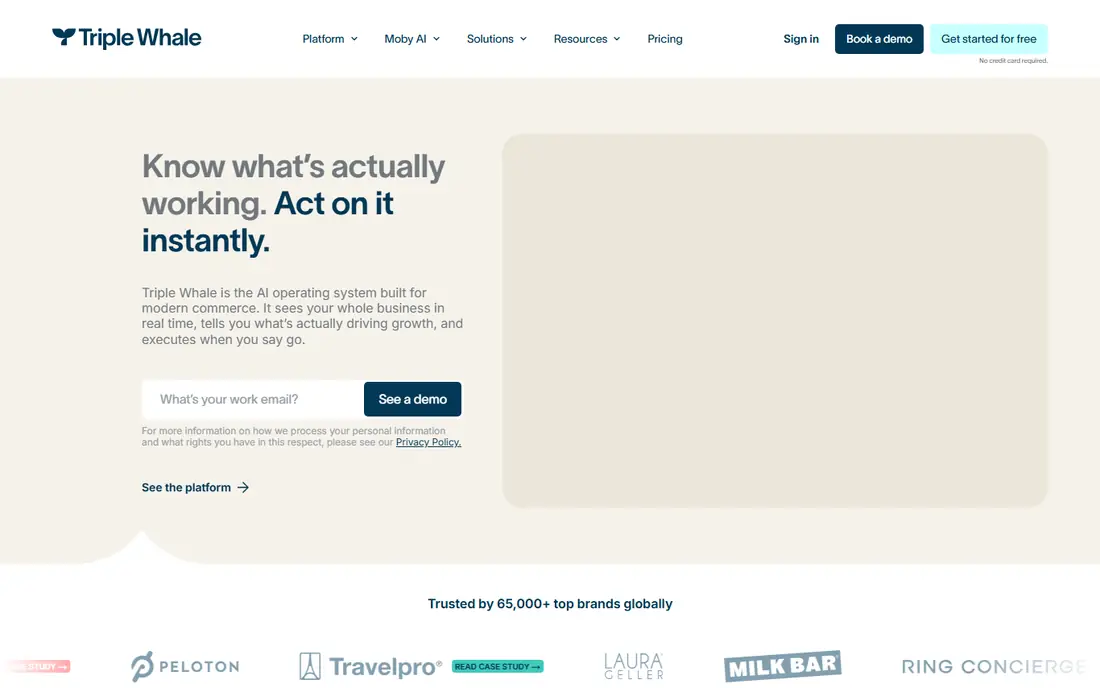
Triple Whale is the most popular all-in-one analytics choice for Shopify direct-to-consumer brands. Its first-party pixel ties ad clicks to orders, while dashboards combine revenue, ad spend, profit and customer lifetime value, so teams can judge campaigns on profit rather than ROAS alone. A free plan covers basic reporting for smaller stores.
Pricing is the part to verify at purchase, since published prices have varied during 2026 by GMV tier and package, with recent vendor listings showing paid plans in the hundreds of dollars per month. Attribution also differs from platform-reported numbers by design, so use Triple Whale for trends and decisions, not as an exact match to Meta Ads Manager.
- First-party pixel for Shopify attribution
- Profit, LTV and blended metrics in one dashboard
- Free plan available
- Pricing varies by GMV tier and has changed across 2026
- Attribution will not match Meta or Shopify exactly

Shopify Analytics is the reporting most store owners check first, because it is already there. Sales over time, top products, traffic sources, conversion rate and live activity are all available without installing anything, and the data matches your orders exactly since it comes from Shopify itself.
Depth is the limit. Custom reports, advanced filtering and deeper customer analysis sit on higher Shopify plans, and cross-channel attribution is basic. Keep Shopify Analytics as your daily check, and add GA4 plus a dedicated tool when you need attribution, profit or behaviour analysis.
- Built into every Shopify plan
- Sales, traffic and product reports without setup
- Live view of store activity
- Deeper reports are gated to higher tiers
- Limited custom analysis compared with dedicated tools
Northbeam suits brands spending enough on ads that a wrong attribution call costs real money. It combines multi-touch attribution with media mix modelling and incrementality testing, so teams can judge whether Meta, Google, TikTok and other channels actually drive new sales rather than taking credit for sales that would have happened anyway.
The starting price of $1,500 per month, reported in recent comparisons, means Northbeam only makes sense once ad spend is large enough for better measurement to pay for itself. Smaller stores should start with Triple Whale or GA4 and move to Northbeam when spend and channel mix outgrow those tools.
- Multi-touch attribution plus media mix modelling
- Built for brands with large ad budgets
- Testing tools for incrementality
- $1,500 per month starting price puts it out of reach for small stores
- Modelled data needs time to learn
Polar Analytics gives larger direct-to-consumer brands a single dashboard for marketing, store and customer data, built on a data warehouse rather than a simple app database. That structure suits brands that outgrew single-app analytics and need reliable reporting across many channels, products and cohorts.
Pricing is quote-based and scales with GMV, with recent Shopify listings showing entry plans in the hundreds of dollars per month, so small stores will find it expensive. If your team already struggles with conflicting numbers across tools, Polar is worth a demo; if you just need basic reports, it is more than you need.
- Unified marketing and store data in one dashboard
- Warehouse-based reporting for larger brands
- Shopify-focused
- Quote-based and GMV-based pricing
- Overkill for small stores with simple reporting needs
Mixpanel answers behaviour questions that commerce tools often miss. You can trace the funnel from product view to checkout, see where shoppers drop off, build cohorts by first purchase or channel, and track retention over time. That detail helps teams fix checkout friction and improve repeat purchase rates.
It is not a profit or attribution tool, so pair it with GA4 or a commerce platform for revenue and margin. Event-based pricing also means high-traffic stores should watch event volume, since costs rise with the number of tracked actions.
- Free plan available
- Detailed funnels, cohorts and retention analysis
- Cart-level behaviour tracking
- Not a commerce profit tool
- Event-based pricing can rise with traffic
Amplitude is the choice for larger stores and brands with apps that need product analytics at scale. Journey mapping shows how customers move across sessions and devices, cohorts and retention tools track long-term behaviour, and experimentation helps teams test changes without guessing. A free plan lets smaller teams try the core features.
Event design is the work. Amplitude only answers well if your events are named consistently and tracked cleanly, so budget time for implementation. Like Mixpanel, it covers behaviour, not profit, so keep a commerce tool for margin and attribution.
- Free plan available
- Journey mapping and experimentation
- Scales well for larger stores and apps
- Setup and event design need care
- Commerce metrics need a separate tool for profit
Littledata solves a different problem from the rest of this list: trust in the numbers. It adds server-side tracking so GA4, Meta and other ad platforms receive more complete order and customer data after privacy changes broke much browser-based tracking. For stores whose ad numbers and GA numbers disagree badly, that fix matters more than another dashboard.
Littledata is not a standalone analytics product, so you still need GA4 or a commerce tool to read the improved data. If your tracking is already clean, you may not need it, but if your team no longer trusts its reports, Littledata is the first tool to check.
- Server-side tracking improves GA and ad platform accuracy
- Shopify-focused setup
- Free trial available
- Fixes tracking rather than replacing analytics
- Needs GA or an ad platform to show value
Lifetimely suits Shopify stores that want profit and customer value without an enterprise price. It tracks profit after costs, customer lifetime value and cohorts, and its dashboards are simple enough for a small team to check weekly without an analyst. A free plan covers basic use, with paid plans scaling by features.
Attribution is simpler than Triple Whale or Northbeam, with first and last touch models in many plans, so it will not answer complex multi-channel questions. For stores whose main question is which customers and products actually make money, though, Lifetimely gives a clear answer at a fair price.
- Free plan available
- Profit, LTV and cohort tracking for Shopify
- Simple dashboards for small teams
- Attribution is first and last touch only in many plans
- Smaller review base than larger rivals
Looker Studio, formerly Google Data Studio, is the free way to build exactly the dashboard your team wants. Connect GA4, Shopify data through Sheets or BigQuery, ad platforms and spreadsheets, then design reports for owners, marketers and agencies. Sharing and scheduling make it easy to send a weekly snapshot without manual exports.
The cost is your time. Looker Studio has no built-in profit, LTV or attribution models, so every metric must be designed and checked. It works best as a reporting layer on top of GA4 and a commerce tool, not as a replacement for them.
- Free
- Connects to GA4, Sheets, BigQuery and hundreds of sources
- Fully custom dashboards and sharing
- You build every report yourself
- No built-in commerce metrics or attribution models
How we picked these
We compared vendor pricing pages, Shopify app listings and public product documentation for analytics tools that are live in October 2026. We covered web analytics, commerce attribution, store reporting, behaviour analysis, tracking accuracy and custom dashboards, so stores at different sizes can find a fit. We did not claim hands-on testing, and we based our picks on published features, pricing models and fit for ecommerce teams.
How to choose an ecommerce analytics tool
Start with the question you need answered this month. If it is where traffic comes from, GA4 is enough. If it is which ads drive profitable orders, look at Triple Whale or Northbeam. If it is why shoppers abandon checkout, look at Mixpanel or Amplitude. If it is whether your numbers can be trusted at all, look at Littledata first.
Then check the data you already have. A tool is only as good as its tracking, so confirm your pixel, server-side setup and order data are clean before paying for a new dashboard. Finally, trial with a real decision, such as shifting budget between two channels, and keep the tool only if the decision improves.
Frequently asked questions
What are the best ecommerce analytics tools?
Google Analytics 4 is the free baseline every store should run. For Shopify brands spending on ads, Triple Whale and Polar Analytics add attribution and profit, Northbeam suits high ad spend, and Mixpanel or Amplitude add behaviour detail. The best tool depends on whether your question is traffic, profit, attribution or behaviour.
What is the best ecommerce analytics software for Shopify?
Triple Whale is our pick for most Shopify direct-to-consumer brands, thanks to its first-party pixel, profit dashboards and free plan. Shopify Analytics covers daily store reporting, Lifetimely covers profit and LTV at a lower price, and Littledata fixes tracking accuracy when numbers disagree.
What is the best analytics platform for ecommerce?
There is no single platform that covers every need well. GA4 covers traffic, Triple Whale and Northbeam cover attribution, Mixpanel and Amplitude cover behaviour, and Looker Studio covers custom reporting. Most growing stores run two or three of these together, with GA4 as the common reference.
How much do ecommerce analytics tools cost?
GA4 and Looker Studio are free, while dedicated commerce tools range from free plans to $1,500 per month for Northbeam, with most paid plans scaling by GMV, orders or events. Budget for growth, since a tool that is cheap at low volume can cost far more as your store scales.
Do I need Triple Whale if I already use Google Analytics?
Not always. GA4 is enough for traffic and basic ecommerce reporting, but Triple Whale adds first-party attribution across Meta, Google, TikTok and other channels, plus profit and LTV dashboards. If ad spend is small or single-channel, GA4 plus Shopify Analytics may be enough.
What is the difference between ecommerce analytics and product analytics?
Ecommerce analytics focuses on revenue, orders, profit, attribution and customer value, while product analytics focuses on user behaviour, funnels, retention and feature use. Tools such as Triple Whale and Northbeam are ecommerce tools, while Mixpanel and Amplitude are product analytics tools, and many stores use both.
Sources
See where you really rank - block by block
ProMapRanker scans Google Maps across a grid of your service area. Simple monthly plans from $19, white-label on every plan.
Start freeKeep reading
 who has the best home internet service
Who Has the Best Home Internet Service in 2026
Who has the best home internet service in 2026? Compare fiber, cable, and 5G providers on speed, price, data caps, and availability at your address today.
Read → visio alternatives
Best Visio Alternatives in 2026
Compare 9 Visio alternatives for flowcharts, org charts, and network diagrams, with free plans, pricing, and the best pick for teams and solo users in 2026.
Read → top 10 logistics software
Top 10 Logistics Software in 2026
We compared the top 10 logistics software tools for transport, warehousing, visibility and shipping, for shippers, carriers and 3PL teams in 2026 today.
Read →