 ProMapRanker
Best All-in-One Website Platform in 2026


Design-led small business sites · Pricing starts at: $19 per month
Key takeaways
- Squarespace is the best design-led choice for most small businesses that want a polished site with selling built in.
- Wix offers the widest flexibility and app choice, but selling features need a higher plan than the entry tier.
- Shopify is the clear pick for stores, while WordPress.com is the strongest choice for content-led sites.
- Entry prices hide renewal rates, domain costs, and transaction fees, so compare the second-year total before you choose.
Quick comparison
| Pick | Great for | Pricing starts at | Free tier | |
|---|---|---|---|---|
| Squarespace | Design-led small business sites | $19 per month | Free trial | Visit |
 Wix | Flexibility and apps | $17 per month | Yes | Visit |
 WordPress.com | Blogging and content sites | $4 per month | Yes | Visit |
 Shopify | Online stores | $29 per month | Free trial | Visit |
 GoDaddy | Fast setup with domain and email | $9.99 per month | Free trial | Visit |
 Webflow | Design control and SEO structure | $15 per month | Yes | Visit |
 Hostinger Website Builder | Lowest entry cost | $2.99 per month | Free trial | Visit |
 Duda | Agencies and client sites | $19 per month | Free trial | Visit |
The best all-in-one website platforms
An all-in-one platform should cover hosting, design, a custom domain, and basic business tools in one account. The platforms below do that job in different ways, from a simple same-day site to a full store with inventory and shipping.
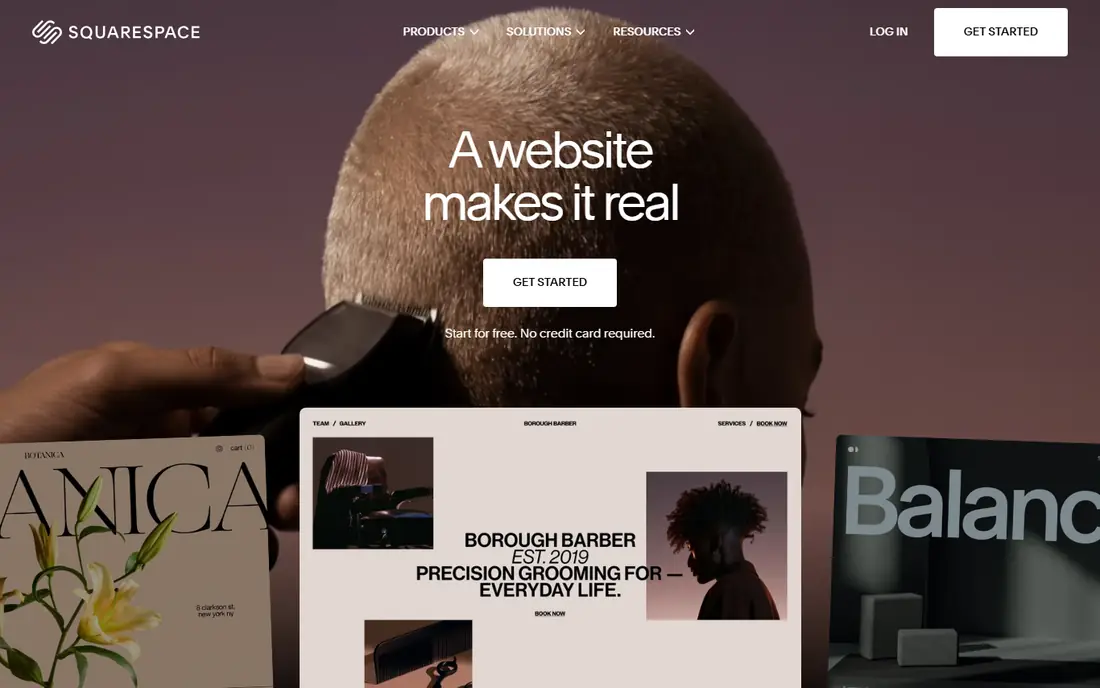
Squarespace is our pick for most small businesses that care how the site looks. Templates are curated and consistent, so a restaurant, studio, or consultancy can publish a clean site without hiring a designer. Selling, scheduling, email campaigns, and blogging sit in the same account, which reduces the need for separate tools. For a team that wants a professional result with modest effort, that combination is hard to beat.
The limits are flexibility and fees. You cannot reshape every element as freely as on Wix, and the entry Basic plan carries a transaction fee on goods sold, so a busy store should compare the next tier. Squarespace also has no permanent free plan, only a trial. If design quality matters more than total control, Squarespace is the easiest route to a site you will be proud to share.
- Polished templates that are hard to make look bad
- Built-in selling, booking, and blogging
- Solid SEO defaults
- Less pixel-level freedom than Wix or Webflow
- Basic plan adds a transaction fee on store sales

Wix is the most flexible all-in-one builder in this list. Owners can start from a template or an AI-generated draft, then move elements freely and add apps for bookings, stores, forms, and marketing. The free plan lets you test the editor before paying, which is useful for a first site. For a business that may grow from a simple site into a store or booking service, Wix can grow with it without a rebuild.
The catch is plan choice. The entry Light plan is for a basic site, while accepting payments and running a fuller store need higher tiers, so the cheapest headline price is not the selling price. Prices also vary by location, so check the price shown for your region. If you want maximum control and a large app market, Wix is a strong pick, provided you price the tier that matches your real goal.
- Huge template and app choice
- Drag-and-drop editing
- Free plan for testing ideas
- Payments and full selling need a higher plan
- Prices vary by region and plan

WordPress.com suits businesses and creators whose site is mainly content. Blogging tools, categories, scheduling, and media handling are mature, and the platform can grow from a personal blog to a business site with pages, forms, and a store. The free plan is a real way to start, and the low entry paid plan removes ads and adds a custom domain option. For a content strategy built on search and regular publishing, it is a natural home.
The trade-off is that the cheapest plans limit design control and plugin access. To use many plugins and fuller theme customization, you need a higher plan, and full commerce sits higher still. Owners who want a simple hosted WordPress site without managing servers will like that trade. Owners who want full self-hosted WordPress freedom should compare managed WordPress hosting separately.
- Strong blogging and content tools
- Large theme choice
- Free plan for starting out
- Full design freedom and plugins need higher plans
- Selling needs a higher commerce tier
Shopify is the clear choice when selling is the main job. Product catalogs, inventory, discounts, shipping, and checkout are built in, rather than added through a patchwork of plugins. The theme and app markets cover most store needs, from subscriptions to point-of-sale, and the checkout is familiar to shoppers. For a store with dozens or hundreds of products, that focus saves time and reduces errors.
The downside is that Shopify is overkill for a simple five-page brochure site, and app costs can add up on top of the subscription. Design freedom is good within themes, but deep custom design needs a developer or a paid theme. If your business lives or dies by online orders, Shopify is worth the subscription. If you only sell a few items now and then, a general builder with a store add-on may be cheaper.
- Built for selling from the first plan
- Inventory, shipping, and payments in one place
- Large app and theme market
- Less suited as a simple brochure site
- Costs grow with apps and higher plans
GoDaddy suits a local business owner who wants a live site today without managing several vendors. Domain registration, hosting, email, and the builder sit in one account, and AI-assisted setup can produce a usable first draft quickly. Marketing tools cover email campaigns, social posting, and a basic SEO guide, which is enough for many trades and local services. Support by phone and chat is also a comfort for owners who do not want to solve problems alone.
The limits are depth. Templates and SEO controls are simpler than those on Squarespace, Wix, or Webflow, and a full store needs a higher commerce plan. A business that plans heavy content marketing or advanced design may outgrow GoDaddy. For a fast, simple, local site with bookings or a small shop, it is a practical and low-stress choice.
- Domain, hosting, and builder in one account
- Quick AI-assisted setup
- Phone and chat support
- Design and SEO tools are basic compared with Squarespace or Webflow
- Selling needs higher plans
Webflow is for teams that want designer-level control without writing all the code by hand. Layout, animation, and CMS collections can be shaped in detail, and the resulting marketing site can look custom rather than template-bound. SEO controls, clean page structure, and content collections help content teams publish landing pages and blog posts at scale. Agencies and startups with a design-led brand often choose Webflow for that reason.
The trade-off is learning time. Webflow rewards users who invest in its editor, but a busy owner who wants a site in an afternoon may find Squarespace or GoDaddy faster. Commerce is available, but a serious store usually fits Shopify better. If design quality and marketing flexibility matter most, and you have time to learn the tool, Webflow is a strong platform.
- Precise visual design control
- Clean SEO and CMS structure
- Good for marketing sites that need custom layouts
- Steeper learning curve than Squarespace or Wix
- Full commerce needs higher plans
Hostinger is the budget pick for a simple site. The AI builder can generate a first draft from a short description, and the editor covers pages, images, forms, and basic selling on suitable plans. For a new business testing an idea, a portfolio, or a simple service site, the low entry cost removes the main barrier to getting online. Longer terms often include a free domain, which keeps the first-year total low.
The catch is renewal pricing. Introductory rates are low, but renewals are higher, so compare the second-year cost, not only the first month. Features are also simpler than on Squarespace or Wix, so a business that needs advanced booking, memberships, or complex selling may need to move later. For a tight budget and a simple site, Hostinger is good value if you go in with eyes open on renewals.
- Very low introductory price
- AI builder for a fast start
- Free domain on longer terms in many offers
- Introductory rates renew higher
- Templates and features are simpler than premium builders
Duda is built for agencies, freelancers, and teams that manage sites for clients. It offers templates, widgets, and client permissions that let a client edit text and images without breaking the design. That workflow saves agencies time, because handoff and small updates do not need a developer for every change. Selling, bookings, and membership features cover many small business needs in one platform.
The downside for a solo owner is familiarity and app choice. Duda is less widely known than Wix or Squarespace, and its app market is smaller than those larger platforms. A single-site owner may not need its agency tools and may prefer a more popular builder. For anyone building sites for others, though, Duda is a practical and efficient choice.
- Built for building many client sites
- Client editing controls
- Good templates and widgets
- Less well known to solo owners
- Smaller app market than Wix or Shopify
How we picked these
We compared official pricing pages and product documentation for builders that combine hosting, design, domains, and business tools in one account. We favored platforms that are live in 2026, that serve small businesses, and that cover different needs, from design to selling to content. We did not claim hands-on testing. Where a price depended on term length or region, we used the widely published entry figure and noted renewal risk in the text.
What to check before you choose
Start with the job of the site. A brochure site, a booking site, and a store need different plans, even on the same platform. List the pages, forms, booking steps, and products you need on day one, then check which plan covers them. A plan that looks cheap but lacks payments or bookings will cost more once you upgrade, so price the plan that fits the real job.
Next, test the editor with your own content. Add your logo, photos, and real text, then view the site on a phone. Check load speed, form delivery, and how easy it is to change a price or add a page later. Also check domain transfer, export options, and what happens if you cancel, because moving a site off a closed builder usually means rebuilding it. Finally, add up year two: subscription renewal, domain renewal, email, apps, and any transaction fees.
Frequently asked questions
What is the best all-in-one website platform for a small business?
Squarespace is the best all-round pick for design-led small businesses, Wix is best for flexibility, and Shopify is best for stores. The right choice depends on whether design, flexibility, selling, or content matters most to your business.
What is the best all-in-one website platform for selling online?
Shopify is the strongest choice for a real store, with inventory, shipping, and checkout built in. Squarespace and Wix can sell well for smaller catalogs, but Shopify scales better when order volume and product count grow.
Can I start a website for free?
Yes, Wix and WordPress.com offer free plans, and Webflow offers a free starter option. Free plans usually use a platform subdomain and show platform branding, so a paid plan is worth it once the site represents your business.
Do I need to buy hosting separately?
No, on an all-in-one platform hosting is included in the subscription. You still need a domain, which is often free for the first year on annual plans and renews yearly after that.
Can I move my site to another platform later?
Moving content is possible, but moving the full design usually is not. On closed builders, a move often means rebuilding pages on the new platform. Check export options before you build, especially if you expect to switch later.
Sources
See where you really rank - block by block
ProMapRanker scans Google Maps across a grid of your service area. Simple monthly plans from $19, white-label on every plan.
Start freeKeep reading
 zscaler alternatives
Best Zscaler Alternatives in 2026
Looking for zscaler alternatives? We compare 9 SASE and zero trust platforms on architecture, data protection, pricing, and fit for your network and team.
Read → zapier alternatives free
Best Zapier Alternatives Free in 2026
Nine automation tools for zapier alternatives free in 2026, all with genuinely free tiers, plus free plan limits, starting prices and upgrade paths explained.
Read → which platform is best for online reputation
Which Platform Is Best for Online Reputation in 2026
Wondering which platform is best for online reputation? We compare 8 review, listing, and response tools for small and multi-location businesses and agencies.
Read →