 ProMapRanker
Best All in One Construction Management platform in 2026

Field-first teams and trade contractors · Pricing starts at: $39 per user a month (billed yearly)
Direct answer
If you need field-first teams and trade contractors, Fieldwire is the first tool to look at here. Listed starting prices: Fieldwire from $39 per user a month, JobTread from $199 per month and Buildxact from $199 per month. JobTread is better for residential and specialty contractors, and Buildxact is better for residential builders who estimate first. All 7 tools are compared below on price, free plan and limits.
This ProMapRanker guide covers 7 options for all in one construction management platform. Each profile lists a starting price, free plan details, strengths and drawbacks, so you can drop poor fits quickly.
Key takeaways
- Top of the list is Fieldwire, which targets field-first teams and trade contractors.
- Fieldwire has the lowest monthly starting price in this list: $39 per user per month.
- Houzz Pro fits remodelers who require leads and design tools.
- A free plan is available from 3 of the 7 tools: Fieldwire, Buildxact, Houzz Pro.
- The main caution on JobTread: no free trial, only a 30-day money-back guarantee on monthly plans.
Quick comparison
| Pick | Great for | Pricing starts at | Free tier | |
|---|---|---|---|---|
| Fieldwire | Field-first teams and trade contractors | $39 per user a month (billed yearly) | Yes | Visit |
 JobTread | Residential and specialty contractors | $199 per month | No | Visit |
 Buildxact | Residential builders who estimate first | $199 per month | Yes | Visit |
 Procore | Large general contractors and owners | Quote only | No | Visit |
 Autodesk Forma Build | Design-led commercial teams | Quote only | No | Visit |
 Contractor Foreman | Small contractors on a tight budget | $49 a month (billed yearly) | Free trial (30 days) | Visit |
 Houzz Pro | Remodelers who require leads and design tools | $199 a month | Yes | Visit |
Tool-by-tool breakdown
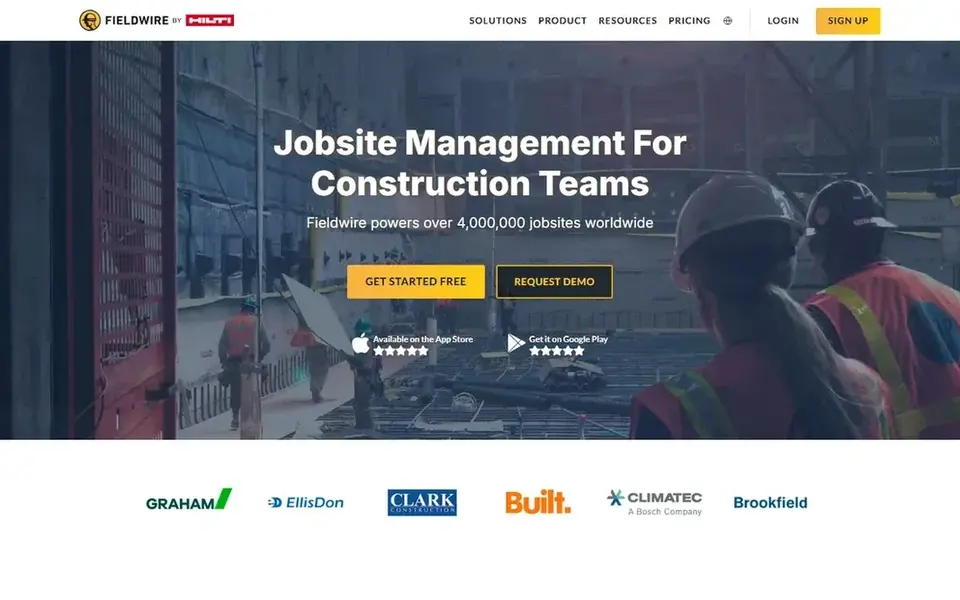
Fieldwire targets field-first teams and trade contractors. Pro layers on reports and exports, sheet compare, project templates, and custom task statuses, whereas Business brings custom forms, app integrations, and a BIM viewer.
Fieldwire starts at: $39 per user per month. Free access exists with Fieldwire.
What to check first: RFIs, submittals, change orders; or client portal on the core plans.
- Free Basic plan for up to 5 users
- Sheet compare on Pro
- Budget tools need Business Plus at $89 per user a month
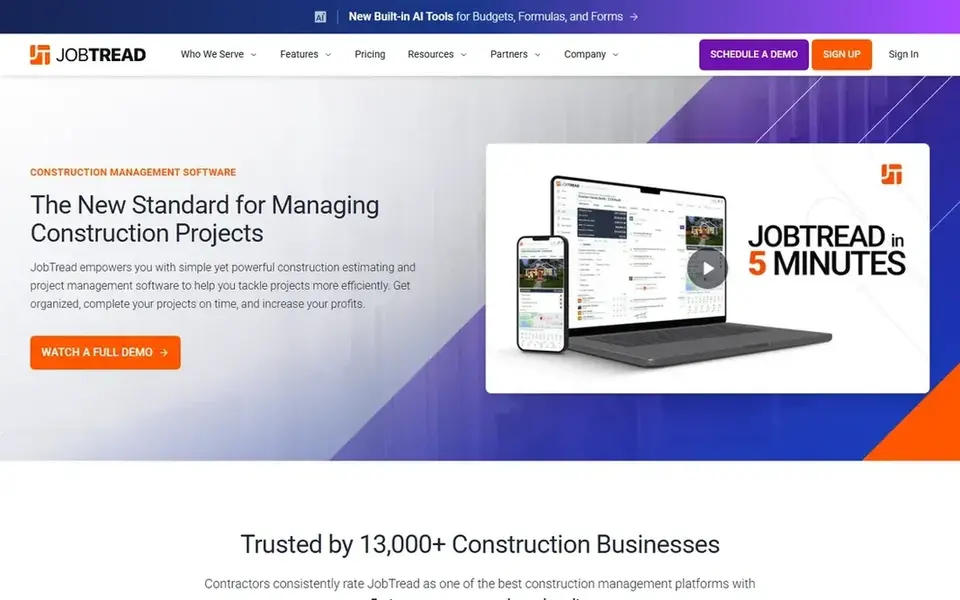
JobTread makes the most sense for residential and specialty contractors. Annual billing saves 20 percent.
Worth adding: the pricing page also notes data imports, pre-built job templates, and a dedicated customer success manager. On cost, JobTread starts like this: $199 per month. There is no free plan with JobTread.
Drawbacks to consider: No free trial.
- One plan with every feature included
- Free and unlimited customer, vendor
- Only QuickBooks Online is listed as the accounting link, so other accounting users should check fit
Buildxact targets residential builders who estimate first. Buildxact is designed for residential builders, remodelers, and dealers who start with estimating and then run the job from the same estimate.
In practice, annual billing saves 15 percent. The starting price for Buildxact: $199 per month. Buildxact has a free plan.
Downsides: Job management and schedules start on Pro at $399 a month, not Foundation.
- Free Go plan with 5 complimentary credits for AI estimates and proposals
- All plans bundle unlimited users
- Annual plans need a 12-month commitment

Pick Procore if this describes you: large general contractors and owners. That volume model fits a large team, since adding users does not raise the fee.
Watch-outs: Annual contract model may be too large a commitment for a small builder.
The page lists unlimited users, unlimited data storage, and 24/ It is also the central reason a small builder should pause. Procore does not show a fixed starting price, so you request a quote. No free plan comes with Procore.
What works well: 24/7 support on the contract.
- Unlimited users
- Wide coverage from preconstruction to project closeout
- No published price, so budgeting needs a sales quote
Autodesk Forma Build was built for design-led commercial teams. The pricing page now displays Get a Quote buttons and no published price, so a buyer must contact Autodesk for a figure.
Where it falls short: Per-user and bundle pricing can grow quick as more staff need access.
Autodesk Forma Build does not show a fixed starting price, so you request a quote. Autodesk Forma Build does not include a free plan.
- Closeout tools in the Construction Operations bundle
- Solid link between design models, documents
- No published price on the pricing page
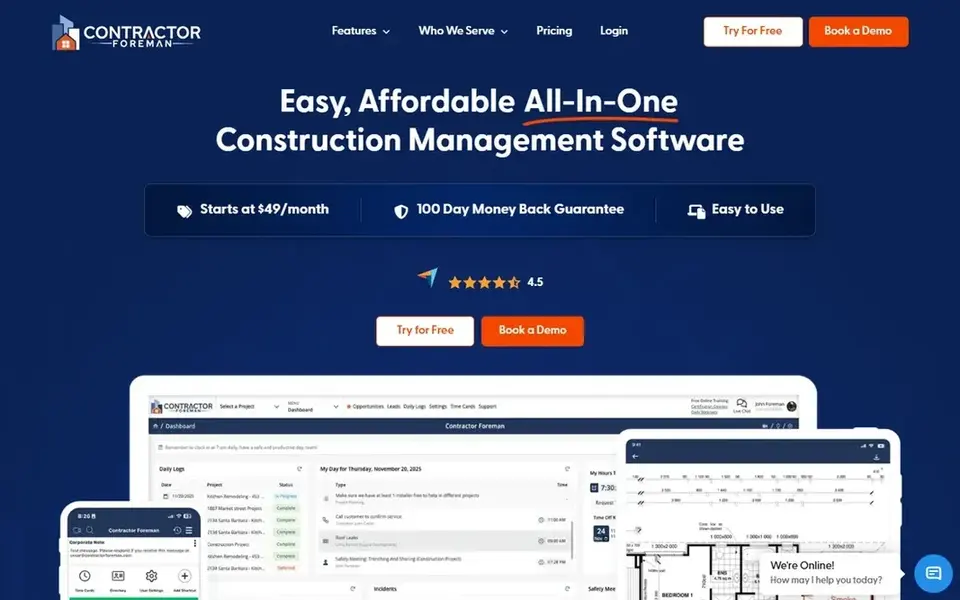
Contractor Foreman was built for small contractors on a tight budget. The page also lists a 30-day free trial and free private training sessions that vary by plan.
Limits to weigh: Entry-level plan permits only 1 user and is sold on annual billing only.
A solo contractor can start at $49 a month, but a team of four needs Plus. A team of nine needs Pro, so the monthly cost rises in clear steps as Contractor Foreman cost at the entry level: $49 per month. Trial and free access: Free trial (30 days).
- 30-day free trial and 100-day money-back guarantee on higher plans
- Low starting price with all core features on every plan
- Local material pricing is not included on Basic or Standard

In short, Houzz Pro is for remodelers who require leads and design tools. The free plan is handy for a solo pro who wants to test the core tools, but the contract terms need care.
What to check first: Additional users cost $50 per user a month, so team costs rise quick.
On top of that, Pro comes with estimates, invoices and online payments, takeoffs, 3D floor plans, selections, bid management, and budget management. On cost, Houzz Pro starts like this: $199 per month. Houzz Pro includes a free tier.
- Free plan includes a 3D floor planner, estimates, invoicing
- Budget management for one user
- Most plans are 12-month contracts that cannot be cancelled early
How we chose
The comparison looks at four things: starting price, free access, how well the feature set matches all in one construction management platform, and the main limit of each tool. Prices and plan limits come from vendor pages and can change, so confirm them on the vendor site before you buy. The ranking is editorial: typical fit first, then clear pricing, then free access. If your needs are unusual, read the profiles rather than relying on position.
Things to verify first
- Get a written quote from Procore and Autodesk Forma Build; the list shows no starting price for them.
- Check what the free option really includes: Fieldwire, Buildxact and Houzz Pro offer a free plan, and usage caps differ.
- Use real work to test the free trial from Contractor Foreman, rather than a demo project.
- Before choosing Fieldwire, weigh its main limit: RFIs, submittals, change orders, and budget tools need Business Plus at $89 per user a month.
- Test how quickly Procore answers a pre-sales question; it hints at how support will feel later.
- Confirm that JobTread connects to the apps your team already uses, on the plan you would actually buy.
Frequently asked questions
What is the best all-in-one construction management system for a small builder?
Start with Fieldwire if you need field-first teams and trade contractors. JobTread is the better match for residential and specialty contractors, and Buildxact for residential builders who estimate first. The best choice depends on budget, team size and workflow.
Is Fieldwire the right pick for everyone comparing all in one construction management platform?
No single tool suits every team. Fieldwire comes first because it fits field-first teams and trade contractors, while JobTread suits residential and specialty contractors and Buildxact suits residential builders who estimate first. Match the tool to your own size, budget and workflow before deciding.
How are the tools for all in one construction management platform ordered?
The order follows typical fit for all in one construction management platform, with Fieldwire first and Houzz Pro last, then price clarity and free access. It is editorial judgement, not a score, so another team could rank the tools differently.
Which tool is a good match for field teams?
Fieldwire comes first here and is built for field-first teams and trade contractors. Buyers with other needs may prefer JobTread (for residential and specialty contractors) or Buildxact (for residential builders who estimate first). Compare costs and limits first.
What is the cheapest option for all in one construction management platform in this list?
On published monthly entry prices, Fieldwire is the lowest here at $39 per user per month. Entry price is only part of the cost, because seats, add-ons and billing terms can change the total.
Can I try these tools before paying?
Often, yes. Fieldwire, Buildxact and Houzz Pro have a free plan and Contractor Foreman offers a free trial. Use your own data and a real task during the test, and check what the free tier or trial limits before you rely on it.
Sources
See where you really rank - block by block
ProMapRanker scans Google Maps across a grid of your service area. Simple monthly plans from $19, white-label on every plan.
Start freeBrowse all guides
← AI Contractor Risk Management Software: Best Picks of 20265 Best Process Automation Software for Real Estate Agents for 2026 →
 best ai tools for cleaning businesses
5 Best AI Tools for Cleaning Businesses in 2026
5 products for the best AI tools for cleaning businesses, ranked by fit, with starting costs and free tiers. Read the caveats before you buy. Choose faster.
Read → best open house software for real estate agents
Best Open House Software for Real Estate Agents in 2026
6 products for the best open house software for real estate agents, ranked by fit, with starting costs and free tiers. Short verdicts, no fluff. See which fits.
Read → best fleet management software for real estate agents
6 Best Fleet Management Software for Real Estate Agents for 2026
Best fleet management software for real estate agents in 2026: 6 tools with starting prices, free plans and limits. Short verdicts, no fluff. Read the profiles.
Read → best tablets for field service
Best Tablets for Field Service in 2026
Compare the best tablets for field service in 2026, from rugged workhorses to everyday iPads, with durability, battery life, screen visibility, and app notes.
Read → best field service software
Best Field Service Software in 2026
Compare the best field service software for dispatch, scheduling, invoicing, and mobile teams, with current pricing and honest trade-offs in 2026 in detail.
Read → best electrical estimating software for small contractor
7 Best Electrical Estimating Software for Small Contractor Options for 2026
Compare 7 picks for the best electrical estimating software for small contractor, with prices, free plans and who each fits. Plain-spoken summaries throughout.
Read →More in Real Estate, Construction & Trades · All guides A to Z by date · Latest guides