 ProMapRanker
Best AI Writing Software for Research Papers in 2026

Key takeaways
- Jenni AI and Paperpal lead for drafting and polishing academic prose, while Elicit, Consensus, and Scite lead for finding and checking evidence.
- Tools wired to real paper databases reduce invented citations, but you should still open every source and verify quotes, methods, and findings.
- Free plans are useful for testing, yet most cap daily questions, extractions, or document length, so heavy literature work usually needs a paid plan.
- LaTeX and Overleaf users should shortlist Writefull, while medical and technical writers should look closely at Trinka AI.
- No tool replaces your own argument, analysis, and checking against your institution rules on AI use.
Quick comparison
| Pick | Great for | Pricing starts at | Free tier | |
|---|---|---|---|---|
 Jenni AI Jenni AI | academic co-writing with citations | $12 per month | Yes | Visit |
 Paperpal Paperpal | journal ready editing and checks | $19 per month | Yes | Visit |
 Elicit Elicit | systematic literature extraction | $10 per month | Yes | Visit |
 Scite Scite | citation context and claim checking | $12 per month | Free trial | Visit |
 Consensus Consensus | evidence based answers from papers | $8.99 per month | Yes | Visit |
 SciSpace SciSpace | searching and chatting with papers | $12 per month | Yes | Visit |
 QuillBot QuillBot | paraphrasing and citation help | $8.33 per month | Yes | Visit |
 Grammarly Grammarly | grammar, tone, and plagiarism checks | $12 per month | Yes | Visit |
 Trinka AI Trinka AI | technical and medical language editing | $6.67 per month | Yes | Visit |
The best ai writing software for research papers
Research writing has two distinct jobs, which are finding trustworthy evidence and turning that evidence into clear prose. The tools below split across those jobs, so the best choice depends on where you get stuck: the literature search, the draft, or the final polish.
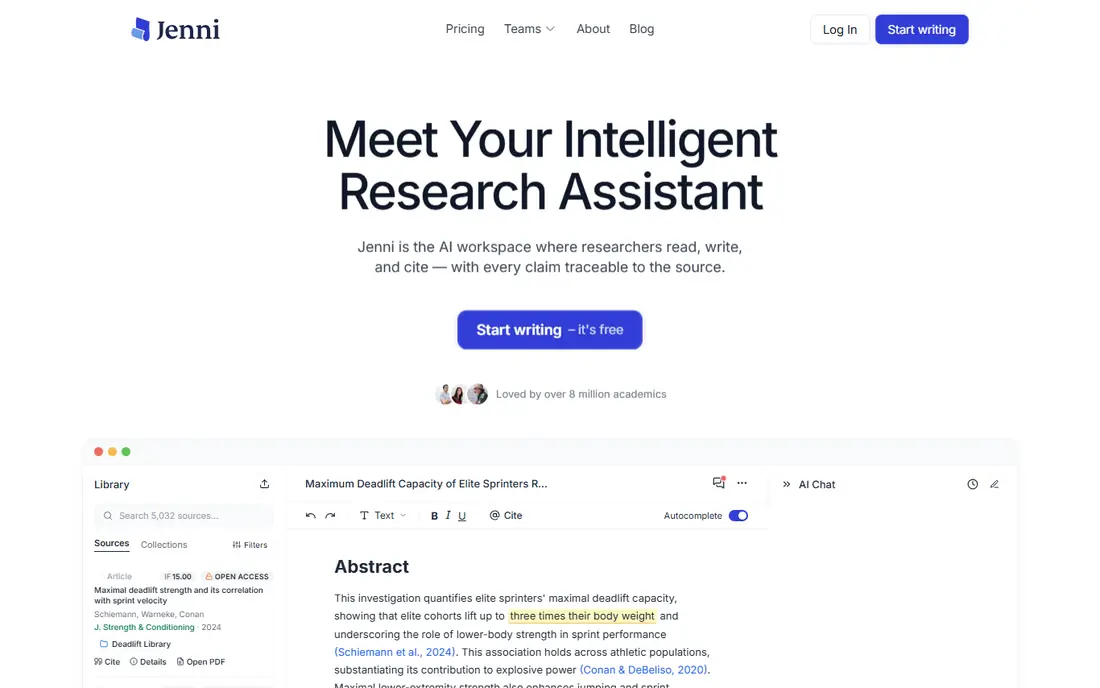
Jenni AI is built as a co-writer for academic drafts. As you write, it suggests continuations, helps phrase arguments, and inserts in-text citations in styles such as APA, MLA, and Harvard. That flow suits students and researchers who have notes and sources ready but struggle to turn them into connected paragraphs. The risk is the same as with any drafting tool. Suggested citations must be checked against the original paper before submission, because an AI generated reference can look correct while being wrong. Use Jenni to speed drafting, then verify every citation yourself and keep your own analysis at the centre of the paper.
- In-text citations in major styles
- Autocomplete tuned for academic prose
- Works with PDFs and sources you add
- AI suggestions can invent sources if unchecked
- No built-in plagiarism checker on all plans
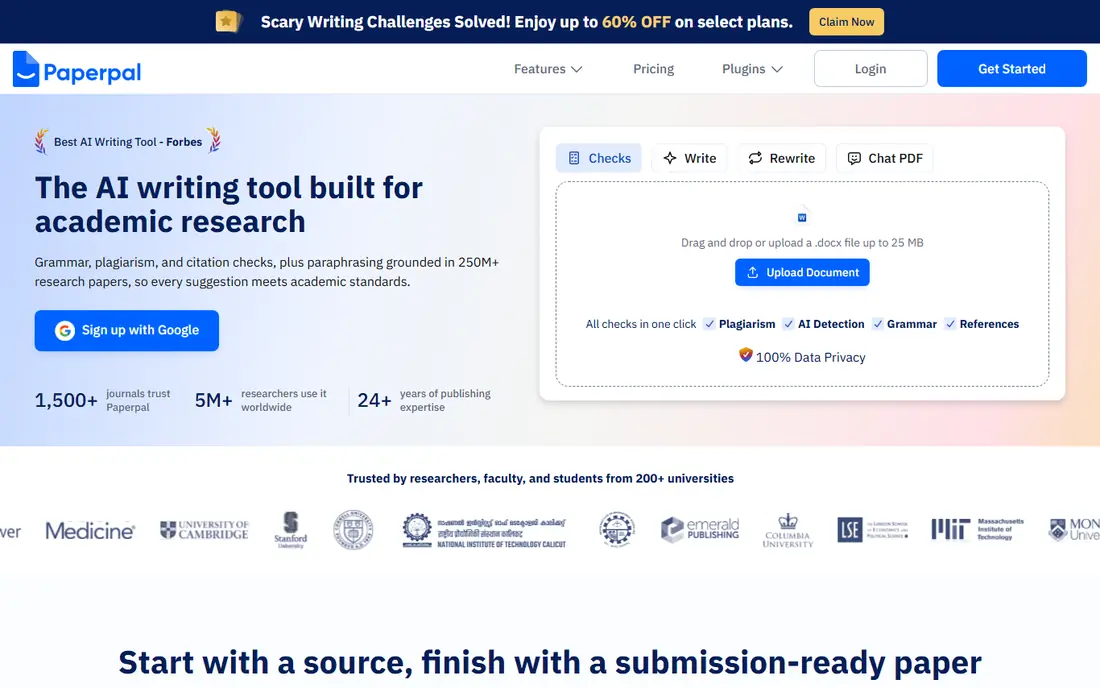
Paperpal focuses on the later stages of a paper, when language, structure, and journal fit matter most. It checks grammar in an academic context, flags awkward phrasing, and runs submission readiness checks that cover common journal requirements. For non-native English writers, that targeted feedback is more useful than a general grammar tool. It is less of a literature search tool than Elicit or Consensus, so pair it with a search tool for the research phase. Large manuscripts can also feel slow to process. For a near final draft heading to a journal, Paperpal is a strong polish step before peer review.
- Academic language editing
- Submission readiness checks
- Journal specific style guidance
- Can be slow on very large documents
- Full feature set takes time to learn
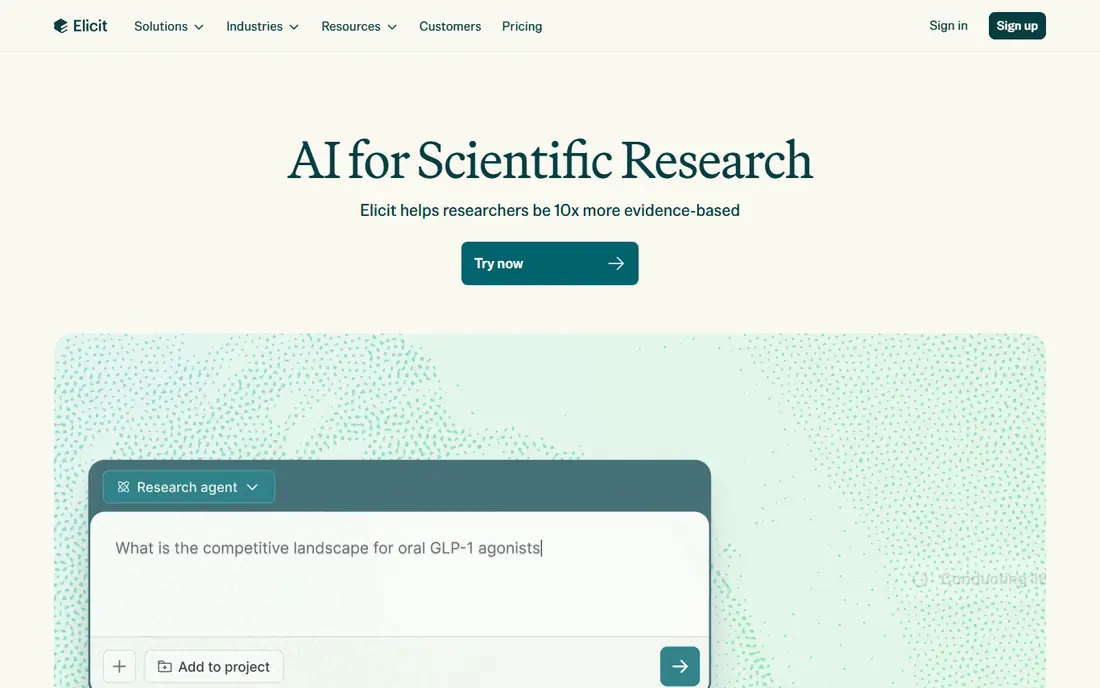
Elicit helps researchers move from a question to a structured view of the literature. Ask a research question, and it finds relevant papers, then extracts methods, sample sizes, and outcomes into a table you can compare. That structure saves hours when a review covers dozens of papers. It does not write your paper for you, and that is a strength. You still need to read key papers, judge quality, and build your own synthesis. Free credits limit deeper extraction work, so systematic reviews usually need a paid plan. For literature heavy projects, Elicit is one of the most useful starting points.
- Structured extraction tables across many papers
- Answers cited to source text
- Good for systematic reviews
- Research tool rather than a prose writer
- Free plan limits extractions
Scite answers a question other tools skip, which is how a paper has actually been cited. Its Smart Citations show supporting, mentioning, and contrasting citation statements, so you can see whether a finding held up or was challenged. That context helps you avoid leaning on a single study that later work questioned. Scite is a checking tool, not a writer. You will still draft in another program and search elsewhere for discovery. For a thesis, a review, or any paper where claim accuracy matters, running key claims through Scite before submission is a sensible safeguard.
- Shows whether citations support or contrast a claim
- Large citation statement database
- Useful for vetting evidence
- Price is higher for students on some plans
- Not a full drafting tool
Consensus is useful when you start with a question rather than a paper title. Ask whether an intervention works, or what the evidence says on a topic, and it returns an answer grounded in peer reviewed papers, with a view of agreement across studies. That makes it a fast way to test a claim before you build an argument around it. Niche topics with few papers will return thinner results, and the free tier limits deeper analysis. Treat Consensus as a scoping tool: use it to find promising papers and check broad agreement, then read the full papers yourself before citing them.
- Answers drawn from peer reviewed papers
- Consensus view across studies
- Direct links to sources
- Weaker on very niche topics
- Deeper analysis sits behind paid tiers
SciSpace combines search and reading help in one workspace. Semantic search finds papers by meaning rather than exact keywords, and the AI Copilot can explain a dense paragraph, summarise a section, or answer questions about a PDF you upload. That reading support helps when a paper sits outside your main field. The free plan is a fair test, but premium features open the deeper workflow. Large documents can also feel slow. For students juggling many papers, SciSpace shortens the time from finding a paper to understanding whether it matters.
- Semantic search across a large paper set
- Chat with PDFs to explain sections
- Paraphraser with many tones
- Best features sit behind the paywall
- Performance can lag on large documents
QuillBot is a practical helper for rewriting and citation formatting rather than a research database. Its paraphraser offers modes for fluency, formality, and conciseness, and the citation tool covers common styles. QuillBot Flow adds a writing space that combines drafting, paraphrasing, and citations. The catch is tone. Accepted paraphrases can read as flat or awkward, and a paraphrase that stays too close to the source still needs your own reworking and a citation. Use QuillBot to break writer's block and clean sentences, then edit every output in your own voice and check the original meaning.
- Low cost paraphrasing with several modes
- Citation generator
- Grammar checking in the same suite
- Paraphrases can sound unnatural if accepted without editing
- Free plan limits words per paraphrase
Grammarly remains a reliable general polish tool for research writers. It catches grammar, spelling, punctuation, and clarity issues across Word, Google Docs, and the browser, and Pro adds a plagiarism checker that compares your draft with web and academic sources. That breadth suits writers who already have a draft and need a clean final pass. It does not understand academic conventions as deeply as Paperpal or Trinka, and it will not check whether a citation is real. Use Grammarly for language and originality checks, and use a research tool for evidence and citation accuracy.
- Accurate grammar and spelling checks
- Works in Word, Docs, and browsers
- Plagiarism checker on Pro
- Less specialised for academic nuance than Paperpal or Trinka
- Pro cost adds up
Trinka AI is built for technical and medical manuscripts, where terminology, units, and journal style rules matter. It checks grammar with subject specific language models and flags issues against standards such as AMA, APA, and IEEE. That focus helps authors in medicine, engineering, and life sciences who need precise language rather than general fluency help. Humanities writers may find less value here, because the strength lies in technical correctness. For a STEM or medical paper, though, Trinka offers a focused, low cost editing pass that general tools often miss.
- Tuned for STEM and medical writing
- Checks style guides used by journals
- Low starting price
- Less useful for humanities prose
- Smaller general writing feature set
How we picked these
We compared official feature pages, pricing pages, app listings, privacy policies, and public reviews for AI writing and research tools available in October 2026. We looked for grounding in real paper databases, citation support, drafting and editing quality, plagiarism and submission checks, and clear free or trial limits. We included both search led tools and writing led tools, because research papers need both. We did not claim hands-on testing for this list. Always check your institution or journal rules on AI use, and verify every citation, quote, and claim against the original source before submission.
How to use these tools without risking your paper
Start with evidence, not a generated draft
Use Elicit, Consensus, Scite, or SciSpace to find and vet papers first. Build a shortlist of sources you have actually opened. Drafting from a verified shortlist is far safer than asking a general chatbot to invent a bibliography.
Verify every citation at the source
Open the DOI or publisher page for each reference. Check authors, year, journal, methods, and the specific finding you cite. If a tool gives you a citation you cannot find, drop it rather than submitting it and hoping a reviewer will not check.
Keep your argument yours
Use drafting tools for phrasing, structure, and clarity, not for conclusions. Your thesis, synthesis, and critical judgment should come from your reading. That approach also keeps you inside most academic integrity rules, which require disclosure of AI help where required.
Run a final integrity pass
Before submission, run grammar, plagiarism, and submission checks with Paperpal, Grammarly, or Trinka, depending on your field. Check journal style, reference formatting, and figure and table rules separately, because no single tool covers every journal requirement.
Frequently asked questions
What is the best AI tool for writing research papers?
Jenni AI is a strong all round choice for drafting with citations, while Paperpal is stronger for final journal ready editing. If your main problem is finding and synthesising literature, Elicit is the better starting point. The best tool depends on which stage of the paper you are in.
Which AI tool is best for research paper writing and citations?
Tools wired to real databases, such as Elicit, Scite, Consensus, and SciSpace, are safer for citations than general chatbots. Jenni AI also supports in-text citations in major styles. In every case, verify each citation against the original paper before submission.
What are the best AI tools for research paper writing on a budget?
QuillBot, Trinka AI, and Consensus offer low cost starting plans with free tiers for testing. Grammarly also has a useful free tier for grammar. Free plans limit daily use, so budget for a paid month during heavy writing or review periods.
Can AI tools write a full research paper for me?
They can draft sections, summarise papers, and polish language, but a full paper still needs your research question, analysis, and judgment. Submitting unedited AI text also risks academic integrity problems and factual errors. Use these tools as assistants, not authors.
How do I avoid fake citations from AI tools?
Use tools that link to real papers, open each source, and check the DOI, authors, and findings. Avoid tools that generate references without links to a paper database. Keep a verified reference list in a manager such as Zotero or Mendeley alongside your draft.
Is using AI writing software allowed for academic papers?
Rules vary by institution, course, and journal. Many allow AI help for editing, brainstorming, and literature discovery, with disclosure, while others restrict generated text. Check your institution policy and your target journal guidance before you submit, and disclose AI use where required.
Sources
See where you really rank - block by block
ProMapRanker scans Google Maps across a grid of your service area. Simple monthly plans from $19, white-label on every plan.
Start freeKeep reading
 zendesk alternatives
Best Zendesk Alternatives in 2026
Compare the best Zendesk alternatives in 2026, from budget help desks to AI-first support tools, with current pricing, free plans, and honest trade-offs.
Read → wordpress alternatives
Best WordPress Alternatives in 2026
Looking for the best WordPress alternatives? We compare 8 free and paid options for blogs, business sites, stores, and developer-led projects in 2026.
Read → which real estate company has the best training
Best Real Estate Company Training in 2026
Compare which real estate company has the best training, from Keller Williams and eXp to Compass and Coldwell Banker, by program, mentor, and fit in 2026.
Read →