 ProMapRanker
6 Best AI WordPress Hosting Platforms for 2026

Reliability, scalability and compliant infrastructure · Pricing starts at: See website
Direct answer
Liquid Web is the first pick on this list for reliability, scalability and compliant infrastructure. Listed starting prices: Cloudways from $20 a month, Kinsta from $17.50 a month and Hostinger from $1.99 a month. SiteGround is better for speed, security and expert support, and Cloudways is better for adaptable managed cloud hosting. The other 3 tools in the list cover narrower or pricier cases.
ProMapRanker put together this guide to AI WordPress hosting platforms for readers who want a clear shortlist without reading every vendor page. It compares 6 tools on starting price, free plans, who each one suits and where each one falls short.
Key takeaways
- Number one here is Liquid Web, a fit for reliability, scalability and compliant infrastructure.
- WP Engine fits established WordPress sites and agencies.
- Liquid Web, WP Engine and the 4 others all need a premium plan or a trial, since no free plan is listed.
- For the cheapest start, look at Hostinger: $1.99 per month.
- One limit worth knowing about Cloudways: needs more technical comfort.
Quick comparison
| Pick | Great for | Pricing starts at | Free tier | |
|---|---|---|---|---|
| Liquid Web | Reliability, scalability and compliant infrastructure | See website | Not stated | Visit |
 SiteGround | Speed, security and expert support | See website | Not stated | Visit |
 Cloudways | Adaptable managed cloud hosting | $20 a month | Free trial | Visit |
 Kinsta | Managed WordPress performance and support | $17.50 a month | Free trial | Visit |
 Hostinger | Wide hosting menu for new sites | $1.99 a month | Not stated | Visit |
 WP Engine | Established WordPress sites and agencies | $28.00 a month | Not stated | Visit |
6 AI WordPress hosting platforms in detail

Liquid Web is a good fit for reliability, scalability and compliant infrastructure. Liquid Web presents hosting built for reliability, speed and scalability, spanning dedicated servers, managed hosting and compliant infrastructure.
Where it falls short: Broader menu can feel complicated.
For everyday use, the breadth of choices means more decisions for newcomers, and it is not a WordPress-only product. Small blogs or straightforward brochure sites may find lighter managed WordPress hosts simpler to navigate. Liquid Web does not show a starting price in this comparison, so check the vendor site for current pricing. On free options: Not stated.
- Uptime and performance focus
- Dedicated server choices
- Not WordPress-only

SiteGround is built with speed, security and expert support in mind. Choose SiteGround when dependable speed, security and support matter most and you are comfortable assembling your own AI workflow.
For everyday use, bigger or highly customized projects may have to review plan limits carefully. This comparison lists no price for SiteGround; ask the vendor. Free plan details: Not stated.
The main drawbacks: Not positioned as an AI system.
- Fits WordPress sites of varied size
- Emphasis on speed and security
- Plan limits affect bigger sites
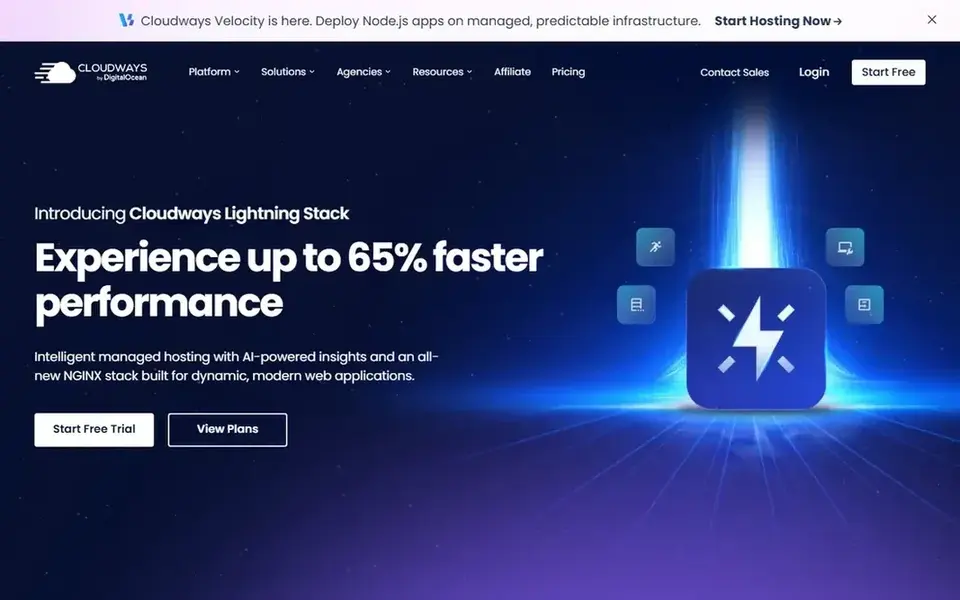
Cloudways is aimed squarely at flexible managed cloud hosting. Cloudways gives you a simplified managed cloud hosting system pitched at small and midsize firms and developers. It sits between raw cloud infrastructure and completely managed WordPress hosting, giving users cloud adaptability without handling every server task.
Also, teams running AI-assisted WordPress sites that require room to scale may appreciate the managed cloud model and the control it provides over their environment. Cloudways assumes more technical familiarity than usual shared hosting, so absolute beginners may prefer a more straightforward managed WordPress plan. Beyond that, pick Cloudways when you want managed cloud adaptability and are comfortable making some configuration decisions yourself. Cloudways pricing: $20 per month. Free access: Free trial.
The main drawbacks: Needs more technical comfort.
- Adaptable infrastructure choices
- Managed cloud approach
- Less beginner-friendly than shared hosting

Kinsta is built with managed WordPress performance and support in mind. Kinsta positions itself as a managed WordPress host built around enterprise-grade speed, security and support. Its homepage flags WordPress-specific infrastructure and a support team, which suits companies, agencies and publishers that want a hands-off product.
Points against: Less suited to non-WordPress stacks.
More specifically, for teams adding AI-assisted content or optimization workflows, a managed environment cuts the operational load of tuning servers and caching yourself. Choose Kinsta when managed WordPress performance and responsive support matter more than the lowest possible entry cost. Kinsta starts at: $17.50 per month. Free access: Free trial.
- Emphasis on speed and security
- Dedicated support
- Restricted low-cost entry choices

Hostinger makes the most sense for wide hosting menu for new sites. Advanced AI-driven optimization features vary by plan and should be checked before committing.
What works well: VPS and cloud choices.
From a buyer's view, Hostinger is not a WordPress-only host, so teams wanting deep WordPress-specific tooling and white-glove support may prefer a specialist. Choose Hostinger when a wide, approachable hosting menu matters more than a narrow managed WordPress focus. Hostinger pricing: $1.99 per month. Free plan details: Not stated. Where it is weaker: Feature depth varies by plan.
- Shared
- Domains included in the menu
- Less WordPress-specialized
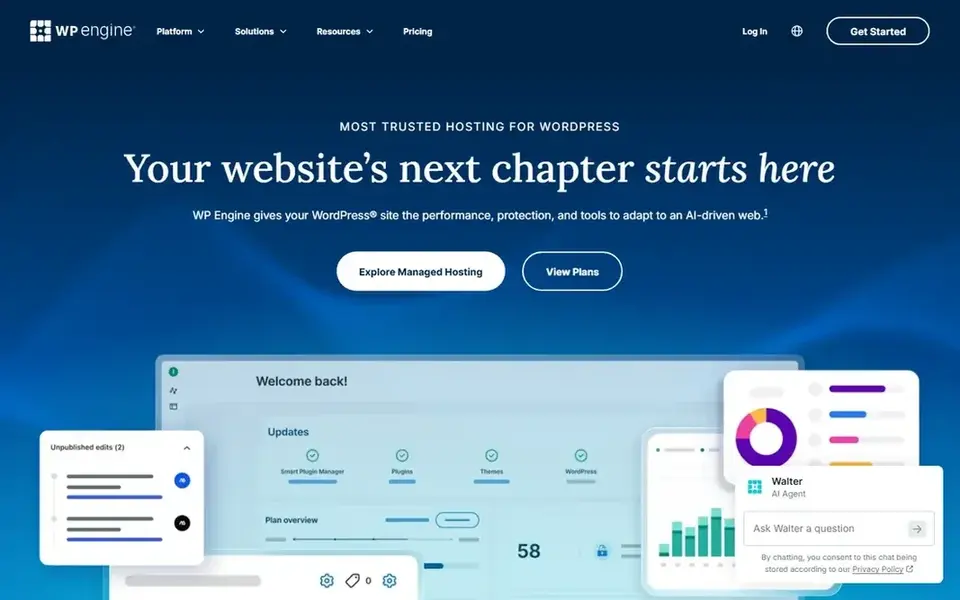
Where WP Engine fits: established WordPress sites and agencies. Pick WP Engine when you want a mature WordPress product with support and security built in instead of the cheapest possible choice.
In daily use, very small personal sites may find more straightforward shared hosting sufficient. What you pay to start with WP Engine: $28.00 per month. Free options: Not stated.
Limits to weigh: Narrower fit for non-WordPress apps.
- Round-the-clock support
- Security options included
- Premium positioning may not suit hobby sites
How we chose
Selection started from tools commonly considered for AI WordPress hosting platforms, then narrowed to 6 that have clear pricing information or a clear quote process. Figures are shown as the vendors publish them. Billing terms, seat minimums and add-ons can change the real cost. Position on the page reflects fit for a typical buyer first, with price clarity and free access breaking ties. Treat it as a guide, not a ruling.
Pre-purchase checklist
- Ask Liquid Web and SiteGround for a written quote, since no starting price is shown.
- Run a trial of Cloudways and Kinsta with real work before paying for a year; your own workflow is the best test.
- Read the limits listed for Liquid Web first: broader menu can feel complicated.
- Map your must-have features to a specific Cloudways plan before you compare prices.
- Find out what support Hostinger includes on your plan, and whether onboarding help costs extra.
Frequently asked questions
Does any tool for AI WordPress hosting platforms here have a free plan?
No tool in this list, Liquid Web and WP Engine included, has a permanent free plan. Cloudways, Kinsta offer a trial. Trials and quotes are the usual route, so plan a short evaluation period.
How are the tools for AI WordPress hosting platforms ordered?
Liquid Web sits first and WP Engine last because the order follows typical fit for AI WordPress hosting platforms, then price clarity and free access. It is a judgement call, so read each profile for fit and limits.
Can I try these options before paying?
Often, yes. Cloudways and Kinsta offer a free trial. Use your own data and a real task during the test, and check what the free tier or trial limits before you rely on it. Each of the 6 options in this AI WordPress hosting platforms guide has its own card above with the price, free plan and limits.
What makes a WordPress host AI-ready?
AI readiness typically comes from a stable, quick WordPress environment plus room to run AI plugins and integrations. In practice, managed hosts that deal with caching, security and updates cut the maintenance burden so you can focus on content and automation workflows.
Is Liquid Web the right pick for everyone comparing AI WordPress hosting platforms?
No single tool suits every team. Liquid Web comes first because it fits reliability, scalability and compliant infrastructure, while SiteGround suits speed, security and expert support and Cloudways suits flexible managed cloud hosting. Match the tool to your own size, budget and workflow before deciding.
Sources
See where you really rank - block by block
ProMapRanker scans Google Maps across a grid of your service area. Simple monthly plans from $19, white-label on every plan.
Start freeBrowse all guides
← Best AI Website Change Monitoring Software (2026)Best AI-Powered CMS Platforms in 2026 →
 best evals platform that supports self-hosting
Best Evals Platform That Supports Self-Hosting in 2026
Best evals platform that supports self-hosting: 5 contenders ranked by fit, with entry costs and free tiers. Read the caveats before you buy. Prices checked.
Read → best ai website monitoring software
AI Website Monitoring Software in 2026: Top 5 Compared
Shortlisting the best AI website monitoring software? 5 products compared on cost, free access and ideal buyer. Verdicts stay brief and factual. Decide faster.
Read → best magento hosting for startups
2026 Guide to the Best Magento Hosting for Startups
Weighing the best magento hosting for startups? We lined up 6 products by cost, free access and fit. Concise write-ups of every option. Quick to scan.
Read → wordpress alternatives
Best WordPress Alternatives in 2026
Looking for the best WordPress alternatives? We compare 8 free and paid options for blogs, business sites, stores, and developer-led projects in 2026.
Read → website local
Website Local: A Complete Guide
Everything you need to know about website local: what it is, why it matters for local SEO, and exactly how to act on it.
Read → best vps hosting service
Best VPS Hosting Services in 2026
Compare the best vps hosting service options for developers and small businesses, covering entry prices, managed support, control and renewals in 2026.
Read →More in Websites & Hosting · All guides A to Z by date · Latest guides