 ProMapRanker
Best AI Video Generation Tools Text to Video in 2026

Key takeaways
- Google Veo and Runway lead for cinematic text to video quality, with native audio and editing controls on higher tiers.
- Kling offers strong value for volume, with a low entry price and daily free credits on suitable plans.
- The best ai tools for text to video generation depend on whether you need short social clips, ads, training videos, or film style scenes.
- Avatar tools such as Synthesia and HeyGen suit training and marketing narration, not cinematic scene generation.
- Only use legitimate creative tools, and only create videos of real people with their clear consent. Never use AI video tools to create non consensual or deceptive content.
Quick comparison
| Pick | Great for | Pricing starts at | Free tier | |
|---|---|---|---|---|
 Runway | Professional editing | $12 per month | Yes | Visit |
 Google Veo | Cinematic realism | $19.99 per month | Yes | Visit |
 Kling | Value and volume | $6.99 per month | Yes | Visit |
 Pika | Quick social clips | $8 per month | Yes | Visit |
 Luma Dream Machine | Photoreal scenes | $9.99 per month | Yes | Visit |
 Hailuo MiniMax | Strong motion | $10 per month | Yes | Visit |
 Adobe Firefly Video | Brand safe video | $10 per month | Yes | Visit |
 Synthesia | Avatar training video | $18 per month | Free trial | Visit |
 HeyGen | Avatar marketing video | $24 per month | Yes | Visit |
The best ai video generation tools text to video
Text to video tools turn a written prompt, and sometimes a reference image, into a short video clip. Quality, clip length, audio, and cost vary widely, and the right tool depends on whether you need a social clip, a product ad, a training video, or a film style scene. We compared official pricing and feature pages, and we focused on tools that are actively available in October 2026 for legitimate creative work. We excluded tools that were discontinued, and we only list tools for consensual, lawful creative use.
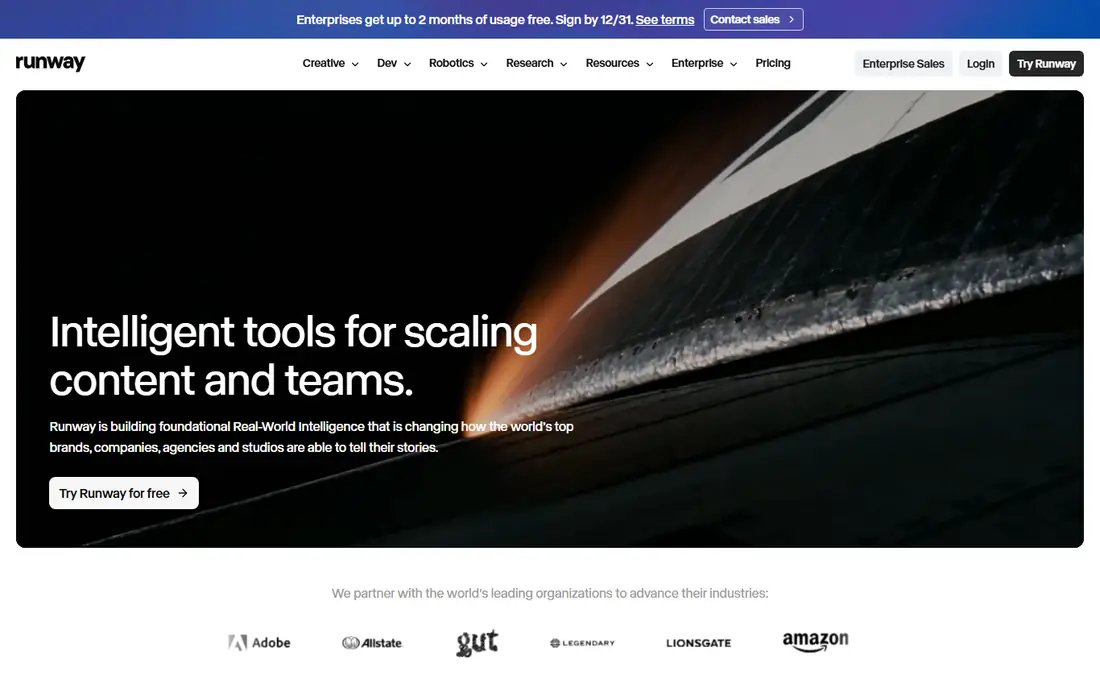
Runway suits creators who want generation plus editing in one workspace. Text to video and image to video sit beside timeline editing, effects, and upscaling tools, so a clip can be refined without exporting to another app. That integration helps agencies and creators who produce many short videos and need consistent style.
The credit model needs attention. A short clip uses credits, and higher quality or longer outputs use more, so a busy month can cost more than the entry price suggests. Runway offers a limited free credit allowance to test the workflow. For professional creators who value control and editing depth, Runway remains a strong all round choice.
- Full editing suite beside generation
- Strong control over style and motion
- Credits based plans for different volumes
- Credits can run out fast on long projects
- Entry plan limits resolution and features
- Learning curve for advanced controls
Google Veo suits creators who want the most cinematic text to video output, with synchronized audio from the same prompt. It handles camera movement, lighting, and scene coherence well, and it is available through Google AI Pro and related tools. For ads, brand films, and pre visualization, Veo often produces the most polished first result.
The catch is cost and access. Higher limits and 4K output sit on higher tiers, and API use is billed by time and audio options. Veo also applies watermarking, which matters for commercial use cases where provenance must be clear. For quality first projects with a real budget, Veo is a leading choice.
- High realism and prompt accuracy
- Native audio including dialogue and sound effects
- Available through Gemini, Flow, and Google AI tools
- Costs rise fast at scale
- API pricing is usage based
- Visible and invisible watermarks apply depending on tier

Kling suits creators who need many clips without a large budget. Its entry price is among the lowest on this list, and free daily credits let users test motion, character animation, and short scenes before paying. Human movement and lip sync are particular strengths, which helps for social and character driven content.
Credit use is the main thing to watch. Different models, lengths, and quality settings consume different amounts, so a simple monthly price does not tell the full story. Creators should test their typical clip type and count the credits it uses. For volume on a budget, Kling offers strong value.
- Low entry price
- Daily free credits on suitable plans
- Strong human motion and lip sync features
- Credit math can be confusing
- Higher quality outputs use more credits
- Interface and support vary by region
Pika suits social creators who need a quick clip, effect, or visual idea without a complex workflow. The interface is simple, generations are fast, and the entry price is low. It works well for short form content, memes style creative work with original material, and rapid concept testing.
Pika is not the best choice for long, cinematic scenes or precise camera control. Clip length is shorter than some rivals, and quality at the entry tier reflects that focus on speed. For creators who post often and need fast, fun visuals, Pika is an efficient tool.
- Simple interface for fast clips
- Effects and style options for social content
- Low entry price
- Clip length and quality below cinematic leaders
- Free plan is limited
- Advanced control is lighter than Runway or Veo
Luma Dream Machine suits creators who want photoreal scenes with smooth camera movement. It handles outdoor scenes, product shots, and cinematic moments well, and it offers both text and image starting points. The free tier lets users test the look before committing to a paid plan.
Volume and watermark rules matter here. Free and low tiers may limit resolution, length, or commercial use, so check the current plan details before using outputs in client work. For brand and film style visuals where realism matters, Luma is a strong contender beside Veo and Runway.
- Strong photoreal look and camera controls
- Text and image to video options
- Free tier for testing
- Free outputs can be watermarked or limited
- Higher tiers needed for volume
- Some features vary by model version
Hailuo, from MiniMax, suits creators who want lively motion at a low price. It handles character movement, expressive scenes, and short social clips well, and daily free credits make it easy to test. For creators who produce many short videos, Hailuo offers a useful balance of quality and cost.
The main caution is plan clarity. Credit rules, daily limits, and paid tiers change, so check the current pricing page before budgeting for a campaign. Hailuo is less of a full editing suite than Runway, so creators who need deep post production will pair it with an editor. For generation itself, it is a strong budget option.
- Strong motion and expressive animation
- Daily free credits on suitable plans
- Good value for short clips
- Pricing and credit rules vary by plan
- Support and language options vary
- Quality varies by prompt type
Adobe Firefly Video suits brands and agencies that need video generation with clearer commercial use rules. Adobe positions Firefly as trained on licensed and public domain content, which helps teams that worry about rights and brand safety. Integration with Adobe apps also helps when a generated clip needs further editing.
Cinematic quality can lag Veo on some complex scenes, and credit limits affect how much video a team can produce each month. For marketing teams already using Adobe tools, Firefly fits naturally into existing workflows. For pure quality chasing, test Veo and Runway beside Firefly on the same prompts before choosing.
- Designed for commercial use with Adobe content controls
- Integration with Adobe creative apps
- Credits based plans
- Generation depth below Veo for some cinematic scenes
- Credits can limit volume
- Best value inside Adobe plans
Synthesia suits training, onboarding, and explainer videos where a presenter talks to camera. Users write a script, choose an avatar and voice, and generate a video without filming. That workflow saves time for teams that update training content often or produce videos in several languages.
Synthesia is not a cinematic scene generator. It will not produce a film style outdoor scene or action scene from a prompt in the same way Veo or Kling will. Avatar use also carries consent duties: only use avatars and voices you have rights to use, and never create a deceptive video of a real person. For corporate training and internal communication, Synthesia is a practical and efficient tool.
- Avatar presenters with voiceover in many languages
- Fast training and explainer video production
- No camera or studio needed
- Avatar videos can feel less natural than real presenters
- Text to video here means script to avatar, not cinematic scenes
- Trial only, no permanent free plan
HeyGen suits marketing teams that need presenter led videos, product explainers, and localized versions quickly. It offers avatars, translation, and voice options, which help teams reach audiences in several languages without reshooting. Templates speed up common marketing formats.
HeyGen requires care with identity. Voice cloning and avatar features must only be used with clear consent from the person depicted, and deceptive use is not acceptable. The entry price is also higher than some scene generators, so teams should compare it against Synthesia for training use and against Veo or Kling for scene use. For authorized avatar marketing, HeyGen is a strong option.
- Avatar videos with translation and voice cloning options for authorized users
- Marketing templates
- Fast production for social and sales videos
- Higher entry price than some rivals
- Avatar realism varies by model
- Free plan is limited
How we picked these
We compared official pricing and feature pages for AI video tools that accept text prompts and produce video, including cinematic models, avatar tools, and brand safe options. We favored tools that are actively available in October 2026, with a current free plan, trial, or published entry price. We excluded discontinued tools and any tool marketed for undressing or non consensual imagery, and we only recommend legitimate creative use with consent where a real person is depicted. Prices are starting prices checked in October 2026, and where pricing varies by credits or plan we wrote the entry figure from vendor or comparison sources, with See website avoided where a credible entry price was found.
What to check before you buy
AI video quality looks impressive in demos, but real projects expose credit limits, clip length, and rights issues quickly.
Test your exact prompt type
Generate the same prompt in two or three tools: a product shot, a human action, and a dialogue scene if you need audio. Compare motion, hands, faces, and lip sync at full size, not just in a thumbnail. A tool that excels at outdoor scenes may struggle with people, and vice versa.
Count credits for a real project
Estimate clips per month, average length, and quality setting, then check how many credits each clip uses. A low monthly price with expensive credits can cost more than a higher flat plan. Run a small paid test before committing to a large campaign.
Check rights, watermarks, and commercial use
Confirm whether outputs can be used commercially on your plan, whether watermarks apply, and how provenance is marked. Brands should keep records of prompts, models, and licenses, especially for ads and client work. If a tool does not state commercial rights clearly, ask before publishing.
Use consent and disclosure responsibly
Only create videos of real people with their clear consent, and do not use AI video to mislead viewers about what is real. Label AI generated content where your audience, client, or platform requires it, and never use these tools to create non consensual intimate imagery or deceptive impersonations. Legitimate creative use protects both creators and audiences.
Frequently asked questions
What are the best ai text to video generation tools?
Google Veo and Runway lead for cinematic quality, Kling and Hailuo lead for value, and Pika leads for quick social clips. The best ai tools for text to video generation depend on whether you need scenes, avatars, or brand safe marketing video. Test the same prompts across two tools before choosing.
What is the best free AI video generator?
Kling, Pika, Luma Dream Machine, and Hailuo offer free tiers or daily credits that suit testing and occasional use. Free outputs often have limits on length, resolution, watermarks, or commercial use, so check plan details before client work. For regular production, a paid plan is usually needed.
How long can AI generated videos be?
Most text to video tools produce clips of about five to ten seconds per generation, with longer results possible through extension or chaining on some platforms. Kling and similar tools support longer chained outputs, while Veo and Runway focus on shorter high quality clips. Check the current model limits, because they change with new releases.
Can I use AI video tools for commercial work?
Yes, on suitable paid plans, but rights, watermarks, and credit limits vary by tool. Adobe Firefly Video is positioned for commercial use, while other tools state commercial rights by plan. Always check the current terms for your plan and keep records for client projects.
Do AI video tools need consent for real people?
Yes. Only create videos featuring a real person with that person's clear consent, and never use AI video to create deceptive or non consensual content. Avatar and voice cloning features must only be used by authorized users for lawful purposes. When in doubt, do not generate the video.
Sources
See where you really rank - block by block
ProMapRanker scans Google Maps across a grid of your service area. Simple monthly plans from $19, white-label on every plan.
Start freeKeep reading
 zoro.to alternatives
Best Zoro.to Alternatives in 2026
We compare the best zoro.to alternatives in 2026, listing only legal licensed anime streaming services, from Crunchyroll to free options for fans today.
Read → zip alternatives
Best Zip Alternatives in 2026
We compare the best zip alternatives for buy now, pay later in 2026, covering pay-in-4 plans, fees, spending limits, and credit reporting options today.
Read → yesware alternatives
Best Yesware Alternatives in 2026
Compare the best yesware alternatives for sales email tracking, templates, and sequences, with current pricing and honest tradeoffs for small sales teams.
Read →