 ProMapRanker
Best AI Video Generation Tools Comparison in 2026


Cinematic clips with audio · Pricing starts at: $19.99 per month
Key takeaways
- Consent warning: only animate images or video you own or have permission to use, and never animate a real person without consent.
- Google Veo and Runway suit cinematic and directed work, while Kling and Pika suit faster, lower-cost social clips.
- Credit math matters more than headline price, because clip length, resolution and retries change how many videos a plan actually yields.
- Synthesia and HeyGen suit training and avatar videos, not general cinematic generation, so judge them by a different standard.
- Sora is not listed here as a live consumer product, because its consumer app closed in April 2026, as noted in the task brief for this guide.
Quick comparison
| Pick | Great for | Pricing starts at | Free tier | |
|---|---|---|---|---|
| Google Veo | Cinematic clips with audio | $19.99 per month | Yes | Visit |
 Runway | Directed shots and editing | $12 per month | Yes | Visit |
 Kling | Value and realistic motion | $10 per month | Yes | Visit |
 Pika | Short social and effect clips | $8 per month | Yes | Visit |
 Luma Dream Machine | Multi-model creative work | $30 per month | No | Visit |
 Hailuo | Expressive character motion | See website | Yes | Visit |
 Adobe Firefly Video | Brand and Creative Cloud work | $9.99 per month | Yes | Visit |
 Synthesia | Avatar training videos | See website | Free trial | Visit |
 HeyGen | Avatar marketing and dubbing | See website | Yes | Visit |
The best ai video generation tools comparison
We compared legitimate creative tools that turn text or images into video, and we judged them on output type, control, audio, pricing clarity and fit for different creators. This top ai video generation software comparison groups tools by job, because a cinematic model, an avatar tool and a social clip tool are not direct substitutes. Only animate material you own or have permission to use, and never create a video of a real person without that person consent.
Google Veo suits creators who want cinematic clips with synchronized audio, including dialogue, sound effects and ambience in the same generation. It is reached through Google Flow, the Gemini app and other Google tools, and it supports text-to-video, image-to-video and reference-based consistency. That combination helps for short scenes, ads and concept videos where sound matters as much as the image.
The main cost issue is credit use. Access through Google AI Pro starts at $19.99 per month in the pricing we found, with limited daily or monthly credits on lower tiers, and higher tiers for larger limits. A creator who generates many takes or long clips will use credits quickly, so the plan should be judged by clips per month, not by the monthly price alone. Veo clips also carry provenance marks in Google tools, which matters for disclosure.
- Strong realism and prompt following
- Native audio with dialogue and sound
- Access through Flow and Gemini
- Credits burn fast at scale
- Higher tiers needed for larger limits and higher resolution
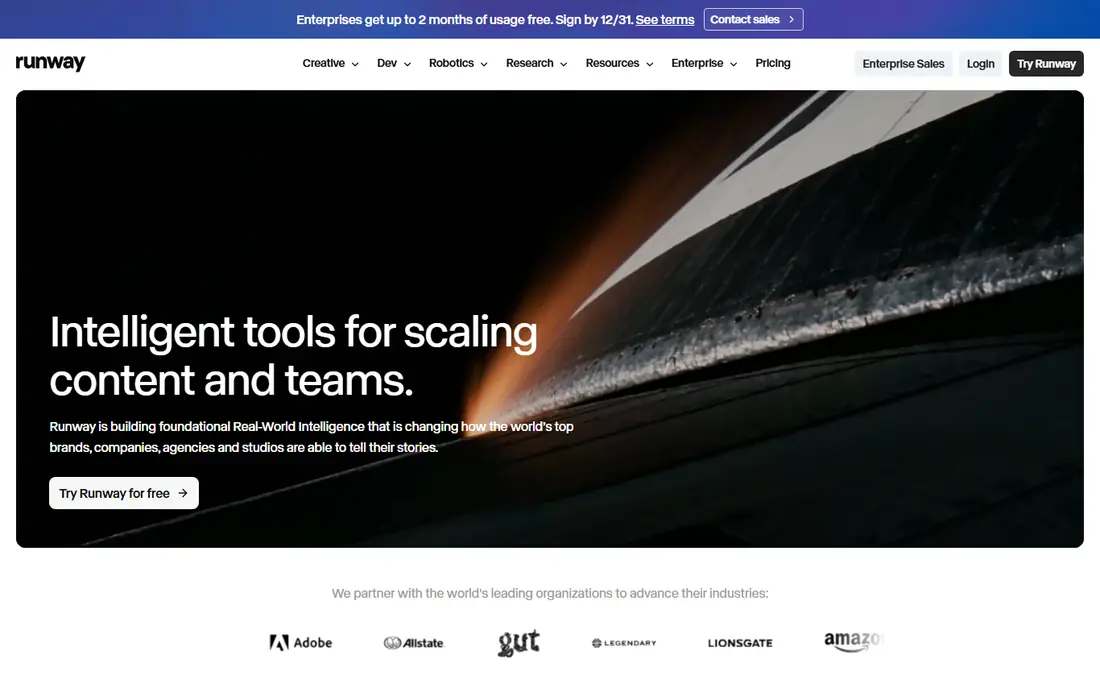
Runway suits creators who want to direct a shot, then extend, restyle or clean it up in the same workspace. Its Gen-4 models offer reference-based consistency and camera controls, and its broader suite covers editing, effects and workflow tools beyond simple generation. That makes it a good fit for filmmakers, agencies and content teams that treat AI video as one step in a production process, not as a single output.
Pricing starts with 125 one-time free credits, and Standard is $15 per month, or $12 per month on annual billing, in the pricing we found. The catch is that credits convert to seconds differently by model, length and resolution, so two creators on the same plan may get different numbers of usable clips. Runway works best when a team tests a representative prompt on free credits and counts usable takes, including retries.
- Gen-4 models with strong control
- Editing and workflow tools around generation
- Free credits to start
- Credit math varies by model and job
- Higher tiers needed for larger volumes
Kling, from Kuaishou, suits creators who want realistic motion and a lower cost per clip than many rivals. It supports text-to-video and image-to-video, with lip-sync and motion tools that help for character and product shots. Free credits, including daily credits on some plans in the sources we found, give new users a way to test motion quality before paying. Standard paid plans start at $10 per month in the pricing we found, with higher plans for more credits.
The caution is plan variation. Kling pricing and free credit amounts have changed with promotions and regions, so the current site should be checked for the exact plan in your location. Some features, such as higher resolution or longer clips, also use more credits, so a plan that looks cheap for short clips may cost more for longer work. Test the exact clip type you need, not only a short demo.
- Good value per clip in many comparisons
- Realistic human motion
- Daily free credits on some plans
- Interface and language support can vary by region
- Credit plans change with promotions
Pika suits creators who make short social videos, effects-driven clips and quick ideas, rather than long cinematic scenes. Its effects tools, such as Pikaffects, let users apply transformations and stylized motion to an image or clip, which works well for social feeds. The free plan lets a creator test the style before paying, and paid plans start at $8 per month on annual billing in the pricing we found, with higher plans for more credits.
The limit is scope. Pika is best for short, punchy clips, and it offers less control for long narrative work, complex camera moves or multi-shot consistency than Runway or Veo. Audio support is also more limited than Veo, so creators who need synchronized dialogue should check current audio features before choosing Pika for that job. For social output, though, speed and simplicity are real advantages.
- Fast social clips and effects
- Free plan for testing
- Simple prompt workflow
- Shorter clips than cinematic tools
- Limited control for long narrative scenes
Luma Dream Machine suits creators who want cinematic motion and a platform that also hosts outside models, including Veo, Kling and others on paid plans in the sources we found. Its Ray models focus on transforming and generating video with strong motion, and its credit system lets users choose a model per job. That multi-model access can save a creator from subscribing to several tools at once.
The main drawback is entry cost. Current individual pricing we found lists Plus at $30 per month with 10,000 credits, with no free individual plan listed, which is higher than Kling or Pika entry plans. Credit use also varies by clip length and resolution, with a five-second 1080p Ray clip using a large share of a monthly allowance in one comparison, so users should count clips per month carefully. Older reviews that mention a free tier are out of date for current individual plans.
- Ray models for cinematic motion
- Access to several outside models on paid plans
- Strong image-to-video work
- No free individual plan in current pricing we found
- Higher entry price than rivals
Hailuo, from MiniMax, suits creators who want expressive character motion, with strong results for faces, gestures and stylized scenes. It supports text-to-video and image-to-video, and it offers trial credits for new users to test motion quality. That trial is useful, because character motion is hard to judge from a demo reel alone, and a creator should test their own characters and prompts.
Pricing is the main uncertainty. Published entry prices vary by promotion, region and plan, so we list See website rather than a figure that may not apply in your location. Some plans also limit resolution or clip length, and higher-quality outputs use more credits. Creators should check the current plan page for their region and count usable clips, including retries, before committing.
- Expressive motion and character work
- Trial credits to test
- Image-to-video strengths
- Pricing varies by promotion and region
- Output length and resolution limits vary by plan
Adobe Firefly Video suits brands, agencies and Creative Cloud users who need video generation with a clearer commercial-use position and provenance tools. It integrates with Adobe workflows, so a team can generate a clip, then edit, caption and export it in tools they already use. Free daily generations on some plans let users test the model before paying, with paid plans starting at $9.99 per month in the pricing we found.
The trade-off is ecosystem fit. Firefly works best for teams already in Adobe tools, while users who want a standalone cinematic model may prefer Veo or Runway. Credit limits, model access and commercial terms also vary by plan, so the exact plan page should be checked for the work you intend. Firefly is not a bulk social tool, and its value comes from workflow and rights clarity more than from the lowest clip price.
- Designed for commercial use with provenance
- Creative Cloud integration
- Free daily generations on some plans
- Model choice and credit limits vary by plan
- Less suited to users outside Adobe tools
Synthesia suits training, onboarding and internal communication teams that need a presenter-led video without filming a person. Users type a script, choose an avatar and voice, and generate a video in many languages, which helps for global training and product updates. That workflow saves filming time and makes updates easier, since a script change does not require a new shoot.
The limit is that Synthesia is not a general text-to-video tool for cinematic scenes. It excels at avatar-led explanations, but it will not replace Veo or Runway for creative shots, product films or narrative work. Pricing also varies by plan, with entry figures differing across sources, so we list See website. Teams should check avatar, language and video length limits for the plan they need.
- Realistic avatars and voiceovers
- Many languages
- Good for training and onboarding videos
- Not a general cinematic generator
- Pricing varies by plan and avatar features
HeyGen suits marketing and sales teams that need avatar videos, product explainers and translated versions of a single script. Its avatars, lip-sync and dubbing tools help a team publish the same message in several languages without re-filming. That is useful for product launches, onboarding and customer education, where speed and language coverage matter.
The cautions are pricing and consent. Entry prices vary across sources and plans, so we list See website, and higher plans add more avatar, voice and video length features. Voice and avatar cloning also require permission from the person being cloned, and teams should never clone a real person voice or likeness without clear consent and a lawful basis. Stock avatars avoid that risk for most marketing work.
- Avatar videos and translation
- Lip-sync and voice cloning controls
- Marketing and sales use cases
- Pricing varies by plan
- Avatar quality depends on source material and plan
How we picked these
We compared official feature and pricing pages, public comparisons and model documentation, and we favored tools that are live in October 2026, fit legitimate creative video work, and state their pricing and limits clearly. We excluded Sora as a live consumer product, because its consumer app closed in April 2026, and we excluded tools that focus on non-consensual imagery or face-swapping real people without consent. Where pricing conflicted across sources, we wrote See website rather than repeating an uncertain figure.
We also weighed credit math alongside headline price. A plan that looks cheap can yield few usable clips once length, resolution and retries are counted, while a costlier plan can yield more usable work. Readers should test a representative prompt on a free plan or trial, count usable takes, and compare that number across tools before subscribing.
What to check before you buy
Start with the video type you actually need, not with a model name. A cinematic ad, a social clip, a training video and an avatar explainer need different tools, and a tool that excels at one may be weak at another. Write down clip length, resolution, audio needs and language needs, then shortlist only tools that meet those basics. That filter prevents paying for a cinematic suite when a social tool would do.
Next, test consent and rights early. Only use images, video and voices you own or have permission to use, and never animate a real person without consent. For brand work, check commercial use terms, provenance marks and whether the tool trains on your uploads. A tool that cannot answer those questions clearly is a risk for client work, even if its output looks good.
Finally, count usable clips per month. Generate the same prompt three times on a trial, note which takes are usable, and multiply that success rate by the plan credits. If a plan yields fewer usable clips than your monthly need, a higher plan or a different tool may be cheaper in practice. Budget for retries, since first generations rarely match the brief exactly.
Frequently asked questions
What is the top ai video generation software comparison for beginners?
Kling and Pika suit beginners who want lower cost and fast results, while Runway suits beginners who want more control and editing tools. Google Veo suits beginners who want cinematic quality and audio together, but it can cost more per usable clip. Start with a free plan or trial, test your own prompts, and upgrade only when you know how many usable clips you need each month.
How do AI video tools charge for generation?
Most tools use credits, where clip length, resolution, model choice and retries change credit use. Some plans also limit video length, number of generations or commercial use. Always check how many credits a typical clip uses on the plan you choose, and whether unused credits roll over, since those details change the real price per video.
Can I use AI video tools for commercial work?
Many paid plans allow commercial use, but terms vary by tool and plan, and some free plans do not. Check the commercial use terms, provenance and licensing notes for the exact plan you buy, and keep a record of the terms at purchase time. For client work, Adobe Firefly is often chosen for its clearer commercial and provenance position, but its terms still depend on plan.
Is it safe to animate a photo of a real person?
Only animate images or video you own or have permission to use, and never animate a real person without consent. That rule applies to friends, colleagues, public figures and customers alike, even if the tool allows the upload. Use stock avatars, licensed material or your own footage for most work, and get written permission for any real person likeness.
Why is Sora not in this comparison?
Sora is not listed as a live consumer product here, because its consumer app closed in April 2026, as noted in the task brief for this guide. Some older comparisons still list Sora, but those listings are out of date for current consumer use. The tools in this guide are presented as live alternatives for creators in October 2026.
Sources
See where you really rank - block by block
ProMapRanker scans Google Maps across a grid of your service area. Simple monthly plans from $19, white-label on every plan.
Start freeKeep reading
 zoho inventory alternatives
6 Alternatives to Zoho Inventory, Compared on Price and Fit
Zoho Inventory alternatives: 6 tools compared on price, free plans and fit. Katana leads the list for manufacturers. Fit and flaws are laid out for each entry.
Read → zoho crm alternatives
Best Zoho CRM Alternatives (2026)
Need Zoho CRM alternatives? We compare 7 tools on cost, free access and who each suits. Every pick gets a straight assessment. Built for quick decisions.
Read → zelle alternatives
Best Zelle Alternatives in 2026
Compare the best Zelle alternatives for sending money to friends, paying sellers and moving funds abroad, with honest notes on fees, speed and safety in 2026.
Read →