 ProMapRanker
The 6 Best AI Video Enhancement Tools to Shortlist in 2026

Key takeaways
- Number one here is Video2X, a fit for free open source upscaling.
- Before buying AVCLabs Video Enhancer AI, weigh this: fewer fine grained parameter controls than Topaz, so stubborn footage gives you fewer levers, lifetime licence pricing and model update policies deserve a careful read before choosing perpetual over yearly.
- The cheapest monthly starting price in the list is $5.50 per month, offered by TensorPix.
- Video2X, TensorPix: these are the 2 tools out of 6 that offer a free plan.
Direct answer
Video2X leads the list, best for free open source upscaling. If your case is different, HitPaw VikPea suits guided enhancement for beginners and AVCLabs Video Enhancer AI suits 8K upscale and batch work. Prices, free plans and limits for all 6 tools follow.
Quick comparison
| Pick | Great for | Pricing starts at | Free tier | |
|---|---|---|---|---|
 Video2X | Free open source upscaling | Free | Yes | Visit |
 HitPaw VikPea | Guided enhancement for beginners | $43.19 per month | No | Visit |
 AVCLabs Video Enhancer AI | 8K upscale and batch work | $39.95 per month | No | Visit |
 Topaz Video | Professional restoration | $299 a year | No | Visit |
 Aiarty Video Enhancer | Straightforward desktop value | $79 per year | No | Visit |
 TensorPix | Cloud enhancement, any hardware | $5.50 a month | Yes | Visit |
The 6 tools in detail
Short on time? The summary and table above give the quick view of 6 AI video enhancement tools, and the profiles that follow give the detail behind each entry.
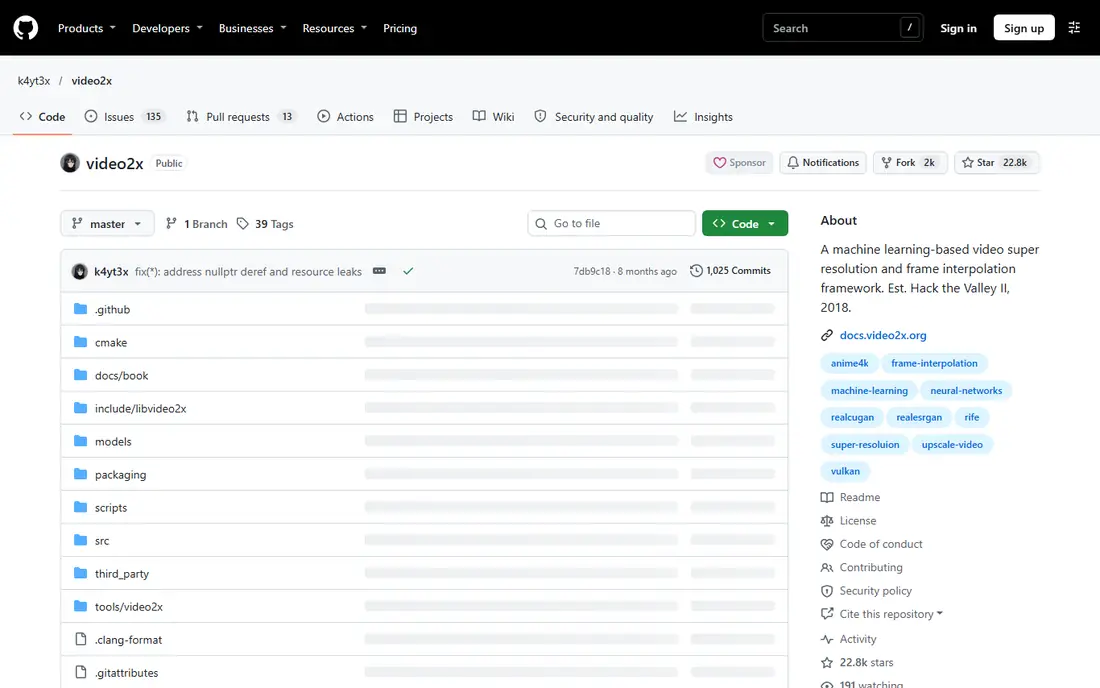
Video2X is aimed squarely at free open source upscaling. A technical user with a GPU already owns everything it needs.
For everyday use, hours of setup and tuning are the currency, and support is documentation and other users. Video2X cost at the entry level: Free. Video2X has a free plan.
Points against: general footage models trail the premium specialists; model downloads and configuration that assume a confident user.
- Fully free and open source: a Windows upscaler driving proven open models
- Batch processing for series and collections
- Setup is technical: drivers

HitPaw VikPea is designed for guided enhancement for beginners. The face and sharpening models are eager, and eager is how a grandmother gains a stranger's skin texture.
Trade-offs to know: exactly the invented detail look to avoid; its face focus makes the consent rule in this guide's introduction particularly relevant.
In practice, use the gentlest model that fixes the actual problem, preview faces at full size, and keep the original file untouched and labelled. So the enhanced version never silently replaces the record. Entry price for HitPaw VikPea: $43.19 per month. HitPaw VikPea has no free tier.
Strengths: plans run monthly at $43.19; yearly at $99.99 and lifetime, with a free trial, Windows, Mac.
- Face enhancement models are its marketed strength for old photos and clips of people
- VikPea upscales to 4K or 8K with frame rates to 60fps through interpolation
- The lifetime licence is costly relative to the yearly plan
Choose AVCLabs Video Enhancer AI for 8K upscale and batch work. The trade is the ceiling on hard footage.
Where it falls short: lifetime licence pricing and model update policies deserve a careful read before choosing perpetual over yearly.
When a clip needs Topaz's model depth and parameter control, AVCLabs has fewer ways to argue with a bad result. On cost, AVCLabs Video Enhancer AI starts like this: $39.95 per month. No free plan comes with AVCLabs Video Enhancer AI.
What users get: A focused enhancer with a model set pitched at restoration work: standard and ultra upscaling to 8K; a 30 second watermarked trial export presents real output before paying.
- The rare modern tool still selling perpetual ownership
- Hardware acceleration across NVIDIA, AMD
- Fewer fine grained parameter controls than Topaz, so stubborn footage offers fewer levers
Topaz Video targets professional restoration. Topaz Video is what studios mean when they say enhance it. Its model library lets an experienced operator match the treatment to the damage, this tape needs deinterlacing and denoise, that archive clip needs the restoration model.
What to check first: GPU hungry: serious models want a serious graphics card; render times on modest hardware are measured in hours.
The output at 4K or beyond holds up on large screens in a way the one click tools seldom match. The trade is the machine and the learning. That review habit is not optional garnish; it is the difference between restoration and fabrication. It is why Topaz pairs its power with local rendering, where the footage and the responsibility stay in the room. Topaz Video cost at the entry level: $299 per year. There is no free plan with Topaz Video.
What works well: annual Personal at $299, with Pro at $699 per year for commercial scale; The reference tool of the category: more than 20 AI models specialised by job, upscaling, denoise, deinterlacing.
- A privacy and consent advantage with client work
- Face recovery
- Results on heavily compressed or very old footage can be inconsistent, with faces the known risk area for invented detail
Aiarty Video Enhancer is designed for straightforward desktop value. Aiarty is the middle path for home users: more considered than a one click web tool, far less demanding than Topaz, and priced so a single family archive project justifies the year. On top of that, the trade is headroom.
Where it is weaker: no professional editing suite around it, so project work still needs an editor.
What Aiarty Video Enhancer does well: fewer decisions; watchable results. Footage destined for a large television at 4K is its ceiling and its comfort zone. Anything beyond, or any client work with delivery specifications, outgrows it. What you pay to start with Aiarty Video Enhancer: $79 per year. Aiarty Video Enhancer has no free plan.
- $79 per year
- Frame interpolation and audio cleanup
- Upscaling caps at 4K, where AVCLabs and Topaz reach 8K and beyond
TensorPix is designed for cloud enhancement, any hardware. For creators enhancing their own content, it is the rational default.
What to check first: Cloud means upload: footage of other people leaves your machine, which sharpens the consent question and rules it out for sensitive material.
Also, the trade is custody. TensorPix starts at: $5.50 per month. You can start on TensorPix without paying.
- A free level for testing
- Enhancement as a web service: upload in a browser and TensorPix upscales up to 4x
- Fewer fine tuning controls than the desktop specialists
What went into this list
Each tool was reviewed on what its vendor publishes: price, plan limits, core features and stated drawbacks. We did not run hands-on tests. Plan names, prices and limits change often. Treat the figures here as a starting point and verify them with the vendor. The ranking is editorial: typical fit first, then clear pricing, then free access. If your needs are unusual, read the profiles rather than relying on position.
Things to verify first
- Check the vendor page for the current price: TensorPix starts at $5.50 per month here, and seats or billing terms can move it.
- Look at free plan limits closely: Video2X and TensorPix have one, and the caps decide whether it is usable for real work.
- Verify that exporting from Aiarty Video Enhancer is possible on your plan and covers all your records.
- See whether TensorPix offers onboarding or training, and whether it is included in the price.
- Before rolling out Topaz Video, verify the integrations your workflow depends on.
Frequently asked questions
Which options for AI video enhancement tools have a free plan?
Video2X and TensorPix offer a free plan in this list. Free plans usually cap users, projects or features, so check the limits on the vendor page.
How are the tools for AI video enhancement tools ordered?
Video2X sits first and TensorPix last because the order follows typical fit for AI video enhancement tools, then price clarity and free access. It is a judgement call, so read each profile for fit and limits.
What is the cheapest option for AI video enhancement tools in this list?
On published monthly entry prices, TensorPix is the lowest here at $5.50 per month. Entry price is only part of the cost, because seats, add-ons and billing terms can change the total.
Which tool is best on a weak laptop?
The first pick on this list is Video2X, because it suits free open source upscaling. HitPaw VikPea is better for guided enhancement for beginners, and AVCLabs Video Enhancer AI for 8K upscale and batch work. Check price and limits against your own needs before choosing.
Is Video2X the right pick for everyone comparing AI video enhancement tools?
No single tool suits every team. Video2X comes first because it fits free open source upscaling, while HitPaw VikPea suits guided enhancement for beginners and AVCLabs Video Enhancer AI suits 8K upscale and batch work. Match the tool to your own size, budget and workflow before deciding.
Sources
See where you really rank - block by block
ProMapRanker scans Google Maps across a grid of your service area. Simple monthly plans from $19, white-label on every plan.
Start freeKeep reading
 zoho inventory alternatives
6 Alternatives to Zoho Inventory, Compared on Price and Fit
Zoho Inventory alternatives: 6 tools compared on price, free plans and fit. Katana leads the list for manufacturers. Fit and flaws are laid out for each entry.
Read → zoho crm alternatives
Best Zoho CRM Alternatives (2026)
Need Zoho CRM alternatives? We compare 7 tools on cost, free access and who each suits. Every pick gets a straight assessment. Built for quick decisions.
Read → zelle alternatives
Best Zelle Alternatives in 2026
Compare the best Zelle alternatives for sending money to friends, paying sellers and moving funds abroad, with honest notes on fees, speed and safety in 2026.
Read →