 ProMapRanker
Best AI Video Dubbing Tools in 2026

Key takeaways
- Rask AI is the strongest pick for teams that dub many videos, with batch uploads and yearly minute pools for predictable budgeting.
- HeyGen suits creators who want lip sync plus avatar video in one tool, while ElevenLabs suits voice-first dubbing without lip sync.
- Kapwing and VEED suit editors who already edit in the browser and want dubbing alongside subtitles and editing tools.
- Dubbing costs vary by minute, credit, language, and lip sync, so compare the price for your actual video length and language count.
- Only dub voices with consent. Do not use voice cloning to impersonate someone or to create audio they did not agree to, and keep proof of permission for client work.
Quick comparison
| Pick | Great for | Pricing starts at | Free tier | |
|---|---|---|---|---|
 Rask AI | team dubbing at volume | $39 per month | Free trial | Visit |
 HeyGen | lip sync video translation | $29 per month | Yes | Visit |
 ElevenLabs | voice-first dubbing | $6 per month | Yes | Visit |
 VEED | browser editing plus dubbing | See website | Free trial | Visit |
 Kapwing | editing and subtitle dubbing | $16 per member per month | Yes | Visit |
 Camb AI | low-cost dubbing trials | $5 per month | Yes | Visit |
 Dubverse | small-volume dubbing | $18 per month | Free trial | Visit |
 Perso | low per-minute dubbing | $6.99 per month | Free trial | Visit |
 Wavel AI | dubbing and voice solutions | See website | Free trial | Visit |
The best AI video dubbing tools
We compared dubbing quality, language coverage, lip sync, minute and credit pricing, and editing workflows for tools that are actively sold for video dubbing in 2026. The best AI video dubbing tool depends on whether you need lip sync, whether you want to keep the original voice, and how many minutes you dub each month. A tool that is cheap for one short clip can be expensive for a full course dubbed into five languages.
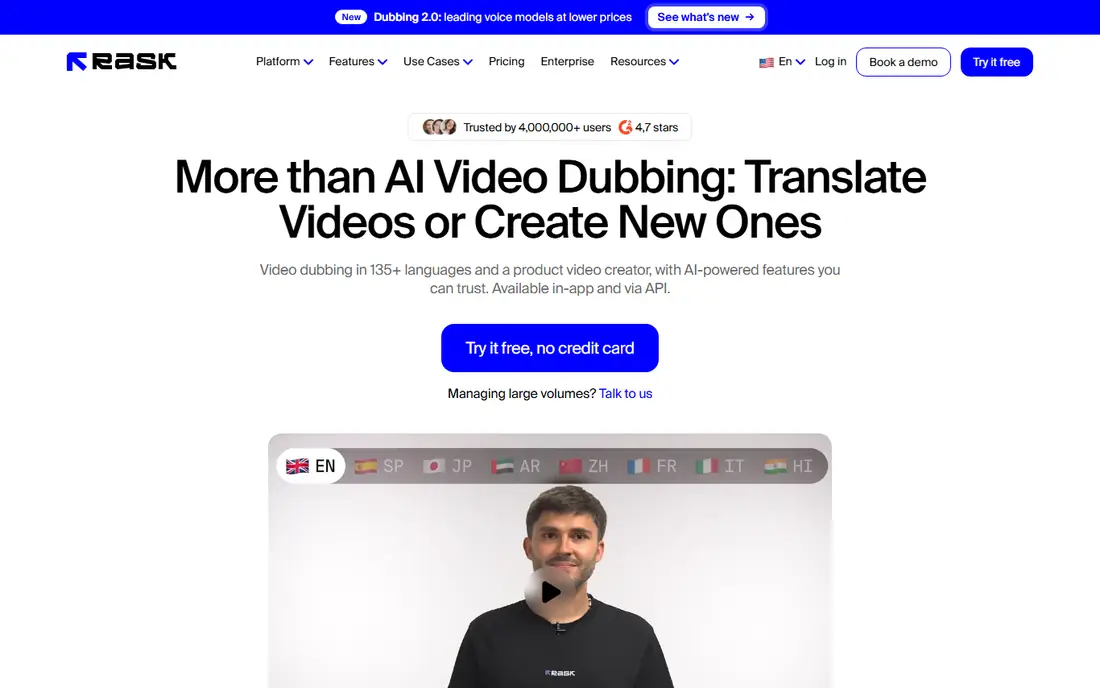
Rask AI is our pick for teams that dub regularly and need a predictable workflow. You can upload videos, translate them into many languages, and keep the original speaker's voice character where the tool supports cloning, with an editor for reviewing and correcting the result. Batch handling and team workspaces help when several videos and reviewers are involved.
The trial includes a small number of free minutes, and paid plans start at $39 per month for a set monthly minute allowance, with yearly plans offering larger minute pools. Lip sync is not in every plan, so check whether your plan includes it before you buy. For occasional single videos, a lower-cost tool may fit better, but for volume work, Rask is hard to beat on workflow.
- Voice cloning in many languages
- Batch uploads for teams
- Yearly minute pools that do not expire monthly
- Lip sync sits in higher plans
- Per-minute cost adds up for long videos
- Pricing has changed, so confirm current rates
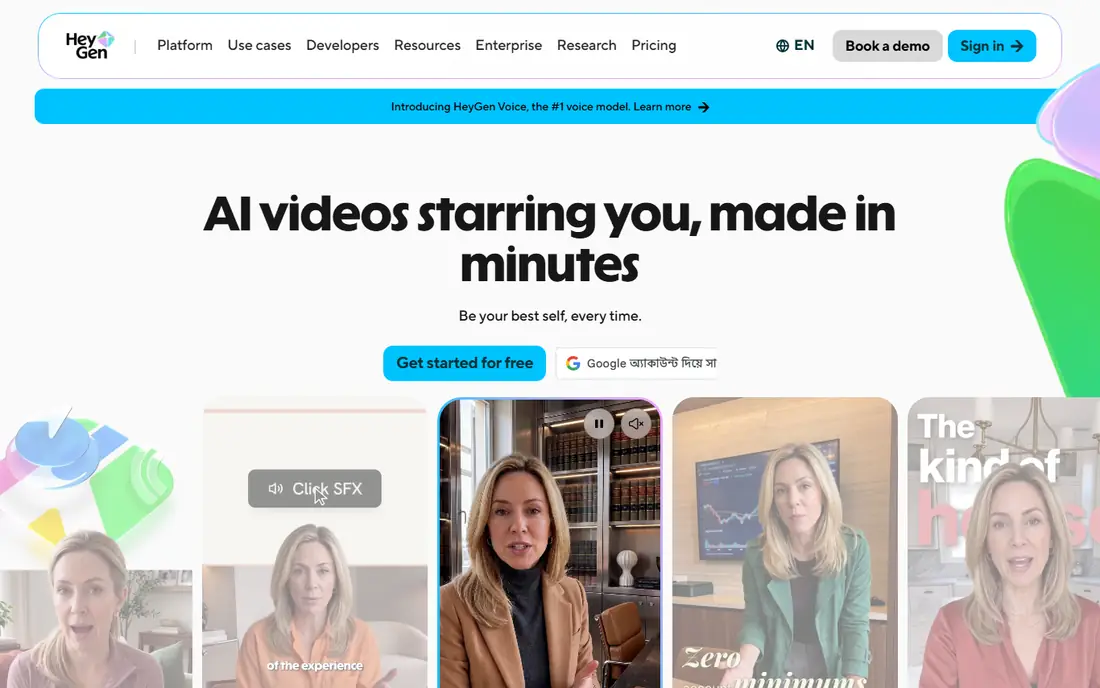
HeyGen suits creators who want translated videos that look natural, not just sound translated. Its video translation re-renders lip movement to match the new language, which helps talking-head videos, training clips, and marketing videos feel less dubbed. The same platform also creates avatar videos, so creators who already use HeyGen for avatars can add translation without learning a new tool.
Pricing is credit-based, and paid plans start at $29 per month, with translation allowances that depend on the plan and mode. That makes it important to test a real video and check how many credits it uses before budgeting a series. The free plan includes a small number of short videos, which is enough to test quality but not for regular dubbing.
- Lip sync that matches mouth movement to translated audio
- Video translation in many languages
- Avatar video in the same platform
- Credit-based pricing makes per-minute cost harder to predict
- Free plan is limited for translation work
ElevenLabs is the voice-first pick on this list. Its dubbing tool translates speech and recreates it in a voice matched to the original speaker, which suits podcasts, narrated videos, and courses where the audio matters more than lip movement. The entry Starter plan costs $6 per month, and the free tier includes a limited credit allowance for testing.
The main limit is lip sync. ElevenLabs dubbing replaces audio but does not re-render mouth movement, so talking-head videos will look dubbed rather than native. If lip sync matters, pair it with a video tool or choose HeyGen or Rask instead. For audio-led content, ElevenLabs offers strong voice quality at a low entry price.
- Strong voice quality and cloning in many languages
- Low entry price
- Useful for audio-first dubbing and voice work
- Dubbing is audio only, with no lip sync
- Minute allowances depend on credits and plan
VEED suits editors who want dubbing inside the same browser tool they use to cut, caption, and export video. You can translate audio and subtitles, edit the result, and export without moving files between apps. That convenience matters for social teams and small creators who publish often and do not want a separate dubbing workflow.
Dedicated dubbing tools offer more control over voice cloning and lip sync, so VEED is less suited to high-end localization work. Pricing depends on the plan and credit allowance, so confirm how many translation minutes your plan includes before starting a series. For everyday editing plus dubbing, VEED is a practical all-in-one choice.
- Full browser video editor with subtitles and translation
- Easy for editors who already cut video online
- Supports many languages
- Less control over voice and lip sync than dedicated dubbing tools
- Pricing varies by plan and credits
Kapwing is a good fit for marketing and social teams that edit in the browser and need dubbing as one feature among many. Its dubbing and subtitle translation tools sit alongside trimming, captions, and templates, so a team can take a single video, dub it, and resize it for several platforms in one workspace. The free plan lets you test the workflow before paying.
Minute caps are the limit to watch. Pro plans start at $16 per member per month on annual billing, and dubbing minutes are capped, so long videos or many languages will use the allowance quickly. For short social clips, Kapwing is convenient and affordable. For long-form localization, a dedicated tool such as Rask will scale better.
- Browser editor with dubbing and subtitle translation
- Simple workflow for social and marketing video
- Free plan for testing
- Dubbing minute caps apply on plans
- Less lip sync control than HeyGen or Rask
Camb AI, also written as CAMB.AI, is a low-cost way to test AI dubbing without a large subscription. Its Essentials plan starts at $5 per month, and a free credit allowance lets you try a short video before paying. It supports dubbing with voice cloning and aims to keep music and background sound intact, which helps for videos where the soundtrack matters.
The credit model means you should test a real video and check the credit cost before budgeting a series, since credits per minute vary. Team workflows and review tools are less developed than Rask or HeyGen, so Camb AI suits solo creators and small teams testing dubbing, rather than large localization programs.
- Very low entry price
- Free credits for testing
- Dubbing with voice cloning and music handling
- Credit system needs checking for your video length
- Smaller team workflow than Rask or HeyGen
Dubverse is a practical pick for creators who dub a modest number of videos each month and want a low monthly price. Its Pro plan starts at $18 per month, and the workflow is straightforward: upload a video, choose a target language, and review the dubbed result. That simplicity suits YouTubers, educators, and small businesses that do not need enterprise review tools.
The trial is short, and voice cloning is limited to higher plans, so check whether your plan keeps the original voice or uses a stock voice. Minute and credit limits also vary by plan, so test with a typical video length before committing. For small, regular dubbing, Dubverse offers good value.
- Low monthly price for small volumes
- Dubbing in many languages
- Simple workflow for creators
- Trial is short
- Voice cloning sits in higher plans
- Minute and credit limits need checking
Perso suits creators who dub enough minutes each month to benefit from a low per-minute rate. Its Starter plan starts at $6.99 per month, and higher plans bring the effective per-minute cost down when you use the full minute allowance. It supports dubbing into many languages, with lip sync available as an option on some plans.
The catch is usage. If you dub only a few minutes a month, the effective per-minute cost is higher than the headline rate, since the subscription still applies. Check the lip sync terms for your plan, and compare the total monthly cost for your actual minute volume against Rask or ElevenLabs before choosing.
- Low entry price and low per-minute rate at full use
- Dubbing in many languages
- Optional lip sync on some plans
- Per-minute rate depends on using the full allowance
- Lip sync conditions vary by plan
Wavel AI combines dubbing with voiceover and text-to-speech tools, which suits creators who need several voice services from one provider. You can dub an existing video, generate voiceover for a new one, and work across many languages without switching platforms. That breadth helps small teams that produce varied audio and video content.
Pricing depends on the plan and usage, so confirm the dubbing allowance and per-minute cost for your volume before buying. Wavel is less widely reviewed than Rask or HeyGen, so use the free trial to test voice quality and lip sync on your own footage. For mixed voice work, the combined platform is a useful advantage.
- Dubbing plus voiceover and text-to-speech in one platform
- Supports many languages
- Useful for creators and businesses
- Pricing is plan-dependent and needs checking
- Less widely reviewed than Rask or HeyGen
How we picked these
We compared official feature pages, pricing pages, and dubbing guides for tools that are actively sold for AI video dubbing in October 2026. We favored legitimate tools with clear dubbing features, language coverage, and pricing, and we left out tools marketed for impersonation or non-consensual voice cloning. Where pricing is credit-based or varies by plan, we reported the entry price as published and wrote See website where the current figure was not clearly verifiable.
How to choose the right dubbing tool
Start with lip sync. Talking-head videos need HeyGen, Rask, or another lip sync tool, while narrated videos, podcasts, and courses can use ElevenLabs or another audio-first tool. Then count minutes and languages: multiply your video length by the number of target languages, and compare that total against each plan's allowance, since a cheap plan for one language can become expensive for five.
Next, test with your own footage, not a demo clip. Check voice naturalness, pronunciation of names and technical terms, and how background music survives the dub. Finally, handle consent properly. Only clone a voice with that person's clear permission, use stock voices when you do not have permission, and keep a record of consent for client work. Never present a cloned voice as a real person saying something they did not say.
Frequently asked questions
What is the best AI tool for video dubbing?
Rask AI is the best all-round pick for teams that dub at volume, while HeyGen is best when lip sync matters and ElevenLabs is best for voice-first dubbing. The right choice depends on your video type, minute volume, and whether you need lip sync.
What is the best AI video dubbing software for YouTube creators?
HeyGen and Rask AI suit YouTube creators who want natural-looking translated videos, while Kapwing and VEED suit creators who already edit in the browser. Test voice quality and lip sync on your own footage before choosing, since results vary by speaker and language.
Do AI dubbing tools keep the original voice?
Some tools clone the original speaker's voice with permission, while others use stock voices for the translated audio. Rask AI, HeyGen, ElevenLabs, and Camb AI offer voice cloning in some plans, but you should only use cloning with the speaker's clear consent.
How much does AI video dubbing cost?
Costs vary by minute, credit, language, and lip sync, with entry plans from $5 to $39 per month on this list and extra minutes billed separately. Compare the total for your video length and language count, not just the headline monthly price.
Is AI video dubbing legal?
Dubbing your own videos, or videos you have rights to, with consent from speakers is legitimate, but cloning someone's voice without permission, or using a dub to impersonate them, is not. Get written consent for voice cloning, respect platform rules, and check local laws for commercial use.
Sources
See where you really rank - block by block
ProMapRanker scans Google Maps across a grid of your service area. Simple monthly plans from $19, white-label on every plan.
Start freeKeep reading
 outreach alternatives
Outreach Alternatives in 2026
Compare outreach alternatives for 2026, from Salesloft and Apollo to HubSpot and Lemlist, with pricing, channels, features, limits, and honest trade-offs.
Read → best web conference tools
Best Web Conference Tools in 2026
Compare the best web conference tools for meetings, webinars and team calls, with current pricing, free plans and honest limits for each option here today.
Read → best voice cloning tools
Best Voice Cloning Tools in 2026
Compare the best voice cloning tools in 2026, from ElevenLabs and Descript to Resemble and Cartesia, with consent rules, pricing, licenses, and limits.
Read →