 ProMapRanker
Best AI Tools for Studying in 2026

Key takeaways
- ChatGPT and Claude are the best general tutors for explaining concepts, with a study mode and step-by-step help on free plans.
- NotebookLM stands out for source-based study, because answers link back to your own notes, PDFs, and slides.
- Quizlet and Knowt are the strongest flashcard tools, while Khanmigo is the best guided tutor for school-level maths and science.
- Perplexity is better for research with citations, while Notion and Grammarly help organise notes and clean up writing.
- AI tools can be wrong with confidence, so check key facts against your course material before an exam.
Quick comparison
| Pick | Great for | Pricing starts at | Free tier | |
|---|---|---|---|---|
 ChatGPT | General AI tutoring and study mode | Free | Yes | Visit |
 Claude | Deep explanations and writing feedback | Free | Yes | Visit |
 NotebookLM | Studying from your own sources | Free | Yes | Visit |
 Quizlet | Flashcards and practice tests | See website | Yes | Visit |
 Khanmigo | Guided school tutoring | $4 per month | No | Visit |
 Notion | Organised notes with AI help | Free | Yes | Visit |
 Perplexity | Research with cited answers | Free | Yes | Visit |
 StudyFetch | Flashcards from lectures and notes | See website | Yes | Visit |
 Knowt | Free flashcards and AI notes | Free | Yes | Visit |
 Grammarly | Grammar and writing checks | Free | Yes | Visit |
The best AI tools for studying
AI study tools fall into a few jobs: tutoring, flashcards, notes, and research. No single tool does all four well, so the best setup is usually a tutor plus a flashcard tool, with a notes app underneath. We compared official pricing pages, feature pages, and app store listings for tools live in October 2026.
ChatGPT is the most flexible study tool on this list, because you can ask it to explain a concept simply, give an example, then quiz you on it. Study Mode is designed to walk through problems step by step instead of handing over a final answer, which makes it more useful for learning than a plain answer box. It also handles maths, science, history, and languages in one place.
Flexibility brings a risk. ChatGPT can invent details, dates, or citations that look correct, so treat its output as a draft to verify. Use it to understand ideas and practise, then confirm formulas, definitions, and quotes in your textbook or lecture notes. The free plan covers most study use, with paid plans raising limits.
- Study Mode guides rather than just answering
- Quizzes and flashcards on request
- Broad subject coverage
- Can give confident wrong answers
- Free plan has usage limits
- Answers need checking against course sources
Claude suits students who want careful explanations of long readings or tricky essays. Paste in a passage, ask for a plain-language summary, then ask follow-up questions about the parts you still miss. For writing, Claude gives useful feedback on structure and clarity, though you should keep your own voice and ideas in the final work.
Claude is not a flashcard app or a quiz bank, so pair it with Quizlet or Knowt for review. Like all chatbots, it can be wrong, especially on niche topics or recent facts. Use it for understanding and drafting, and check the final facts yourself.
- Clear long explanations
- Strong writing feedback
- Good for reading dense material
- Free plan has usage limits
- No built-in flashcard system
- Can also make factual errors
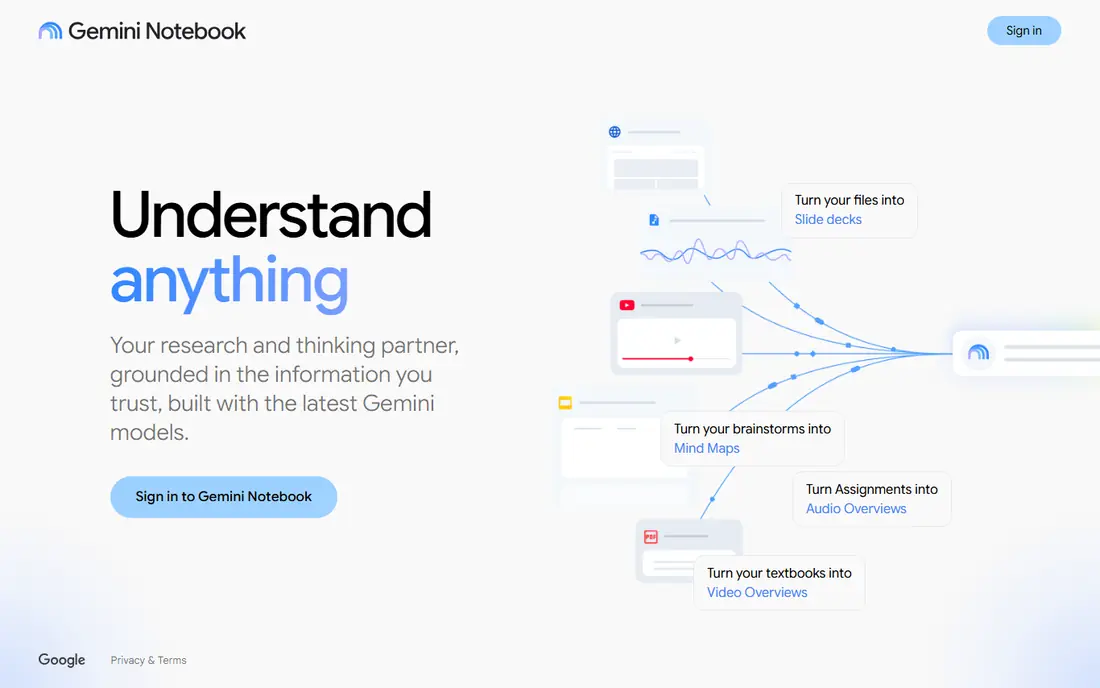
NotebookLM, from Google, is different from a general chatbot. You upload your own material, such as lecture slides, PDFs, and notes, and it answers questions based on those sources, with citations back to the text. That makes it far more trustworthy for exam revision, since the answers stay close to what your course actually taught.
Audio overviews turn a set of notes into a listenable summary, which helps for revision on a walk or commute. The limit is scope: if your sources miss a topic, NotebookLM cannot fill the gap well. Upload complete notes, and use a general tutor for topics outside them.
- Answers cite your uploaded sources
- Audio overviews for revision
- Works with PDFs, slides, and notes
- Only as good as your sources
- Needs a Google account
- Less useful for open-ended tutoring
Quizlet remains the best-known flashcard tool, with millions of shared decks for standard courses and exams. Learn mode uses spaced practice, Test mode builds practice quizzes, and you can make your own sets for your exact syllabus. AI features can turn notes into flashcards and summaries, though the best of those sit behind the paid plan.
Shared decks save time, but quality varies, so check a deck against your course before you trust it. The free plan is usable for browsing and basic study, with ads and daily limits on some modes. For students who study mainly by recall, Quizlet is the first tool to try.
- Huge library of shared decks
- Learn and Test modes
- AI features such as Magic Notes
- Free plan limits daily Learn rounds
- Some AI features need Plus
- Shared decks vary in quality
Khanmigo is the AI tutor inside Khan Academy, and it is designed to tutor rather than answer. It asks questions, gives hints, and checks understanding as you work through maths, science, and other school subjects. Because it sits beside Khan Academy lessons and practice, students can move from a lesson to tutoring without switching apps.
The focus is school-level learning, so university students with advanced modules may find it less deep than ChatGPT or Claude. Teachers can use Khanmigo free in many cases, while learners pay a low monthly price. For families and school students, it is the most guided option here.
- Tutoring built around Khan Academy lessons
- Guides students to answers
- Affordable for families
- Strongest for school subjects
- Learner plan is paid
- Needs a Khan Academy account
Notion is a notes and planning app first, with AI as a helper. Students use it to keep lecture notes, revision plans, reading lists, and deadlines in one workspace, then ask Notion AI to summarise a page, draft an outline, or turn messy notes into a tidy summary. Templates for study planners and revision trackers save setup time.
Notion AI is not free on every plan, so check the current pricing before you rely on it. The app also takes a little learning, and simple note-takers may prefer a lighter tool. For students who want one organised workspace for a whole term, Notion earns its place.
- Notes, tasks, and databases in one place
- AI summarises and drafts
- Good templates for study plans
- AI features are a paid add-on for full use
- Can feel complex at first
- Offline use is limited
Perplexity answers questions with web sources attached, which makes it better than a plain chatbot for research tasks. Ask a question, read the answer, then open the cited pages to check the key claims. That habit matters, because even cited answers can misread a source.
Perplexity does not tutor step by step or build flashcards, so use it for the research stage of an assignment, then move to NotebookLM for your own sources or Quizlet for review. The free plan covers basic research, with a paid Pro plan adding more advanced models and searches.
- Answers include sources
- Good for quick research
- Follow-up questions refine results
- Free plan limits advanced searches
- Sources still need checking
- Not a tutoring or flashcard tool
StudyFetch focuses on turning course material into study sets. Upload lectures, notes, or PDFs, and it builds flashcards, quizzes, and summaries, with a tutor that answers questions from your uploads. That workflow suits students with long recorded lectures who want review material without making every card by hand.
Pricing is the weak point. The website does not publish a clear price list, and app store prices differ from web prices, so check the price at checkout before subscribing. The free tier is small, with limited chats and uploads. Try it with one lecture first to see if the generated cards match your course.
- Turns lectures, PDFs, and notes into flashcards
- Spark.E tutor answers from your material
- Quiz export
- Website pricing is unclear
- Full use needs a paid plan
- Free tier has tight limits
Knowt is a strong free alternative to Quizlet, with unlimited flashcard sets on the free plan and AI tools that turn PDFs, videos, and lectures into notes and flashcards. It can import Quizlet sets, which helps students who already have decks. For a student budget, Knowt covers a lot without paying.
The paid plan adds more AI summarising, voice tutoring, and other features, so heavy AI users may still need to pay. Knowt suits students who want flashcards and note conversion first, with AI as a bonus rather than the main reason to subscribe.
- Generous free plan
- Imports Quizlet sets
- AI notes from PDFs and videos
- Paid plan needed for full AI features
- Smaller community than Quizlet
- Interface is simpler
Grammarly checks grammar, spelling, punctuation, and clarity as you write essays, reports, and emails. It works in a browser, in Google Docs, and in Word, so it fits most student workflows. The free plan catches core errors, while the paid plan adds fuller clarity, tone, and citation help.
Grammarly does not teach subjects or check facts, and its style suggestions should not override your own judgement. Use it as a final pass after you have written in your own words, and keep your own ideas and citations in place. For writing quality, it is the most practical tool on this list.
- Catches grammar and clarity issues
- Works in browser and docs
- Tone suggestions for essays
- Free plan covers basics only
- Premium suggestions can over-edit
- Not a subject tutor
How we picked these
We compared official pricing pages, feature pages, and app store listings for AI study tools live in October 2026. We kept tools that clearly explain what the AI does, offer a free plan or a low student price, and fit a real study job such as tutoring, flashcards, notes, or research. We left out tools that only generated essays, tools with no clear pricing, and tools that had closed. We did not claim hands-on testing; this ranking rests on official features, pricing, and public documentation.
How to build a study setup that works
Start with one tutor and one review tool, not five subscriptions. A good base is ChatGPT or Claude for explanations, plus Quizlet or Knowt for flashcards, with NotebookLM for revision from your own notes. That trio covers understanding, recall, and source-checked revision for most courses, mostly for free.
Add tools only when you hit a limit. Add Khanmigo if you want guided school tutoring, Perplexity if research citations matter, Notion if your notes are scattered, and Grammarly if writing feedback helps your grades. Check student discounts before paying, since several tools offer education pricing or free student offers that change during the year.
Finally, keep AI in its place. Use it to explain, quiz, and organise, but write essays in your own words and follow your school or university rules on AI use. Check any AI answer that will appear in assessed work against your textbook, lecture notes, or a cited source.
Frequently asked questions
What is the best AI tool for studying?
ChatGPT is the best general choice, because Study Mode tutors step by step across many subjects. For source-based revision, NotebookLM is stronger, since answers cite your own notes. For flashcards, Quizlet or Knowt is the better pick.
What is the best AI app for studying with flashcards?
Quizlet has the largest shared deck library and the most polished Learn and Test modes. Knowt is the best free alternative, with unlimited sets and Quizlet import. StudyFetch is better if you want flashcards made automatically from lectures and PDFs.
What are the best AI studying tools for school students?
Khanmigo is built for school tutoring, with guided hints rather than direct answers. Quizlet and Knowt cover revision, while NotebookLM helps older students revise from class notes. Check age rules and school policies before a younger student uses a chatbot.
Which AI study tool is best for research?
Perplexity is best for quick research with sources, since answers link to web pages you can open and check. NotebookLM is better when you already have the sources, such as lecture slides and readings, because it stays inside that material.
Are AI study tools free?
Many are free to start. ChatGPT, Claude, NotebookLM, Perplexity, Knowt, and Grammarly all offer free plans with limits. Quizlet and StudyFetch offer free tiers with paid features on top, while Khanmigo charges a low monthly price for learners. Start free, then pay only when you hit a real limit.
Can AI tools help you pass exams?
They can help you understand topics, practise recall, and organise revision, which are proven study methods. They cannot replace reading your course material, doing practice questions, or checking facts. Use AI for study, then test yourself without it before the exam.
Sources
See where you really rank - block by block
ProMapRanker scans Google Maps across a grid of your service area. Simple monthly plans from $19, white-label on every plan.
Start freeKeep reading
 zoom alternatives for webinars
Best Zoom Alternatives for Webinars in 2026
Discover zoom alternatives for webinars in 2026, from browser-based rooms to sales-focused platforms, with pricing, audience limits and honest trade-offs.
Read → tipalti alternatives
Best Tipalti Alternatives in 2026
Compare the best tipalti alternatives for accounts payable, global payouts and bill pay, with pricing and free plans for small teams in 2026 for US teams.
Read → mixpanel alternatives
Best Mixpanel Alternatives in 2026
Compare the best mixpanel alternatives for product analytics, funnels and retention, with free tiers and current pricing for growing teams in 2026 for US teams.
Read →