 ProMapRanker
Best AI Tools for Resume Writing in 2026

Key takeaways
- Rezi and Jobscan lead for job-description matching and ATS-friendly formatting, while Teal leads for managing many applications at once.
- Kickresume and Enhancv suit job seekers who want strong templates and matching cover letters without a steep learning curve.
- Zety, Resume.io, and Novoresume are good guided builders for a first resume or a quick rewrite.
- AI output always needs human review. Check every claim, date, and skill before you send a resume, and keep authorship honest.
- Free plans help you test a tool, but full exports and tailoring features often sit behind a paid plan.
Quick comparison
| Pick | Great for | Pricing starts at | Free tier | |
|---|---|---|---|---|
 Rezi | ATS targeting and scoring | $29 per month | Yes | Visit |
 Kickresume | Templates and cover letters | $24 per month | Yes | Visit |
 Teal | Job tracking and tailoring | $29 per month | Yes | Visit |
 Jobscan | Resume versus job matching | $49.95 per month | Yes | Visit |
 Enhancv | Modern design and tailoring | See website | Yes | Visit |
 Zety | Guided resume building | See website | No | Visit |
 Resume.io | Traditional templates | See website | Yes | Visit |
 Novoresume | Clean one-page resumes | $21.99 per month | Yes | Visit |
The best ai tools for resume writing
A good AI resume tool should do more than reword bullets. It should help you match a job description, keep formatting clean for applicant tracking systems, and let you edit every line before you send it. We weighed AI writing quality, ATS help, templates, exports, job tracking, and price.
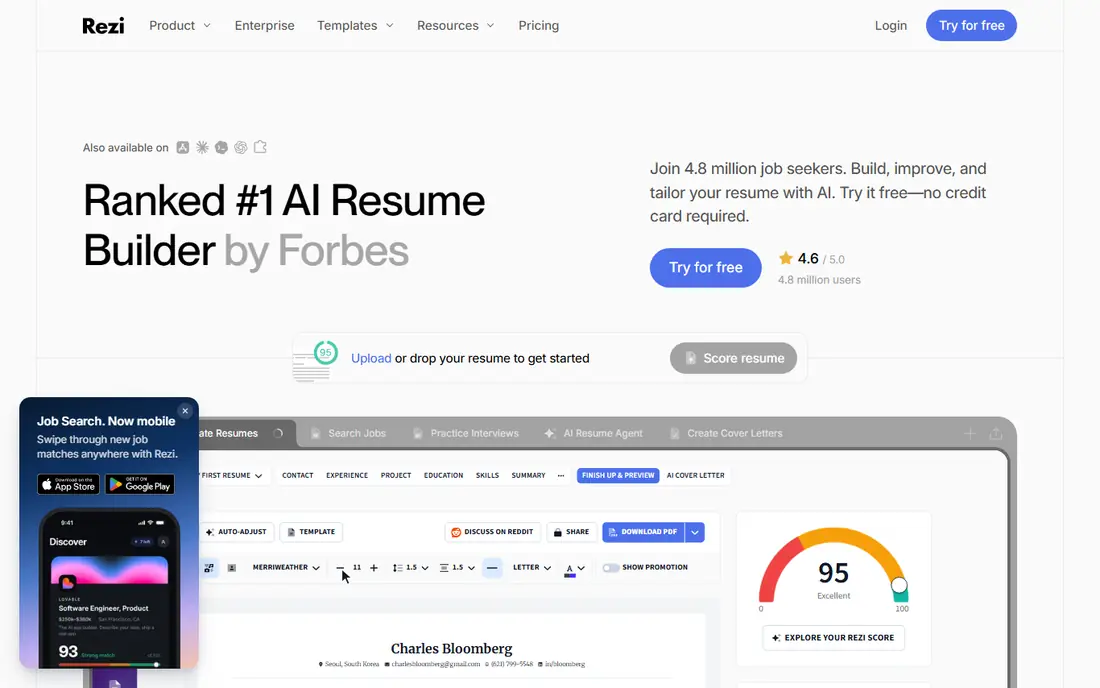
Rezi is our pick for job seekers applying to corporate roles where an applicant tracking system reads the resume first. Its keyword targeting compares your resume with a job description, suggests edits, and scores the match as you work. Formatting stays clean and parseable, which helps automated systems read headings, dates, and skills correctly.
The trade-off is visual range. Rezi templates are tidy but plainer than design-led builders, so creative roles may want a more visual tool. Free access is also limited, with editable exports on paid plans. If ATS performance matters more than visual flair, Rezi is a strong first choice.
- Job-description keyword targeting
- Clean ATS-friendly formatting
- Real-time content scoring
- Design options are plainer than Enhancv
- Full exports need a paid plan
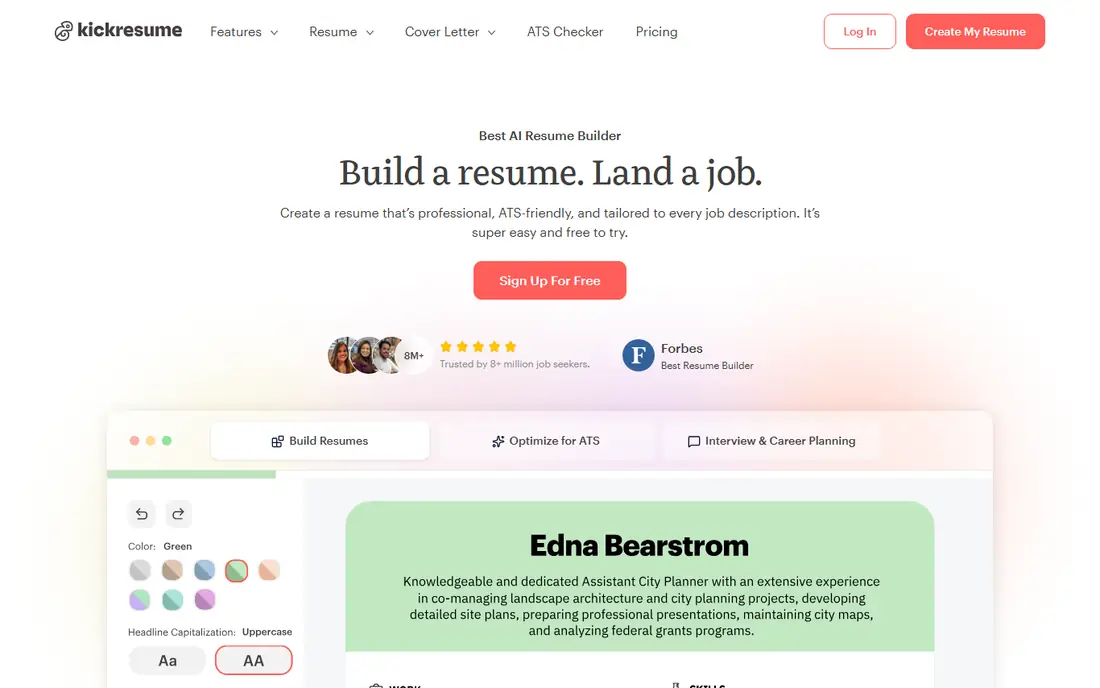
Kickresume suits job seekers who want a polished resume and cover letter that match. Templates cover many industries, AI drafting helps turn rough notes into bullets, and cover letters use the same design system. Students and early-career job seekers will find the guided flow easy to follow.
AI output still needs review. Tone can feel generic for senior or specialist roles, and some premium features sit behind higher plans. Read every bullet for accuracy, cut filler phrases, and keep only achievements you can explain in an interview. For design plus guidance at a fair price, Kickresume is a solid pick.
- Large template library
- Matching cover letters
- AI drafting and rewriting help
- Premium features depend on plan
- AI tone needs editing for senior roles
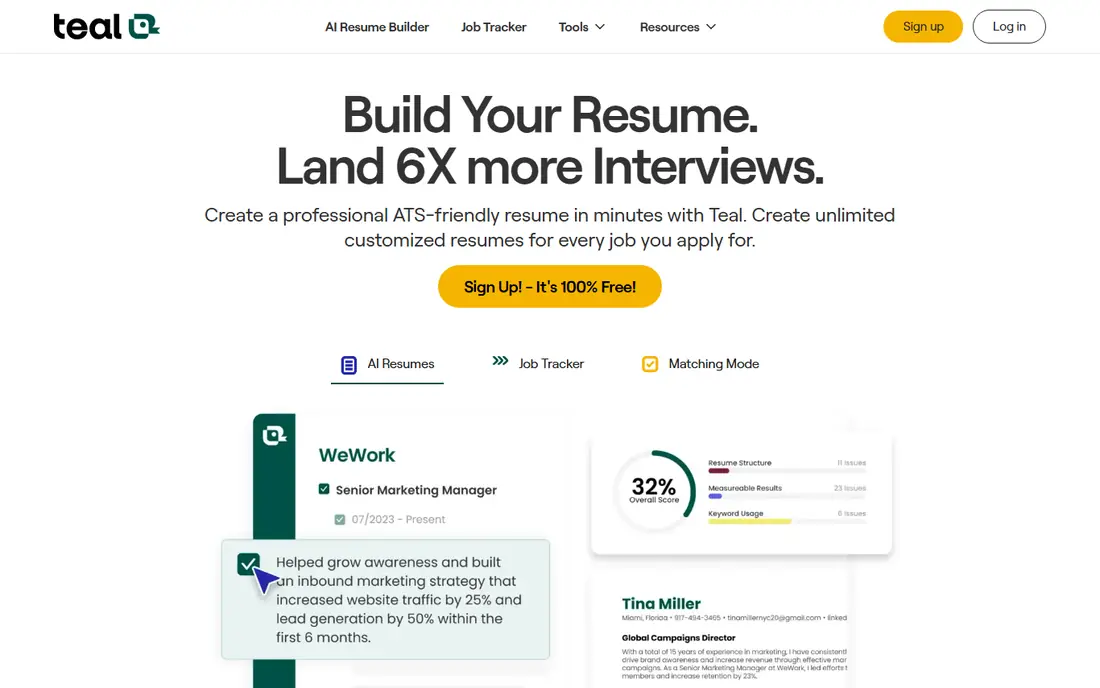
Teal is best for active job seekers applying to many roles. It combines a resume builder with a job tracker, so you can keep a version per role, compare keywords with each job description, and track applications in one place. Unlimited resumes and downloads on the free core tier make version control far easier than in tools that charge per download.
The paid plan structure needs care. Some Teal options are billed weekly or quarterly, so check the total cost for your job search length before you commit. AI credits are also limited on the free tier. If you apply widely and want organisation alongside writing help, Teal is our top pick for workflow.
- Unlimited resumes and downloads on free core tier
- Job tracker
- Keyword comparison per role
- Paid pricing is weekly or quarterly in some options
- AI credits are limited on free tier
Jobscan is less a design tool and more a matching tool. Paste a job description, upload your resume, and Jobscan scores the match, flags missing skills, and suggests wording changes. That focus helps when you already have a resume and want to tailor it for a specific role without starting over.
Price is the main barrier. The monthly rate is higher than most builders here, so Jobscan suits a focused search for a few target roles rather than casual browsing. Use the free scan to test the value first, and keep design work in a builder such as Rezi or Kickresume if you need new templates.
- Detailed match scoring against a job description
- ATS-style analysis
- LinkedIn optimisation tools
- Higher monthly price
- Best as an optimiser, not a full resume designer
Enhancv suits professionals who want a resume that looks modern without breaking ATS rules. Templates include sections for strengths, achievements, and key projects, and AI tailoring helps adapt a resume to a specific posting. Content guidance explains why a section works, which helps newer job seekers learn as they build.
Design needs care for conservative fields. Some templates are visual enough to distract from content in law, finance, or government roles, so pick a simple layout for those applications. Pricing also varies by billing period, so check the vendor page for the current rate. For a balance of design and tailoring, Enhancv is a strong choice.
- Modern templates with strength sections
- AI tailoring for specific postings
- Clear content guidance
- Pricing varies by billing period
- Some templates are too visual for conservative fields
Zety is a good guided builder for someone starting from scratch. The wizard walks through each section, suggests phrases, and produces a clean resume with a matching cover letter. Interview prep tools add value for a first-time job seeker who wants more than a document.
The catch is downloads. Building is free, but downloading in common formats needs a paid plan, and trial billing renews automatically if you do not cancel. Read the billing terms before you start a trial, and set a reminder to review it. For guided help and a simple process, Zety still earns a place here.
- Step-by-step builder
- Large template range
- Cover letter and interview prep tools
- Downloads need a paid plan
- Trial billing needs careful reading
Resume.io suits job seekers in conservative fields who want a traditional look. Templates are clean and familiar to hiring managers, feedback points out weak sections, and the builder flow is quick. For a finance, legal, or admin role, that traditional style is often safer than a highly visual design.
Free use is limited. Text downloads are free, but PDF and Word downloads need a paid plan, and AI suggestions can feel generic without editing. Treat AI text as a draft, rewrite it in your own voice, and check every fact. For a traditional resume built quickly, Resume.io is a reliable option.
- Traditional, employer-friendly templates
- Clear feedback on content
- Quick builder flow
- Free downloads are limited to text format
- AI output can feel generic
Novoresume is best for a short, clean resume, especially for students and early-career applicants. One-page layouts force focus, AI assistance helps phrase experience clearly, and the editor stays simple. That constraint is a benefit when a hiring manager scans quickly.
Depth is the limit. Experienced professionals with long histories may find one-page layouts tight, and design control is lighter than Enhancv or Kickresume. If your career fits one page, Novoresume produces a sharp result fast. If not, use it for a concise version alongside a fuller resume.
- Clean one-page layouts
- AI assistance for content
- Good for early-career job seekers
- Design control is lighter than Enhancv
- Some features need a paid plan
How we picked these
We compared official pricing pages, feature pages, and public reviews for October 2026. We kept only tools that are live, maintained, and offer real AI writing or matching features, not just templates. We weighed ATS help, template quality, exports, job tracking, ease of use, and price. We did not claim hands-on testing, and we did not invent scores, success rates, or feature claims. Prices that varied across sources are shown as See website.
How to use AI resume tools without hurting your application
Start with your real history, not an AI invention. Write down roles, dates, achievements, and skills first, then let AI help with phrasing, structure, and keyword matching. Check every bullet for accuracy, remove skills you do not have, and keep numbers only where you can back them up. A resume that invents experience will fail in an interview even if it passes a screening system.
Next, tailor for each role with care. Use job-description matching to find missing keywords, but add them only where they are true. Keep formatting simple for ATS reading: clear headings, standard section names, and no graphics that hide text. Save a version per role, proofread aloud, and ask a trusted person to read it before you send it. AI is a drafting aid, not an author, and honest authorship protects you.
Frequently asked questions
What is the best ai tool for resume writing?
Rezi is a strong overall pick for ATS targeting, while Kickresume suits design-led job seekers and Teal suits people applying to many roles. The best tool depends on your field, application volume, and need for design. Test a free plan first, and judge the output after you edit it, not before.
Which ai tool is best for resume writing for ATS?
Rezi and Jobscan lead for ATS-focused work, with keyword targeting, match scoring, and clean formatting. Enhancv also helps with tailoring while keeping designs readable. No tool can guarantee an ATS pass, since each employer system parses differently, so keep headings standard and formatting simple.
What ai tool is best for resume writing on a budget?
Teal free core tier offers unlimited resumes and downloads with limited AI credits, which suits a long search. Kickresume free plan offers basic templates and unlimited downloads. If you need full AI tailoring, compare monthly costs carefully and cancel when your search ends.
Is it honest to use AI for a resume?
Yes, when AI helps with phrasing, structure, and editing, and every fact remains true and yours. It is not honest to invent roles, skills, or results, or to submit a resume you cannot explain. Review all AI output, rewrite it in your own voice, and keep authorship honest in interviews.
Can AI write a full resume from scratch?
AI can draft a resume from your notes, but it should not invent your history. Give it accurate roles, dates, and achievements, then edit the draft for tone, accuracy, and relevance. A human review step is essential before you send any AI-assisted resume to an employer.
Which ai platform is best for resume writing with job tracking?
Teal is the clearest pick here, since it combines resume versions, keyword matching, and application tracking in one workflow. Rezi and Jobscan are stronger for single-role tailoring, but they do not match Teal for managing many applications at once.
Sources
See where you really rank - block by block
ProMapRanker scans Google Maps across a grid of your service area. Simple monthly plans from $19, white-label on every plan.
Start freeKeep reading
 zoho inventory alternatives
6 Alternatives to Zoho Inventory, Compared on Price and Fit
Zoho Inventory alternatives: 6 tools compared on price, free plans and fit. Katana leads the list for manufacturers. Fit and flaws are laid out for each entry.
Read → zoho crm alternatives
Best Zoho CRM Alternatives (2026)
Need Zoho CRM alternatives? We compare 7 tools on cost, free access and who each suits. Every pick gets a straight assessment. Built for quick decisions.
Read → zelle alternatives
Best Zelle Alternatives in 2026
Compare the best Zelle alternatives for sending money to friends, paying sellers and moving funds abroad, with honest notes on fees, speed and safety in 2026.
Read →