 ProMapRanker
Best AI Tools for Financial Analysis in 2026

Key takeaways
- AlphaSense and Canalyst suit professional research teams, while Koyfin and Fiscal AI suit individual investors who want clear dashboards and charts.
- AI summaries save time only when each claim links back to a filing, transcript, or data source you can check.
- Kavout and Stock Rover focus on screening and scores, so they work best as a shortlist step, not as a final decision.
- Free plans are useful for learning a tool, but deeper history, estimates, and exports usually sit behind paid plans.
- This is not financial advice. Treat every AI output as research to verify, not as a recommendation to buy or sell.
Quick comparison
| Pick | Great for | Pricing starts at | Free tier | |
|---|---|---|---|---|
 AlphaSense | Professional research teams | See website | No | Visit |
 Kavout | Retail investors who want AI scores | $16 per month | Yes | Visit |
 Koyfin | Dashboard-based fundamental analysis | Free | Yes | Visit |
 YCharts | Advisors who present to clients | See website | No | Visit |
 Daloopa | Analysts who build Excel models | See website | Yes | Visit |
 Canalyst | Professional model data and benchmarks | See website | No | Visit |
 Stock Rover | Deep screening and portfolio tracking | See website | Yes | Visit |
 Fiscal AI | Conversational company research | See website | Yes | Visit |
The best ai tools for financial analysis
We compared tools that combine company data with AI search, summaries, screening, or modeling help. Our pick for most individual investors is Koyfin, because its free plan is genuinely useful and its paid plans stay far below terminal prices.
AlphaSense is built for people who read filings, earnings calls, and broker research all day. Its AI search looks for meaning, not just exact words, so a query about pricing pressure can surface related comments even when the wording differs. Summaries link back to source passages, which matters when a finding will go into an investment memo or a client note.
The trade-off is price and scope. AlphaSense does not publish a standard self-serve price, and its value shows up mainly for teams that use it daily. A casual investor who checks a few stocks a month will not get enough use from it to justify an enterprise contract. It also works best as a research layer, so you still need a separate place to value a company and make a decision.
- Very large document library
- AI search with source snippets
- Expert transcripts and broker research in one place
- Quote-based pricing
- Likely too costly for casual investors
- Setup takes time for new teams
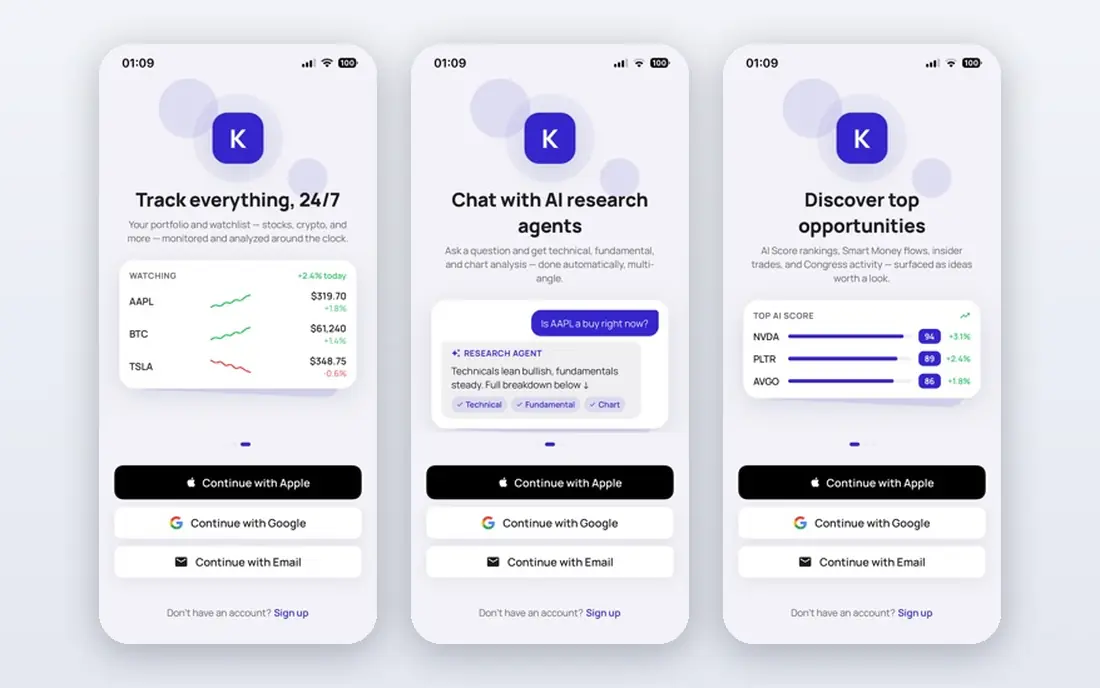
Kavout turns a large amount of market data into a Kai Score from 1 to 9, which helps when you need to sort a long watchlist quickly. Its InvestGPT chat lets you ask questions about a company in plain language instead of building a spreadsheet first. Smart money views add context from insider filings and large holders, which can be useful for checking whether other informed holders are moving the same way.
The honest catch is that a single score hides a lot of detail. A high score does not explain risk, valuation, or timing, and a low score does not mean a company is a bad business. Use Kavout to build a shortlist, then read the filings and financials yourself before you act. The credit system also means heavy users need to watch their monthly allowance.
- Kai Score gives a fast first screen
- Chat research in plain language
- Coverage across stocks, ETFs, crypto, and forex
- Free plan has limited credits
- Scores are signals, not advice
- No brokerage execution built in
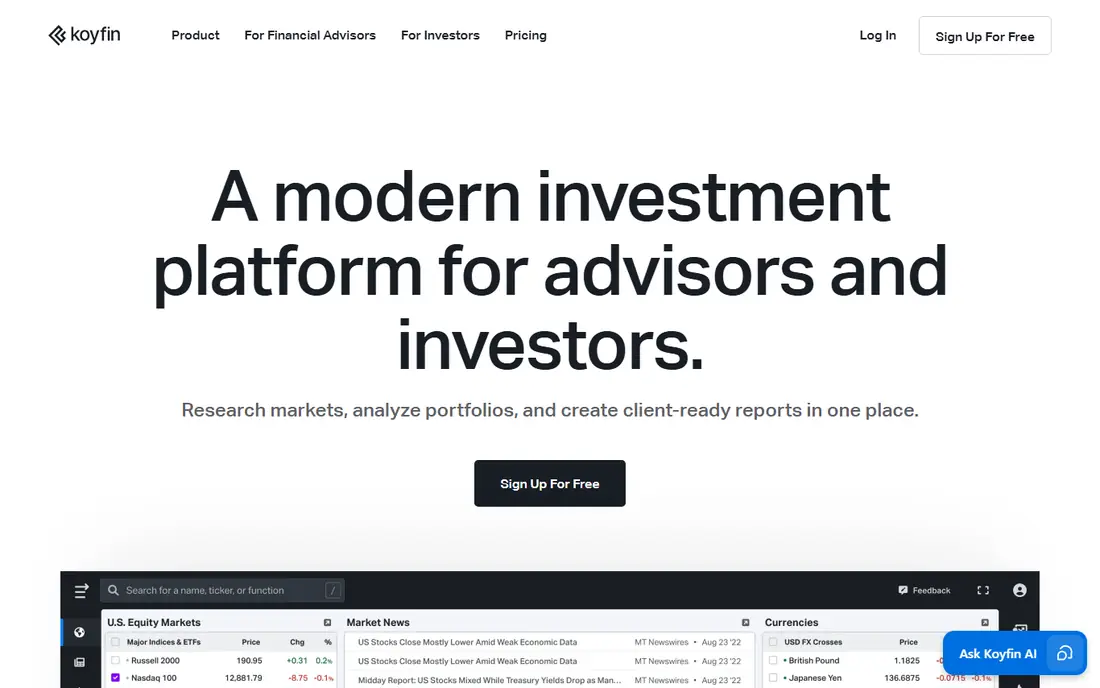
Koyfin is our pick for most individual investors because it starts free and grows with your skill. You can build dashboards for watchlists, compare companies side by side, and screen across thousands of criteria without paying first. Paid plans add longer history, more estimates, filings, transcripts, and export options, which matter once you start doing regular fundamental work.
Koyfin does not tell you what to buy, and that is a strength if you want to form your own view. The downside is that beginners may miss the guidance that a research service provides. You need to know which metrics matter for the companies you follow, or you can end up with a busy dashboard that looks impressive and says little.
- Strong free plan
- Flexible dashboards and screening
- Long financial history on paid plans
- No written stock recommendations
- Advanced formulas need higher plans
- Real-time data is limited on free
YCharts is aimed at financial advisors and professional teams who need to turn data into a presentation a client can follow. Its charts, comparison tools, and proposal builders save time when you must explain a portfolio change in plain terms. Data coverage spans equities, funds, bonds, and economic indicators, so an advisor can answer a wide range of client questions in one place.
For a single investor, the price is hard to justify when Koyfin or Fiscal AI cover much of the same research ground. YCharts earns its keep when client reporting is part of the job, not when you only track your own portfolio. Check the trial carefully against your actual reporting workflow before committing.
- Client-ready charts and reports
- Broad data on equities, funds, and bonds
- Proposal tools for advisors
- High price for individuals
- Overkill for simple personal research
- Learning curve for the full feature set
Daloopa focuses on one painful job: getting clean, audited company data into an Excel model without copying numbers by hand. Each data point links back to its filing source, so an analyst can trace a figure when a model does not tie out. That audit trail is the main reason professional modelers choose it over a generic data export.
Daloopa is not a general stock-picking app. If you do not build models, much of its value will pass you by. Pricing is also quoted rather than published, which means smaller teams should ask early about minimums and seat terms. For modeling-heavy work, though, the time saved on data gathering can be real.
- Audited fundamental data for models
- Data points link to filings
- Reduces manual data entry
- Enterprise pricing is quoted
- Less useful for casual screening
- Excel skills still matter
Canalyst provides structured company models and historical financials designed for investment professionals. Its consistency matters because analysts can compare companies on the same definitions instead of adjusting for different reporting choices each time. That makes it a strong fit for funds, banks, and corporate development teams that already work in models all day.
Retail investors will find Canalyst hard to access and harder to justify. There is no low-cost plan for occasional use, and the product assumes you already know how to read and adjust a model. If your team values clean model data over chat features or screening toys, Canalyst deserves a serious look.
- Detailed company models
- Consistent historical data
- Coverage suited to institutional research
- Quote-based pricing
- Built for professionals, not beginners
- No retail-friendly free tier
Stock Rover appeals to investors who like to build their own screens rather than accept a preset list. With hundreds of metrics, you can test ideas about value, growth, quality, or dividends in a precise way. Portfolio tools let you track holdings across brokers and see how a portfolio behaves as a whole, not just stock by stock.
The interface is functional rather than pretty, and new users may need time to learn the screener. The free plan covers basic research, but the deeper history and metric sets that make Stock Rover stand out sit on paid tiers. If you enjoy screening as a hobby in itself, that cost is easy to defend. If you want a quick answer, a simpler dashboard tool may suit you better.
- Hundreds of screening metrics
- Long fundamental history on paid plans
- Brokerage-linked portfolio tracking
- Interface feels dated to some users
- Learning curve for new screeners
- Best features need paid plans
Fiscal AI, formerly known as FinChat, lets you ask a question about a company and get an answer tied to verified financial data. That conversational style helps when you want a fast check on revenue trends, margins, or segment results without opening five tabs. Dashboards, KPI tracking, and earnings transcripts support follow-up questions, so research can build over a session instead of starting over each time.
Coverage is strongest for larger public companies. Smaller companies may have less granular segment or KPI data, so answers can feel thinner there. Pricing has also shifted over time, so check the current free and paid limits on the vendor site before you rely on a specific feature. For individual investors who like to ask questions first and read tables second, Fiscal AI is a friendly entry point.
- Ask questions in plain language
- Verified financial statements and KPIs
- Dashboards and earnings transcripts
- Paid plan details change
- Depth varies by company size
- Smaller companies have thinner KPI coverage
How we picked these
We compared official feature pages, pricing pages, and app store listings, plus public reviews, for tools that pair AI with real financial data. We kept only tools that exist and work in October 2026 and that fit financial analysis directly, rather than general chatbots or trading apps. We favored tools with source-linked answers, clear data coverage, and pricing a reader can check, and we noted where pricing is quoted instead of published.
What to check before you pay
Start with the data, not the AI demo. A flashy summary means little if you cannot see the filing, transcript, or table behind it. Open a company you know well, ask a question with a known answer, and see whether the tool cites the right source. If it gives a confident answer with no citation, treat it as a draft, not a fact.
Next, match the tool to your workflow. A screener suits idea generation, a dashboard suits ongoing monitoring, and a modeling tool suits analysts who live in Excel. Paying for all three in one bundle often means paying for features you never open. Trial the free tier or trial period with real work, such as a watchlist review or a quarterly earnings check, and note which features you actually used twice.
Finally, read the price terms closely. Check whether billing is monthly or annual, whether data exports cost extra, and whether a free plan limits history, estimates, or dashboards. For money tools, also check data delays and coverage for the markets you follow. This is not financial advice, and no AI score or summary should replace your own reading of filings and your own risk judgment.
Frequently asked questions
What is the best ai tool for financial analysis?
There is no single winner for everyone. Koyfin suits most individual investors, AlphaSense suits professional research teams, and Daloopa or Canalyst suit analysts who build models. Choose by workflow first, then by price, and trial the tool on companies you already understand.
Which ai tool is best for financial analysis for beginners?
Fiscal AI and Koyfin are good starting points because both offer free plans and plain-language ways to explore company data. Start free, learn a few core metrics such as revenue growth and margins, and only upgrade when you hit a limit that blocks real work.
Are the best ai financial analysis tools free?
Some are partly free. Koyfin, Kavout, Stock Rover, Daloopa, and Fiscal AI offer free plans or free tiers, but deeper history, estimates, and exports usually need a paid plan. Professional tools such as AlphaSense and Canalyst are quote-based and priced for teams.
What are the best ai financial analysis platforms for professionals?
AlphaSense, Canalyst, Daloopa, and YCharts lead for professional use, each for a different job: document research, model data, Excel-ready fundamentals, and client reporting. Professionals often pair one of these with a screening tool such as Koyfin or Stock Rover.
Can AI tools replace a financial analyst?
No. AI tools speed up gathering, summarizing, and comparing data, but they do not replace judgment about valuation, risk, management quality, or your own goals. Use them to prepare better questions, then verify key figures against primary sources before acting.
Do these tools give investment advice?
Most present data, scores, or summaries, not personal advice. Scores and AI answers can be wrong, stale, or based on incomplete data. This article is not financial advice, and you should consider your own situation and, where needed, a qualified professional before making investment decisions.
Sources
See where you really rank - block by block
ProMapRanker scans Google Maps across a grid of your service area. Simple monthly plans from $19, white-label on every plan.
Start freeKeep reading
 zscaler alternatives
Best Zscaler Alternatives in 2026
Looking for zscaler alternatives? We compare 9 SASE and zero trust platforms on architecture, data protection, pricing, and fit for your network and team.
Read → zapier alternatives free
Best Zapier Alternatives Free in 2026
Nine automation tools for zapier alternatives free in 2026, all with genuinely free tiers, plus free plan limits, starting prices and upgrade paths explained.
Read → which platform is best for online reputation
Which Platform Is Best for Online Reputation in 2026
Wondering which platform is best for online reputation? We compare 8 review, listing, and response tools for small and multi-location businesses and agencies.
Read →