 ProMapRanker
Best AI Tools for Day Trading in 2026


AI signals and real-time scanning · Pricing starts at: $127 per month
Key takeaways
- Trade Ideas and TrendSpider suit active traders who want scanning, alerts and backtesting in one place, while Danelfin and Kavout work better as research filters.
- Prices range from free plans to more than $250 per month, so match the subscription to how often you actually trade.
- No tool on this list removes trading risk, and AI signals should sit inside a written plan with position sizes and exit rules.
- Paper trading, where offered, is the cheapest way to learn a tool before you put real money behind its signals.
Quick comparison
| Pick | Great for | Pricing starts at | Free tier | |
|---|---|---|---|---|
| Trade Ideas | AI signals and real-time scanning | $127 per month | Yes | Visit |
 TrendSpider | Automated chart analysis | See website | Free trial | Visit |
 Tickeron | AI pattern and forecast signals | $80 per month | Free trial | Visit |
 Danelfin | AI stock scores and research | Free | Yes | Visit |
 LevelFields | Event-driven trade ideas | See website | Free trial | Visit |
 Kavout | AI stock rankings and chat research | $20 per month | Yes | Visit |
 Intellectia | Daily AI picks and swing signals | $14.95 per month | Yes | Visit |
 Acuity Trading | Broker-ready AI signals and sentiment | See website | No | Visit |
The best AI tools for day trading
These tools cover different jobs, from finding a setup in the morning to checking a stock before you place an order. We compared their published features and pricing pages, and we kept the focus on tools a day trader can use during market hours. This article is not financial advice, and trading carries risk, including the risk of losing money, so never trade with funds you cannot afford to lose.
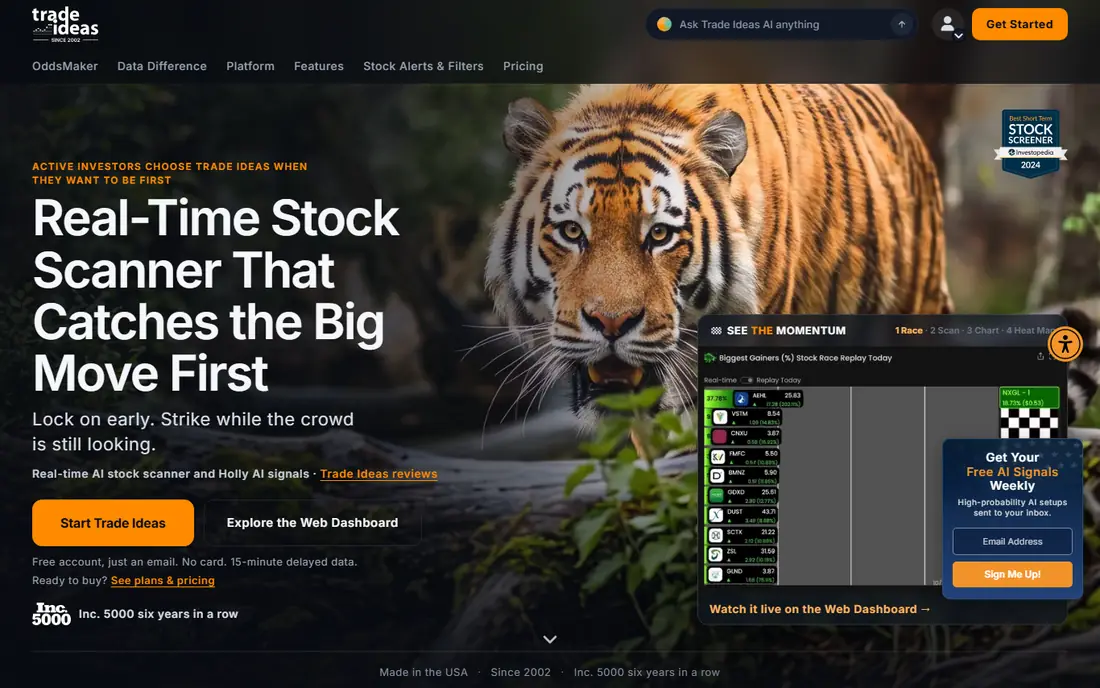
Trade Ideas is our pick for traders who want one screen for scanning, charts and AI ideas. Its scanner updates in real time, so a momentum move or a volume spike shows up while it is happening rather than after the close. The Premium plan adds Holly AI signals, OddsMaker backtesting and automated trading through supported brokers.
The cost is the main barrier. The Standard plan starts at $127 per month, and the Premium plan starts at $254 per month on monthly billing, with lower monthly equivalents on annual billing. A free account exists, but it is limited and does not include Holly AI signals. Start with the free account or the Standard plan if you mainly need scanning, and only move up when you will actually use the AI signals every week.
- Real-time scanning with many filters
- Holly AI signals on the Premium plan
- Paper trading and backtesting tools
- Premium pricing is high
- The desktop layout takes time to learn
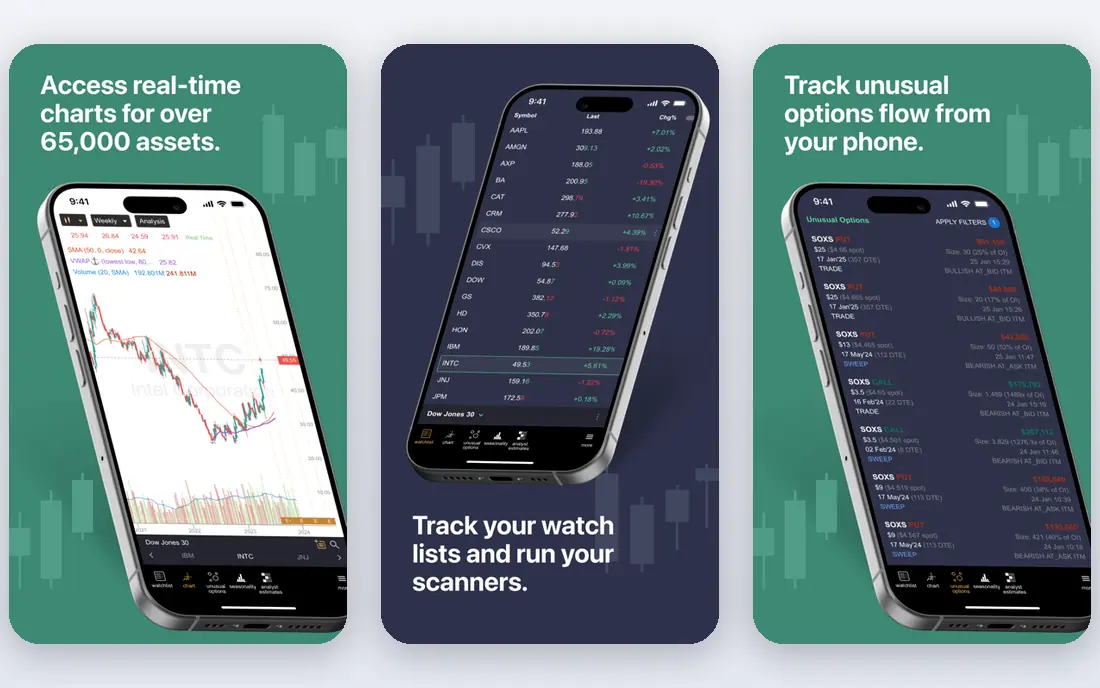
TrendSpider appeals to traders who like charts but do not want to draw every trendline by hand. It marks trendlines, patterns and multi-timeframe levels for you, and its Strategy Tester lets you check an idea against past price data before you trade it. Sidekick, its AI assistant, can answer questions about a chart and help you build scans in plain language.
All plans include the same core features, with higher plans raising limits on alerts, bots and backtest depth. That structure is fair, but it also means the entry plan can feel tight if you run many alerts at once. TrendSpider offers a paid trial period, so use it to test whether the automated analysis matches how you read charts.
- Automated trendlines and pattern recognition
- Backtesting and strategy tools
- A conversational AI assistant called Sidekick
- Pricing varies by plan and billing term, so check the checkout page
- Execution depends on your broker setup
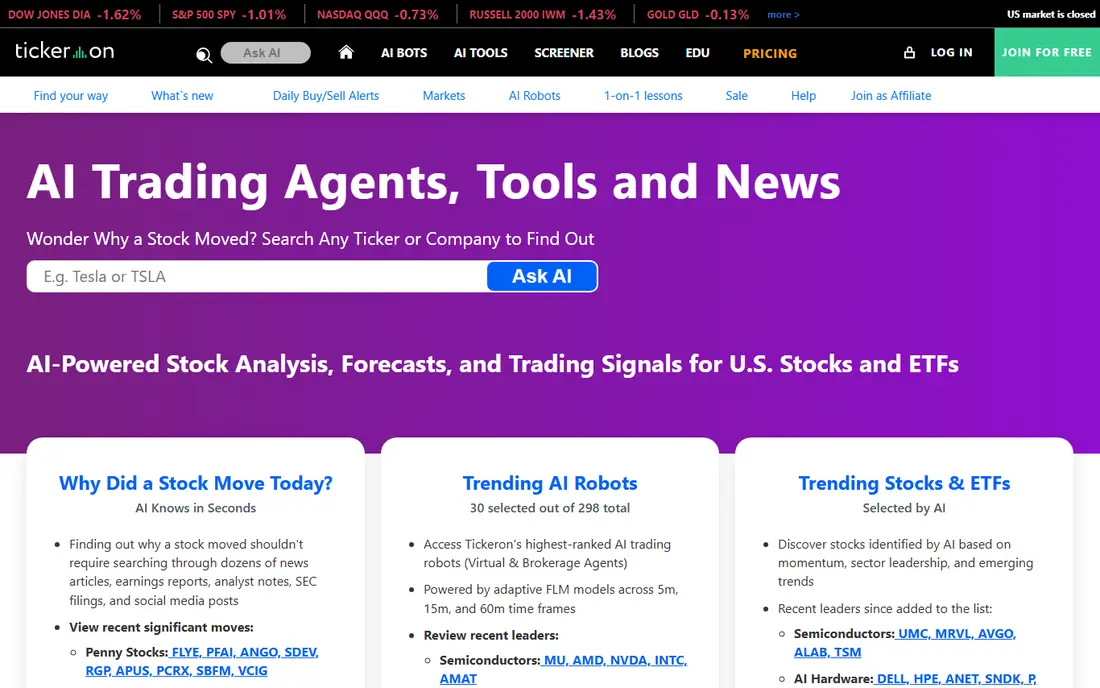
Tickeron is built around AI models that look for patterns, trends and forecast signals. Its Beginner plan starts at $80 per month, with Swing Trader and Day Trader plans priced higher. That makes it a serious purchase for a trader who will check signals daily, and a poor fit for someone who trades only a few times a month.
Treat any published performance figure with care. Backtested or model-based results are not the same as money made in a live account after fees, spreads and slippage. Use Tickeron as a second opinion on setups you already understand, and keep your own rules for entries, stops and position size.
- AI pattern recognition across stocks and other markets
- Forecast and screener tools
- A mobile app for checking signals away from a desk
- Premium tiers are expensive
- Vendor performance claims need careful reading
Danelfin gives each stock and ETF an AI Score, which is meant to summarize how its model views that security. The free plan covers a small set of top-ranked stocks and ETFs, one portfolio and a limited number of reports per month. Paid plans start at $22 per month on monthly billing, with Plus, Pro and Elite tiers adding reports, portfolios and data exports.
For day trading, Danelfin works best as a morning filter. You can shortlist names with strong scores, then do your own chart and news check before trading. Do not trade on a score alone, since a score cannot know your risk tolerance, your account size or the news that breaks after the score is published.
- A free plan for a first look
- AI Score rankings for stocks and ETFs
- Portfolio tools on paid plans
- Scores are probabilities, not trade instructions
- Paid plans add up if you want exports and API access
LevelFields takes a different angle from most tools on this list. Instead of starting with a chart pattern, it starts with an event: an earnings report, a filing, a contract win or a leadership change. It then shows scenarios based on how similar events affected similar companies in the past. That can help a day trader understand why a stock is moving, not just that it is moving.
The entry plan is listed around $25 per month on annual billing in recent pricing summaries, but the higher-touch plan price varies, so check the current pricing page before you buy. LevelFields is best for traders who follow news closely and want structure around event trades, rather than traders who only trade chart setups.
- Alerts tied to events such as earnings, filings and leadership changes
- Scenario tools that show how similar events played out before
- Customizable alerts
- Higher-touch plan pricing is not always shown clearly
- Event ideas still need a chart and risk check
Kavout combines a ranking system, called the Kai Score, with a chat-style research tool. You can ask about a stock, screen for ranked names and watch activity from large investors, insiders and Congress trades. The Pro plan starts at $20 per month, which makes it one of the cheaper paid options on this list.
The trade-off is depth. Kavout is a research layer, not a broker, so you still place orders elsewhere. It also does not publish a full account of how its score is built, so treat the score as a starting point for research. Pair it with your own checks on volume, price action and upcoming news before you act.
- Kai Score rankings for thousands of stocks and ETFs
- Conversational AI research through InvestGPT
- Tracking of insider and large-investor activity
- Free plan is limited
- The method behind the score is not fully open
Intellectia is aimed at retail traders who want a daily shortlist and a chat agent that can explain a stock in plain terms. Plans start at $14.95 per month for Basic, with Pro, Max and Expert tiers adding more prompts and features. A low-cost short trial is also offered on some plans, which is worth using before a longer commitment.
The free plan is very limited, with only a handful of prompts, so it works as a taste of the interface rather than a working research tool. Intellectia gives signals only, so you place orders yourself at your broker. That is a strength for control, but it also means the tool cannot protect you from a bad entry or an oversized position.
- Daily AI stock picks
- Swing trading signals
- A finance-focused AI agent for questions
- Free plan allows only a small number of prompts
- No automated trade execution
Acuity Trading is different from the consumer apps above because much of its business is supplying signal and sentiment tools to brokers. Traders may meet its tools inside a broker platform rather than buying a separate subscription. That can be convenient, since signals sit next to the order ticket, but it also means pricing and availability depend on the broker.
If your broker offers Acuity tools, test them inside your normal workflow before paying for another app. Check which signals you actually see, how often they update and whether they cover the markets you trade. A signal feed that you ignore is wasted money, no matter how good its marketing sounds.
- AI signals and market sentiment tools used by brokers and traders
- News and calendar analysis
- Tools that fit inside a broker platform
- Pricing is not published as a simple consumer plan
- Less suited to a trader who wants a standalone app
How we picked these
We compared official pricing pages, feature pages and public reviews for tools that use AI for scanning, signals, scores or event analysis aimed at short-term traders. We kept tools that are live and usable in October 2026, and we left out tools whose pricing or features we could not confirm from a vendor or pricing page. Where pricing varied across sources, we wrote See website rather than publishing a figure we could not stand behind.
What to check before you pay for an AI trading tool
Start with the job you need done. A scanner helps you find setups, a score helps you filter a watchlist, and an event tool helps you explain a move. Buying all three at once is rarely the right first step. Pick the one gap in your current routine, and judge the tool on that gap alone for a month.
Next, check the total cost, not just the headline price. Some tools charge more for real-time data, higher alert limits or API access. Add any broker commissions, data fees and taxes on top of the subscription when you work out whether the tool pays for itself. If you trade rarely, a free plan or a cheaper research tool may serve you better than a premium signal plan.
Finally, test the tool with paper trading or a small watchlist first. Watch how signals behave on losing days, not just winning ones. A tool that looks strong in a rising market can still produce many false signals in a choppy market. Keep a simple log of each signal you follow, what you did and what happened, so you can judge the tool on your own results.
Frequently asked questions
What is the best AI tool for day trading?
There is no single best tool, because day traders need different things. Trade Ideas suits active scanners, TrendSpider suits chart-based traders, and Danelfin or Kavout suit traders who want a research filter. Pick the tool that matches the part of your routine that is slowest or least reliable today.
Is there a best AI day trading app for beginners?
Danelfin and Kavout are easier starting points because they offer free plans and simple scores or rankings. Trade Ideas and TrendSpider are stronger but take longer to learn. Beginners should start free, learn the basics of risk management, and only pay once they use the tool several times a week.
Can an AI day trading platform trade for me?
Some platforms, such as Trade Ideas Premium, offer automated trading through supported brokers, while others give signals only. Automation does not remove risk, and it can lose money faster than manual trading if the strategy is wrong. Test any automated setup with paper trading first, and never automate with money you cannot afford to lose.
Are AI trading signals reliable?
Signals are model outputs based on past data, not guarantees about future prices. They can help you find ideas and check your own analysis, but they cannot predict news, gaps or sudden market moves. Use signals as one input, and keep your own rules for entry, exit and position size.
How much should I pay for an AI trading tool?
Pay in line with how often you trade and how much the tool changes your decisions. A free or low-cost research tool may be enough for a part-time trader, while a daily trader may justify a premium scanner. If the monthly fee is large compared with your account, start cheaper and upgrade only when the tool proves useful.
Do I need a broker to use these tools?
Most of these tools are research or signal platforms, not brokers, so you still need a brokerage account to place trades. A few offer trading links or automation through supported brokers. Check broker compatibility before you subscribe, since a tool you cannot connect to your broker is less useful.
Sources
See where you really rank - block by block
ProMapRanker scans Google Maps across a grid of your service area. Simple monthly plans from $19, white-label on every plan.
Start freeKeep reading
 zoho inventory alternatives
6 Alternatives to Zoho Inventory, Compared on Price and Fit
Zoho Inventory alternatives: 6 tools compared on price, free plans and fit. Katana leads the list for manufacturers. Fit and flaws are laid out for each entry.
Read → zoho crm alternatives
Best Zoho CRM Alternatives (2026)
Need Zoho CRM alternatives? We compare 7 tools on cost, free access and who each suits. Every pick gets a straight assessment. Built for quick decisions.
Read → zelle alternatives
Best Zelle Alternatives in 2026
Compare the best Zelle alternatives for sending money to friends, paying sellers and moving funds abroad, with honest notes on fees, speed and safety in 2026.
Read →