 ProMapRanker
Best AI Tools for Creating Presentations in 2026

Key takeaways
- Gamma is our pick for most people who want a full deck from a prompt, while Beautiful.ai suits teams that need consistent formatting across many decks.
- Tools that work inside PowerPoint or Google Slides suit people who must deliver files in those formats, rather than web-native decks.
- Free plans vary a lot: some give one-time credits, some give a limited ongoing plan, and some offer only a trial, so check what the free tier actually allows.
- Always review AI-generated facts, figures, and claims before presenting, since a polished slide can still carry a wrong number.
Quick comparison
| Pick | Great for | Pricing starts at | Free tier | |
|---|---|---|---|---|
 Gamma | Prompt-to-deck speed | $10 per month | Yes | Visit |
 Beautiful.ai | Consistent corporate decks | $14.50 per month | Free trial | Visit |
 Pitch | Collaborative team decks | See website | Yes | Visit |
 Canva | Visual templates and brand assets | See website | Yes | Visit |
 Plus AI | AI editing inside Slides and PowerPoint | $10 per month | Free trial | Visit |
 SlidesAI | Text-to-slides inside Google Slides | $10 per month | Yes | Visit |
 Prezi | Non-linear, zooming talks | $7 per month | Free trial | Visit |
 Visme | Data-heavy presentations | $12.25 per month | Yes | Visit |
The best AI tools for creating presentations
AI presentation tools fall into two groups. Some generate a whole deck from a prompt or a document, and others add AI help inside a slide editor you already use. The tools below cover both groups, so you can match the tool to how you actually present.
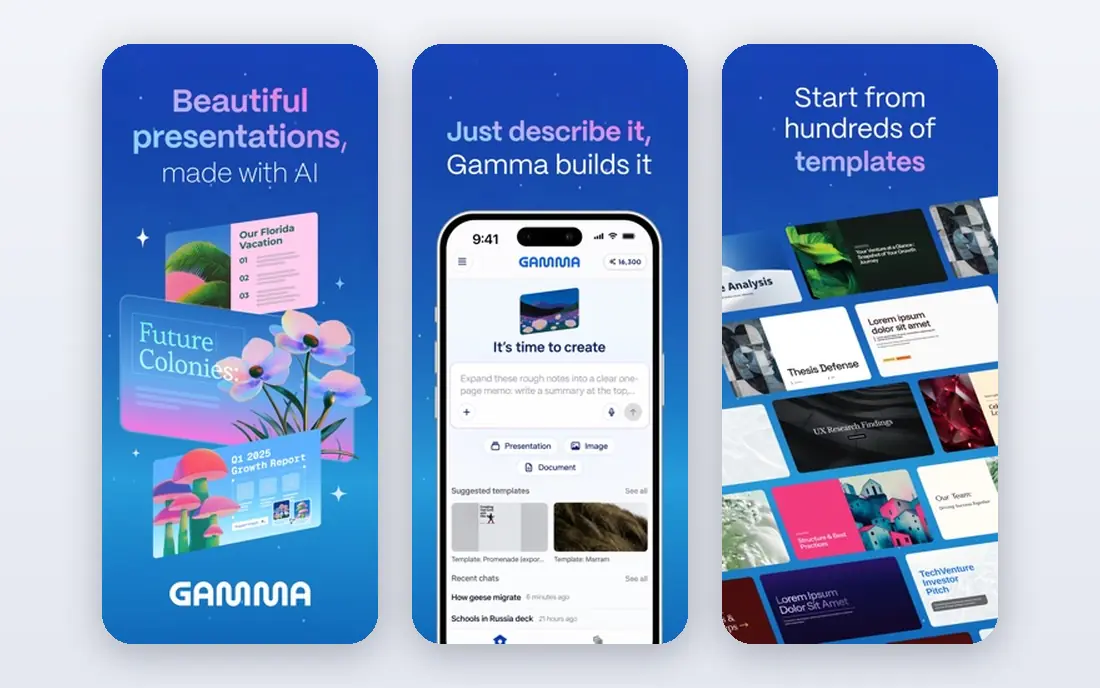
Gamma turns a prompt, an outline, or a pasted document into a structured deck in under a minute. You can then refine it in chat, change the look, or edit layouts directly, which keeps the workflow close to writing rather than wrestling with slides. Export to PowerPoint and PDF means the deck can travel to meetings where a web link is not welcome.
The main limit is the free plan. Credits do not renew in the same way a monthly allowance would, so heavy users will reach a paid plan quickly. Decks also have a distinct web-native feel, and teams with rigid brand templates may need extra editing time. For speed and a strong first draft, Gamma is hard to beat.
- Fast prompt-to-deck generation
- Web sharing plus PowerPoint and PDF export
- Chat-based editing beside the deck
- Free credits are one-time rather than monthly
- Web-native style may need adjustment for strict corporate templates
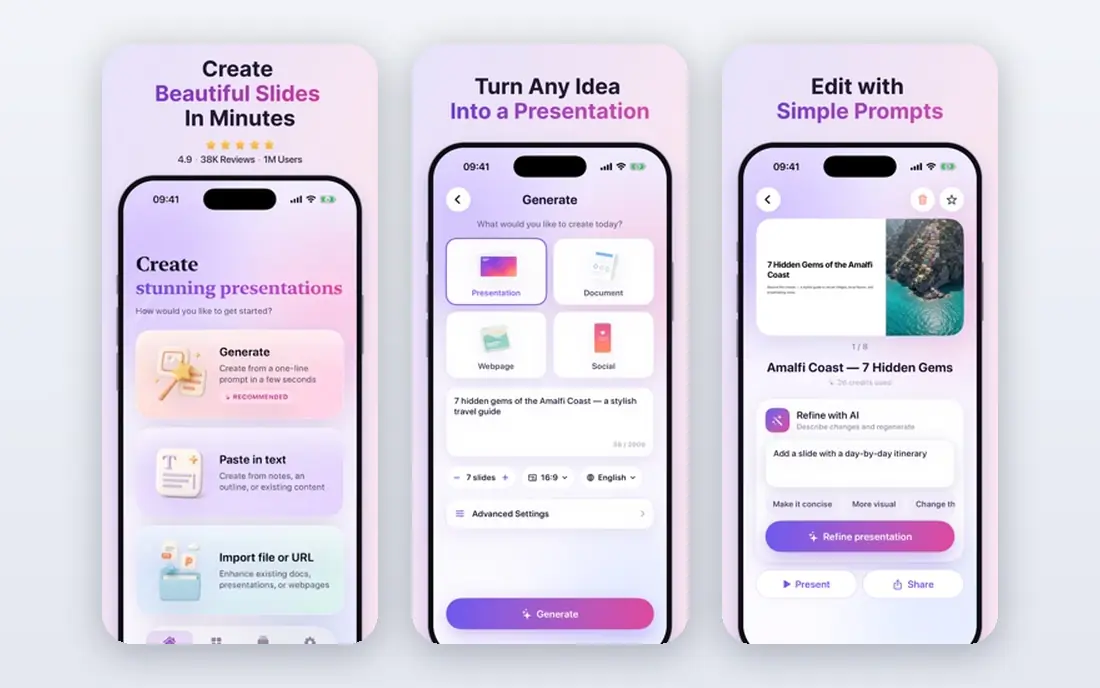
Beautiful.ai is built around Smart Slides, which adjust layout automatically as you add or remove content. That single idea saves corporate teams from the usual slide-by-slide cleanup, and it keeps decks looking consistent when several people edit them. Team plans add brand controls, so colors, fonts, and logos stay in line without constant checking.
Freedom is the trade-off. If you want to place every element exactly where you like, the automatic layout can feel restrictive. There is also no free ongoing plan, so you need a trial or a paid plan to use it properly. For business decks that must look polished and uniform, that structure is a feature, not a flaw.
- Smart Slides that rebalance as you edit
- Strong brand control on team plans
- Clean, professional output
- No ongoing free plan, only a trial
- Less freeform design freedom than a general design tool
Pitch is a presentation tool designed for teams that build decks together. Shared workspaces, comments, and version control make it easier for founders and marketing teams to shape a pitch without emailing files back and forth. Link sharing with analytics shows which slides readers spend time on, which is useful when a deck goes to investors or clients.
Pitch does not lead with prompt-to-deck generation in the way Gamma does, so people who want a full deck from one sentence may prefer another tool. Pricing also needs a check on the official page, since plans and currencies differ. For collaborative pitch work, Pitch remains a strong and practical choice.
- Team collaboration with shared workspaces
- Link sharing and per-slide analytics
- Startup-friendly pitch templates
- Pricing varies by region and plan
- AI generation is less central than in prompt-first tools
Canva is the broadest tool on this list. It covers presentations, social graphics, documents, and print, and its template library means most users start from something close to finished rather than a blank page. Brand kits help small teams keep colors and fonts consistent, and the free plan is generous enough for occasional decks.
The catch is that Canva is a design editor first and an AI deck builder second. You will still choose templates and edit slides yourself, even with AI features helping along the way. Some templates and assets also sit behind the paid plan, so a free deck can include watermarked or premium elements if you are not careful. For visual variety and team use, Canva is a safe default.
- Very large template and asset library
- Easy brand kits
- PowerPoint and PDF export
- AI help sits inside a template editor rather than building full decks unaided
- Premium elements can add cost
Plus AI takes the opposite route from Gamma. Instead of asking you to leave your slide tool, it adds AI generation and editing inside Google Slides and PowerPoint. That matters for teams with approved templates, since the AI works in the file format and layout rules the company already uses. You can generate a deck, rewrite a slide, or reformat content without exporting and reimporting.
Because it is an add-on, it is only as good as the host tool. People who do not use Slides or PowerPoint will get little from it, and there is no free ongoing plan beyond a trial. For office workers who live in those formats, Plus AI is one of the most practical AI options available.
- Works inside Google Slides and PowerPoint
- Generates and rewrites slides in your existing file
- Useful for corporate templates
- No ongoing free plan
- Value depends on already using Slides or PowerPoint
SlidesAI does one job with little fuss. Paste text or type a topic, and it builds slides inside Google Slides, where you can then edit, collaborate, and present as normal. That simplicity suits teachers, students, and office teams who already work in Google Workspace and do not want to learn a new platform.
Design options are narrower than those in Gamma or Canva, and the free plan covers only a limited number of presentations per year. If you need a highly designed deck, you will spend time polishing the output. If you need a clear, editable draft fast, SlidesAI delivers it at a low price.
- Simple text-to-slides workflow in Google Slides
- Low entry price
- Quick first drafts from pasted text
- Design range is narrower than full deck builders
- Advanced features sit on paid plans
Prezi breaks from the slide-by-slide format. Presentations live on a canvas that zooms between topics, which can make a talk feel more like a guided tour than a sequence of cards. That style suits keynote talks, lessons, and pitches where the big picture matters as much as each detail. AI help with templates speeds up the starting point.
The format is also its risk. Teams that need standard slide files for handouts or corporate decks may find Prezi harder to fit into their workflow. Some audiences also prefer familiar slides, so the zooming style needs a presenter who is comfortable with it. For talks that benefit from a visual story, Prezi is a memorable choice.
- Zooming canvas that suits storytelling talks
- Distinctive look that stands out from slide decks
- AI template help
- Linear slide workflows can feel awkward
- Audience familiarity with the format varies
Visme suits presentations where charts, tables, and data carry the argument. It handles data visualization well, and the same tool can produce infographics, reports, and social graphics, which helps teams that reuse content across formats. Brand controls and templates keep output consistent across a team.
That breadth means a slightly steeper learning curve than a single-purpose deck builder. New users may take longer to find the right chart or layout, and the free plan limits some exports and features. For data-led decks and reports, Visme earns its place on this list.
- Strong charts and data visualization
- Infographics and documents in the same tool
- Brand controls
- Interface has more to learn than simpler tools
- Best features sit on paid plans
How we picked these
We compared official pricing pages, feature pages, and export options, and we checked recent comparison guides to confirm which tools were still active in October 2026. We excluded Tome, which shut down in April 2025, even though older lists still mention it. We favored tools with a clear AI feature, a working free tier or trial, and a real export path to PowerPoint, PDF, or a shareable link.
How to choose the right tool
Start with your delivery format. If you must hand over a PowerPoint file, pick a tool that works in PowerPoint or exports cleanly to it. If a web link is fine, a prompt-to-deck tool will save more time. Next, think about who else edits the deck. Solo creators can pick on speed and style, while teams should weigh brand controls, comments, and shared workspaces more heavily.
Also check the free plan against your real volume. A tool with one-time credits suits a one-off deck, while a tool with a limited ongoing plan suits occasional use. Paid plans are worth it when you make decks weekly, need brand control, or need high-quality exports without watermarks. Try two tools on the same real deck before you pay, since the same prompt can produce very different results.
Accuracy and design checks
AI decks need a human pass. Check every statistic, quote, date, and name against a source you trust, and remove any slide that sounds confident but cannot be verified. Check images and icons for licensing, especially if the deck will be published or shared outside your company. A short review pass protects your credibility far more than another design tweak.
Frequently asked questions
Which AI tool is best for creating presentations?
Gamma is the best AI tool for creating presentations for most people, because it turns a prompt into an editable deck quickly and exports to PowerPoint and PDF. Teams that need strict brand consistency should look at Beautiful.ai, and Google Slides users should try SlidesAI or Plus AI first.
What is the best AI tool for creating presentations for free?
Gamma, Canva, SlidesAI, and Visme all offer free plans, but each limits credits, exports, or features in different ways. For a single deck, Gamma's free credits are a good test. For ongoing occasional use, Canva's free plan is more flexible.
Can AI presentation tools export to PowerPoint?
Most tools on this list can export to PowerPoint or PDF, though the quality of the export varies. Gamma, Beautiful.ai, Canva, and Plus AI all support PowerPoint output, while SlidesAI works inside Google Slides, which can also export to PowerPoint format.
Do I need to check AI-generated slides?
Yes. AI tools can invent statistics, misattribute quotes, and present outdated facts in a polished layout. Treat the first draft as a starting point, verify every factual claim, and rewrite any slide that does not match your source material.
Which tool is best for team presentations?
Pitch and Beautiful.ai are strong for teams, since both offer shared workspaces and brand controls. Canva also works well for teams that need design assets beyond presentations, while Plus AI suits teams locked into PowerPoint or Google Slides templates.
Sources
See where you really rank - block by block
ProMapRanker scans Google Maps across a grid of your service area. Simple monthly plans from $19, white-label on every plan.
Start freeKeep reading
 zoho inventory alternatives
6 Alternatives to Zoho Inventory, Compared on Price and Fit
Zoho Inventory alternatives: 6 tools compared on price, free plans and fit. Katana leads the list for manufacturers. Fit and flaws are laid out for each entry.
Read → zoho crm alternatives
Best Zoho CRM Alternatives (2026)
Need Zoho CRM alternatives? We compare 7 tools on cost, free access and who each suits. Every pick gets a straight assessment. Built for quick decisions.
Read → zelle alternatives
Best Zelle Alternatives in 2026
Compare the best Zelle alternatives for sending money to friends, paying sellers and moving funds abroad, with honest notes on fees, speed and safety in 2026.
Read →