 ProMapRanker
Best AI Tools for Building Websites in 2026

Key takeaways
- Wix is the all-round pick, with an AI builder, a large app ecosystem, and room to grow into bookings and online selling.
- Framer and Squarespace suit design-led sites, with Framer offering more design control and Squarespace offering more guided polish.
- Hostinger is the cheapest hosted route, while 10Web is the pick if you want a real WordPress site you can move and own.
- Durable is the fastest launch for a local service business, and Webflow, Jimdo, and GoDaddy cover design depth, simple setup, and an all-in-one small business bundle.
Quick comparison
| Pick | Great for | Pricing starts at | Free tier | |
|---|---|---|---|---|
 Wix | All-round small business sites | $17 per month | Yes | Visit |
 Framer | Design-led marketing sites | $10 per month | Yes | Visit |
 Hostinger | Lowest-cost hosted sites | $2.99 per month | Free trial | Visit |
 Squarespace | Design-led brands and portfolios | $19 per month | Free trial | Visit |
 Durable | Fast local business launch | $25 per month | Yes | Visit |
 10Web | AI-built WordPress sites | $10 per month | Free trial | Visit |
 Webflow | Designer-grade sites with CMS depth | $15 per month | Yes | Visit |
 Jimdo | Simple solopreneur sites | See website | Yes | Visit |
 GoDaddy | Small business bundle sites | $24.99 per month | Yes | Visit |
The best AI tools for building websites
An AI website builder should give you a complete hosted site from a short description, with pages, copy, images, and a way to edit afterwards. These nine tools do that job in different ways.
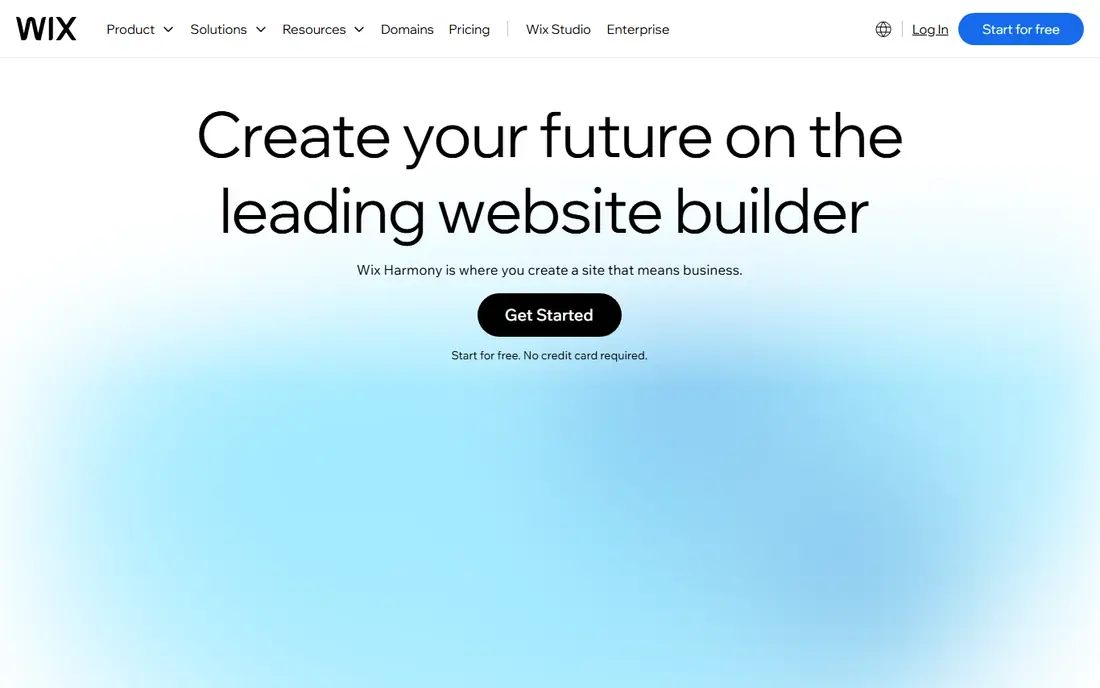
Wix is the safest all-round choice for a small business that wants an AI start and room to grow. Its AI builder asks about your business and builds a site with pages, copy, and images, and you can then edit it in a drag-and-drop editor or keep working with its AI agent. Bookings, online selling, and a large app market sit in the same account, so a site that starts as a brochure can grow into a store without moving platforms.
The main catch is lock-in. A Wix site cannot be exported and moved to another host, so you are renting the platform for as long as the site runs. The editor also offers so many options that a new user can feel lost at first. We would pick Wix for a business that wants one account for a site, bookings, and selling, and we would accept the lock-in as the price of that convenience.
- AI builder plus drag-and-drop editing
- Large app ecosystem
- Free plan for testing
- Site cannot be moved to another host
- Editor can feel busy

Framer is the designer pick among AI website builders. Its AI agent builds pages, CMS content, and components from a prompt, and the resulting sites often look like work from a design studio, with smooth animation and careful typography. The free plan lets a user publish on a Framer subdomain and test the design system before paying, and the Basic plan starts at $10 per month billed yearly.
The limit is commerce. Framer does not offer a native full online store in the way Wix or Squarespace do, so a business that needs a complete shop should look elsewhere. Its design controls also use terms that take time for a non-designer to learn. We would pick Framer for a startup, agency, or portfolio site where design quality is the main goal.
- High-polish design and animation
- AI agent for pages and content
- Free plan with a subdomain
- No native full online store
- Design terms take time to learn

Hostinger Website Builder bundles hosting, an AI builder, and business tools in one low bill, which makes it the cheapest hosted route on this list. The AI builder creates a site from a description, and built-in AI writing and logo tools help a new business fill in copy and branding without extra software. For a tight budget, that bundle is hard to beat at the introductory price.
The catch is the term. The lowest price needs a long prepay period, often 48 months, and the renewal price is higher, at around $10.99 per month. Monthly billing costs far more than the headline rate. We would pick Hostinger for a budget-conscious business that is happy to prepay for hosting, and we would check the renewal price before signing a long term.
- Very low entry price with hosting included
- AI builder, writer, and logo tools
- Free domain on some plans
- Best price needs a long prepay term
- Renewal price is higher
Squarespace Blueprint AI builds a multi-page site from your answers, with design, copy, and structure guided by polished templates. For a brand, a restaurant, a photographer, or a creative business, that guided polish is a strength: the first draft already looks considered, and the built-in commerce, booking, and portfolio tools cover the next steps without plugins. A 14-day trial lets a user test the builder before paying.
The trade-off is flexibility. Squarespace guides you more than a free canvas editor, so a user who wants pixel-level control may feel constrained. The Basic plan also carries a store transaction fee, so a selling site may need a higher plan. We would pick Squarespace for a design-led brand that values a polished result over total design freedom.
- Blueprint AI multi-page generator
- Polished templates
- Built-in commerce and portfolios
- Less flexible than a canvas editor
- Store fees apply on the Basic plan
Durable is built for speed. Type a business name and location, and it generates a full site with pages, copy, and contact details in about 30 seconds, plus a CRM, bookings, and invoicing for a local service business. That speed matters for a plumber, a cleaner, or a salon that needs to be online today and does not want to spend a weekend on design. A free plan lets a user see the generated site before paying.
The limit is design depth. Durable offers less design flexibility than Wix or Framer, and it is thinner for a content-heavy blog or a large store. AI-generated copy also needs a careful check, because it can invent details about services or hours. We would pick Durable for a local service business that needs a fast, functional site with bookings and invoicing, and we would edit every AI-generated detail before publishing.
- Site in about 30 seconds
- Built-in CRM, bookings, and invoicing
- Free plan to start
- Less design flexibility than canvas tools
- Thin for content-heavy sites
10Web is the only tool on this list that builds a real WordPress site with AI, which changes the ownership story. You get a WordPress site with managed hosting, Elementor editing, and AI generation from a prompt, an old URL, or a file, and you can export and move the site if you later leave 10Web. That ownership matters for a business that wants WordPress plugins, SEO tools, and full control over its data.
The trade-off is complexity. WordPress still has a learning curve, even with AI generation, and a user who wants a fully guided builder may find Wix or Squarespace simpler. Monthly billing also costs about twice the annual rate, so the $10 per month AI Starter price needs an annual term. We would pick 10Web for a business that wants WordPress power and ownership without setting up hosting and WordPress by hand.
- Real WordPress sites you own and can move
- AI build from a prompt or an old URL
- Managed hosting
- WordPress learning curve remains
- Monthly billing costs more than annual
Webflow pairs an AI site builder with a deep visual design system and a real CMS, which makes it a strong pick for agencies and design-led teams. The AI builder gives a starting structure, and the editor then allows precise control over layout, interactions, and content collections, from blogs to directories. A free plan lets a user build and stage a site before paying for hosting.
The learning curve is the main barrier. Webflow uses design terms and a canvas that take time to learn, and CMS items, collaborators, and commerce features can add cost beyond the base site plan. A simple brochure site may be faster in Durable or Jimdo. We would pick Webflow for a team that needs design depth and CMS structure and is willing to learn the tool.
- AI site builder plus deep design and CMS control
- Free staging plan
- Strong for agencies
- Steeper learning curve than guided builders
- CMS and commerce add cost
Jimdo is built for a solopreneur who wants the fewest decisions possible. Its AI-guided setup asks a small number of questions and builds a site with pages, contact options, and, on higher plans, bookings and payments. The free plan lets a user publish a basic site and test the flow, which suits a freelancer, a coach, or a small shop that needs an online presence without a design project.
The limit is control. Jimdo offers less design freedom than Wix, Framer, or Webflow, and it is less suited to a large site with complex structure or a full store. A business that outgrows Jimdo may need to rebuild elsewhere. We would pick Jimdo for a simple, fast site where ease matters more than design depth, and we would check the paid plan that covers bookings or payments if those features are needed.
- Very guided setup with few decisions
- Bookings and payments for small businesses
- Free plan
- Limited design control
- Less suited to large or complex sites
GoDaddy Website Builder suits a small business that already buys a domain and email from GoDaddy and wants the site in the same account. Its AI builder creates a site from business details, and the bundle adds marketing, social, and email tools that a new business often needs in its first year. That single-account convenience saves time on billing and setup for a non-technical owner.
The price is higher than Hostinger or Jimdo for a similar brochure site, and the design output is more practical than polished compared with Framer or Squarespace. A business that only needs a site, with no domain or marketing bundle, may pay more than it needs. We would pick GoDaddy for a small business that wants domain, site, and marketing in one place, and we would compare the bundle value against buying each piece separately.
- AI builder inside a full small business bundle
- Domain, email, and marketing tools in one account
- Free plan to start
- Higher starting price than budget rivals
- Builder is less design-led than Framer or Squarespace
How we picked these
We compared official pricing pages, feature pages, and public documentation for AI website builders that are live in October 2026, and we checked each tool against the core job: turning a short business description into a complete hosted site with pages, copy, images, and an edit path afterwards. We favoured tools with a free plan or trial, published prices, and a real hosted output, and we left out code generators that only produce React code without a hosted site. We did not build and publish a full site in each tool for this guide, and we did not claim hands-on testing that did not happen.
What to check before you pick an AI website builder
Start with the site you actually need. A brochure site, a booking site, a portfolio, and a store need different tools, and a fast builder that is perfect for a local service page can struggle with a large store. Write down the must-have pages and features, such as bookings, payments, a blog, or a portfolio, and check them against the plan you will buy.
Next, check the price over two years, not just the first month. Introductory prices, long prepay terms, and renewal rates change the real cost, and a custom domain, email, and store fees can add to the bill. Compare the annual total for the plan that covers your features, and check if a free plan includes a custom domain or only a subdomain.
Finally, check editing and ownership. Can you edit the AI draft easily, add pages later, and export your content if you leave? A tool with a good editor and a clear export path is worth more than a tool with a beautiful first draft that is hard to change. Read every AI-generated page before publishing, because AI copy can invent services, hours, or prices.
Frequently asked questions
What is the best AI tool for building a website?
For most small businesses, Wix is the best all-round AI tool, because it combines an AI builder with editing, bookings, and selling in one account. Framer is best for design-led sites, Hostinger is best for a low budget, and 10Web is best if you want a real WordPress site. The best AI tool for building a website depends on your budget, your design needs, and if you need a store.
What is the best AI tool for building a website for free?
Wix, Framer, Durable, Webflow, Jimdo, and GoDaddy all offer a free plan or a free start, but a free plan usually means a subdomain and platform branding. A custom domain always needs a paid plan. For a free test, start with Wix or Framer to see the AI draft, then pay only when you are ready to publish on your own domain.
Can AI build a complete website?
Yes, for a standard business site. An AI builder can create pages, copy, images, navigation, and a contact form from a short description in minutes. The draft still needs a human check for facts, prices, hours, and tone, and complex features such as a custom store or a membership system may need manual setup after generation.
What is the best AI tool for website building on WordPress?
10Web is the strongest pick for AI building on WordPress, because it generates a real WordPress site with managed hosting and Elementor editing. You keep ownership of the site and can move it later, which is different from a rented builder platform. WordPress still has a learning curve, so a guided builder may be simpler if you do not need WordPress plugins.
Do AI website builders help with SEO?
Yes, in a basic way. Most builders on this list include SEO settings for page titles, descriptions, and search indexing, and some offer AI help with copy and structure. Good SEO still needs real content, correct business details, and regular updates, which an AI draft alone cannot provide. Check that your chosen plan includes a custom domain and SEO controls before you rely on it for search traffic.
Can I switch from one AI builder to another later?
Switching is possible but rarely clean. Wix, Squarespace, and similar platforms do not export a full site to another host, so a move usually means rebuilding pages and re-adding content. 10Web WordPress sites are easier to move, because WordPress content can be exported. If a future move matters, favour a tool with a clear content export path from the start.
Sources
See where you really rank - block by block
ProMapRanker scans Google Maps across a grid of your service area. Simple monthly plans from $19, white-label on every plan.
Start freeKeep reading
 zscaler alternatives
Best Zscaler Alternatives in 2026
Looking for zscaler alternatives? We compare 9 SASE and zero trust platforms on architecture, data protection, pricing, and fit for your network and team.
Read → zapier alternatives free
Best Zapier Alternatives Free in 2026
Nine automation tools for zapier alternatives free in 2026, all with genuinely free tiers, plus free plan limits, starting prices and upgrade paths explained.
Read → which platform is best for online reputation
Which Platform Is Best for Online Reputation in 2026
Wondering which platform is best for online reputation? We compare 8 review, listing, and response tools for small and multi-location businesses and agencies.
Read →