 ProMapRanker
6 AI Tools for Beginners Ranked for 2026


Everyday writing help · Pricing starts at: Free; Pro $12 a month on annual billing, third-party reported, checked 13 Nov 2026
Direct answer
Start with Grammarly if you need everyday writing help. Microsoft Copilot is better for Windows and Microsoft 365 users, and Google Gemini is better for Google users and free research tools. The other 3 tools in the list cover narrower or pricier cases.
Key takeaways
- Number one here is Grammarly, a fit for everyday writing help.
- A free plan is offered by 6 of the 6 tools, including Grammarly, Microsoft Copilot, Google Gemini and Canva.
- What to know about Google Gemini first: free level was tightened in October 2026 to a lighter model, and the AI Plus tier at $4.99 is simple to miss behind the Pro upsell.
- Notion is the one to check for notes and workspace with AI.
Quick comparison
| Pick | Great for | Pricing starts at | Free tier | |
|---|---|---|---|---|
| Grammarly | Everyday writing help | Free; Pro $12 a month on annual billing, third-party reported, checked 13 Nov 2026 | Yes | Visit |
 Microsoft Copilot | Windows and Microsoft 365 users | Free; Pro $20 a month, third-party reported, checked 13 Nov 2026 | Yes | Visit |
 Google Gemini | Google users and free research tools | Free; AI Pro $19.99 a month, third-party reported, checked 13 Nov 2026 | Yes | Visit |
 Canva | Simple AI design | Free; Pro $15 per month per user, third-party reported, checked 13 Nov 2026 | Yes | Visit |
 ChatGPT | All-round AI for beginners | Free; Plus $20 a month, third-party reported, checked 13 Nov 2026 | Yes | Visit |
 Notion | Notes and workspace with AI | Free; Plus $10 per member a month on annual billing, third-party reported, checked 13 Nov 2026 | Yes | Visit |
The full AI tools for beginners list
If you are comparing AI tools for beginners, this page covers 6 tools in one place: what each is best for, what it costs to start, whether it has a free plan, and the main limit to know about.
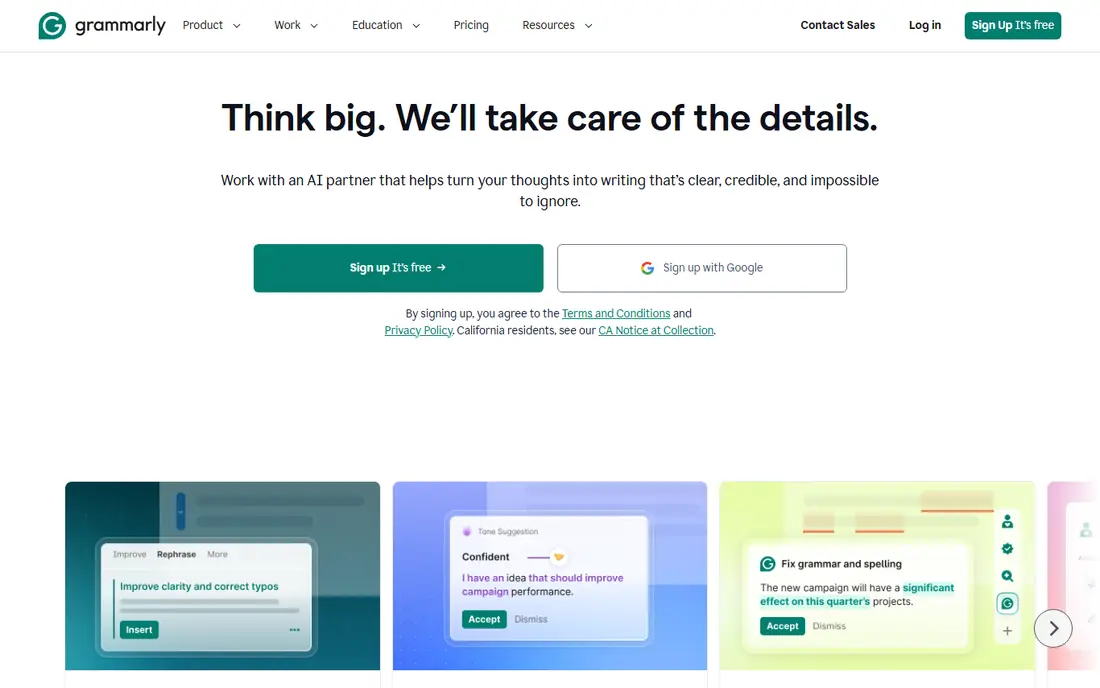
Grammarly was built for everyday writing help. It checks spelling and grammar in email, Docs and the browser.
So you do not have to open a separate tool, and Pro layers on tone, clarity and AI drafting. What you pay to start with Grammarly: Free. Free access exists with Grammarly.
Limits to weigh: Prices conflict across sources, with Pro listed at $12 per month on annual billing and $30 per month on monthly billing.
- Docs and the browser, so it helps where you already write
- Pro layers on tone
- The AI drafting is weaker than a full chatbot for long documents

Choose Microsoft Copilot for Windows and Microsoft 365 users. It is built into Windows, Edge and Microsoft 365, so you can ask questions, draft emails and summarise documents without opening a new app.
Points against: the business level for Microsoft 365 costs $30 per user per month, which is steep for a beginner.
The free level bundles web search with citations. Pick Copilot when your day already runs on Microsoft tools, and pick ChatGPT when you want the broadest single AI app. Microsoft Copilot pricing: Free. Microsoft Copilot offers a free plan.
Main advantages: Edge and Microsoft 365.
- Familiar interface for Office users
- Pro layers on priority access and quicker responses
- Less capable than ChatGPT for image work and long writing
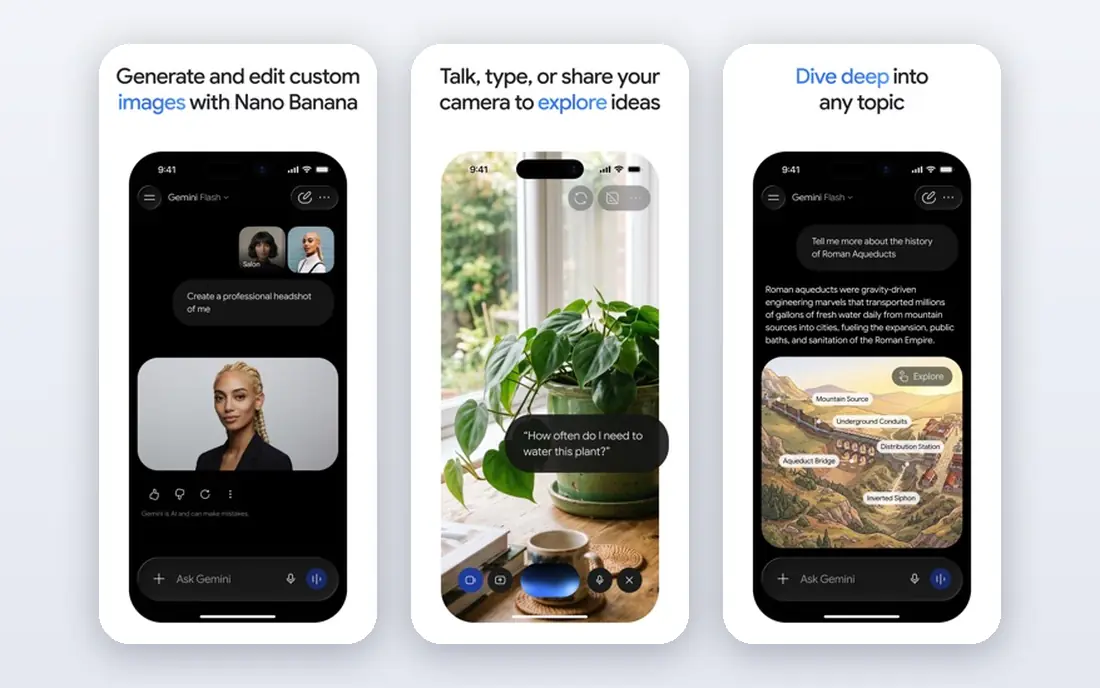
Google Gemini is built with Google users and free research tools in mind. Its free level is the most ample here by feature count, giving away Deep Research, image generation, Gemini Live, Canvas and Gems. It works natively inside Gmail, Docs and Drive, so you can draft and summarise without leaving your inbox.
Where it is weaker: the AI Plus level at $4.99 is simple to miss behind the Pro upsell.
AI Pro costs $19.99 per month and brings a 1,000,000 token context window, 5 TB of storage, and family sharing for up to five other people. Pick Gemini when your work already sits in Google Workspace, and pick ChatGPT when you want the widest tutorial support. Price to start with Google Gemini: Free. You can start on Google Gemini without paying.
- Most ample free level here by feature count, with Deep Research
- 1,000,000 token context window
- Free level was tightened in October 2026 to a lighter model
Canva makes the most sense for easy AI design. The free level spans most everyday design, and Pro costs $15 per month per user, or $12 per month on annual billing based on one comparison, so check the toggle before you pay.
Beyond that, pick Canva when you need visuals for social media, school or a small business, and pair it with ChatGPT for the words that go in the design. On cost, Canva starts like this: Free. A free plan is available with Canva.
Limits to weigh: AI features are spread across plans and some need Pro.
- Huge template library
- Images and layouts
- The annual price of $12 per month conflicts with the $15 monthly figure, so check the billing toggle
ChatGPT is aimed squarely at all-round AI for beginners. The free level spans unlimited text chats with the standard model, with limits on uploads, image creation and deep research, which is enough to learn what the tool can do.
Best features of ChatGPT: voice and deep research; Broadest ecosystem with writing.
Trade-offs to know: the Pro tier opens at $100 per month, which is far beyond what a beginner needs. Beyond that, pick ChatGPT first, and add a specialist tool only when you hit a gap it cannot fill. The starting price for ChatGPT: Free. ChatGPT includes a free tier.
- Largest library of tutorials and guides online
- Free level bundles unlimited text chats with limits on uploads and images
- Free level is very restricted on the newest model
In short, Notion is for notes and workspace with AI. It is free for one person, and Plus costs $10 a member per month on annual billing, or $12 on monthly billing.
For everyday use, the main limit is AI: Notion retired the standalone AI add-on in 2025 and moved full Notion AI, including Agents, AI Meeting Notes and Enterprise Search, into the Business level at $20 a member per month, whereas Free and Plus get only a trial. That doubles the cost for a beginner who wants AI inside Notion. Starting cost for Notion: Free. Free access exists with Notion.
Best features of Notion: Notes.
- Free for one person, Plus at $10 a member per month on annual billing
- Clean interface that beginners learn rapidly
- Full Notion AI lives on the Business level at $20 a member per month, whereas Free and Plus get only a trial of AI, so a beginner who wants AI in Notion must pay double the Plus price
Is there a free option for AI tools for beginners?
Free AI tools are safe for everyday questions, drafts and learning, but they are not the place for sensitive information, since free levels may use your inputs to boost their models and their privacy terms vary. More specifically, the tools here all publish privacy pages, and premium business plans normally offer more solid data controls. In daily use, for a beginner, the practical rule is straightforward: use AI for drafts and ideas, keep private data out, and check important facts against a source you trust.
AI Tools for Beginners pricing explained
A beginner who pays for one $20 plan per month spends $240 per year, so start free, use the free level for a handful of weeks, and pay only when you hit a limit that slows your work, for example the daily message cap or the upload limit.
A closer look at AI tools for beginners
Start with one AI tool, since learning one interface well beats collecting five logins you barely use. Keep the free levels of the others for occasional use, and do not pay for two $20 plans until one of them earns its keep every week.
Our selection method
The comparison looks at four things: starting price, free access, how well the feature set matches AI tools for beginners, and the main limit of each tool. Prices and plan limits come from vendor pages and can change, so confirm them on the vendor site before you buy. Tools are placed by general fit for AI tools for beginners, with price clarity and free access as tie-breakers. A different team can reasonably rank them differently.
What to check before you buy
- Confirm the entry price on the vendor page for Grammarly and the others: seat counts and billing terms change the total.
- Read the fine print on the free plans from Grammarly, Microsoft Copilot, Google Gemini and others; seat, project and feature caps differ.
- Ask Notion how an export works before you move any records in; an easy exit lowers the risk.
- Confirm the exact ChatGPT plan that includes your must-have features.
- Confirm minimum seats and billing terms with Canva before you commit to an annual plan.
Frequently asked questions
What is the best free AI tool for beginners?
For most readers this guide would start with Grammarly, built for everyday writing help. Microsoft Copilot is the alternative for Windows and Microsoft 365 users, and Google Gemini for Google users and free research tools. The right answer depends on budget and workflow.
Do I have to pay for an AI tool as a beginner?
Pay $20 per month only when you hit a limit that slows your work, like the daily message cap, the upload limit, or the number of Pro searches. Most beginners should use the free levels for a handful of weeks before they decide which tool earns a subscription.
Do these tools publish their prices?
Yes. Every tool from Grammarly to Notion shows a starting price, though seats, add-ons and billing terms still change the final cost.
Can I try these tools before paying?
Often, yes. Grammarly, Microsoft Copilot, Google Gemini and others have a free plan. Use your own data and a real task during the test, and check what the free tier or trial limits before you rely on it.
Is Grammarly the right pick for everyone comparing AI tools for beginners?
No single tool suits every team. Grammarly comes first because it fits everyday writing help, while Microsoft Copilot suits Windows and Microsoft 365 users and Google Gemini suits Google users and free research tools. Match the tool to your own size, budget and workflow before deciding.
Which options for AI tools for beginners have a free plan?
6 of the 6 tools have a free plan, including Grammarly, Microsoft Copilot, Google Gemini and Canva. Free plans usually cap users, projects or features, so check the limits on the vendor page.
Sources
See where you really rank - block by block
ProMapRanker scans Google Maps across a grid of your service area. Simple monthly plans from $19, white-label on every plan.
Start freeKeep reading
 zscaler alternatives
Best Zscaler Alternatives in 2026
Looking for zscaler alternatives? We compare 9 SASE and zero trust platforms on architecture, data protection, pricing, and fit for your network and team.
Read → zapier alternatives free
Best Zapier Alternatives Free in 2026
Nine automation tools for zapier alternatives free in 2026, all with genuinely free tiers, plus free plan limits, starting prices and upgrade paths explained.
Read → which platform is best for online reputation
Which Platform Is Best for Online Reputation in 2026
Wondering which platform is best for online reputation? We compare 8 review, listing, and response tools for small and multi-location businesses and agencies.
Read →