 ProMapRanker
Best AI Tool to Create PowerPoint Presentation in 2026
Key takeaways
- Gamma is the fastest prompt-to-deck option for most people, but its decks are web-first and need a paid plan for clean PowerPoint export.
- If your final file must be a real PowerPoint file, Plus AI, Microsoft Copilot in PowerPoint and Beautiful.ai deserve a closer look.
- Canva is the best value if you already use it for design, because its AI presentation tools sit inside a wider design workspace.
- Free tiers differ a lot: Gamma offers one-time credits, SlidesAI offers a yearly presentation limit, and Beautiful.ai offers a trial only.
- Tome shut down in April 2025, so do not build a workflow around it, even if older lists still mention it.
Quick comparison
| Pick | Great for | Pricing starts at | Free tier | |
|---|---|---|---|---|
 Gamma | Fast prompt-to-deck creation | Free | Yes | Visit |
 Beautiful.ai | On-brand corporate decks | From $14.50 per month | Free trial | Visit |
 Canva | Design-led decks in Canva | Free | Yes | Visit |
 Plus AI | Editing inside PowerPoint and Slides | From $10 per user per month | Free trial | Visit |
 Microsoft Copilot in PowerPoint | PowerPoint-native AI at work | From $21 per user per month | Free trial | Visit |
 Pitch | Collaborative link-shared decks | From $10 per month | Yes | Visit |
 SlidesAI | Text-to-slides in Google Slides | Free | Yes | Visit |
 SlidesGPT | Low-cost PPTX exports | Free | Yes | Visit |
 Prezi | Non-linear zooming presentations | From $7 per month | Yes | Visit |
The best ai tools to create powerpoint presentations
These tools all turn a prompt, an outline or a document into slides, but they differ in where the deck lives, how it exports and how much design control you keep. We focused on tools that are live in October 2026 and that can produce a usable PowerPoint file or a clear export path.

Gamma is our first suggestion for most people who need a good first draft fast. Type a topic or paste an outline, and Gamma builds a polished, web-native deck in under a minute in many cases. Recent October 2026 pricing lists a free plan with 400 one-time credits and a 10-slide-per-prompt limit, with Plus from about $9 per month on annual billing.
The catch is export. Gamma decks look best as web links, and PowerPoint export can lose some formatting, so test an export early if your audience expects a PPTX file. If you need a native PowerPoint workflow, Plus AI or Copilot may fit better, even if their first drafts look less striking.
- Very fast prompt-to-deck generation
- Polished web decks
- 400 one-time free credits
- Web-first cards, not native PowerPoint slides
- PowerPoint export needs a paid plan
- Layout control is limited
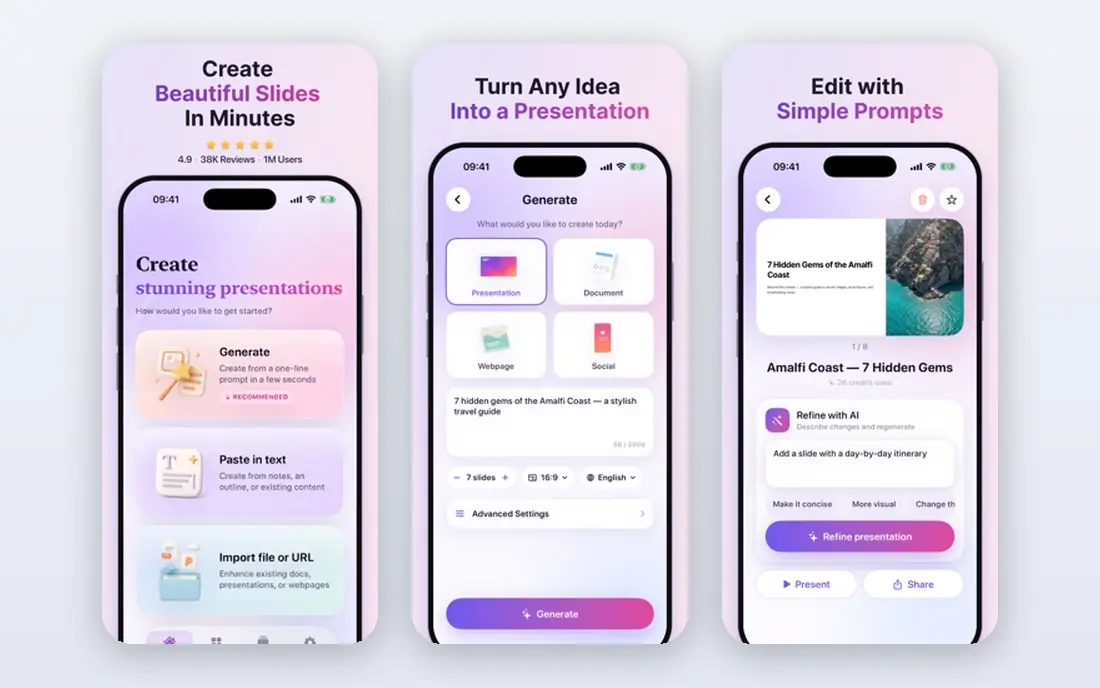
Beautiful.ai suits teams whose decks must look consistent, even when many people edit them. Its Smart Slides adjust layout as you add content, which keeps slides balanced without a designer checking every page. Recent October 2026 pricing lists Pro from $14.50 per month on annual billing, with Team from $40 per user per month.
Beautiful.ai offers no permanent free plan, and its trial has required a card in recent comparisons, so test brand controls and export during the trial window. If you want free-form design freedom, Canva or Gamma may feel less restrictive, but they will not enforce brand rules as firmly.
- Smart Slides auto-rebalance layouts
- Strong brand controls
- Editable PowerPoint and PDF export on paid plans
- No free plan, only a 14-day trial
- Less free-form design control
- Monthly price is high without annual billing
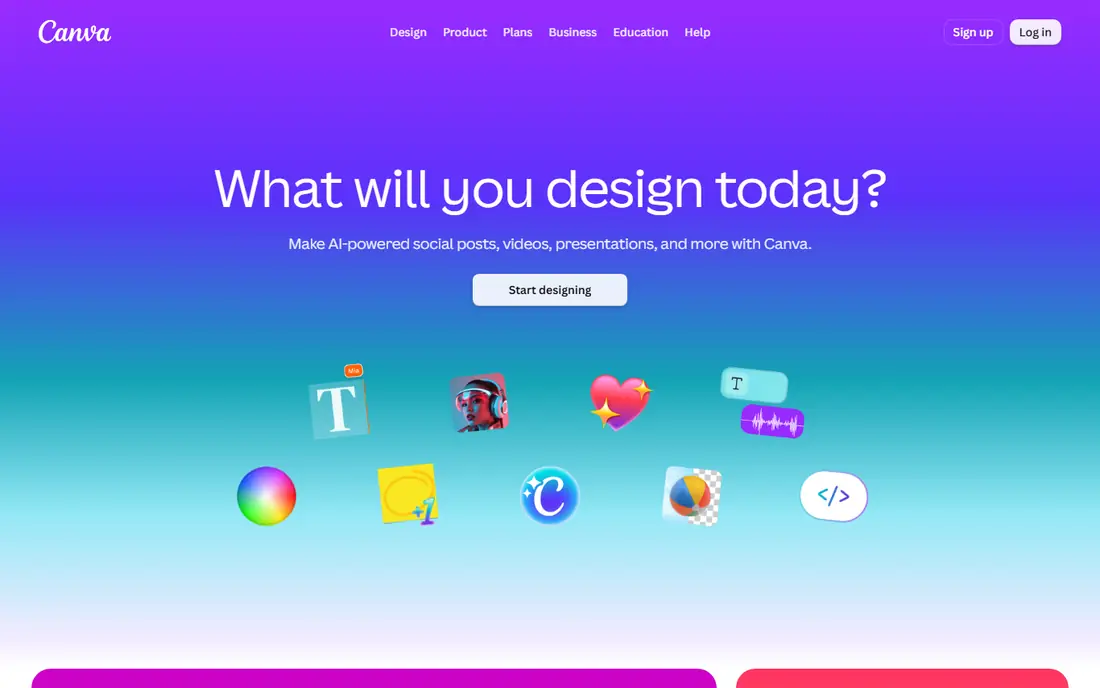
Canva is the best value if your team already works in Canva for social posts, documents and marketing assets. Its AI presentation tools can draft a deck from a prompt, and you can then use its full design library, brand kit and collaboration tools to finish it. Recent October 2026 comparisons list Canva Pro around $15 to $18 per month, with a generous free plan.
Canva decks export to PowerPoint, which helps when a client or employer needs a PPTX file. The trade-off is that Canva's AI draft is a starting point, not a finished corporate deck, so plan time to edit text, check facts and tighten slides before you present.
- Huge template library
- AI design and Magic Write tools
- PowerPoint export including on free plan in comparisons
- AI presentation depth varies by plan
- Decks can feel template-led
- Team pricing adds up
Plus AI is the strongest pick when the final deck must stay inside PowerPoint or Google Slides. Instead of building a web deck and exporting it, Plus AI generates and revises slides in the app your team already uses. Recent October 2026 pricing lists Basic from $10 per user per month on annual billing, with a 7-day trial.
That native workflow matters for corporate teams, teachers and consultants who share PPTX files. The AI draft still needs editing, especially for data, claims and slide length, but you avoid the formatting loss that can come with exporting a web deck.
- Works inside Google Slides and PowerPoint
- Editable native slides
- Good for teams that must stay in Office formats
- No permanent free plan, only a trial
- AI draft still needs fact-checking
- Per-user pricing adds up for large teams
Microsoft Copilot in PowerPoint fits organisations already standardised on Microsoft 365. It can draft slides from a prompt or a document, summarise content and help rewrite slides inside PowerPoint, without leaving the Office workflow. Recent October 2026 pricing lists the Copilot add-on from about $21 per user per month on annual billing, with a first-year promo noted in some comparisons.
Copilot is not a cheap standalone deck tool, and it needs an eligible Microsoft 365 plan, so small teams may find Gamma or Plus AI better value. For a corporate team that must keep decks in PowerPoint with IT controls, Copilot's native fit can justify the cost.
- Native PowerPoint AI
- Works with Word, Excel and Outlook data
- Enterprise controls in Microsoft 365
- Needs an eligible Microsoft 365 plan
- Add-on cost is high
- Trial and promo terms change
Pitch suits teams that share decks as links and want to see who viewed them. Its collaboration tools, templates and analytics help sales and marketing teams track a deck after it leaves the office. Recent October 2026 pricing lists Pitch Plus from about $10 per month on annual billing, with a free plan offering limited AI credits.
Pitch exports to PowerPoint on paid plans, so check export needs before you build a large deck on the free tier. If your main need is a single PPTX file for a meeting, Plus AI or Beautiful.ai may be simpler.
- Link sharing and analytics
- Team collaboration
- Free plan with AI credits in comparisons
- PowerPoint export needs a paid plan
- Pricing in euros on some pages
- Smaller template range than Canva
SlidesAI is a lightweight option for Google Workspace users who want text turned into slides without a new platform. Paste text, pick a theme, and SlidesAI builds a Google Slides deck you can edit normally. Recent October 2026 pricing lists a free tier with 12 presentations per year, and Pro from $10 per month on annual billing.
SlidesAI is not a full design platform, so its decks look simpler than Gamma or Canva outputs. For teachers, students and small teams who live in Google Slides, that simplicity and low cost can be an advantage.
- Lightweight Slides add-on
- Turns text into slides fast
- Free tier for occasional use
- Free tier limits presentations per year
- Design options are simpler than Gamma or Canva
- Google Slides focus
SlidesGPT is worth a look if export allowances matter more than design flair. Recent August 2026 pricing checks list a free Starter tier, with Pro at $7.49 per month on annual billing, including PowerPoint export and 10 downloads per month. That makes it one of the cheaper routes to a usable PPTX file.
The trade-off is design depth. SlidesGPT decks tend to be functional rather than striking, so plan time to polish layouts, images and text. For a straightforward business or classroom deck, its price and export clarity are strong.
- Low Pro entry price in comparisons
- PowerPoint, PDF and Google Slides export on Pro
- Clear download allowances
- Smaller design range than Gamma or Canva
- AI draft quality varies by prompt
- Free tier limits downloads
Prezi suits presenters who want a non-linear, zooming talk rather than a slide-by-slide deck. You can move across a canvas, zoom into detail and return to an overview, which works well for teaching, storytelling and product overviews. Recent comparisons list Prezi from $7 per month on annual billing, with a free tier.
Prezi is not the best choice when your audience expects a standard PowerPoint file to read later. Use it for live delivery where the zooming path adds value, and use Gamma, Plus AI or Canva when a linear PPTX file is the deliverable.
- Zooming canvas for non-linear talks
- Good for storytelling and teaching
- Free tier for testing
- Not a standard linear PowerPoint workflow
- Audience needs to follow a zooming path
- Export options differ
How we picked these
We compared official pricing pages and recent September to October 2026 presentation-tool comparisons on free tiers, paid entry prices, PowerPoint export, watermarks and live status. We kept only tools that are live in October 2026 and that can produce a presentation deck, and we left out Tome, which shut down in April 2025. Where prices differed, we used the most recent annual-billing figure.
Buying guide: picking an AI presentation tool that delivers the right file
Decide the final file first
If the deliverable is a web link, Gamma and Pitch are strong. If it is a PPTX file, Plus AI, Copilot, Beautiful.ai and SlidesGPT deserve priority, because they keep slides editable in PowerPoint formats. Export a test deck early, before you build a full presentation.
Check credits, limits and watermarks
Gamma uses credits, SlidesAI limits presentations per year, and Beautiful.ai uses a trial rather than a free plan. Check how many decks, slides and exports your plan allows, and whether free exports carry branding. A tool that is cheap for one deck can become expensive for weekly decks.
Edit every AI draft before you present
AI decks often include generic text, extra slides and unchecked claims. Cut about half the text on a typical AI draft, replace generic points with your own data and stories, and check every number, name and date. A fast draft saves formatting time, not thinking time.
Frequently asked questions
What is the best ai tool to create powerpoint presentation decks?
Gamma is the best overall starting point for speed and design, while Plus AI is best when the final file must stay in PowerPoint. Beautiful.ai is best for on-brand corporate decks, and Canva is best if you already use Canva for design. Pick by final file, not by first-draft flair alone.
What are the best ai tools to create powerpoint presentations for free?
Gamma and Canva offer the most useful free tiers, with SlidesAI and SlidesGPT as lower-cost options for occasional decks. Gamma's free tier uses one-time credits, while SlidesAI limits free presentations per year. Beautiful.ai and Plus AI offer trials rather than permanent free plans, so test them during the trial window.
Can AI tools create a real PowerPoint file?
Yes, but the path differs. Plus AI and Microsoft Copilot work inside PowerPoint, Beautiful.ai and SlidesGPT export editable PowerPoint files on paid plans, and Gamma and Canva export to PowerPoint with varying fidelity. Always test an export with your real content before you rely on it for a client or meeting.
Is Tome still a good AI presentation tool?
No, Tome shut down in April 2025, according to recent 2026 comparisons, so do not build a new workflow around it. Older lists may still mention Tome, but its decks and accounts are no longer a live option. Gamma, Beautiful.ai, Canva and Plus AI are current alternatives.
How much should I pay for an AI presentation tool?
For occasional use, a free tier from Gamma, Canva or SlidesAI may be enough. For regular use, expect about $9 to $15 per month on annual billing for Gamma, Beautiful.ai or Plus AI entry plans, and more for team plans. Copilot costs more because it is a Microsoft 365 add-on, so only choose it if you need its native Office fit.
Sources
- https://dev.to/stimlau/best-gamma-alternatives-in-2026-37dm
- https://dev.to/stimlau/best-ai-presentation-makers-in-2026-6-tools-tested-2919
- https://toolradar.com/guides/best-ai-presentation-makers
- https://gamma.app
- https://www.beautiful.ai
- https://www.canva.com
- https://plusdocs.com
- https://www.microsoft.com/en-us/microsoft-365/copilot
- https://pitch.com
- https://www.slidesai.io
- https://slidesgpt.com
- https://prezi.com
See where you really rank - block by block
ProMapRanker scans Google Maps across a grid of your service area. Simple monthly plans from $19, white-label on every plan.
Start freeKeep reading
 zscaler alternatives
Best Zscaler Alternatives in 2026
Looking for zscaler alternatives? We compare 9 SASE and zero trust platforms on architecture, data protection, pricing, and fit for your network and team.
Read → zapier alternatives free
Best Zapier Alternatives Free in 2026
Nine automation tools for zapier alternatives free in 2026, all with genuinely free tiers, plus free plan limits, starting prices and upgrade paths explained.
Read → which platform is best for online reputation
Which Platform Is Best for Online Reputation in 2026
Wondering which platform is best for online reputation? We compare 8 review, listing, and response tools for small and multi-location businesses and agencies.
Read →