 ProMapRanker
Best AI Tool for Resume Optimization in 2026

Key takeaways
- The best AI tool for resume optimization depends on your bottleneck: wording, keyword match, design, or managing many applications.
- Teal is the best starting point for active job seekers because it pairs resume building with application tracking.
- Jobscan gives the deepest diagnosis against a specific job post, while Rezi focuses on clean, ATS-safe formatting and scoring.
- No tool guarantees an interview, and every AI draft needs a human edit for accuracy, tone and honesty.
Quick comparison
| Pick | Great for | Pricing starts at | Free tier | |
|---|---|---|---|---|
 Teal | Managing a full job search | $29 per month | Yes | Visit |
 Rezi | ATS-safe resumes and scoring | $29 per month | Yes | Visit |
 Jobscan | Matching a resume to a job post | $49.95 per month | Yes | Visit |
 Kickresume | Designed templates on a budget | $24 per month | Yes | Visit |
 Enhancv | Creative layouts and storytelling | $24.99 per month | Free trial | Visit |
 Resume.io | Guided building for beginners | $29.95 per month | Yes | Visit |
 Novoresume | Clean one-page layouts | $23.99 one-time | Yes | Visit |
 Zety | Assisted writing with examples | $25.95 per 4 weeks | Free trial | Visit |
 Resume Genius | Step-by-step beginner guidance | $23.95 per 4 weeks | Yes | Visit |
 ResumeFast | Low-cost keyword checks | $6.95 per month | Yes | Visit |
The best AI tools for resume optimization
We compared tools on keyword matching, ATS-safe formatting, AI writing quality, template design, free tier value and pricing transparency for job seekers at different stages.
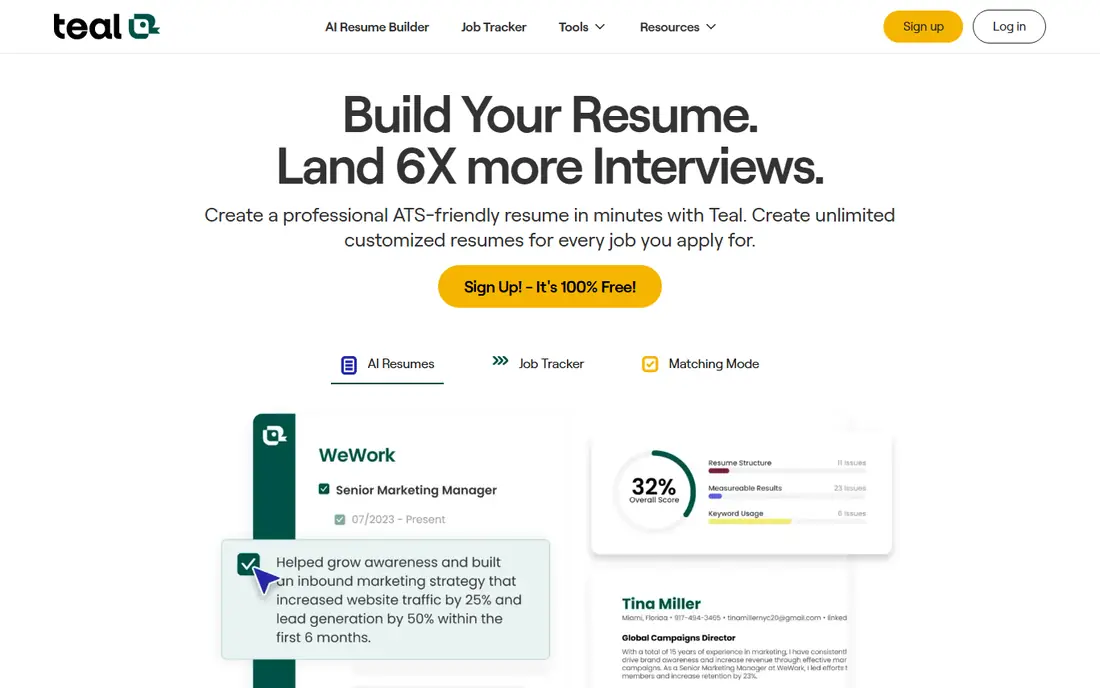
Teal is our pick for most active job seekers because it treats the resume as part of a search, not a one-off document. The free tier offers unlimited resumes and application tracking, plus a browser extension that saves postings from major job boards. Paid Teal+ adds unlimited keyword matching, ATS readability checks and expanded AI generation.
The AI output is useful but not finished copy, so expect to rewrite bullets in your own voice and check every claim. Paid features also matter most when you apply at volume. If you juggle ten or more applications, Teal keeps the whole search organized in a way no single-document builder can.
- Unlimited free resumes and job tracking
- Keyword matching against postings
- Chrome extension
- AI writing needs editing
- Full matching features sit behind the paid plan

Rezi focuses on getting a resume through applicant tracking systems, with formatting that parsers read cleanly and scoring that reacts as you edit. Keyword targeting compares your resume with a job description and shows gaps to close. A lifetime plan option also suits job seekers who expect a long search or repeated career moves.
Design is deliberately plain, which is a strength for ATS parsing but a weakness if you want a visually striking resume. The free plan is also limited to one resume. Choose Rezi when corporate portals and ATS screening are your main hurdle.
- Real-time ATS scoring
- Keyword targeting per job
- Lifetime plan option
- Design options are plain
- Free plan covers only one resume

Jobscan gives the clearest diagnosis in this group, comparing your resume with a specific posting and flagging missing keywords, skills and formatting issues. Five free scans a month let you test the approach before paying, and LinkedIn optimization adds value for candidates who get recruited through profiles. The reports are specific enough to act on in one sitting.
Price is the catch, since the monthly plan costs more than most rivals. A quarterly plan lowers the effective monthly cost, and a single focused month often beats a year-long subscription. Use Jobscan when a few high-priority roles matter more than a long, unfocused search.
- Detailed match reports against job posts
- LinkedIn optimization
- Free monthly scans
- Highest monthly price here
- Best used for a focused sprint, not all year
Kickresume suits candidates whose resume needs to look as good as it reads, with polished templates and an AI writer that drafts bullets from your experience. Paid plans add an ATS checker and more templates, while the free tier keeps basic templates you can download. Annual billing cuts the cost well below the monthly rate.
The monthly price is less attractive if you pay month to month, so compare billing terms before checkout. AI drafts also need editing for accuracy and tone, as with every tool here. For design-led candidates on a budget, Kickresume is a strong balance of looks and price.
- Strong template design
- AI writer and ATS checker on paid plans
- Free templates
- Monthly price drops mainly on longer billing
- AI drafts need a careful edit
Enhancv is the design pick for candidates in creative, marketing and product roles, where a resume that stands out visually can help. Sections for projects, strengths and achievements let you tell a fuller story than a standard work-history list. Templates stay readable while looking distinct, which is a hard balance to strike.
There is no lasting free plan, only a trial, so testing takes a time limit. Creative layouts also need care, since heavy graphics can confuse some parsers; keep a plain version for ATS-heavy portals. Use Enhancv when a human reader, not just a parser, will judge the document.
- Distinctive layouts
- Content sections for projects and strengths
- Good for creative roles
- No lasting free plan
- Creative layouts need care for ATS parsing
Resume.io is the easiest builder for first-time writers, guiding you through each section with suggestions and role examples. Templates are clean and professional, and exports cover common formats for different application systems. The guided flow helps when a blank page is the main problem.
The free tier exports text only, so a polished PDF or Word file needs a paid plan or trial. Trial pricing also converts to a monthly plan, so set a reminder if you only need a short burst. For beginners who want speed and structure, Resume.io delivers.
- Simple guided builder
- Many templates
- Fast multi-format exports
- Free export is text-only
- Trial converts to a monthly plan if not cancelled
Novoresume focuses on disciplined, one-page resumes that parsers read well and hiring managers can scan fast. Layout controls keep spacing and length honest, which helps candidates who tend to overwrite. The one-time purchase option stands out in a category full of subscriptions, since you pay once rather than monthly.
AI assistance is lighter than at Teal, Rezi or Jobscan, so this is more a layout and structure tool than a keyword engine. Pair it with a free Jobscan check for a specific role if keyword matching matters. For a clean, single-page resume without a subscription, Novoresume is the pick.
- Strict one-page optimization
- ATS-safe layouts
- One-time purchase option
- Less AI depth than Teal or Jobscan
- Premium features need the paid tier
Zety helps writers who stall on wording, offering thousands of bullet examples and a guided wizard that builds each section step by step. Templates cover classic and modern styles, and the editor makes it easy to reorder and trim sections. That example library is genuinely useful for career changers who lack phrasing for a new field.
The trial converts to a recurring charge, so check billing terms and cancel promptly if you only need a short run. Full downloads also require payment, which limits the free experience. Use Zety for writing help during a focused application sprint, then cancel when the sprint ends.
- Large library of bullet examples
- Guided wizard
- Many templates
- Trial converts to a recurring plan
- Download requires payment
Resume Genius is built for candidates who want a resume without learning design or ATS rules first. The wizard asks simple questions, suggests content, and produces a clean document with a matching cover letter option. Templates stay professional rather than flashy, which suits most corporate roles.
Free exports are text-only, so polished files need a paid plan or trial, and billing runs on a recurring cycle that needs attention. Read the trial terms before starting. For a first resume or a quick rebuild, Resume Genius keeps the process painless.
- Very beginner-friendly wizard
- Professional templates
- Cover letter builder
- Free export is text-only
- Recurring billing needs attention
ResumeFast is the budget option for candidates who mainly need keyword checks and a clean builder without a large subscription. The keyword matcher works without an account, free accounts add monthly ATS checks and AI credits, and paid plans stay far below rivals. Unlimited free resumes make it easy to tailor versions per role.
The feature set is narrower than Teal or Jobscan, and the tool is newer with a smaller track record. It is best as a focused optimization aid, not a full job-search platform. For cost-conscious seekers, ResumeFast covers the essentials at a fraction of the usual price.
- Very low monthly price
- Keyword matcher without an account
- Unlimited free resumes
- Smaller feature set than larger rivals
- Newer and less proven at scale
How we picked these
We compared official pricing pages, free tier terms, feature lists and public reviews for AI resume tools that offer live products in October 2026. We favored tools with real keyword matching or ATS checks, not just templates, and we included free, budget and premium options. Where pricing varies by billing term, we used the monthly or headline figure from vendor and review pages and noted the billing catch.
How to optimize a resume with AI
Start with a truthful base resume, then use AI to tighten bullets, add missing keywords from a real posting, and check formatting for ATS parsing. Edit every AI sentence for accuracy, since invented achievements can cost you a role and your credibility. Tailor the top third of the resume to each priority role, rather than sending one generic version everywhere.
Keep a plain, single-column version for ATS portals and a designed version for human readers when needed. Track which version goes to each role, save postings before they close, and cancel subscriptions when your search sprint ends. A tool should speed up honest tailoring, not replace your judgment about what you actually did.
Frequently asked questions
Which AI tool is best for resume optimization?
Teal is the best starting point for most job seekers because it combines resume building, keyword matching and application tracking. Jobscan is best for deep matching against a specific posting, and Rezi is best for ATS-safe formatting and scoring. Pick by your bottleneck, then use the tool for a focused sprint.
What are the best AI resume optimization tools for ATS?
Rezi, Jobscan and Novoresume are the strongest ATS-focused tools, with clean formatting and keyword checks against job descriptions. Teal also adds ATS readability checks on its paid plan. Always keep a plain version for portals, and test the final file by checking that text copies cleanly from the PDF.
Are free AI resume tools good enough?
Free tiers from Teal, Kickresume and ResumeFast cover building, basic matching and limited checks well enough for many seekers. Paid plans add unlimited AI generation, deeper matching and polished exports. Start free, pay only when a specific limit blocks your search, and cancel when the sprint ends.
Can AI hurt my resume?
AI can hurt a resume when it invents achievements, uses vague corporate phrasing, or formats a file that parsers cannot read. Edit every draft, keep claims truthful and measurable, and avoid copying generic bullets that could describe anyone. Used as an editor, AI helps; used as an author of fiction, it harms.
How do I tailor a resume for one job post?
Copy the posting, note its required skills and repeated terms, then adjust your summary, skills and top bullets to reflect matching experience you truly have. Run a keyword check with Jobscan, Rezi or Teal, fix gaps honestly, and keep the length to one or two pages. Save the tailored version with the role name so you can speak to it in an interview.
Sources
See where you really rank - block by block
ProMapRanker scans Google Maps across a grid of your service area. Simple monthly plans from $19, white-label on every plan.
Start freeKeep reading
 zscaler alternatives
Best Zscaler Alternatives in 2026
Looking for zscaler alternatives? We compare 9 SASE and zero trust platforms on architecture, data protection, pricing, and fit for your network and team.
Read → zapier alternatives free
Best Zapier Alternatives Free in 2026
Nine automation tools for zapier alternatives free in 2026, all with genuinely free tiers, plus free plan limits, starting prices and upgrade paths explained.
Read → which platform is best for online reputation
Which Platform Is Best for Online Reputation in 2026
Wondering which platform is best for online reputation? We compare 8 review, listing, and response tools for small and multi-location businesses and agencies.
Read →