 ProMapRanker
Best AI Tool for Audio Editing in 2026

Key takeaways
- Descript is the best all-round pick for podcasters who want to edit audio by editing text.
- Adobe Podcast is the cheapest way to rescue a bad voice recording, with a useful free tier for Enhance Speech.
- Auphonic suits creators who want automatic levelling and loudness for a finished episode, without manual mastering.
- Riverside suits remote recording first, with editing as a second step, while Cleanvoice and Resound suit filler and pause cleanup.
- No single tool does every job well, so match the tool to your bottleneck: recording, cleanup, editing, or mastering.
Quick comparison
| Pick | Great for | Pricing starts at | Free tier | |
|---|---|---|---|---|
 Descript | Text-based podcast editing | $16 per month | Yes | Visit |
 Adobe Podcast | AI speech enhancement | $9.99 per month | Yes | Visit |
 Auphonic | Automatic mastering | See website | Yes | Visit |
 Riverside | Remote recording and editing | $24 per month | Free trial | Visit |
 Podcastle | Beginner AI studio | $11.99 per month | Yes | Visit |
 Cleanvoice | Filler and mouth-sound removal | $11 per month | Free trial | Visit |
 Resound | Automatic edit drafts | $15 per month | Yes | Visit |
 LALAL.AI | Stem separation | See website | Yes | Visit |
 iZotope RX | Professional audio repair | See website | No | Visit |
The best ai tool for audio editing
We compared official pricing pages, feature pages, and recent comparisons for AI audio tools that edit spoken audio, repair voice recordings, separate stems, or master finished episodes. The list covers podcasters, video creators, and musicians, but it focuses on editing rather than music generation. Each tool below does a different job well, so we note the job first and the limits second.
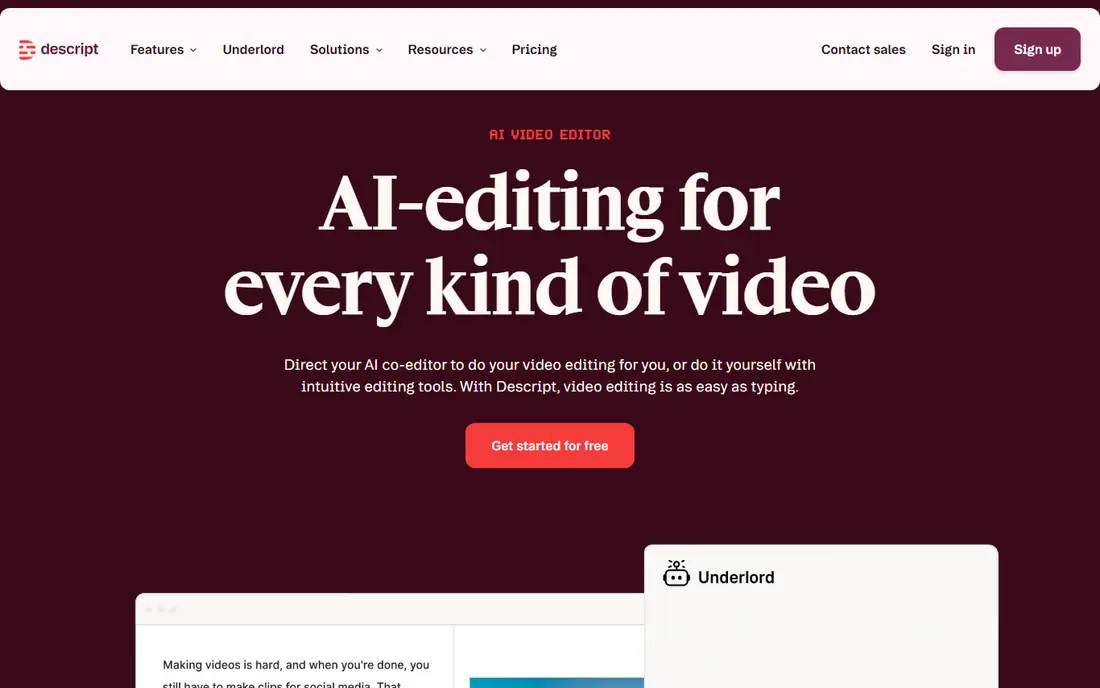
Descript changes podcast editing by letting you edit a transcript instead of a waveform. Delete a sentence in the text, and the matching audio is removed. That approach makes cutting filler, mistakes, and long pauses far faster than scrubbing through audio, especially for interview episodes. Studio Sound also cleans up voice recordings, and Overdub-style voice tools can help with small fixes.
The free plan covers a limited amount of transcription each month, so regular podcasters will need a paid plan. Descript is also a full workspace, which can feel large if you only need a quick cleanup. We recommend Descript as the main editor for podcasters who publish weekly and want one tool for editing, cleanup, and publishing. If you only need repair or mastering, a focused tool below will be cheaper.
- Edit audio by editing a transcript
- Filler removal
- Studio Sound for voice cleanup
- Free plan is limited
- Higher plans needed for more transcription and AI credits

Adobe Podcast is best known for Enhance Speech, which removes background noise and echo and makes a laptop or phone recording sound closer to a studio recording. That single feature can save an interview that would otherwise be unusable, and the free tier covers a useful amount of daily processing for occasional use. Mic Check helps you test a microphone before recording, which prevents some problems in the first place.
Adobe Podcast is not a full audio workstation, so it will not replace a multitrack editor for complex productions. Heavy enhancement can also sound artificial on some voices, and paid users can reduce enhancement strength to keep a more natural sound. We recommend Adobe Podcast as a repair tool in every podcaster's kit, even if Descript or another editor is your main tool.
- Enhance Speech can rescue poor recordings
- Mic Check for setup
- Simple web workflow
- Not a full digital audio workstation
- Heavy enhancement can sound artificial

Auphonic is a post-production service that levels audio, reduces noise, and masters a finished episode to loudness standards. You upload a recording or multitrack files, set basic options, and receive a polished file ready for publishing. That automation suits podcasters who already edit their content and want a consistent, professional sound without learning mastering.
Auphonic does not replace a manual editor. You cannot cut and rearrange an episode inside it in the same way as Descript. Pricing is based on processed hours, with a free monthly allowance, so heavy users should check the plan that matches their episode length and frequency. We recommend Auphonic as the final step after editing, paired with Descript or another editor for the cuts themselves.
- Automatic levelling, loudness, and noise reduction
- Supports multitrack
- Useful free allowance
- Not a manual editor
- Pricing is based on processed hours
Riverside solves a recording problem first. It records each guest locally in high quality, so a weak internet connection does not ruin the audio, then offers text-based editing and AI tools for highlights. For interview shows with remote guests, that local capture is often more valuable than any editing feature, because you cannot edit quality back into a bad recording.
The paid entry plan is higher than Descript's entry plan, and the editor, while useful, is not as deep as a dedicated editing workspace for some workflows. We recommend Riverside if your guests are remote and recording quality is your main worry. If your guests are local or you already record well, Descript plus Adobe Podcast may be cheaper.
- Local recording for remote guests
- Text-based editing
- Magic Clips for highlights
- Paid entry plan is higher than some rivals
- Editing is secondary to recording quality
Podcastle, also listed in some comparisons under its former name Async, is a browser-based studio for recording, editing, and publishing audio and video. It offers AI cleanup, voice tools, and a simple editor that suits beginners who want to publish without learning a complex workstation. The free tier lets you test the workflow before paying.
For complex multitrack productions, Podcastle is less deep than Descript or iZotope RX, and some AI features need paid plans. We recommend Podcastle for solo creators and beginners who want one simple studio, especially if they record and edit in a browser. Experienced editors who need precise control will likely prefer Descript or a traditional workstation plus Auphonic.
- Browser-based recording and editing
- AI voice and cleanup tools
- Easy for beginners
- Less depth than Descript for complex edits
- Some AI features need paid plans
Cleanvoice is a focused cleanup tool. It removes filler words, mouth sounds, and long pauses from a recording, giving you a cleaner file to edit. That pre-edit pass saves time for interview-heavy shows, where filler removal by hand is slow and tedious. The workflow is simple: upload, process, and download a cleaner version.
Cleanvoice is not a full editor, so you will still need Descript, Podcastle, or another editor for cuts and arrangement. The free trial is limited, so test it on a real episode before paying. We recommend Cleanvoice as a cleanup layer before editing, especially for shows with many ums, pauses, and mouth sounds. Pair it with Auphonic after editing for a finished sound.
- Removes filler words and mouth sounds
- Useful pre-edit cleanup
- Simple upload workflow
- Trial is limited
- Not a full editor or mastering tool
Resound creates an automatic first edit of a recording, removing filler words, silences, and mistakes to produce a draft you can review. That draft can cut hours from editing a long interview, because you start from a tighter version rather than a raw recording. It suits podcasters who publish long conversations and want to speed up the first pass.
Automatic drafts still need human review, because an AI cut can remove a pause that mattered, or a word that changed meaning. We recommend Resound for teams that edit long interviews regularly and want to automate the first pass, with a human check before publishing. For short episodes, Descript's text editing may already be fast enough.
- Creates automatic edit drafts
- Removes filler and silences
- Useful for long interviews
- Drafts still need human review
- Less known than Descript or Riverside
LALAL.AI splits a finished track into stems, such as vocals, drums, bass, and instruments, using AI separation. That suits musicians, remixers, and video creators who need an isolated vocal or instrumental, and it can also help podcasters isolate speech from music in a mixed file. The free preview lets you hear separation quality before you pay for full processing.
Separation quality varies by track, especially for dense mixes, and LALAL.AI is not a podcast editor or mastering tool. We recommend it for the specific job of stem separation, not as a general audio editor. Check the preview on your own track, because a tool that works well on one mix may struggle on another.
- Splits vocals, drums, bass, and other stems
- Useful preview
- Simple upload workflow
- Separation quality varies by track
- Not a podcast editor
iZotope RX is the professional standard for audio repair. It offers spectral editing, which lets you see and remove specific sounds in a visual display, plus a Repair Assistant that suggests fixes for common problems. For a damaged recording, a noisy location track, or a music production that needs precise repair, RX can do work that browser tools cannot match.
The price and learning curve reflect that depth, and RX is overkill for a simple podcast cleanup that Adobe Podcast or Auphonic can handle. We recommend RX for audio professionals, engineers, and serious creators who repair audio regularly. For most podcasters, start with Adobe Podcast for repair, Descript for editing, and Auphonic for mastering, and only move to RX when you hit a repair those tools cannot solve.
- Surgical repair tools
- Spectral editing
- Repair Assistant for guided fixes
- Higher price and learning curve
- Overkill for simple podcast cleanup
How we picked these
We compared official pricing pages, feature pages, and recent comparisons checked in October 2026, and we favoured tools that are live, that clearly use AI for editing, cleanup, repair, or mastering, and that fit podcasters, video creators, or musicians. We did not claim hands-on testing. We noted free tiers and starting prices where vendors publish them, and we used See website where pricing was not clearly published or varied by plan and currency.
What to check before you choose
Start with your bottleneck. If remote guests sound bad, fix recording first with Riverside. If your recordings are noisy, fix cleanup first with Adobe Podcast or Cleanvoice. If editing takes too long, fix editing first with Descript or Resound. If your finished episodes sound uneven, fix mastering first with Auphonic. Buying a full editor when your problem is recording quality will not help.
Next, check limits that affect weekly publishing. Look at transcription hours, processed hours, free daily allowances, and file size limits, and match them to your episode length and frequency. A free tier that covers one short episode a month will not cover a weekly hour-long show. Also check export formats and whether the tool preserves multitrack files, because losing tracks limits future edits.
Finally, listen on real speakers and headphones before you publish. AI cleanup can remove noise but also soften a voice, and automatic cuts can remove a pause that gave a sentence meaning. Use AI as a first pass, then listen to the full episode once. That human check is what keeps an AI-edited show sounding natural.
Frequently asked questions
What is the best ai audio editing tool for podcasters?
Descript is the best all-round pick for most podcasters, because text-based editing, filler removal, and Studio Sound cover the main weekly workflow. Pair it with Adobe Podcast for tough repairs and Auphonic for final mastering. If remote recording quality is your main problem, start with Riverside instead.
What are the best ai audio editing tools for cleaning up voice recordings?
Adobe Podcast Enhance Speech is the cheapest strong option for voice repair, with a useful free tier. Cleanvoice suits filler and mouth-sound removal, while iZotope RX suits professional repair of damaged audio. For a finished episode, Auphonic adds levelling and loudness after cleanup.
Can AI edit audio automatically without human review?
AI can create a first draft, remove filler, and level audio, but it should not be the final step for a published show. Automatic cuts can remove meaning, and heavy cleanup can sound artificial. Treat AI as a fast first pass, then listen to the full episode and fix any cuts that sound wrong.
Is there a free AI audio editing tool?
Yes, for limited use. Descript, Adobe Podcast, Auphonic, Podcastle, Resound, and LALAL.AI all offer free tiers or free allowances, though transcription hours, processed hours, and file limits differ. For weekly publishing, budget for a paid plan that matches your episode length.
How much does AI audio editing software cost?
Entry paid plans on this list range from about $9.99 per month for Adobe Podcast Premium to $24 per month for Riverside Pro on annual billing, with Descript Hobbyist at $16 per month on annual billing. Check the vendor pricing page for monthly versus annual billing, because annual prices are lower in most cases.
Sources
- https://www.descript.com
- https://podcast.adobe.com
- https://auphonic.com
- https://riverside.fm
- https://podcastle.ai
- https://cleanvoice.ai
- https://resound.ai
- https://www.lalal.ai
- https://www.izotope.com/en/products/rx.html
- https://rankite.com/blog/best-ai-podcast-editing-software
- https://awesomeagents.ai/tools/best-ai-audio-editing-tools-2026/
See where you really rank - block by block
ProMapRanker scans Google Maps across a grid of your service area. Simple monthly plans from $19, white-label on every plan.
Start freeKeep reading
 zscaler alternatives
Best Zscaler Alternatives in 2026
Looking for zscaler alternatives? We compare 9 SASE and zero trust platforms on architecture, data protection, pricing, and fit for your network and team.
Read → zapier alternatives free
Best Zapier Alternatives Free in 2026
Nine automation tools for zapier alternatives free in 2026, all with genuinely free tiers, plus free plan limits, starting prices and upgrade paths explained.
Read → which platform is best for online reputation
Which Platform Is Best for Online Reputation in 2026
Wondering which platform is best for online reputation? We compare 8 review, listing, and response tools for small and multi-location businesses and agencies.
Read →