 ProMapRanker
Best AI Stock Analysis Tools in 2026

Key takeaways
- TrendSpider and Trade Ideas lead for active traders, with TrendSpider strongest on chart automation and Trade Ideas strongest on live scanning.
- Danelfin and TipRanks suit longer-term investors who want a score or consensus view before doing their own research.
- FinChat and LevelFields help with fundamentals and event-driven research, while Tickeron and Kavout focus on patterns and portfolio signals.
- No AI score or signal guarantees a return. Use these tools for research, check the underlying data, and never trade money you cannot afford to lose.
Quick comparison
| Pick | Great for | Pricing starts at | Free tier | |
|---|---|---|---|---|
 TrendSpider | Automated chart analysis | $59 per month | Free trial | Visit |
 Trade Ideas | Live AI stock scanning | $127 per month | Free trial | Visit |
 Danelfin | AI stock scores | $22 per month | Yes | Visit |
 Tickeron | Pattern and AI robot signals | See website | Yes | Visit |
 FinChat | Fundamental research with AI help | $39 per month | Yes | Visit |
 Kavout | Portfolio AI signals | See website | Free trial | Visit |
 TipRanks | Analyst consensus and Smart Score | See website | Yes | Visit |
 LevelFields | Event-driven stock ideas | See website | Free trial | Visit |
The best ai stock analysis tools
We compared AI stock tools on data coverage, signal type, backtesting, pricing, and ease of use, using official pages and October 2026 comparisons. This article is not financial advice, and trading carries risk, including the risk of losing money. Past signals and scores do not predict future returns, and any tool that promises guaranteed gains should be treated with caution.
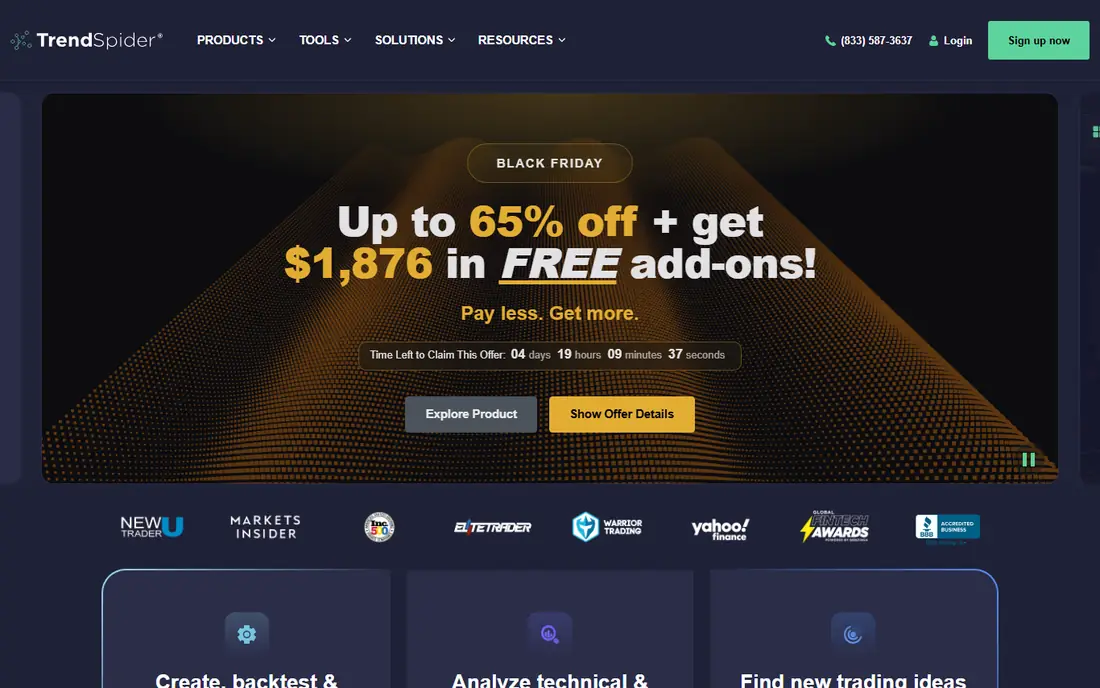
TrendSpider automates the chart work that takes many traders hours by hand. It draws trendlines, detects candlestick patterns, and runs multi-timeframe analysis on one screen, then lets you backtest a strategy without writing code. Its Sidekick assistant adds AI explanations and strategy help, with 25 messages per month included on every plan in recent listings.
Pricing starts at $59 per month for the Standard plan, with higher plans up to $349 per month, and a paid 14-day trial rather than a free tier. That makes it a serious purchase for active traders, not a casual trial, so use the trial period on your own watchlist and check whether the automated patterns match how you actually trade.
- Automatic trendlines and pattern detection
- Multi-timeframe analysis
- No-code backtesting
- No free tier, only a paid trial
- Learning curve for full feature set
- Real-time options data costs extra

Trade Ideas is built for traders who need ideas during market hours, not only after the close. Its Holly AI system scans thousands of stocks, ranks setups by historical performance, and generates trade ideas with entry, stop, and target levels on the Premium plan, while the live scanner watches dozens of criteria at once. That speed is the main reason day traders pay for it.
The price is the catch. Standard is listed at $127 per month, or $89 per month billed yearly, with Premium at $254 per month, or $178 per month billed yearly, in October 2026 comparisons. Beginners may find the interface busy, and the tool works best when you already have a trading plan and use Holly ideas as a filter, not as orders to follow blindly.
- Holly AI trade ideas with entry, stop, and target
- Powerful live scanner
- Backtesting on higher plans
- High price for individual traders
- Interface can overwhelm beginners
- US stocks focus
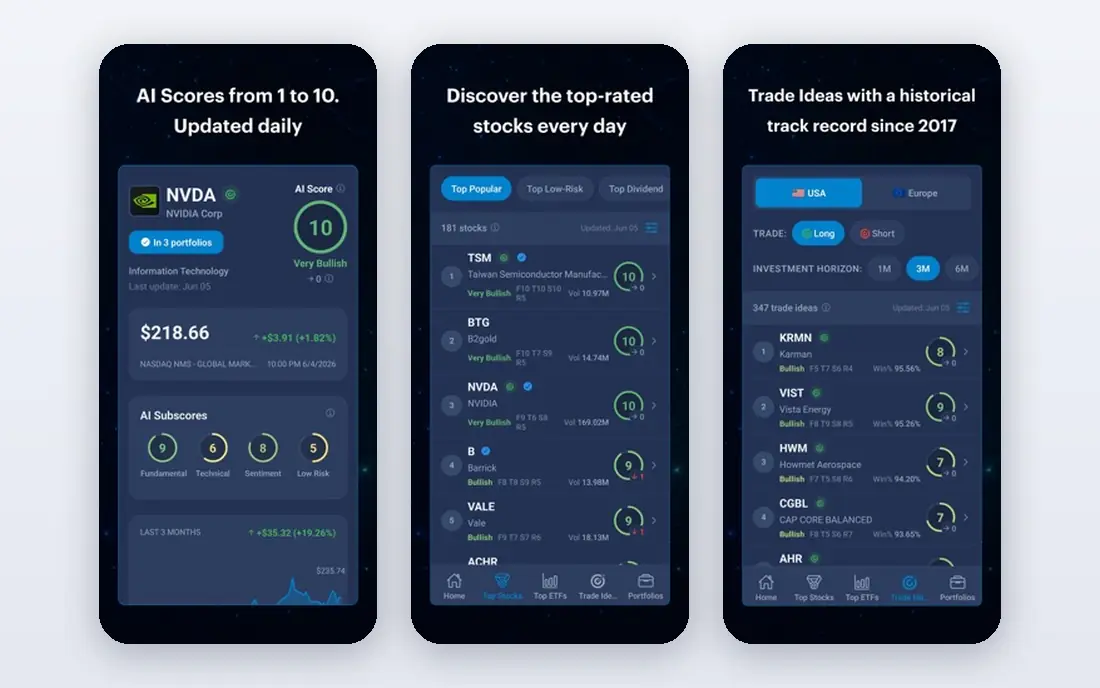
Danelfin gives investors a single number to start from. Its AI Score, from 1 to 10, estimates the probability that a stock or ETF will beat the market over the next three months, using technical, fundamental, and sentiment indicators. That makes it easy to compare a shortlist without reading a chart for every name, and the free plan lets you test the concept before paying.
The Plus plan is listed at $22 per month billed yearly, with Pro at $55 per month billed yearly, and an Elite tier above that. The score is a research input, not a recommendation, and because the model is not fully open, you should still check earnings, debt, and valuation yourself before acting on a high score.
- Simple 1 to 10 AI Score for stocks and ETFs
- Combines technical, fundamental, and sentiment data
- Useful free tier
- Score method is not fully transparent
- Short-horizon focus may not suit long-term holders
- Limited free score access
Tickeron covers a wide range of AI tools in one account, from a pattern search engine and trend prediction to AI robots that run strategies on stocks, ETFs, forex, and crypto. Pattern signals come with confidence scores, which helps you separate a strong setup from a weak one, and the AI Portfolio Wizard can guide longer-term diversification ideas.
Pricing is hard to pin to one figure, since different products and tiers carry different prices, and older listings range widely, so we list See website here. Treat robot performance claims with care, set risk limits before turning any automated strategy on, and paper trade first if the platform offers that option.
- Pattern recognition with confidence scores
- AI robots for automated strategies
- Wide asset coverage
- Pricing varies by product and tier
- Pattern accuracy varies by market
- Robots need careful risk settings
FinChat, also listed as Fiscal AI in some reviews, is a research terminal for investors who start with fundamentals. It offers years of financials, KPI data, earnings calls and transcripts, and estimates in dashboards you can build for the stocks you follow. Its AI assistant can answer questions about a company filing or trend, which speeds up research that would otherwise take several tabs and spreadsheets.
The free plan covers 10 years of financials and one dashboard, while Pro is listed at $39 per month and Max at $79 per month, with annual billing saving up to 20 percent. It is not a live scanner for day trading, so pair it with a charting or scanning tool if you trade actively, and use it mainly to understand a business before you buy.
- Deep financials, KPIs, and earnings data
- AI chat for research questions
- Clean dashboards
- Less suited to intraday trading
- Full history needs higher tiers
- API pricing is separate
Kavout offers the Kai Score, an AI rating that combines fundamental and technical data, with a portfolio view that helps investors see signals across holdings rather than one stock at a time. That portfolio angle suits investors and advisers who manage a list of positions and want a consistent scoring method across them.
For individual buyers, the main drawback is access. Pricing is not clearly published as a simple monthly plan, and the sales process is demo-led, so we list See website and suggest requesting a demo with your own portfolio before committing. As with any score, use Kai Score as one input alongside your own research, not as a buy or sell order.
- Kai Score combines fundamental and technical signals
- Portfolio-level view
- Institutional-style data presentation
- Pricing is not clearly published for individuals
- Demo-led sales process
- Less useful for casual stock pickers
TipRanks aggregates what the market is doing and saying about a stock. It collects analyst ratings, insider transactions, hedge fund activity, news, and blogger sentiment, then summarises them in a Smart Score from 1 to 10 based on eight factors. That makes it a good second check after you form your own view, since you can see whether analysts, insiders, and funds agree or disagree with you.
Free access is limited, with Plus, Premium, and Ultimate as paid plans, and prices vary with annual billing and promotions, so we list See website here. A high Smart Score does not mean a stock will rise, and analyst consensus can lag fast news, so use TipRanks to challenge your thesis, not to replace it.
- Analyst ratings, insider trades, and hedge fund data in one place
- Smart Score summarises eight factors
- Large stock coverage
- Paid plans needed for full data
- Smart Score is a summary, not a forecast
- Pricing changes with promotions
LevelFields focuses on events, not charts alone. It scans filings, news, and corporate actions for events that have moved stocks in the past, such as executive changes, buybacks, insider buying, and earnings surprises, then alerts you when similar events appear on your watchlist. That gives idea generation a different starting point from a price pattern or a score.
An event is a lead, not a trade. You still need to check the filing, the valuation, and the risk before acting, and some events matter far less than the headline suggests. Pricing is not a single published monthly figure in the sources we checked, so we list See website, and a trial on your own watchlist is the best way to judge whether the alerts add ideas you would otherwise miss.
- Flags market-moving events such as leadership changes and buybacks
- Event alerts for watchlists
- Useful for idea generation
- Event signals need your own follow-up research
- Pricing is quote or plan based
- Not a full charting platform
How we picked these
We compared official pages and October 2026 tool comparisons for AI stock tools that are live and serve US investors. We favoured tools with clear data sources, working backtesting or scoring, and current pricing, and we left out tools that promise guaranteed returns or hide their pricing entirely. Where a price varies by tier, promotion, or sales quote, we wrote See website rather than stating a figure that may not apply to you.
What to check before you choose
Start with how you invest. A day trader needs live scanning and speed, a swing trader needs chart automation and backtesting, and a long-term investor needs fundamentals, scores, and consensus data. Buying the wrong type wastes money even if the tool itself is good, so match the tool to your holding period first.
Then test the signal quality on your own watchlist. Record the score or idea, note the date, and check what happened next, without trading on it at first. Also check data costs, such as real-time data add-ons, and read the risk disclosures, since options and automated robots can lose money faster than a simple stock purchase.
Frequently asked questions
What is the best ai tool for stock analysis for beginners?
Danelfin and TipRanks are good starting points. Danelfin gives a simple score, while TipRanks shows analyst consensus, and both offer free access to test the concept.
What is the best ai stock analysis app for day traders?
Trade Ideas leads for live scanning and Holly AI ideas, while TrendSpider leads for chart automation. Both are paid tools, so use the trial period to test them on your own setups.
Are AI stock scores reliable?
Scores are research inputs, not forecasts. They summarise data in a useful way, but they can be wrong, they can lag news, and they do not account for your goals, tax situation, or risk tolerance.
Is this financial advice?
No. This article is research information only, not financial advice. Trading carries risk, and you should consider your own situation and, where needed, speak to a qualified adviser before investing.
Can AI tools trade for me automatically?
Some tools, such as Tickeron robots, offer automated strategies, but automation does not remove risk. Set position limits, test with paper trading where available, and monitor any automated strategy closely.
What is the best ai tool for stock analysis for long-term investors?
FinChat for fundamentals, Danelfin for scores, and TipRanks for consensus data are strong picks. Long-term investors usually gain more from business research than from intraday signals.
Sources
See where you really rank - block by block
ProMapRanker scans Google Maps across a grid of your service area. Simple monthly plans from $19, white-label on every plan.
Start freeKeep reading
 zoho inventory alternatives
6 Alternatives to Zoho Inventory, Compared on Price and Fit
Zoho Inventory alternatives: 6 tools compared on price, free plans and fit. Katana leads the list for manufacturers. Fit and flaws are laid out for each entry.
Read → zoho crm alternatives
Best Zoho CRM Alternatives (2026)
Need Zoho CRM alternatives? We compare 7 tools on cost, free access and who each suits. Every pick gets a straight assessment. Built for quick decisions.
Read → zelle alternatives
Best Zelle Alternatives in 2026
Compare the best Zelle alternatives for sending money to friends, paying sellers and moving funds abroad, with honest notes on fees, speed and safety in 2026.
Read →