 ProMapRanker
Best AI Software for Legal Research in 2026

Key takeaways
- The strongest legal research tools answer from a checked legal database and link to sources you can open, rather than giving a bare paragraph of text.
- Firms already paying for Westlaw or LexisNexis usually get the best value by adding that vendor's AI layer instead of buying a separate research product.
- Solo and small-firm lawyers can start with a narrower tool for contracts or citation checking, and keep full database research for the cases that need it.
- Every AI output in this field needs a human check before it reaches a client, a filing, or a court, because an invented citation can cause real harm.
Quick comparison
| Pick | Great for | Pricing starts at | Free tier | |
|---|---|---|---|---|
 Harvey | Large firms and in-house legal teams | See website | No | Visit |
 CoCounsel | Westlaw users who want an AI assistant | See website | No | Visit |
 Lexis+ with Protégé | LexisNexis users and regulatory research | See website | No | Visit |
 Westlaw Precision with AI-Assisted Research | US case law research | See website | No | Visit |
 vLex Vincent | Cross-border and international research | See website | No | Visit |
 Spellbook | Contract drafting and review in Word | See website | Free trial | Visit |
 Paxton AI | Citation-heavy research for smaller teams | See website | No | Visit |
 Legora | Firms that want research plus drafting workflows | See website | No | Visit |
The best ai software for legal research
We compared these tools on the quality of their source grounding, the breadth of their legal content, how clearly they show citations, and how their pricing fits different firm sizes. Our pick for most large firms is Harvey, while Westlaw and LexisNexis users will often do best with the AI layer built for the database they already own.
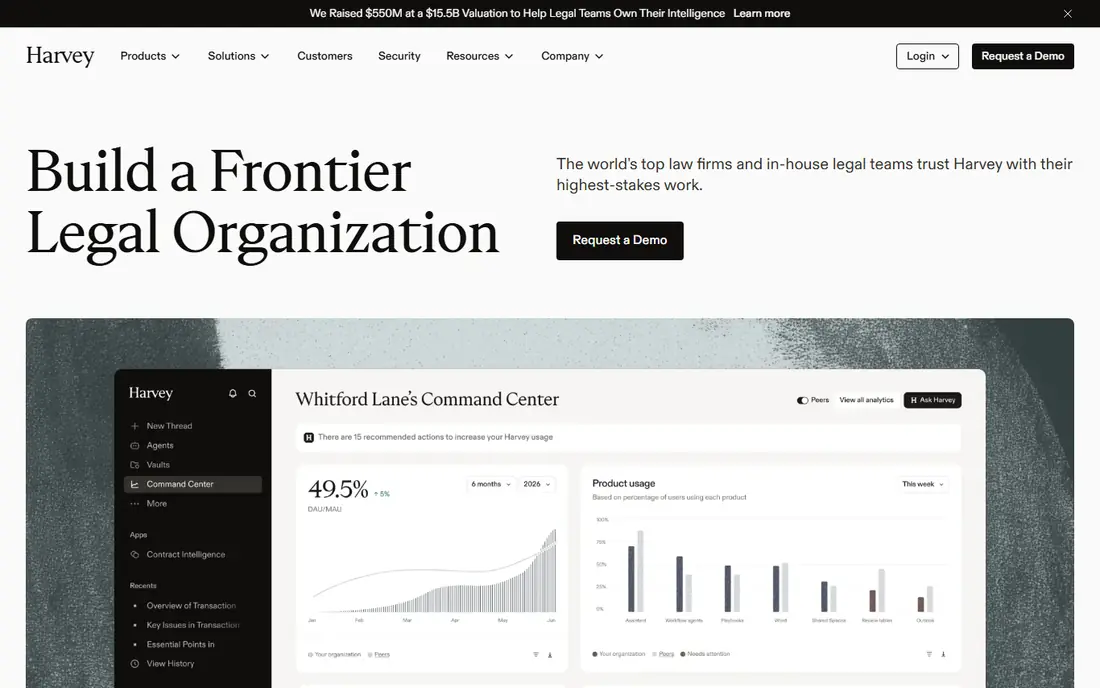
Harvey is the most complete option here for a large firm that wants one platform for research, drafting, diligence and matter analysis. It is built to work with a firm's own documents as well as licensed legal content, so a research question can draw on both internal precedent and outside law. That combination matters when the same team handles transactions, litigation and advice, and wants answers in a consistent format.
The catch is access and cost. Harvey is sold to firms and legal departments, not as a simple monthly subscription for one person, and pricing is given on request. A solo lawyer or a two-person firm will find the buying process slow and the price hard to justify. For a larger team, though, the breadth of the platform is the point, and it is the tool most likely to replace several separate point tools.
- Built for complex legal work
- Works across research, drafting and document review
- Designed around firm documents and licensed content
- Enterprise pricing with no public price
- Not a practical choice for most solo lawyers
- Setup and governance take time

CoCounsel began as Casetext and is now part of Thomson Reuters, where it works alongside Westlaw. That history matters because the tool can search and summarise from a database lawyers already trust, and link answers back to cases and secondary sources. It also goes beyond simple question answering, with help for document review, contract analysis and deposition preparation.
The main limit is that CoCounsel makes the most sense inside the Thomson Reuters stack. A firm that does not already pay for Westlaw will face a larger total bill than the AI tool alone suggests. If you are already a Westlaw firm, however, CoCounsel is a natural next step, and it avoids the need to teach a new tool a whole new set of sources.
- Draws on Westlaw and Practical Law content
- Handles research, document review and deposition preparation
- Fits the Thomson Reuters workflow
- Pricing is not published in a simple form
- Best value depends on already using Westlaw
- Smaller firms may find it expensive
Lexis+ with Protégé is the AI layer for LexisNexis, and its strength is the depth of the underlying database. Lawyers who need primary law, secondary sources and practical guidance in one place will find the research answers better grounded than those from a general chatbot. Shepard's citation validation is a further help, because it flags whether a case is still good law before you rely on it.
As with Westlaw, the pricing picture is tied to the wider subscription. A firm that already uses Lexis+ will see Protégé as an upgrade, while a new buyer needs a quote for the whole package. For regulatory work and for teams that value secondary sources, that package is often worth the quote, but it is not a low-cost entry point.
- Access to a large US primary law database
- Shepard's citation checking
- Agentic research that breaks a question into steps
- Pricing is quote based
- Full value requires a LexisNexis subscription
- The range of features can feel large for a small team
Westlaw Precision is the research database many US litigators start with, and its AI-assisted research adds plain-language questions and cited summaries on top of that base. The value is not just speed. When an answer cites a case, you can open that case, check its history with KeyCite, and see whether later decisions changed it. That chain from answer to source is what makes a legal AI tool usable in practice.
The downside is the same as for LexisNexis: the price is set by quote, and the most complete coverage is priced for firms, not for casual use. A small firm should ask exactly which content sets are included in the quote, because case law, statutes, briefs and analytics can sit in different tiers. For a litigation-heavy practice, though, this remains one of the safest research choices.
- Strong US case law coverage
- KeyCite citation checking
- Natural language search with cited summaries
- Pricing is quote based
- The full database can be costly for small firms
- AI features are an add-on to a subscription
vLex Vincent stands out when a question crosses borders. Many US tools are strongest on US federal and state law, while vLex covers a wide set of other jurisdictions, which helps with comparative work, international transactions and foreign case research. For a firm with clients or matters outside the United States, that breadth can save hours of searching across separate national databases.
The trade-off is that a US-only practice may pay for coverage it rarely uses. Vincent is also a tool that rewards a careful setup, with jurisdictions and sources set to match the team's work. If your work is mainly domestic, Westlaw or LexisNexis will usually serve you better. If it is international, Vincent deserves a place on the shortlist.
- Wide international coverage across many jurisdictions
- Useful for comparative research
- Now linked to a large document library
- Pricing is quote based
- US-only teams may not need its breadth
- The interface takes time to learn for new users
Spellbook takes a narrower and more practical approach. Instead of asking you to learn a new research system, it adds AI drafting and review to Microsoft Word, where most contracts are already written. It can suggest clauses, flag risky language and help redraft terms, which makes it a good fit for transactional lawyers and in-house teams that handle a steady flow of agreements.
The limit is scope. Spellbook will not replace Westlaw or LexisNexis for case law research, and it should not be judged as a research database. Used for what it is, a drafting aid inside Word, it is one of the easiest tools on this list to adopt. The free trial makes it simple to test on your own contracts before committing.
- Works inside Microsoft Word where lawyers already draft
- Focused on contracts and clauses
- Easier to adopt than a full research platform
- Not a full legal research database
- Best for drafting rather than case law research
- Pricing details require checking the vendor site
Paxton AI is built around a simple promise: research answers that can be checked. It draws on US federal and state law and puts citation accuracy at the centre, which suits lawyers who spend much of their time building briefs and memos where every citation must hold up. For a small or mid-size firm that cannot justify an enterprise platform, Paxton offers a middle path between a general chatbot and a full database subscription.
That middle path has limits. Paxton does not match the secondary sources, analytics or drafting range of the largest platforms, and its price is still a serious line item for a solo practice. Check the current pricing page before budgeting, and test it on your own research questions. If citation accuracy is your main pain point, it is a strong candidate.
- Focus on verified citations
- Covers US federal and state law
- Aimed at citation-heavy research work
- Smaller content range than Westlaw or LexisNexis
- Pricing is high for a solo user
- Fewer drafting features than broader platforms
Legora, formerly Leya, aims to cover the full workflow from research to drafting and review in one platform. That breadth appeals to firms that want fewer tools and a consistent way of working across matters. It is particularly relevant for firms with international work, where a single platform that handles research and document tasks can reduce handoffs between systems.
The main drawback is opacity on price and fit. Legora is sold on request, so a small firm will need a demo and a quote to know whether it makes sense. It is also less established in some US practice areas than Westlaw or LexisNexis. For a firm already looking at Harvey or CoCounsel, Legora is worth adding to the comparison, with a trial on real matters as the deciding test.
- Combines research, drafting and review workflows
- Formerly known as Leya
- Designed for firm-wide use
- Enterprise pricing on request
- Less familiar to US-only teams
- Needs a demo to judge fit for a small firm
How we picked these
We compared official product pages, pricing pages, app and vendor descriptions, and public reviews, and we kept only tools that exist and work in October 2026 and that truly fit legal research or closely linked drafting and review. We favoured tools that ground answers in a checked legal database and show citations, because that is the feature that separates a legal tool from a general chatbot. We also mixed large enterprise platforms with narrower tools for smaller firms, so the list covers more than one budget and firm size.
This article is general information, not legal advice. AI research tools can still produce wrong or outdated citations, and a lawyer remains responsible for checking every citation, quote and conclusion against the underlying source before relying on it. Do not paste confidential client material into a consumer tool that may use inputs for training. Use a business or enterprise tier with clear confidentiality terms, and confirm how the vendor stores and handles your data.
What to check before you buy
Start with the sources your work actually needs. A litigator needs case law and citators. A transactional lawyer needs contracts and practical guidance. An international team needs foreign jurisdictions. Write down the top ten research tasks your team repeats each month, then test each shortlisted tool on those tasks, not on a vendor demo script. The tool that answers your real questions with citations you can open is the right one, even if another tool has a longer feature list.
Next, check the total cost, not just the AI price. Some tools are add-ons to a database subscription, while others are standalone. Ask what content sets are included, whether there are per-user fees, and whether document review or drafting features sit in a higher tier. A quote that looks low can grow quickly once the full content set is added. Also check data terms, including whether your inputs are used for training, how long data is kept, and whether you can delete matter data.
Finally, set a verification rule for your team. Every AI citation should be opened in the source database, and every quoted passage should be checked word for word. Keep a short log of errors you find, and review it monthly. That habit matters more than any single feature, because it catches the mistakes that even the best-grounded tool can make. Train new joiners on the rule before they use the tool on live work.
Frequently asked questions
Which AI tool is best for legal research?
There is no single best tool for every firm. Harvey suits large firms that want a broad platform, while Westlaw and LexisNexis users usually do best with the AI layer for the database they already pay for. Smaller teams often do better with a focused tool such as Paxton AI or Spellbook, paired with careful citation checks.
Can AI legal research tools hallucinate case law?
Yes, even database-grounded tools can make mistakes, and general chatbots are far more likely to invent citations. The risk is lower when answers link to a checked database, but it never falls to zero. Always open each cited case and confirm the passage, the court and the date before you rely on it.
Is CoCounsel the same as Casetext?
CoCounsel began as Casetext and is now part of Thomson Reuters, where it works with Westlaw. Older reviews may use the Casetext name for the same product line. If you are comparing prices or features, check the current Thomson Reuters product page, since names and bundles have changed.
What is the best AI legal research tool for a solo lawyer?
A solo lawyer should start with a narrow, affordable tool and a clear verification habit, rather than an enterprise platform. Spellbook can help with contracts in Word, while a focused research tool can help with citation-heavy work. For full database research, ask Westlaw and LexisNexis for small-firm pricing and compare the content included.
Do these tools replace lawyers?
No. They speed up research, drafting and review, but a lawyer must still exercise judgment, check sources and take responsibility for the work. Bar guidance in many states stresses competent supervision of AI tools. Treat AI as a research assistant, not as a substitute for legal judgment.
How much does AI software for legal research cost?
Prices vary widely and many enterprise tools are quote based, so a single number can mislead. Small-firm database tiers may start at a modest monthly price, while enterprise AI platforms can cost far more per user. Ask for a written quote that lists content sets, user counts and any add-on fees, and confirm the price before you sign.
Sources
See where you really rank - block by block
ProMapRanker scans Google Maps across a grid of your service area. Simple monthly plans from $19, white-label on every plan.
Start freeKeep reading
 outreach alternatives
Outreach Alternatives in 2026
Compare outreach alternatives for 2026, from Salesloft and Apollo to HubSpot and Lemlist, with pricing, channels, features, limits, and honest trade-offs.
Read → best web conference tools
Best Web Conference Tools in 2026
Compare the best web conference tools for meetings, webinars and team calls, with current pricing, free plans and honest limits for each option here today.
Read → best voice cloning tools
Best Voice Cloning Tools in 2026
Compare the best voice cloning tools in 2026, from ElevenLabs and Descript to Resemble and Cartesia, with consent rules, pricing, licenses, and limits.
Read →