 ProMapRanker
Best AI Software Builder in 2026

Key takeaways
- Lovable and Bolt are the fastest routes from a prompt to a working web app you can show to users or investors.
- Bubble suits complex apps with user roles, workflows, and database logic, but it takes longer to learn than prompt builders.
- Replit and v0 suit users who want real code they can inspect, export, and hand to a developer later.
- Base44, Glide, and Softr suit non technical builders who want a complete app with auth, data, and hosting in one place.
- Watch credit and token pricing on prompt builders, because heavy iteration can cost more than a flat monthly plan.
Quick comparison
| Pick | Great for | Pricing starts at | Free tier | |
|---|---|---|---|---|
 Lovable Lovable | Fast MVPs and demos | $25 per month | Yes | Visit |
 Bolt Bolt | Prompt to code with visible code | $25 per month | Yes | Visit |
 Bubble Bubble | Complex no code apps | $29 per month | Yes | Visit |
 Replit Replit | AI building plus a real code environment | $20 per month | Yes | Visit |
 Base44 Base44 | Full apps for non technical builders | $20 per month | Yes | Visit |
 v0 by Vercel v0 by Vercel | Polished front end interfaces | $30 per user per month | Yes | Visit |
 Glide Glide | Spreadsheet to app for operations | $25 per month | Yes | Visit |
 Softr Softr | Portals and membership apps | $25 per month | Yes | Visit |
The best AI software builders
We compared official feature pages, pricing pages, app store listings, privacy policies, and public reviews, with a focus on what each tool actually builds, code ownership, backend depth, and monthly cost.
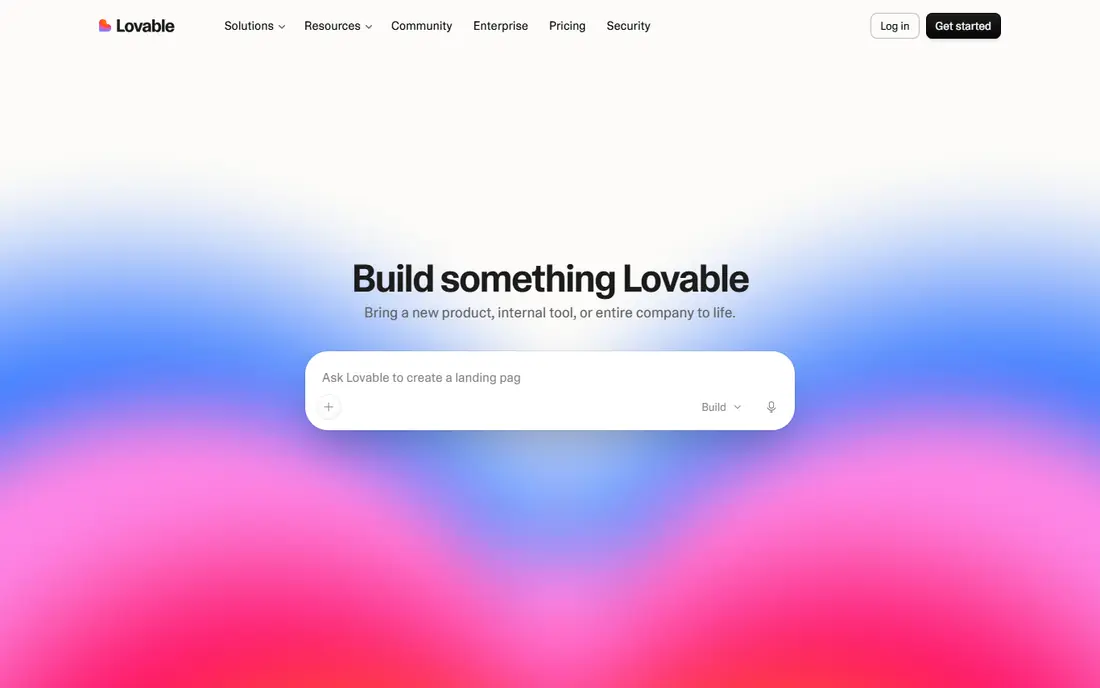
Lovable turns a plain language prompt into a hosted web app with a database and login in a short session, and its design output looks closer to a finished product than many rivals. Founders use it to test an idea, build a demo for investors, or launch a simple paid product without hiring a team first. GitHub sync gives a path to hand the code to a developer later. Credits are the budget line to watch. Each prompt and fix uses credits, and the free plan caps daily use, so a long build with many revisions can become costly. It is the speed pick for an MVP, and a weaker pick for a product that needs deep custom backend logic from day one.
- Fast prompt to app generation, strong design output, GitHub sync
- Credit limits can slow heavy iteration, complex backend logic needs manual fixes
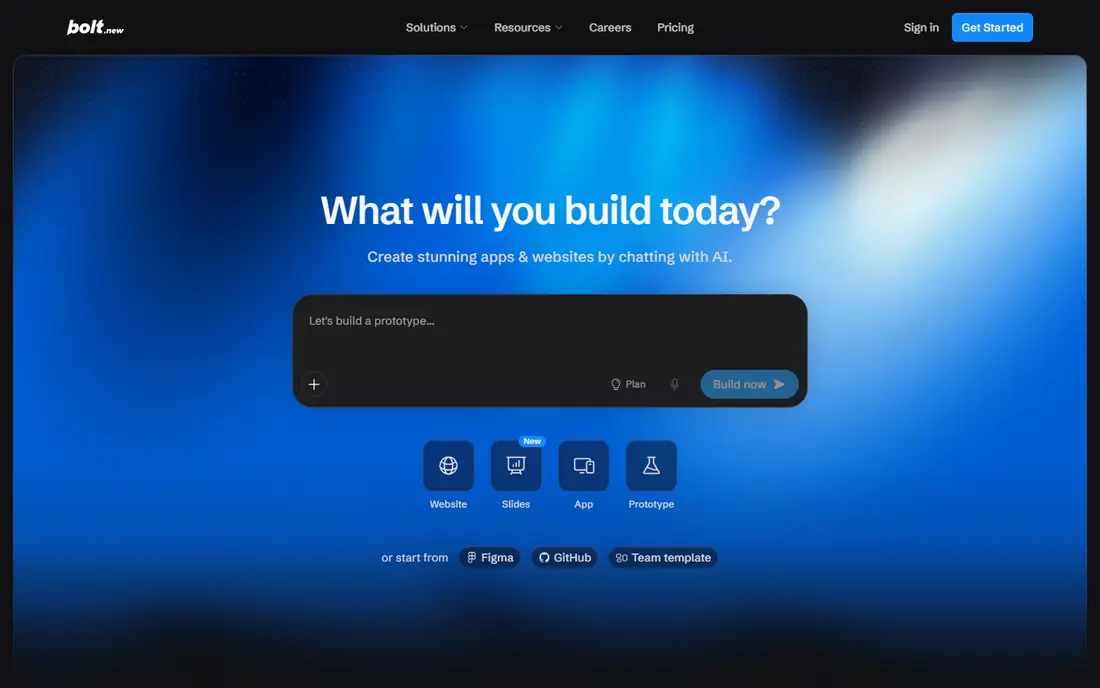
Bolt, from StackBlitz, generates a working app in the browser and shows the code as it builds, which helps technical founders who want to inspect and edit what the AI produced. You can prompt, preview, and deploy quickly, and you keep a clearer sense of ownership than with a closed no code platform. That transparency is its main advantage over pure prompt tools. Token metering is the catch. Large apps and many revisions consume tokens, so budget for the Pro plan and track usage early. Bolt is best for a technical founder who can fix code when the AI output needs correction, rather than a non technical user who wants a fully managed app.
- Visible code in the browser, fast prototypes, export options
- Token based costs can rise, full stack features need setup for payments and auth

Bubble remains the most capable no code platform for complex products. You can build multi user SaaS apps with roles, permissions, workflows, and a real database, using a visual editor rather than writing code. That depth is why agencies and founders still choose Bubble for products they plan to run for years. Learning Bubble takes time, and its workload unit pricing can be hard to predict until you see real usage. You also host on Bubble, so you do not get full code export. Choose Bubble when your app needs real business logic and you are willing to invest days, not hours, in learning the platform.
- Deep workflows, database, user roles, plugin ecosystem
- Steeper learning curve, no full code export, workload pricing can surprise
Replit pairs an AI agent with a real development environment, so you can prompt an app, then edit the code, add packages, and deploy from the same workspace. That makes it a good bridge for builders who want AI speed without giving up code control. It also covers hosting and a database, which reduces setup work for a full stack project. The environment assumes some comfort with code concepts, even if you prompt most of the work. Non technical users may find the file view and deployment settings confusing at first. For a builder who wants to learn code gradually while shipping, Replit is a strong middle path.
- Full code environment, AI agent, database and hosting in one place
- Interface can feel developer focused, AI output still needs review
Base44, now part of Wix, aims to give non technical builders a complete app, not just a landing page. A prompt can produce an app with login, database, and payment setup, and you can edit it by chatting with the builder or using visual tools. That completeness is why many first time founders pick it for a paid MVP. Credit limits apply, and very custom logic may still need workarounds or a developer. Check how many credits a typical revision uses before you commit to a large build, and test the payment flow early if you plan to charge users. For a straightforward business app, Base44 is one of the easiest full product routes.
- Prompt to full app with auth and payments, built in hosting, simple chat editing
- Credit based pricing, less control than code first tools for complex logic
v0 by Vercel is the best pick when the interface matters most. It generates polished React interfaces from prompts, with clean layouts, components, and a design quality that suits marketing sites, dashboards, and product demos. Deployment through Vercel is straightforward, and developers can take the code further in a normal project. It is not a full app builder on its own. Auth, database, and payments require extra setup, often with Supabase or another backend, so a non technical user will need help to turn a v0 interface into a complete product. Use v0 for the front end, and pair it with a backend you already understand.
- Excellent UI generation, React and Next.js output, Vercel deployment
- Front end focused, backend and auth need extra setup
Glide turns a spreadsheet or database into a working app for operations teams, field teams, and small businesses. You can build an inventory tracker, a client portal, or an internal dashboard in hours, with user access controls and a mobile friendly layout. That speed suits operational apps where data already lives in a sheet. Glide is less suited to a public SaaS product with complex billing, custom workflows, or a unique design system. Its strength is internal and operations apps, not a consumer product with thousands of public users. If your data starts in Google Sheets or Airtable, Glide is often the fastest path to a usable app.
- Fast spreadsheet to app conversion, good for internal tools, mobile friendly
- Limited for public SaaS products, design and logic limits for complex apps
Softr builds client portals, directories, and membership sites on top of Airtable or Google Sheets, with permissions that control who sees what. That makes it ideal for a membership directory, a client dashboard, or a resource library where different users need different views of the same data. Templates speed up the first build considerably. Custom app logic is limited compared with Bubble, and your data model in Airtable or Sheets shapes what you can build. If your data is messy, clean it first, because Softr will reflect that structure. For portals and membership apps, it is one of the easiest and most reliable options in this list.
- Portal and directory templates, granular permissions, Airtable and Google Sheets data
- Less flexible for custom app logic, depends on your data source structure
How we picked these
We looked for AI app builders that are live in 2026, offer a free plan or trial, and can produce a working app, not just a mockup or a landing page. We compared official feature pages, pricing pages, privacy policies, and public reviews, and we gave weight to build speed, backend depth, code ownership, and pricing clarity. We kept a mix of prompt to app, no code, and code first tools, and we left out tools that only generate code snippets, only build websites, or have no working hosted output.
What to check before you choose
Code ownership and exit path
Ask whether you can export code, export data, and move hosting if you outgrow the tool. Lovable, Bolt, Replit, and v0 give clearer code paths than closed no code platforms. If long term independence matters, that question should come before design quality, because a beautiful app you cannot move can become a costly lock in.
Backend, auth, and payments
Check whether auth, database, file storage, and payments are built in or require extra setup. Base44 and Bubble cover more of this out of the box, while v0 and Bolt need a backend pairing for a full product. Test login, a real data save, and a test payment before you invest weeks in design.
Pricing for real iteration
Prompt builders charge by credits or tokens, no code platforms charge by workload or users, and spreadsheet tools charge by app users. Estimate your revision count, not just your launch count, because most first builds need dozens of fixes. A $20 plan that burns credits fast can cost more than a $29 flat plan for a heavy iteration project.
Frequently asked questions
Which AI app builder is best for beginners?
Lovable and Base44 are the easiest starting points for beginners because you can describe an app in plain language and get a working product quickly. Glide and Softr are easier still if your app is a portal or an operations tool built on a spreadsheet. Bubble is more powerful but takes longer to learn, so start with a prompt builder for a first test.
What is the best AI app builder for a SaaS product?
Bubble suits a complex SaaS product with roles, workflows, and long term maintenance, while Lovable and Bolt suit a faster MVP that you can validate before investing in a full build. Replit suits a technical founder who wants code control from the start. Choose based on whether you need speed now or depth for years.
Can I build an app with AI without coding?
Yes, for a defined range of apps. Prompt builders and no code platforms handle login, data, and hosting for common use cases such as directories, booking tools, and simple SaaS products. You still need to think clearly about your data model and user flows, and complex products will benefit from technical input at some point.
Do I own the app I build with an AI builder?
It depends on the tool. Lovable, Bolt, Replit, and v0 produce code you can export and own, while Bubble, Glide, Softr, and Base44 host your app on their platform, even though your data is exportable. If ownership matters, check the export terms on the official site before you build your core product there.
How much does it cost to build an app with AI?
Free plans let you prototype at no cost, and paid plans in this list start around $20 to $30 per month. Prompt builders add credit or token costs for heavy iteration, and no code platforms can add workload or user costs as you scale. Budget for at least three months of paid use if you plan to launch to real users.
What is the best AI app builder software for mobile apps?
Glide suits simple mobile friendly operations apps, while a code first path with Replit or Bolt plus a mobile framework suits a native app goal. Most tools in this list build web apps first, so check whether you need a true native app in app stores or a mobile friendly web app that users open in a browser.
Sources
See where you really rank - block by block
ProMapRanker scans Google Maps across a grid of your service area. Simple monthly plans from $19, white-label on every plan.
Start freeKeep reading
 youtube alternatives
Best YouTube Alternatives in 2026
Looking for youtube alternatives in 2026? We compare Vimeo, Dailymotion, Twitch, Rumble, and more on price, audience, monetization, control and privacy.
Read → what's the best ai tool for photo editing
What Is the Best AI Tool for Photo Editing in 2026
What is the best AI tool for photo editing? We compare ten tools for 2026, from Photoshop and Lightroom to Luminar, Topaz, Canva and mobile editors today.
Read → twitter alternatives
Best Twitter Alternatives in 2026
Compare the best twitter alternatives for 2026, from Bluesky, Threads, and Mastodon to Reddit, Tumblr, and Micro.blog, with free plans and audience notes.
Read →