 ProMapRanker
Best AI Service for Tailoring Job Applications in 2026

Key takeaways
- The best tools tailor a resume to a specific job description, rather than sending the same generic resume everywhere.
- Teal combines tailoring with application tracking, while Jobscan focuses on match scoring and Rezi focuses on clean, parser-friendly resumes.
- Most tools help you draft and fill forms, but you should review and submit applications yourself unless a tool clearly states otherwise.
- No tool guarantees a job or an interview, and a tailored resume still needs true skills, honest wording and human editing.
Quick comparison
| Pick | Great for | Pricing starts at | Free tier | |
|---|---|---|---|---|
 Teal | Tailoring plus application tracking | $29 per month | Yes | Visit |
 Jobscan | Match scoring and keyword checks | $49.95 per month | Yes | Visit |
 Rezi | Parser-friendly tailored resumes | $29 per month | Yes | Visit |
 Kickresume | Fast AI drafting with templates | See website | Yes | Visit |
 Enhancv | Polished, readable tailored resumes | See website | Free trial | Visit |
 Resume Worded | Line-by-line scoring and feedback | See website | Yes | Visit |
 Huntr | Organized tailored job search | See website | Yes | Visit |
The best AI services for tailoring job applications
We compared AI job-application services on resume tailoring, job-description matching, editing control, tracking and pricing. The seven below are active in October 2026. No tool on this list guarantees a job or an interview. Tailoring improves how well a resume matches a posting, but hiring decisions still depend on skills, experience, fit and human review.
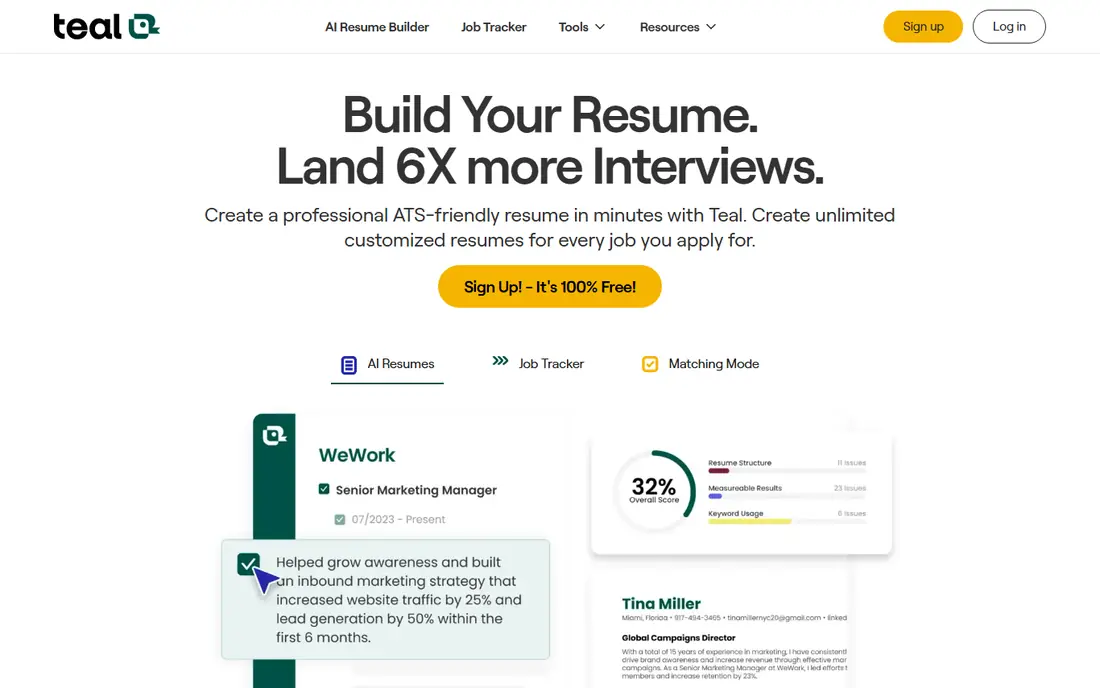
Teal fits job seekers juggling many applications who need order as well as tailoring. You save a job posting, compare it with your resume and adjust wording to match the skills and language that posting uses. The tracker then records where each application stands, so you do not lose track of follow-ups across boards and company sites.
Teal helps you prepare and organize applications, but it does not replace your judgment on the final submit step. Review every tailored bullet for accuracy, remove any skill you do not truly have and check that the resume still reads like your own work. That review step is where tailoring stays honest and useful.
- Unlimited resumes and tracking on free tier
- Chrome extension for saving jobs
- Job-description keyword matching
- Full AI features sit behind paid plan
- Generated bullets still need editing
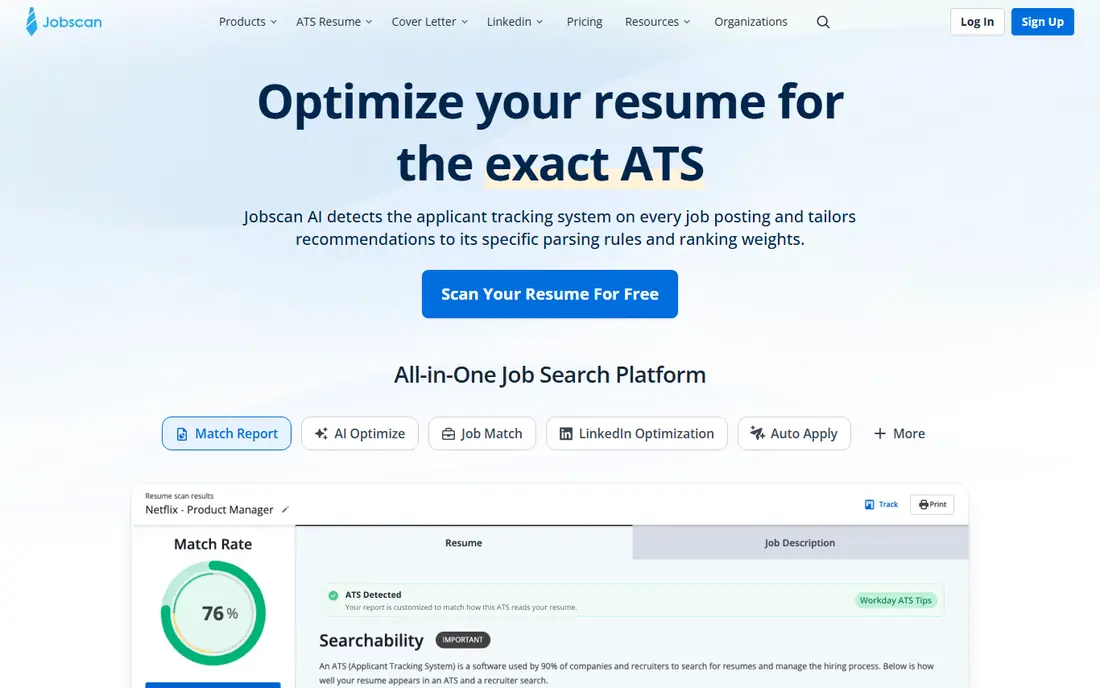
Jobscan suits job seekers who already have a solid resume and want a clear diagnosis before they apply. You paste a job description, upload a resume and get a match score with missing keywords, formatting issues and suggested fixes. That feedback helps you decide which lines to rewrite for a specific role, rather than guessing what the posting values most.
Jobscan is a scanner and optimizer, not an auto-submit service. You still write the final wording and submit the application yourself, which gives you control over accuracy. Use it during a focused application sprint, then cancel if you no longer need frequent scans, since the monthly price adds up over a long search.
- Detailed resume-to-job match score
- Formatting and keyword diagnostics
- LinkedIn optimization tools
- Highest monthly price on this list
- Scanning alone does not rewrite a weak resume
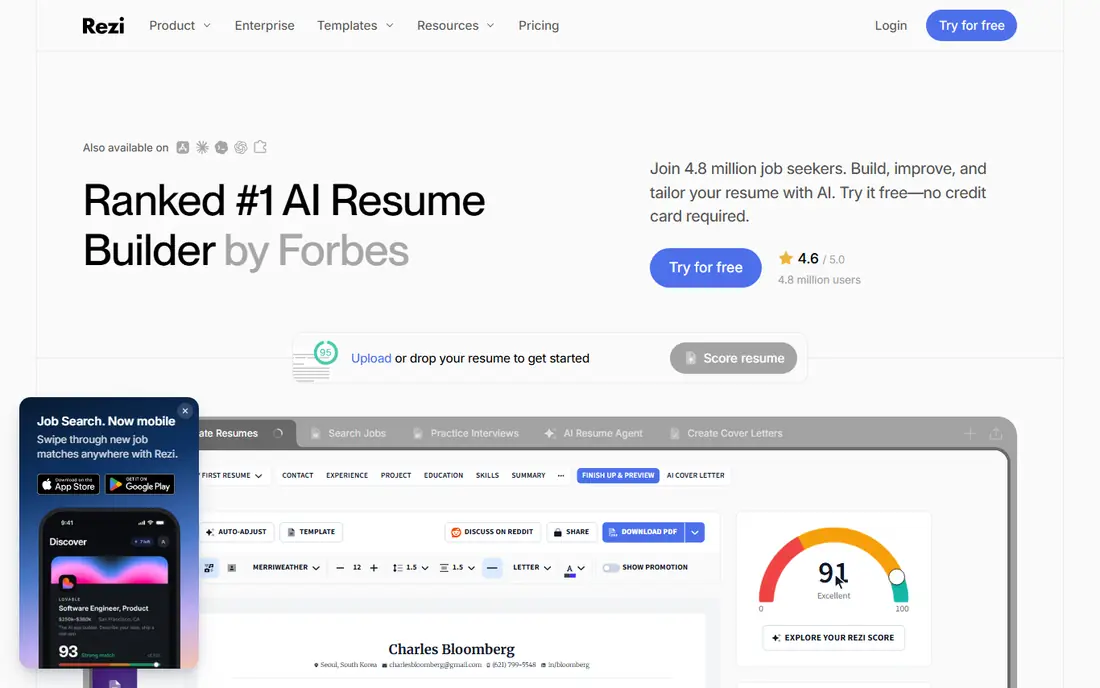
Rezi fits applicants who worry most about getting past automated screening. Its templates avoid complex tables and graphics that can confuse parsers, while scoring helps you tune each version to a job description. That structure is useful for high-volume applications where consistency and readability matter.
The trade-off is visual restraint. If you work in a field where a designed portfolio resume matters, Rezi may feel plain, and you may still need a separate portfolio or website. For most corporate and technical roles, though, a clean, tailored Rezi resume is a practical default, provided you edit the AI wording for accuracy.
- Clean templates built for applicant tracking systems
- Real-time scoring
- Lifetime purchase option
- Free tier limits resumes and downloads
- Design options are more restrained than visual builders
Kickresume suits job seekers starting from a blank page who want a polished draft quickly. You enter your experience, choose a template and use AI help to draft summaries, bullets and cover letters, then tailor each version to a posting. The template range also helps when you need a resume that looks good for human readers as well as parsers.
AI drafting is a starting point, not a finished application. Generic phrases appear often in AI output, so replace them with specific results, tools and outcomes from your own work. Check the final layout in plain text too, because a design that looks good on screen can still confuse some tracking systems.
- Wide template range
- AI writing help for summaries and bullets
- Cover letter builder included
- Paid price varies by billing term
- AI drafts need proofreading for generic phrasing
Enhancv fits professionals who want a resume that reads well for a hiring manager, not just a parser. Its layouts highlight strengths, skills and career highlights in a clear order, and content suggestions help you tailor each version without starting over. That balance suits mid-career applicants who already have strong experience to present.
The risk is over-design. Keep the layout simple for roles that use strict applicant tracking systems, and test a plain-text export before submitting. A readable resume still needs honest, specific wording, and Enhancv works best when you treat its suggestions as edits to review, not text to accept blindly.
- Strong visual design and readability
- Tailored content suggestions
- Good section flexibility
- No long-term free tier on some plans
- Visual layouts need care for strict parsers
Resume Worded suits job seekers who want detailed coaching on each resume line, not just an overall score. It flags weak verbs, vague claims and formatting risks, and it scores LinkedIn profiles alongside resumes. That line-by-line view helps you understand why a tailored version scores better than a generic one.
The feedback is a guide, not a rulebook. Creative, academic and senior roles may need formats that a strict scorer penalizes, so use judgment for your field. Combine the score with a human read-through, and keep any added keywords tied to skills you can discuss in an interview.
- Detailed line-level feedback
- LinkedIn scoring
- Free tools for quick checks
- Feedback can feel strict for creative fields
- Full features sit behind paid plans
Huntr fits job seekers who lose track of applications across many boards and want one board for the whole search. You save jobs, track stages and keep tailored resume versions linked to each application, which reduces duplicate work. That organization matters when a search stretches over weeks and follow-ups start to pile up.
Huntr is stronger as an organizer than as a deep tailoring engine, so pair it with a scanner or builder for high-priority roles. Use its board to record dates, contacts and next steps, and review each tailored resume before you submit. Organization helps you follow up on time, but it does not by itself change hiring outcomes.
- Visual application board
- Job saving and tracking
- Resume tools for tailored versions
- Tailoring depth is lighter than specialist scanners
- Paid features vary by plan
How we picked these
We compared official pricing pages, feature descriptions, free-tier limits and public reviews for AI job-application services active in October 2026. We favored tools that tailor resumes to a specific job description, allow human editing and explain whether they fill forms, track applications or submit on your behalf. We excluded tools that promise guaranteed interviews or jobs, and tools that encourage false credentials, because those claims do not help a real job search.
We did not claim hands-on testing. Our comparison rests on vendor feature pages, pricing pages and public user feedback, and job seekers should verify current plan limits before paying for a sprint of applications.
Auto-fill versus submit: what to check
Auto-fill and auto-submit sound similar, but they carry very different risks. Auto-fill tools can complete form fields from your resume or profile, which saves typing but still leaves you to review answers before sending. Auto-submit tools send applications without that final review, which can lead to wrong answers, outdated resumes or applications to roles you did not intend to pursue.
Before using either feature, check three things. First, does the tool show you every field before submission, or does it send silently in the background. Second, can you choose which resume version goes to each employer. Third, can you turn the feature off for high-priority roles. For most job seekers, auto-fill plus manual review is the safer pattern, while auto-submit should be used only if you fully understand what it sends and where.
Also keep a record of what you submitted. Save the final resume version, the job description and the submission date for each role, so interview questions about your application do not catch you off guard. If a tool changes wording, you need to know what the employer actually received, not just what you intended to send.
Frequently asked questions
Does tailoring my resume guarantee an interview?
No. Tailoring helps a resume match the language and priorities in a job description, which can improve screening, but it does not guarantee an interview or a job. Hiring also depends on experience, skills, location, salary fit and human judgment. Treat tailoring as preparation, not a promise.
Should I tailor a resume for every job?
For roles you care about, yes, at least adjust the summary, key skills and most relevant bullets to match that posting. For a very large volume of similar roles, a strong master resume plus small targeted edits can be more realistic than a full rewrite each time. Focus full tailoring on your highest-priority applications.
Is it safe to let a tool submit applications for me?
It can be risky if you do not review what is sent. Auto-submit tools may use an outdated resume, answer screening questions incorrectly or apply to roles you would not choose yourself. Use auto-fill with manual review for important roles, and check the tool settings before enabling any automatic sending.
Will AI wording hurt my chances?
Generic or inaccurate AI wording can hurt, because recruiters notice repeated phrases and interviewers will ask about claims you cannot support. Edit every AI suggestion for specific results and honest skills, and read the final resume aloud before submitting. Your own voice and real examples matter more than polished filler.
How much should I pay for a tailoring tool?
Many job seekers can start free, then pay for one focused month during an active sprint. Compare free limits, monthly prices and cancellation terms, and avoid keeping several subscriptions active for a whole year. A single well-chosen tool plus careful editing usually beats a stack of overlapping tools.
Sources
See where you really rank - block by block
ProMapRanker scans Google Maps across a grid of your service area. Simple monthly plans from $19, white-label on every plan.
Start freeKeep reading
 worlds best local seo company
8 Worlds Best Local SEO Companies for Map Pack Growth in 2026
Compare the worlds best local seo company options for Google Business Profile work, citations, reviews, and multi-location rankings and reporting in 2026.
Read → world's best web hosting company
World's Best Web Hosting Company in 2026
Searching for the world's best web hosting company? We compared 10 hosts on price, renewal rates, speed, and support to help you choose well today in 2026.
Read → who's got the best nanny tax services
Who's Got the Best Nanny Tax Services in 2026
We answer who's got the best nanny tax services, comparing full filing, back taxes, software, and pricing so families can handle nanny taxes correctly.
Read →