 ProMapRanker
AI Scheduling Assistants in 2026: Top 7 Compared

Smooth booking with calendar overlay · Pricing starts at: $12 per user/month
Direct answer
SavvyCal is the first pick on this list for smooth booking with calendar overlay. Listed starting prices: SavvyCal from $12 per user/month, Morgen from $30 per month and Cal.com from $12 per user/month. If your case is different, Morgen suits multiple calendars in one view and Cal.com suits teams that want a free booking link. All 7 tools are compared below on price, free plan and limits.
ProMapRanker compared 7 AI scheduling assistants. The goal is a practical shortlist: published prices, free plan facts, best-fit use cases and honest limits for every entry.
Key takeaways
- Number one here is SavvyCal, a fit for smooth booking with calendar overlay.
- Check the limits for Reclaim before you commit: Lite allows only 1 scheduling link and 1 habit.
- For the cheapest start, look at Reclaim: $10 per seat/month.
- Cal.com, Reclaim: these are the 2 tools out of 7 that offer a free plan.
Quick comparison
| Pick | Great for | Pricing starts at | Free tier | |
|---|---|---|---|---|
| SavvyCal | Smooth booking with calendar overlay | $12 per user/month | No | Visit |
 Morgen | Multiple calendars in one view | $30 per month | Free trial (14 days) | Visit |
 Cal.com | Teams that want a free booking link | $12 per user/month (billed annually) | Yes | Visit |
 Reclaim | Small teams that want focus time defended | $10 per seat/month (billed yearly) | Yes | Visit |
 Sunsama | Guided daily planning ritual | $22 per user/month | Free trial (14 days) | Visit |
 Akiflow | Time blocking from plenty of task tools | $34 per month | Free trial (7 days) | Visit |
 Motion | AI task planning for teams | $19 per seat/month (billed yearly) | Free trial (7 days) | Visit |
AI Scheduling Assistants profiles
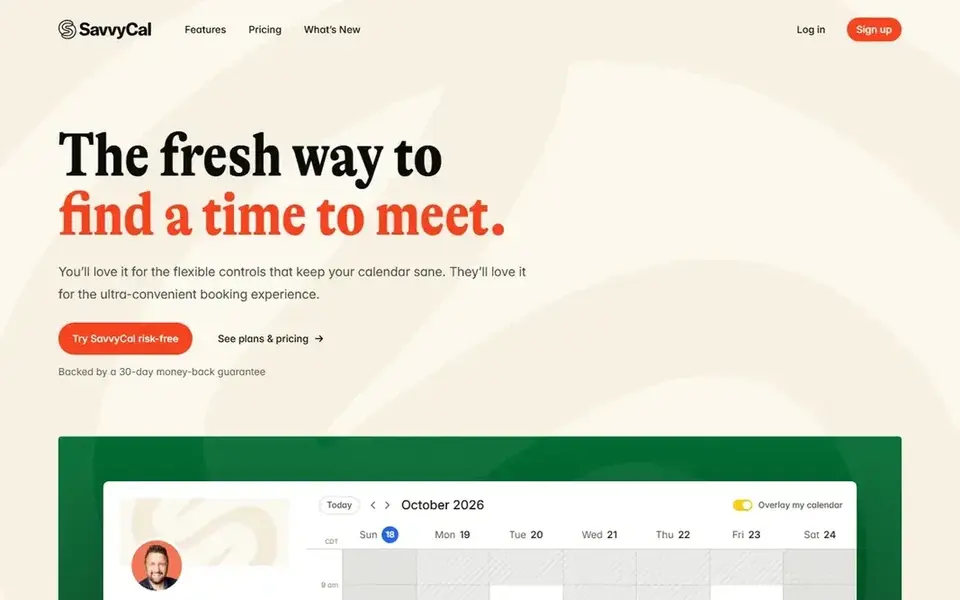
SavvyCal works best for smooth booking with calendar overlay. Entry-level costs $12 per user per month billed monthly, or $10 per user a month billed yearly as $120 per year, and it comes with unlimited links, unlimited calendars, team scheduling, round robin, reminders and workflows.
One limit: Premium annual figure is shown as $17 per month and also as $200 per year, and those two numbers do not multiply out to the same total, so conf SavvyCal makes booking simple for the other person: it overlays all of your calendars, presents ranked availability and lets the guest pick a time that fits both sides. For everyday use, choose SavvyCal when the booking experience matters most. SavvyCal pricing: $12 per user/month. No free plan comes with SavvyCal.
Points against: Premium annual figure does not multiply out cleanly.
- Round robin included on Basic
- Checks every connected calendar with no limit
- Only polls and overlay

Choose Morgen for multiple calendars in one view. Team costs $25 per seat per month billed monthly, or $10 per seat per month billed yearly, with a minimum of 2 seats.
Downsides: monthly billing costs twice the annual rate.
Price to start with Morgen: $30 per month. Free options: Free trial (14 days).
- Google, Outlook
- AI Planner recommends time blocks
- No free plan since March 2026
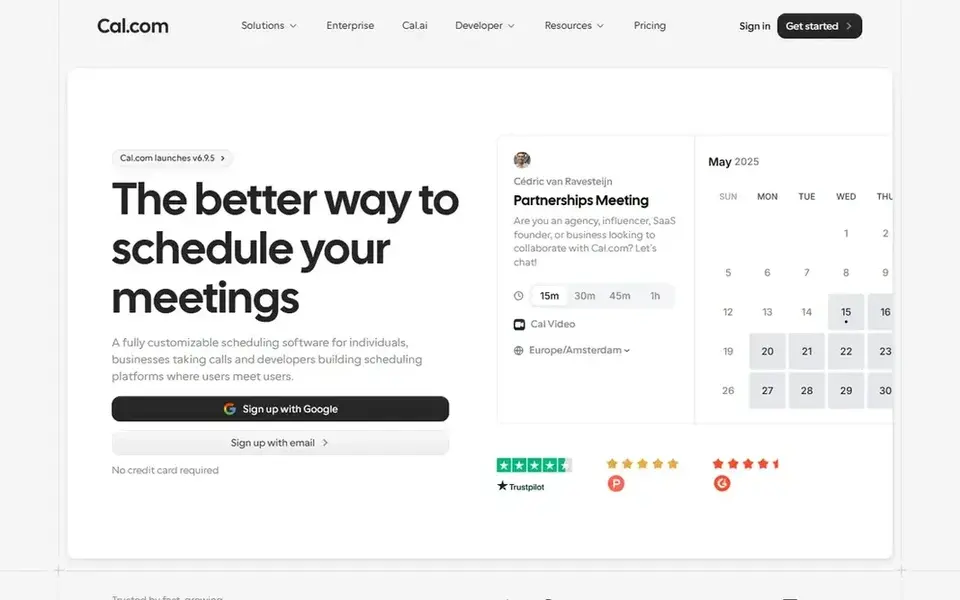
Cal.com is a good fit for teams that want a free booking link. Free costs $0 for 1 user and bundles unlimited event types and unlimited calendar connections. More specifically, one limit: the production code moved to closed source in 2026, so reviews that still call Cal.com open source are out of date.
The free community Choose Cal.com when you want a generous free booking link. Enterprise is priced by sales. The starting price for Cal.com: $12 per user/month. Cal.com offers a free plan.
Trade-offs to know: Cal.ai calls cost $0.29 a minute beyond bundled credits.
- Teams layers on round robin and routing forms
- Free plan with unlimited event types and calendar connections
- Commercial code moved to closed source in 2026
For small teams that want focus time defended, Reclaim is a natural candidate. Starter costs $10 per seat a month billed yearly, or $12 billed monthly. It permits up to 10 seats, 10 agents per seat, an 8-week range, 3 calendar syncs and 3 scheduling links.
From a buyer's view, Lite is free and comes with 5 AI agents per seat, 1 scheduling link, 1 habit and a 1-week scheduling range. Business costs $15 per seat per month billed yearly and layers on a team out-of-office calendar. Reclaim pricing: $10 per seat/month. Reclaim has a free plan.
Trade-offs to know: Lite lets only 1 scheduling link and 1 habit.
- Free Lite plan with habits and scheduling links
- Starter defends focus time and auto-reschedules tasks
- Enterprise needs 100 or more seats
Sunsama targets guided daily planning ritual. Sunsama is a daily planner that walks you through a morning routine: choose today tasks, timebox them on the calendar, then close the day with a short shutdown review.
Where it is weaker: No free plan.
As for the details, skip it when you want the tool to place tasks for you without your input, since Sunsama asks you to plan each morning. Entry price for Sunsama: $22 per user/month. As for free access: Free trial (14 days).
- Guided morning planning routine
- Pulls tasks from Todoist, Notion, Trello
- Only a 14-day trial
For time blocking from plenty of task tools, Akiflow is a natural candidate. Pro costs $34 per month billed monthly, or $19 per month billed annually as $228 per year.
More specifically, there is one plan and one feature set, with no seat minimum for individuals, and team pricing is not published. Akiflow pricing: $34 per month. Free access: Free trial (7 days).
Trade-offs to know: AI Meeting Assistant is a $19 per month add-on.
- One inbox for tasks from numerous tools
- Time blocking with drag-and-drop on the calendar
- The 7-day trial needs a card

Motion is built with AI task planning for teams in mind. Business AI costs $29 per seat per month billed yearly, or $49 billed monthly.
Where it is weaker: One person pays $29 per month billed yearly, not $19.
It comes with 15,000 AI credits plus capacity planning, dashboards, Gantt charts and time tracking. Worth adding: one person pays more: Pro AI is $29 per month billed yearly, or $49 billed monthly, and Business AI is $39 per month billed annually, or $69 billed mont Beyond that, choose Motion when you want tasks placed for you each day. On cost, Motion starts like this: $19 per seat/month. Free access: Free trial (7 days).
- AI places tasks by deadline
- Business brings Gantt charts and time tracking
- AI use is metered at 7,500 credits per seat per month
How we built this list
We compared the tools on published pricing, free plan or trial availability, feature coverage for AI scheduling assistants, and the limits each vendor documents. Seat minimums, billing terms and add-ons can move the real cost, so the starting prices here are a guide and not a quote. Order on the page follows fit for the typical buyer first, then price transparency and free access. Your own requirements should decide the final pick.
Pre-purchase checklist
- Check the vendor page for the current price: Reclaim starts at $10 per seat/month here, and seats or billing terms can move it.
- Read the fine print on the free plans from Cal.com and Reclaim; seat, project and feature caps differ.
- Run a trial of Morgen, Sunsama, Akiflow and Motion with real work before paying for a year; your own workflow is the best test.
- Before choosing SavvyCal, weigh its main limit: no free plan for scheduling links, only polls and overlay.
- Ask the daily users to test Sunsama on a live task before you roll it out to everyone.
- Check how data leaves Reclaim: formats, limits and whether exports are available on every plan.
Frequently asked questions
What is the cheapest option for AI scheduling assistants in this list?
On published monthly entry prices, Reclaim is the lowest here at $10 per seat/month. Entry price is only part of the cost, because seats, add-ons and billing terms can change the total.
Is SavvyCal the right pick for everyone comparing AI scheduling assistants?
No single tool suits every team. SavvyCal comes first because it fits smooth booking with calendar overlay, while Morgen suits several calendars in one view and Cal.com suits teams that want a free booking link. Match the tool to your own size, budget and workflow before deciding.
How are the tools for AI scheduling assistants ordered?
The order follows typical fit for AI scheduling assistants, with SavvyCal first and Motion last, then price clarity and free access. It is editorial judgement, not a score, so another team could rank the tools differently.
Which AI scheduling assistant is a good match for most people?
SavvyCal is the pick this page puts first, mainly for smooth booking with calendar overlay. If your situation differs, Morgen suits multiple calendars in one view, and Cal.com suits teams that want a free booking link. Compare price and limits before you decide.
Which options for AI scheduling assistants have a free plan?
On this list, Cal.com and Reclaim include a free plan. Caps on seats, usage or features are common, so test the free plan against your real workload. Several others offer a trial instead.
Sources
See where you really rank - block by block
ProMapRanker scans Google Maps across a grid of your service area. Simple monthly plans from $19, white-label on every plan.
Start freeBrowse all guides
← AI Platform for Team Prompt Sharing in 2026: Top 6 ComparedTop 6 AI Task Management Software, Compared on Price (2026) →
 best ai platform for gtm teams
AI Platform for GTM Teams: 6 Options Compared in 2026
Shortlisting the best AI platform for GTM teams? 6 products compared on cost, free access and ideal buyer. Concise write-ups of every option. Prices checked.
Read → best workflow software in ai model orchestration
Best Workflow Software in AI Model Orchestration in 2026
Compare 6 picks for the best workflow software in AI model orchestration, with prices, free plans and who each fits. Honest caveats for every entry. Facts only.
Read → best platform for ai agent workflows
5 Best Platform for AI Agent Workflows in 2026
Best platform for AI agent workflows: 5 contenders ranked by fit, with entry costs and free tiers. The weak spots sit next to the strengths. See which fits.
Read → alternatives to pnpm
Best Alternatives to pnpm in 2026
We compare 8 alternatives to pnpm for JavaScript package management, from npm and Yarn to Bun and Deno, plus monorepo and toolchain helpers for teams.
Read → best csr software
Best CSR Software in 2026
We compared the best csr software for giving, volunteering, grants and impact reporting, so your team can choose a platform that fits its size and goals.
Read → best work order management software
Best Work Order Management Software in 2026
Compare the best work order management software for maintenance teams, with free plans, mobile apps, current pricing, and the honest limits of each tool.
Read →More in Project Management & Productivity · All guides A to Z by date · Latest guides