 ProMapRanker
Best AI-Powered Video Ad Editing Software in 2026

Key takeaways
- CapCut and VEED suit fast social ads, while Synthesia and HeyGen suit avatar-led product spots that need no camera shoot.
- InVideo, Pictory, and Fliki suit script-to-video ads, while Adobe Premiere Pro and Descript suit teams that edit their own footage with AI help.
- Use only footage, faces, and voices you own, have licensed, or have clear consent for, and disclose synthetic presenters where platform rules require it.
- Credit and minute limits shape the real cost of AI ads, so test export quality and revision costs before committing to a monthly plan.
Quick comparison
| Pick | Great for | Pricing starts at | Free tier | |
|---|---|---|---|---|
 CapCut | Fast short-form social ads | Free | Yes | Visit |
 Adobe Premiere Pro | Professional editing with AI tools | See website | Free trial | Visit |
 Descript | Editing ads by transcript | $16 per month | Free trial | Visit |
 Runway | Generative clips for ad concepts | $12 per month | Yes | Visit |
 Pictory | Turning articles and scripts into ads | $25 per month | Free trial | Visit |
 InVideo | Script-to-video campaign ads | $28 per month | Yes | Visit |
 Synthesia | Avatar-led product and training ads | $29 per month | Yes | Visit |
 HeyGen | Avatar and translated marketing videos | $24 per month | Yes | Visit |
 VEED | Captioned social ads in a browser | $18 per month | Yes | Visit |
 Animoto | Simple slideshow-style promo videos | See website | Yes | Visit |
The best ai-powered video ad editing software
We compared AI generation, captioning, avatar, editing, export, and published pricing, and we kept only tools that still serve advertisers and creators in October 2026.
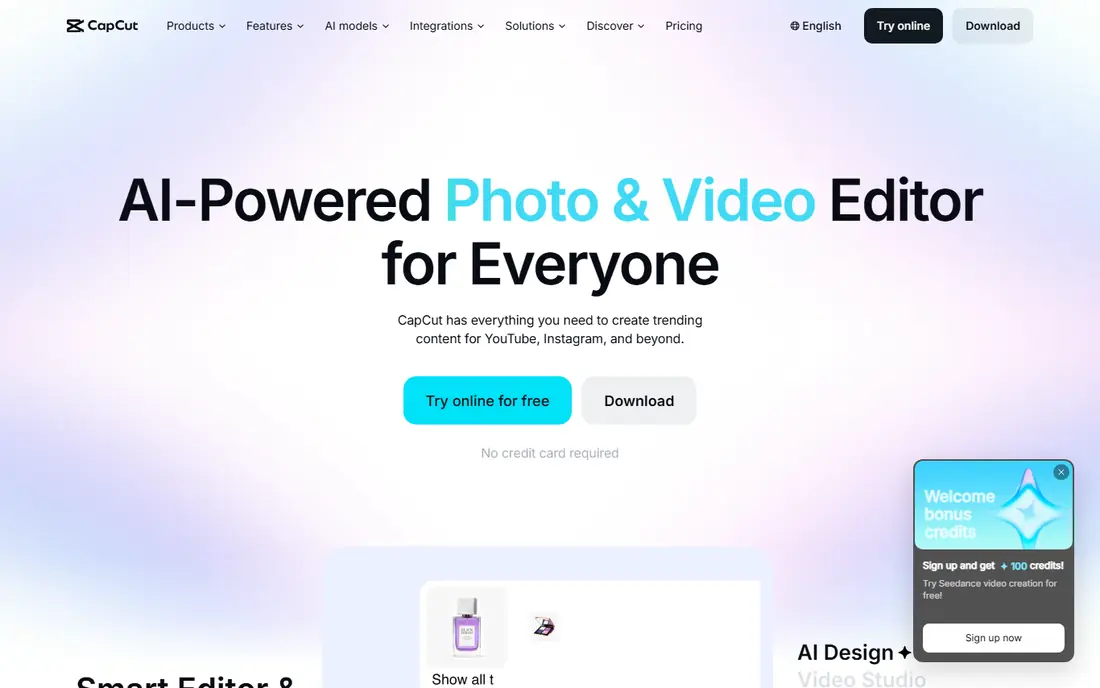
CapCut is the default starting point for short-form ads, because it combines mobile speed, desktop editing, templates, AI captions, and effects in one place. Everyday editing stays free, while Pro is reported at $19.99 per month or $179.99 per year and opens heavier AI features and premium assets. A small team can cut a product spot, add captions, and export vertical, square, and wide versions in one session.
The limit is licensing and depth. Teams should check commercial rights for music, templates, and stock assets on their exact plan, and CapCut will not replace a full professional editor for a complex brand film. For fast social ads, though, its speed and template library are hard to match.
- Huge template and effect library
- AI captions and background removal
- Mobile and desktop editing
- Heavy AI use needs Pro
- Commercial licensing needs checking for some assets
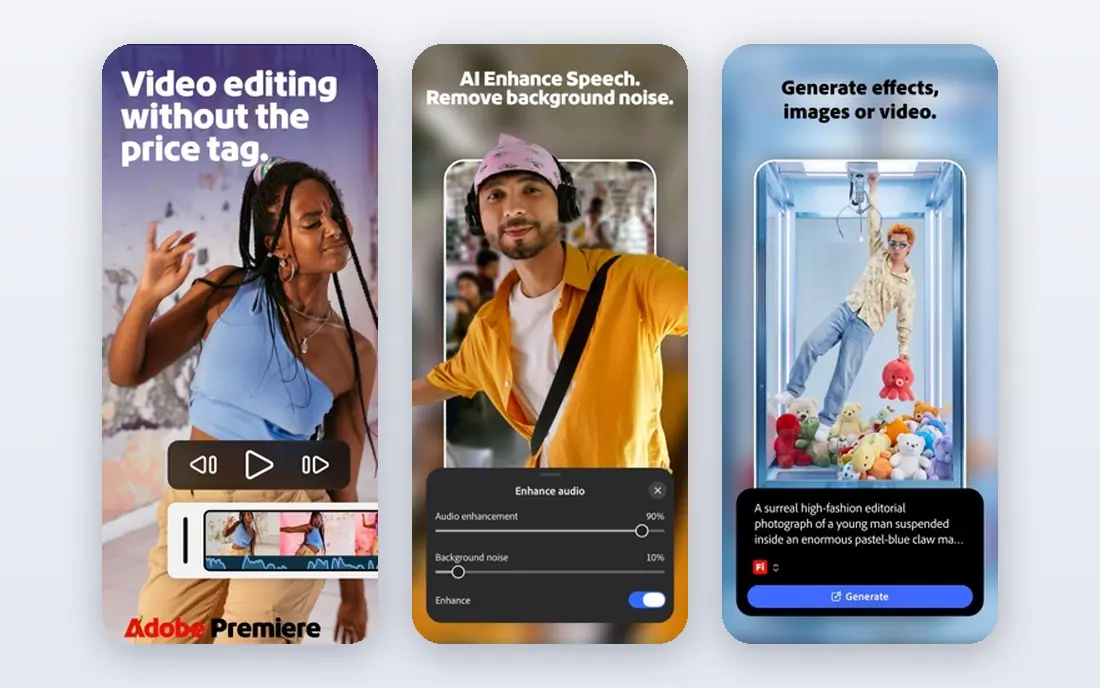
Adobe Premiere Pro suits teams that shoot their own footage and want AI to speed editing, not replace it. Its AI tools help with transcription-based editing, speech enhancement, automatic reframing for different aspect ratios, and scene detection, while the full timeline, colour, and audio tools handle polished brand work. That combination matters when an ad must match exact brand colours, sound, and pacing across TV, web, and social cuts.
The trade-off is cost and skill. Premiere Pro is a subscription product with a real learning curve, and a team that only needs template ads will find CapCut or VEED faster. For a team with camera footage and brand standards, Premiere Pro remains the professional benchmark.
- Professional timeline and colour tools
- AI speech enhancement and transcription
- Huge plugin ecosystem
- Subscription cost and learning curve
- AI features need a Creative Cloud plan
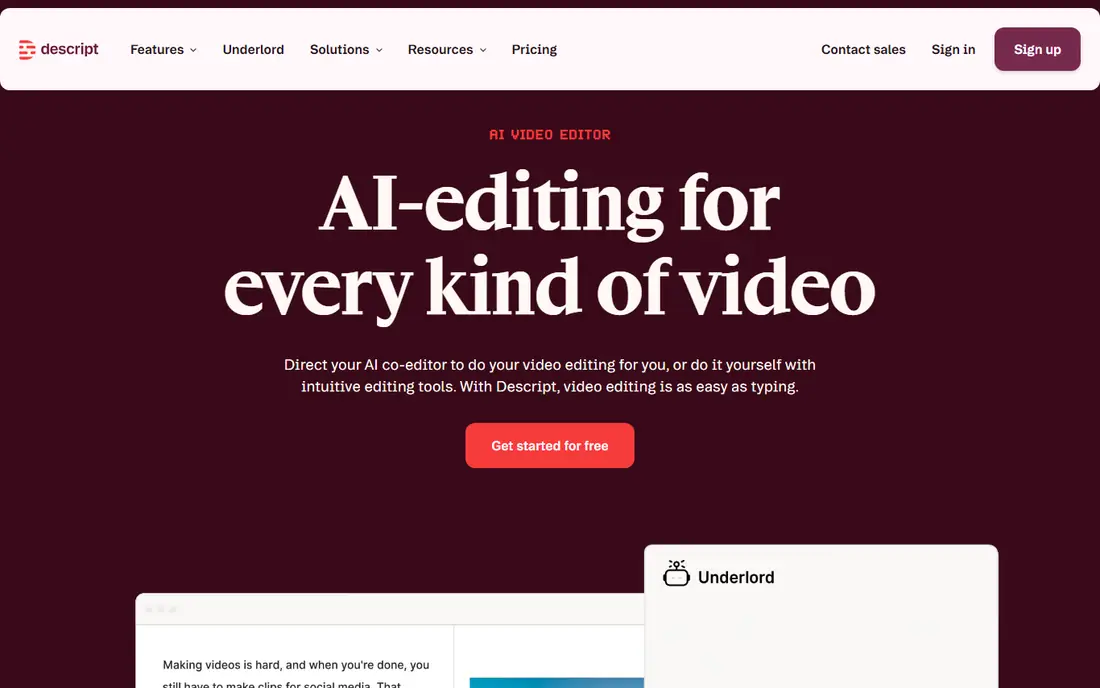
Descript helps ad teams that start from a script or a talking-head take, because it lets editors cut video by editing the transcript, remove filler words, and clean audio with studio sound tools. Paid plans are reported from $16 per month on annual billing, with a limited free trial, and its Overdub feature can fix a missed line in your own voice after verification. That workflow shortens the gap between a rough take and a publishable ad.
The limit is visual depth. Descript will not generate cinematic AI clips or avatar presenters, and its effects library is lighter than CapCut or Premiere Pro. Use Descript when the ad is driven by spoken copy and clean editing, and pair it with a generator when you need synthetic visuals.
- Text-based editing
- Studio sound cleanup
- Overdub for your own voice fixes
- Not a general avatar tool
- Video effects are lighter than Premiere Pro
Runway gives creative teams generative video for ad concepts, product visualisations, and stylised scenes that would be expensive to shoot. Its models can turn text or images into short clips, extend scenes, and edit elements within a shot, with paid plans reported from $12 per month and a free tier for testing. That flexibility helps a team test several visual directions before committing to a shoot.
The catch is length and cost. Generative clips are short, so a full ad usually needs several clips stitched together, and revisions burn credits. Runway suits concept work, B-roll, and stylised spots best, while a team needing a complete scripted ad in one pass should look at InVideo or Synthesia.
- Strong generative video models
- Inpainting and editing tools
- Creative control for concepts
- Short clips need stitching
- Credit costs rise with revisions
Pictory turns written material into video ads quickly, which suits teams that already have blog posts, product descriptions, or scripts and want social cuts without a shoot. It matches scenes to stock footage, adds AI voices and captions, and lets editors trim and brand each scene. Paid plans are reported from $25 per month on annual billing, with a trial for testing, and that price covers a practical volume for regular social posting.
The limit is footage fit. Automatic stock matching sometimes misses the nuance of a product, so a human should review every scene before publishing, especially for regulated claims. Pictory is best for repurposing strong copy into clean social ads, not for inventing a product story from nothing.
- Blog and script to video workflow
- Stock footage matching
- Automatic captions
- Trial only, no permanent free plan
- AI footage matching needs human review
InVideo is the closest tool on this list to typing an idea and getting a video, because it builds narration, visuals, music, and stock footage from a single prompt and can produce videos up to 30 minutes long. Paid plans are reported from around $28 per month, with a limited free plan for testing, and access to several AI video models under one subscription gives teams more creative range. That range helps a campaign team test hooks, formats, and lengths quickly.
The trade-off is credit management. Credits sit in separate pools that do not roll over monthly, so budgeting takes attention, and output quality varies by model and prompt. InVideo suits a team that publishes often and can iterate, while a team needing one perfect flagship ad may prefer Premiere Pro with real footage.
- Prompt to video generation
- Large stock library
- Multiple AI models under one plan
- Credit pools do not roll over
- Quality varies by underlying model
Synthesia turns a script into an avatar-led video, which suits product explainers, localised ads, and training spots that need a presenter without a studio shoot. Its avatar library is large, language coverage exceeds 140 languages, and templates keep branding consistent across markets, so one script can become localised versions for several regions. Paid plans are reported from $29 per month, with a limited free tier for testing.
The limit is presenter realism. Some viewers find avatar delivery uncanny, especially for emotional or premium brand work, and a real presenter still wins for flagship campaigns. Synthesia shines for volume, localisation, and explainer ads, and teams should disclose synthetic presenters where platform rules or audience trust require it.
- Large avatar library
- 140 plus languages
- Templates for consistent brand videos
- Avatar delivery can feel uncanny to some viewers
- Subscription required for full use
HeyGen gives marketing teams avatar videos, translation, and talking-photo tools in one platform, which helps a small team localise a product ad without reshooting. It can turn a script into an avatar presentation, translate a video into another language with lip sync, and create a talking video from a photo, with paid plans reported from $24 per month and a free tier for testing. That combination suits social campaigns that need many language versions fast.
The catch is consent and quality. HeyGen should only be used with faces and voices you own, have licensed, or have clear consent for, and avatar quality depends heavily on the source photo and script. A team that respects those limits will get fast, useful marketing videos, while a team chasing realism for a flagship ad should hire a presenter.
- Avatar videos and translation
- Photo to talking video
- Marketing templates
- Credit limits shape output volume
- Avatar quality varies by source photo
VEED is a browser video editor that suits social ad teams who want captions, cleanup, and quick cuts without installing desktop software. Its AI subtitles are a standout for sound-off social viewing, and it adds avatars, background removal, and one-click audio cleanup for talking-head ads. Paid plans are reported from $18 per month, with a free tier for testing, which makes VEED easy to trial on a real campaign.
The limit is scale. Very large or complex projects can strain browser performance, and heavy use pushes teams to higher tiers. For short social ads, captions, and fast turnaround, VEED is a practical choice, while long brand films still belong in Premiere Pro.
- Browser editing with no install
- Strong AI subtitles
- Avatars and cleanup tools
- Browser performance limits very large projects
- Higher tiers needed for heavy use
Animoto suits a small business that needs a clean promo video from photos, clips, and text, without learning a timeline editor. Its drag-and-drop builder, licensed music, and promo templates let a shop owner turn a product launch, sale, or event into a shareable video in under an hour. A free tier exists for testing, with paid plans quoted on its pricing page, which keeps the entry cost low.
The trade-off is creative control. Animoto templates guide the result, so a team that wants precise cuts, custom effects, or generative AI scenes will feel limited. Use Animoto for fast, simple promos, and move to CapCut, VEED, or Premiere Pro when an ad needs finer control.
- Very easy drag-and-drop builder
- Licensed music library
- Quick promo templates
- Less control than a timeline editor
- AI features are lighter than rivals
How we picked these
We compared official pricing pages, AI features, editing workflows, export options, and advertiser use cases, and we kept only tools that still serve video ad creators in October 2026. We did not claim hands-on ad testing, and we favoured tools with clear AI captioning, generation, or avatar features over general editors with only minor AI additions.
What to check before you buy
Start with rights and disclosure before you start generating. Confirm that every face, voice, clip, and music track is owned, licensed, or consented for advertising use, and check whether the ad platform requires disclosure for synthetic presenters. Then test the same ad brief across two finalists, check caption accuracy, export quality, and revision costs, and confirm commercial rights on the plan you will buy. Ask how credits are counted for regeneration, whether unused credits roll over, and how brand assets such as logos and colours are stored, because those details decide whether a tool stays cheap at campaign scale.
Frequently asked questions
Can AI video tools replace a video shoot?
For short social ads, explainers, and localised versions, often yes, and for flagship brand films, product hero shots, and emotional storytelling, real footage still usually looks better. Many teams mix both, using AI for volume and testing, then shooting hero assets for the main campaign.
Do I need consent to use a real face or voice in an AI ad?
Yes. Use only faces and voices you own, have licensed, or have clear written consent for, covering advertising use in the markets where the ad will run. Synthetic presenters built from stock avatars avoid this issue, but a real person likeness without consent creates legal and platform risk.
Should AI ads disclose that they use synthetic presenters?
Disclosure rules vary by platform and jurisdiction, and audience trust also matters, so check the ad platform policy for each placement and disclose when required or when viewers could reasonably be misled. When in doubt, a simple disclosure protects the brand more than it hurts performance.
Which tool is best for social ads?
CapCut and VEED suit fast social ads best, because captions, templates, and vertical exports are built in. InVideo and Pictory suit script-driven social campaigns, while Synthesia and HeyGen suit avatar-led spots that need no camera.
How are AI video credits counted?
Credit counting varies by tool, with some counting generations, some counting minutes, and some counting separate pools for video, voice, and translation. Regenerating a scene often costs credits again, so finalise scripts and visuals before generating final exports.
Can I use AI video ads on all platforms?
Most tools export standard video files for major social, web, and advertising platforms, but each platform has its own length, aspect ratio, and disclosure rules. Check the destination platform specs before final export, and keep master files so you can recut for new placements.
Sources
See where you really rank - block by block
ProMapRanker scans Google Maps across a grid of your service area. Simple monthly plans from $19, white-label on every plan.
Start freeKeep reading
 what’s the best risk software for enterprises
What Is the Best Risk Software for Enterprises in 2026
We compared what’s the best risk software for enterprises on risk registers, controls, third-party risk, and reporting, with pricing notes for large teams.
Read → what's the best pam software for enterprises
What is the Best PAM Software for Enterprises in 2026
Find what's the best pam software for enterprises, with vaulting, session recording, just in time access and pricing compared for large enterprise IT teams.
Read → what’s the best grc software
What Is the Best GRC Software in 2026
We compared what’s the best grc software on risk, compliance, audit and vendor risk, so teams can pick a platform that fits their frameworks and budget.
Read →