 ProMapRanker
Best AI Powered Productivity Tool in 2026


Notes, docs, and wikis with AI help · Pricing starts at: $20 per user per month
Key takeaways
- The best tool depends on the bottleneck, whether it is meetings, writing, scheduling, or task overload.
- AI inside a tool you already use often beats a new standalone app that adds another inbox.
- Prompt and credit caps matter more than the headline price for daily AI use.
- A free plan can prove value, but team features and full AI usually need a paid plan.
Quick comparison
| Pick | Great for | Pricing starts at | Free tier | |
|---|---|---|---|---|
| Notion AI | Notes, docs, and wikis with AI help | $20 per user per month | Free trial | Visit |
 Microsoft 365 Copilot | AI inside Word, Excel, Outlook, and Teams | $19.99 per month | Yes | Visit |
 ChatGPT | General writing, research, and planning | $20 per month | Yes | Visit |
 Otter.ai | Meeting transcription and summaries | $8.33 per user per month | Yes | Visit |
 Motion | AI scheduling and daily planning | See website | Free trial | Visit |
 Reclaim.ai | Smart calendar blocking for habits and focus | See website | Free trial | Visit |
 Grammarly | Clear writing across email and docs | $12 per month | Yes | Visit |
 ClickUp AI | AI tasks, docs, and projects in one workspace | See website | Free trial | Visit |
 Todoist AI | Simple AI capture and task lists | See website | Yes | Visit |
The best ai powered productivity tools
These tools cover notes, meetings, scheduling, writing, and tasks, and our pick for most people is Notion AI for workspace work, with Otter for meetings.
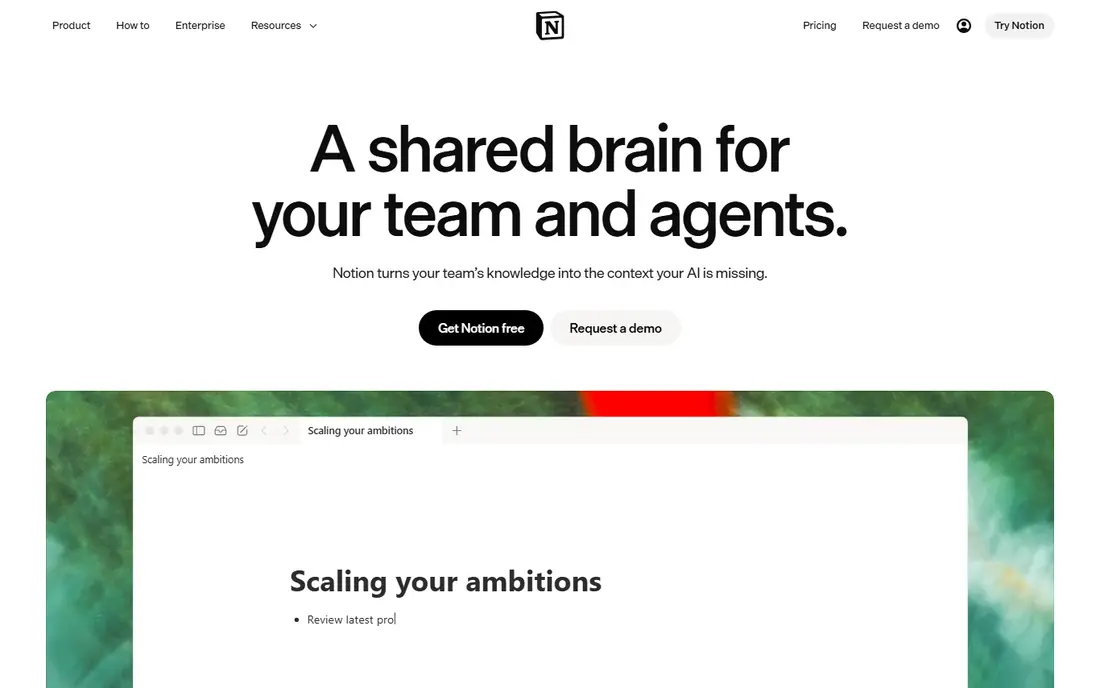
Notion AI suits a team whose work already lives in Notion, since AI can draft, summarize, and answer questions across notes, docs, and wikis. Meeting notes land directly in the workspace, and database automation can turn rough notes into structured tasks. That link between notes and action is the main advantage over a standalone chatbot.
Full AI is included on Business at $20 per user per month on annual billing, while Free and Plus only get a limited trial. Custom agent runs use metered credits at $10 per 1,000 credits, so heavy automation needs a budget check. Teams that do not already use Notion should weigh the switch cost before buying for AI alone.
- AI drafting, summaries, and search inside one workspace
- Database automation
- Meeting notes feature
- Full AI needs a Business plan
- Custom agents use metered credits on top

Microsoft 365 Copilot is the practical AI pick for a team that lives in Word, Excel, PowerPoint, Outlook, and Teams. It can draft documents, summarize email threads, and pull together meeting notes without copying text into another app. The consumer Premium plan at $19.99 per month includes Office apps plus extensive Copilot use, while business plans add Copilot as an add on.
Buyers should note that the old standalone Copilot Pro at $20 per month is no longer sold, with support ending on 1 August 2026. Check the current Microsoft 365 plan for your team, since Copilot features and limits vary by consumer, business, and enterprise tiers.
- AI drafting and summaries inside Office apps
- Works with your files and email
- Consumer and business plans
- Standalone Copilot Pro is retired
- Best business features need a Microsoft 365 plan

ChatGPT Plus at $20 per month is the most flexible single AI subscription for productivity, covering drafting, brainstorming, research summaries, and code help. Custom GPTs let a user build a repeatable assistant for a common job, such as turning meeting notes into tasks. The free plan covers everyday chats, while Plus adds newer models and higher limits.
The weakness is follow through, since chats do not become tasks, calendar events, or docs on their own. Users who need that link should pair ChatGPT with Notion, Todoist, or ClickUp, and treat ChatGPT as the thinking tool rather than the system of record.
- Strong general assistant
- Custom GPTs
- Deep research and coding help on Plus
- Needs a workflow to turn chats into tasks
- Usage limits apply on paid plans
Otter.ai suits a person or team that spends hours in meetings and needs clean notes without manual typing. It joins Zoom, Teams, and Meet calls on paid tiers, transcribes live, and produces searchable transcripts with summaries. That record helps a team follow up on decisions without replaying a full call.
The free Basic plan gives 300 transcription minutes per month, which is enough to test but not for daily meeting loads. Pro at $8.33 per user per month on annual billing raises limits, while Business at $19.99 per user per month on annual billing adds team features and more minutes. Check language support and privacy settings before using it for sensitive calls.
- Live transcription with speaker labels
- Searchable transcripts
- Summaries and action items
- Free plan caps minutes and conversations
- Business features need a higher plan
Motion tries to solve the planning problem directly, by placing tasks into open calendar slots around meetings and deadlines. A user adds tasks with priorities and due dates, and Motion builds a daily plan that updates when meetings move. That automation helps a manager who juggles many tasks and a full calendar.
The tool can feel rigid when a day is full of interruptions, since a rebuilt plan still needs human judgment about what to drop. Pricing has varied across plans and billing cycles, so check the vendor pricing page for the current individual and team rates before a trial ends.
- Auto schedules tasks around meetings
- Calendar and project views in one app
- Good for busy managers
- Price varies by plan and billing
- Can feel rigid if a day changes often
Reclaim.ai suits a person who wants focus time, lunch, habits, and one to one meetings protected on a busy calendar. It creates flexible blocks that move around fixed meetings, and it can schedule recurring personal routines without manual work each week. That makes it a good companion to a task app, rather than a replacement for one.
It works best with Google Calendar, so Outlook only teams should check current support before buying. Free and paid tiers differ in scheduling features and team controls, so test the habit and focus blocking on a real week before paying.
- Auto blocks focus, habits, and breaks
- Syncs with Google Calendar
- Useful for teams with shared calendars
- Google Calendar focus
- Pricing and limits vary by plan
Grammarly is a productivity tool in the writing sense, since it cuts revision time across email, docs, and web forms. Pro at $12 per member per month on annual billing adds full sentence rewrites, tone adjustment, plagiarism checks, and 2,000 AI prompts per month. That allowance matters for a person who drafts many messages each day.
It does not manage tasks, meetings, or calendars, so it should sit beside a task or meeting tool rather than replace one. Use Grammarly to polish output from ChatGPT, Notion, or email, and it will save editing time without changing how a team plans work.
- Works across browsers, email, and documents
- Tone and rewrite help
- Large prompt allowance on Pro
- Prompt cap on free is low
- Not a task or calendar tool
ClickUp AI suits a team that already plans work in ClickUp, since AI can summarize threads, draft docs, and turn notes into action items inside the same task. That link between discussion and task keeps follow up visible, rather than lost in a separate chat or doc. Project views, goals, and automations add structure for larger teams.
Solo users may find ClickUp complex for simple lists, and AI pricing and availability vary by plan. Check the vendor pricing page for the current AI add on or included allowance, and test it on a real project before moving a whole team onto it.
- AI summaries, action items, and drafting inside tasks
- Broad project views
- Good for teams that already use ClickUp
- AI features and pricing vary by plan
- Can feel complex for a solo user
Todoist AI suits a person who wants a simple daily list with a little AI help, not a full workspace. Capture a task in plain words, let AI suggest subtasks or a clearer wording, and work through the list without learning a complex system. The free plan covers basic lists, while Pro adds filters, reminders, and more AI help.
Teams that need docs, wikis, or advanced project views will outgrow Todoist fast. For an individual who needs to remember, prioritize, and finish tasks each day, the simplicity is the point, and a heavier tool would add friction rather than save time.
- Fast capture on any device
- AI assist for breaking down tasks
- Clean interface for daily lists
- Lighter project features than ClickUp or Notion
- AI features vary by plan
How we picked these
We compared official pricing pages and recent pricing reports from October 2026, and we kept tools that are live and cover distinct productivity jobs. We favored AI that lives inside a workflow, such as notes, meetings, calendars, and tasks, rather than listing nine general chatbots. Where pricing varied by billing cycle or plan, we wrote See website so readers confirm the current figure on the vendor page.
How to choose an AI productivity tool
Start with the bottleneck that costs you the most time each week. If meetings dominate, pick Otter first. If writing dominates, pick Grammarly or ChatGPT. If planning dominates, pick Motion or Reclaim. If notes and docs dominate, pick Notion AI or ClickUp AI. Buying for the wrong bottleneck wastes money, even when the tool is good.
Run a two week test with one real workflow, such as a weekly report, a meeting follow up, or a daily plan. Measure time saved, errors caught, and whether the output still needs heavy editing. Keep only the tool that saves time after the novelty fades, and drop any tool that adds a new inbox to check each morning.
Frequently asked questions
What is the best ai powered productivity tool for most people?
For most people, the best pick is the AI inside a tool they already use, such as Notion AI for notes or Microsoft 365 Copilot for Office work. ChatGPT Plus is a strong general assistant for drafting and research. Choose by bottleneck, not by headline features, and test one workflow for two weeks.
What are the best ai powered productivity tools for meetings?
Otter.ai is the strongest meeting pick on this list, with live transcription, summaries, and searchable transcripts. Notion AI meeting notes also help teams that already use Notion. Check privacy settings, language support, and minute limits before using a meeting tool for sensitive calls.
Do AI productivity tools replace task managers?
No, they add AI help to task managers, but a human still needs to set priorities, deadlines, and scope. Motion and Reclaim help with scheduling, while Todoist and ClickUp hold the tasks themselves. Use AI to draft and organize, and keep a human in charge of what gets done first.
Are free AI productivity tools enough?
Free plans are enough to test a tool and to cover light use, such as basic lists or a few meeting minutes per month. Daily AI use, team features, and full meeting or agent features usually need a paid plan. Upgrade when a free cap blocks a weekly task, not before.
How much do AI productivity tools cost?
Entry paid plans on this list range from about $8.33 per user per month for Otter Pro on annual billing to $20 per month for Notion Business and ChatGPT Plus. Microsoft 365 Premium is $19.99 per month for consumers. Check annual versus monthly billing, since the monthly rate is often higher.
Should I use one AI tool or several?
Use one main workspace tool plus one specialist, such as Notion for docs and Otter for meetings, rather than five overlapping apps. A small stack is easier to maintain and cheaper to change. Review the stack each quarter and drop any tool that no longer saves time.
Sources
See where you really rank - block by block
ProMapRanker scans Google Maps across a grid of your service area. Simple monthly plans from $19, white-label on every plan.
Start freeKeep reading
 zscaler alternatives
Best Zscaler Alternatives in 2026
Looking for zscaler alternatives? We compare 9 SASE and zero trust platforms on architecture, data protection, pricing, and fit for your network and team.
Read → zapier alternatives free
Best Zapier Alternatives Free in 2026
Nine automation tools for zapier alternatives free in 2026, all with genuinely free tiers, plus free plan limits, starting prices and upgrade paths explained.
Read → which platform is best for online reputation
Which Platform Is Best for Online Reputation in 2026
Wondering which platform is best for online reputation? We compare 8 review, listing, and response tools for small and multi-location businesses and agencies.
Read →