 ProMapRanker
Best AI Powered Analytics Platforms in 2026


Search driven analytics · Pricing starts at: $25 per user per month
Key takeaways
- ThoughtSpot and Julius lead on asking questions in plain language, while Tableau and Power BI lead on polished dashboards at scale.
- Free entry points are real but narrow: Metabase is free when self hosted, and Zoho Analytics, Hex and Julius offer limited free tiers.
- Per user pricing looks simple until seats, credits and AI add-ons are added, so model the cost for your actual team size.
- The best choice often depends on where your data already lives, since warehouse and Microsoft or Google ties shape setup time.
Quick comparison
| Pick | Great for | Pricing starts at | Free tier | |
|---|---|---|---|---|
| ThoughtSpot | Search driven analytics | $25 per user per month | No | Visit |
 Microsoft Power BI | Microsoft centred teams | $14 per user per month | Yes | Visit |
 Tableau | Polished visual analytics | $15 per user per month | No | Visit |
 Zoho Analytics | Small business value | $25 per month | Yes | Visit |
 Hex | Collaborative AI notebooks | See website | Yes | Visit |
 Julius AI | Conversational data analysis | See website | Yes | Visit |
 Metabase | Open source self serve BI | Free | Yes | Visit |
 Sigma | Spreadsheet style warehouse analytics | See website | Yes | Visit |
The best ai powered analytics platforms
AI analytics tools promise answers without writing SQL for every question. The eight below differ in how they handle plain language, how they price, and how much technical setup they need.
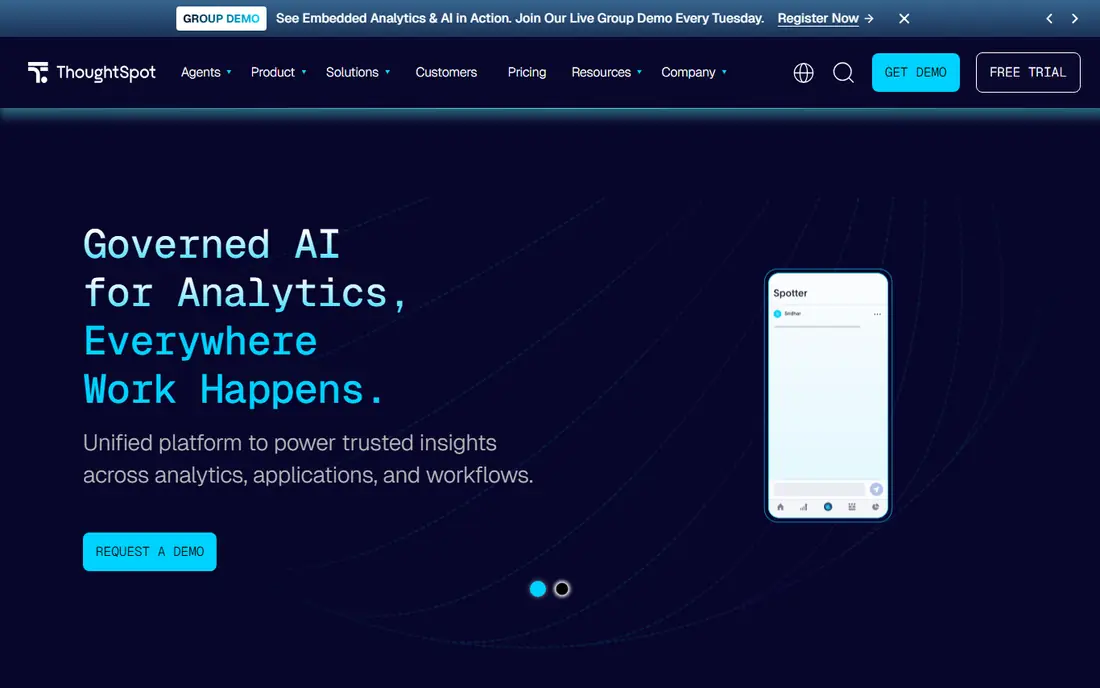
ThoughtSpot treats analytics like search. A manager types a question in plain words, such as sales by region last quarter, and gets a chart and a table back. Its Spotter AI agent can then answer follow ups and explain changes, which reduces the queue of ad hoc requests that lands on a data team. For a company that wants many staff to ask questions without learning a query tool, that search model is a clear strength.
The cost is discipline. ThoughtSpot works best when measures, dimensions and joins are defined cleanly in advance, and a messy warehouse will produce confusing answers. Pricing from $25 per user per month is only the entry point, and larger deployments are quoted. Small teams should trial the search experience on their own data before committing to a wide rollout.
- Natural language search
- AI agent for follow up questions
- Strong self serve model for business users
- Enterprise pricing rises fast
- Setup needs a clean data model
- No free plan
Power BI is the default shortlist entry for teams already in Microsoft 365. Reports built in the free Desktop app can draw on Excel, SharePoint, Azure and many other sources, and Copilot can help draft summaries and explain visuals. Once reports are published, the $14 per user per month Pro tier is the usual route to sharing, which keeps the total cost predictable for a Microsoft shop.
The catch is that free does not mean fully shared. A viewer who only needs to read a report still needs the right licence in most shared setups, and the full building experience is strongest on Windows. Teams outside Microsoft may find the integration advantage disappears. For a Microsoft centred business, though, Power BI is hard to beat on value and familiarity.
- Deep Microsoft 365 and Azure ties
- Copilot assistance
- Free Desktop tool for building reports
- Sharing needs a paid licence
- Windows centred building experience
- AI features vary by licence
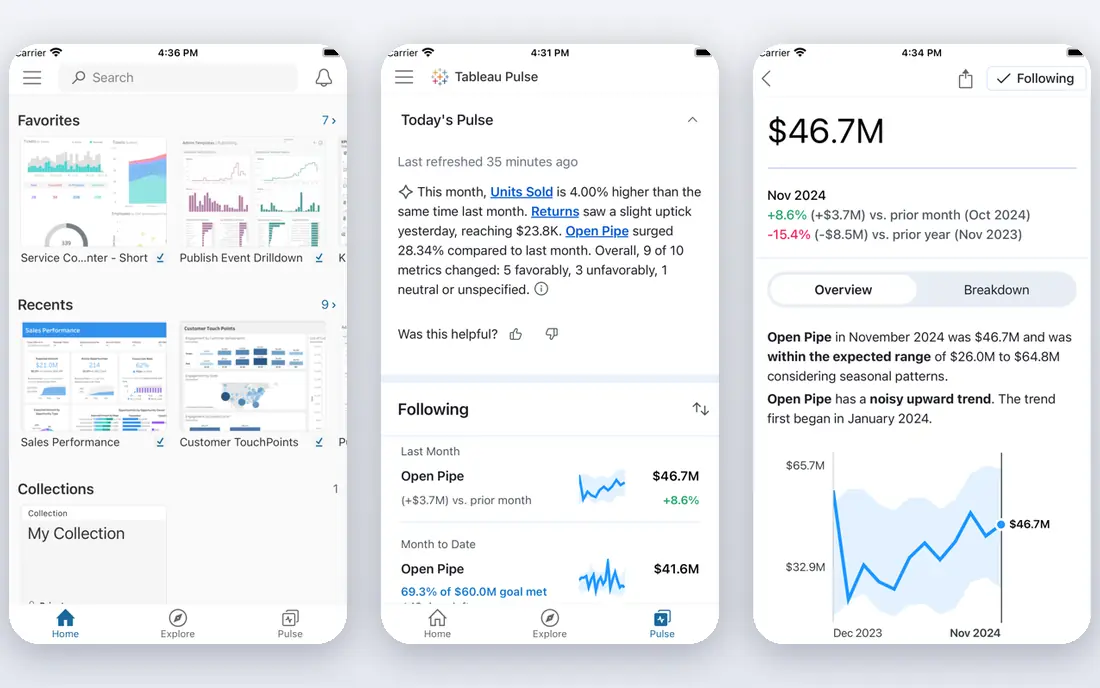
Tableau remains the standard for visual quality. A skilled analyst can build a dashboard that a board will actually read, with clear comparisons, filters and drill downs. Tableau Pulse adds automated insight summaries, and natural language features help users ask follow up questions without rebuilding a chart. That combination suits firms where presentation and trust in the numbers both matter.
Pricing needs care. The $15 per user per month Viewer tier is for reading, while Explorer and Creator tiers cost more for building and editing. A team that buys only Viewer seats and expects everyone to build will be disappointed. Tableau fits best when a small group builds and a larger group reads, and when visual polish justifies the higher builder cost.
- Excellent visual design
- Tableau Pulse for automated insights
- Large community and learning resources
- Creator pricing is higher for builders
- AI features sit in higher tiers
- Can feel heavy for simple reports
Zoho Analytics gives a small business a full BI tool at a price that a larger suite cannot match. The entry plan is reported from $25 per month, and a free tier covers two users with limits. Ask Zia, its conversational assistant, lets staff ask questions in plain language and get charts back, while connectors cover spreadsheets, CRM, accounting and web data that small firms actually use.
The limit is scale and depth. Zoho is strong for operational dashboards and routine reporting, but a firm with a large cloud warehouse and complex modelling may outgrow it. Its AI answers are also more straightforward than those from ThoughtSpot or Tableau Pulse. For a small team that needs clear dashboards this week, Zoho is a sensible first buy.
- Low entry price
- Ask Zia conversational AI
- Many built in connectors for small firms
- Less depth for very large warehouses
- AI is simpler than enterprise tools
- Advanced modelling takes learning
Hex blends notebooks, SQL and Python with AI help, so an analyst can explore data, write code and publish an interactive app from one workspace. AI agents can draft queries, explain results and help build charts, which speeds up work that used to need several tools. Sharing is built for data teams, with version control and scheduled runs that keep a report fresh.
Hex is not a simple dashboard viewer for casual staff. A non-technical reader can view a published app, but building still needs data skills. Pricing is not a single public flat rate for every team, so use See website as the honest starting point and get a quote for your team size. Hex fits data teams that want analysis and apps in one place.
- Notebooks, SQL and Python in one place
- AI agents for analysis
- Good sharing for data teams
- Less suited to non-technical readers
- Pricing is quoted for teams
- Needs data skills to get full value
Julius AI works like a chat analyst. You upload a spreadsheet or connect a database, ask a question in plain language, and get a chart, a table and a written summary. That makes it useful for a one-off analysis, a pitch deck chart, or a quick check of a trend without building a full dashboard. A free tier lets a user test the approach before paying.
The honest limit is verification. AI generated charts can misread a column or a date, so every important result needs a check against the source data. Julius is also an analysis tool first, not a governed enterprise dashboard platform. Use it to explore and answer questions fast, then move a result that matters into a governed report before it drives a decision.
- Chat style analysis from files and databases
- Fast charts from plain questions
- Free tier for trying it
- Prices and credits change by plan
- Best for analysis, not enterprise dashboards
- Needs careful checking of AI output
Metabase is the low cost, low friction option. Its open source edition is free, and its question builder lets staff filter, group and chart data without SQL. Teams that want control can self host, which suits firms with strict data rules or a tight budget. Cloud hosting is also offered, with reports citing $100 per month as a starting point.
AI support in Metabase is more basic than in ThoughtSpot, Julius or Tableau. It helps with asking questions, but it does not replace a dedicated AI analyst tool. Self hosting also brings maintenance, updates and security work. Metabase fits teams that value simplicity, open source and cost control over the latest AI features.
- Free open source edition
- Simple question builder
- Self hosting option for control
- AI features are basic
- Self hosting needs maintenance
- Cloud pricing starts from $100 per month in reports
Sigma lets analysts work on live warehouse data with a spreadsheet style interface, which feels familiar to finance and operations staff. Formulas, pivot style tables and charts sit on governed data, so a team can explore without exporting rows into a spreadsheet and losing control. AI assistance can help draft formulas and explain results, which lowers the barrier for staff who know spreadsheets better than SQL.
The catch is that Sigma is priced by quote and works best with a cloud warehouse already in place. A firm without that warehouse will face setup work before Sigma shows its value. It is also a workbench for analysts more than a simple viewer for casual readers. For warehouse centred teams, Sigma bridges the gap between SQL and spreadsheets well.
- Familiar spreadsheet interface on warehouse data
- Strong for finance and operations teams
- Governed data models
- Pricing is quoted
- Less of a casual dashboard tool
- Needs a cloud warehouse to shine
How we picked these
We compared vendor pricing pages, feature pages and independent 2026 comparisons of AI analytics tools. We kept tools that are live, offer an AI assisted way to ask questions or surface insights, and fit business analytics rather than only product event tracking. Where a vendor does not publish a single flat rate, we wrote See website rather than copying a third party estimate as fact. We did not claim hands-on testing, and we based strengths on documented features, not on vendor marketing claims alone.
What to check before you buy
Start with one real question your team asks every week. Run that question through a trial on your own data, and check the answer against a known total. A tool that looks smart on demo data can still fail on messy dates, duplicate customers or mixed currencies in your own warehouse.
Next, count total cost, not only the headline seat price. Add viewer and builder seats, AI credits or add-ons, and any warehouse or connector fees. A $25 seat that needs a $300 add-on for AI is not a $25 tool. Finally, check governance. Ask who can see salary, customer or health data in answers, how AI prompts are stored, and whether answers can be traced back to a source table. A fast answer that cannot be audited is a risk, not a saving.
Frequently asked questions
What is an AI powered analytics platform?
It is a BI tool that uses AI to help users ask questions in plain language, draft queries, explain changes and surface insights without manual analysis for every chart. The AI still needs clean data and human checking, since it can misread a field or a date.
Do I need SQL to use these tools?
No for basic use on ThoughtSpot, Zoho, Julius and Metabase, where a question builder or chat interface covers common questions. SQL still helps for complex joins, custom measures and checking AI output, and data teams will use it in Hex and Sigma.
Which tool is best for a small business?
Zoho Analytics and Metabase are the strongest low cost starting points, with free tiers and simple setup. Julius is useful for quick conversational analysis. Larger suites such as Power BI and Tableau make more sense once reporting becomes a daily, shared need.
How much does AI analytics cost?
Entry prices in this list range from free for Metabase open source to $25 per user per month for ThoughtSpot, with Power BI Pro from $14 per user per month. Quoted tools such as Hex and Sigma need a sales quote, and AI add-ons can raise the total above the headline price.
Can AI analytics replace a data analyst?
No. AI speeds up routine questions and first drafts, but it does not replace judgement on data quality, definitions and business context. The best setup pairs AI self serve for common questions with analysts who own definitions and check important results.
Is my data used to train AI models?
That depends on the vendor and plan, so read the privacy and AI terms before connecting sensitive data. Ask whether prompts and data are retained, whether training is opt out, and whether an enterprise tier offers stronger controls. Do not connect personal or regulated data until those answers are in writing.
Sources
See where you really rank - block by block
ProMapRanker scans Google Maps across a grid of your service area. Simple monthly plans from $19, white-label on every plan.
Start freeKeep reading
 zoro.to alternatives
Best Zoro.to Alternatives in 2026
We compare the best zoro.to alternatives in 2026, listing only legal licensed anime streaming services, from Crunchyroll to free options for fans today.
Read → zip alternatives
Best Zip Alternatives in 2026
We compare the best zip alternatives for buy now, pay later in 2026, covering pay-in-4 plans, fees, spending limits, and credit reporting options today.
Read → yesware alternatives
Best Yesware Alternatives in 2026
Compare the best yesware alternatives for sales email tracking, templates, and sequences, with current pricing and honest tradeoffs for small sales teams.
Read →