 ProMapRanker
Comparing 6 AI Platform for Summarizing Documents in 2026

Direct answer
Start with SMMRY if you need instant no-frills text summaries. NoteGPT is better for summaries across documents, video and audio, and QuillBot is better for summarizing plus paraphrasing and writing help. Details, prices and limits for the rest of the 6 tools are below.
Key takeaways
- Top of the list is SMMRY, which targets instant no-frills text summaries.
- Before buying QuillBot, weigh this: Summarizer is one feature among plenty of.
- Free plans exist at 5 of 6 tools (SMMRY, NoteGPT, QuillBot, ChatPDF, Sharly).
- SciSummary fits researchers drowning in papers.
Quick comparison
| Pick | Great for | Pricing starts at | Free tier | |
|---|---|---|---|---|
 SMMRY | Instant no-frills text summaries | Free | Yes | Visit |
 NoteGPT | Summaries across documents, video and audio | Free; premium plans (see website) | Yes | Visit |
 QuillBot | Summarizing plus paraphrasing and writing help | Free; Premium available (see website) | Yes | Visit |
 ChatPDF | Asking questions about any PDF | Free; premium plans (see website) | Yes | Visit |
 Sharly | AI analysis of business documents | Free; premium plans (see website) | Yes | Visit |
 SciSummary | Researchers drowning in papers | Free trial; premium plans (see website) | Free trial | Visit |
6 AI platform for summarizing documents in detail
This ProMapRanker guide covers 6 AI platform for summarizing documents. Each profile lists a starting price, free plan details, strengths and drawbacks, so you can drop poor fits quickly.
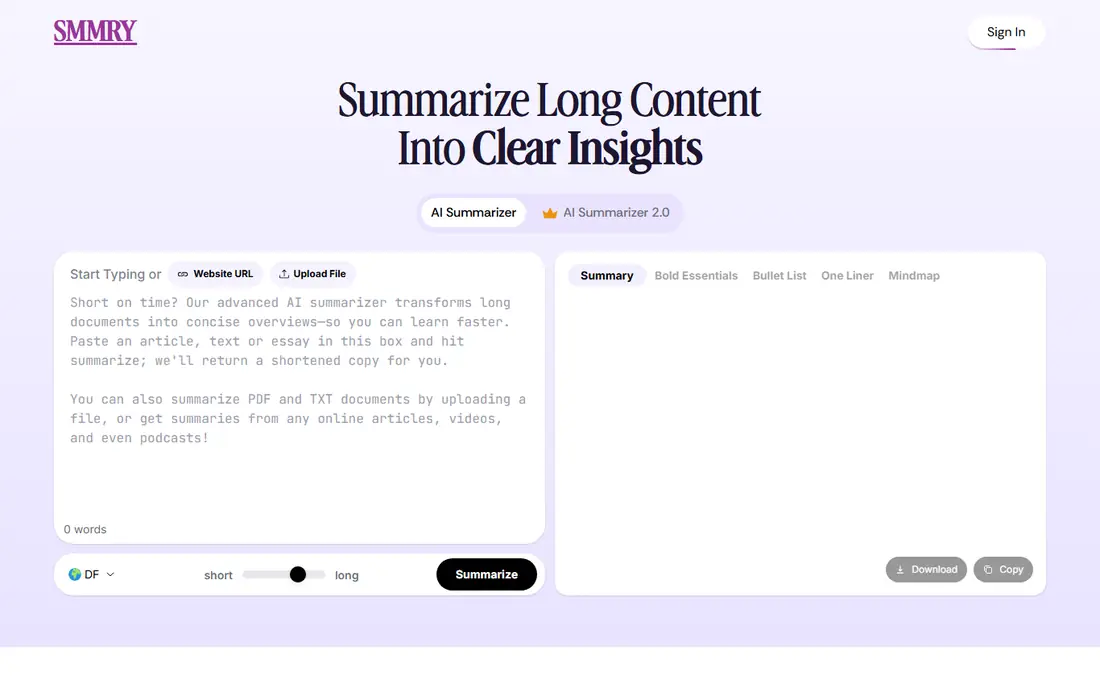
SMMRY is a good fit for instant no-frills text summaries. There is no AI chat, no Q&A, no frills.
For fast "what does this say" checks and developer integrations, the simplicity is the point. What you pay to start with SMMRY: Free. SMMRY offers a free plan.
Trade-offs to know: Entry-level interface.
- Fully free
- API available
- Extractive summaries only

In short, NoteGPT is for summaries across documents, video and audio. NoteGPT goes beyond documents: summarize YouTube videos, podcasts, PDFs and web articles in one place. For everyday use, no single format gets the depth of a specialist.
In practice, for people whose reading list spans media types, the all-in-one approach saves app-switching. Also, free level limits push regular users to premium plans. Starting cost for NoteGPT: Free. NoteGPT has a free plan.
Drawbacks to consider: Free limits restrictive.
- Multi-format support
- YouTube and podcast summaries
- Breadth over depth
QuillBot serves summarizing plus paraphrasing and writing help. Summarize a document, then paraphrase the summary, then check the grammar, all in one flow.
For everyday use, if you only need summarization, the additional tools are noise. On cost, QuillBot starts like this: Free. QuillBot has a free plan.
The main drawbacks: Summarizer is one feature among plenty of.
- Summarizer inside a full writing toolkit
- Decent free tier
- Premium needed for full power
Choose ChatPDF for asking questions about any PDF. Contracts, manuals, research papers and reports become queryable. It is PDF-centric; other formats need conversion.
In practice, for anyone who reads long PDFs on a regular basis, it changes the workflow from skimming to interrogating. From a buyer's view, scanned documents with poor OCR produce weaker results. Price to start with ChatPDF: Free. Free access exists with ChatPDF.
Highlights: Easy-to-learn chat interface. Where it falls short: PDF-focused.
- Manages large PDFs
- Citations to source pages
- Accuracy relies on document quality
Sharly is designed for AI analysis of business documents. The interface is clean, the free level is usable, and the cited responses help verify claims. The core document Q&A performs well.
Downsides: Newer brand.
As a newer entrant, the feature set is narrower than established rivals and the brand is less proven. Teams wanting a straightforward business document assistant should trial it. On cost, Sharly starts like this: Free. You can start on Sharly without paying.
- Cited answers
- Decent with business documents
- Feature set still expanding
SciSummary targets researchers drowning in papers. SciSummary understands scientific papers: methods, results, figures and tables get proper treatment instead of generic summarization.
What to check first: Niche audience.
Beyond that, bulk processing helps literature reviews, and the summaries respect academic structure. Worth adding: outside research, it is overkill. SciSummary starts at: Free trial. Free access: Free trial.
- Deals with figures and tables
- Science-focused summaries
- Premium plans needed for volume
How we compared the tools
The comparison looks at four things: starting price, free access, how well the feature set matches AI platform for summarizing documents, and the main limit of each tool. Figures are shown as the vendors publish them. Billing terms, seat minimums and add-ons can change the real cost. Order on the page follows fit for the typical buyer first, then price transparency and free access. Your own requirements should decide the final pick.
Things to verify first
- Confirm the entry price on the vendor page for SMMRY and the others: seat counts and billing terms change the total.
- Read the fine print on the free plans from SMMRY, NoteGPT, QuillBot and others; seat, project and feature caps differ.
- Run a trial of SciSummary with real work before paying for a year; your own workflow is the best test.
- Before choosing SMMRY, weigh its main limit: Extractive summaries only.
- Map your must-have features to a specific QuillBot plan before you compare prices.
- Test how quickly NoteGPT answers a pre-sales question; it hints at how support will feel later.
Frequently asked questions
Is my uploaded document data private?
Varies by vendor. Check data retention policies and whether uploads train models. For confidential documents, prefer tools with explicit no-training policies and enterprise privacy terms.
What is the difference between ChatPDF and a generic chatbot?
ChatPDF grounds its answers in your specific document with page citations. For document work, grounded Q&A with citations is far more trustworthy.
How are the tools for AI platform for summarizing documents ordered?
The order follows typical fit for AI platform for summarizing documents, with SMMRY first and SciSummary last, then price clarity and free access. It is editorial judgement, not a score, so another team could rank the tools differently.
Can I summarize YouTube videos and podcasts?
NoteGPT concentrates on this, and multiple others accept audio/video or transcripts. Accuracy follows transcript quality. For long content, chapter-aware summaries help more than a single paragraph.
Which options for AI platform for summarizing documents have a free plan?
SMMRY, NoteGPT, QuillBot, ChatPDF and Sharly offer a free plan in this list. Free plans usually cap users, projects or features, so check the limits on the vendor page. One other tool offers a trial instead.
Do these tools publish their prices?
Yes. Every tool from SMMRY to SciSummary shows a starting price, though seats, add-ons and billing terms still change the final cost.
Sources
See where you really rank - block by block
ProMapRanker scans Google Maps across a grid of your service area. Simple monthly plans from $19, white-label on every plan.
Start freeKeep reading
 zoho inventory alternatives
6 Alternatives to Zoho Inventory, Compared on Price and Fit
Zoho Inventory alternatives: 6 tools compared on price, free plans and fit. Katana leads the list for manufacturers. Fit and flaws are laid out for each entry.
Read → zoho crm alternatives
Best Zoho CRM Alternatives (2026)
Need Zoho CRM alternatives? We compare 7 tools on cost, free access and who each suits. Every pick gets a straight assessment. Built for quick decisions.
Read → zelle alternatives
Best Zelle Alternatives in 2026
Compare the best Zelle alternatives for sending money to friends, paying sellers and moving funds abroad, with honest notes on fees, speed and safety in 2026.
Read →