 ProMapRanker
Best AI Photo Restoration Tools in 2026


One-click browser restoration · Pricing starts at: See website
Key takeaways
- VanceAI suits one-click browser restoration with scratch repair and face enhancement in one workflow.
- MyHeritage suits family historians who already build family trees and manage photo archives.
- Remini suits fast mobile face restoration, while Topaz Photo AI suits photographers who want manual control.
- Fotor, Hotpot.ai, and PicWish offer usable free tiers for small batches and light damage.
- AI fills gaps with plausible detail on heavy damage, so keep the original scan alongside any restored copy.
Quick comparison
| Pick | Great for | Pricing starts at | Free tier | |
|---|---|---|---|---|
| VanceAI Photo Restorer | One-click browser restoration | See website | Yes | Visit |
 MyHeritage MyHeritage | Family archive photos | See website | Yes | Visit |
 Remini Remini | Mobile face restoration | See website | Free trial | Visit |
 Fotor Fotor | Budget browser editing | Free | Yes | Visit |
 Topaz Photo AI Topaz Photo AI | Photographer control | See website | Free trial | Visit |
 Hotpot.ai Hotpot.ai | Cheap web restoration | See website | Yes | Visit |
 Photomyne Photomyne | Digitizing whole albums | See website | Free trial | Visit |
 PicWish PicWish | Batch enhancement | Free | Yes | Visit |
The best ai photo restoration tools
The best ai photo restoration tools below cover browser, mobile, and desktop workflows, so you can match the tool to damage type, batch size, and budget.
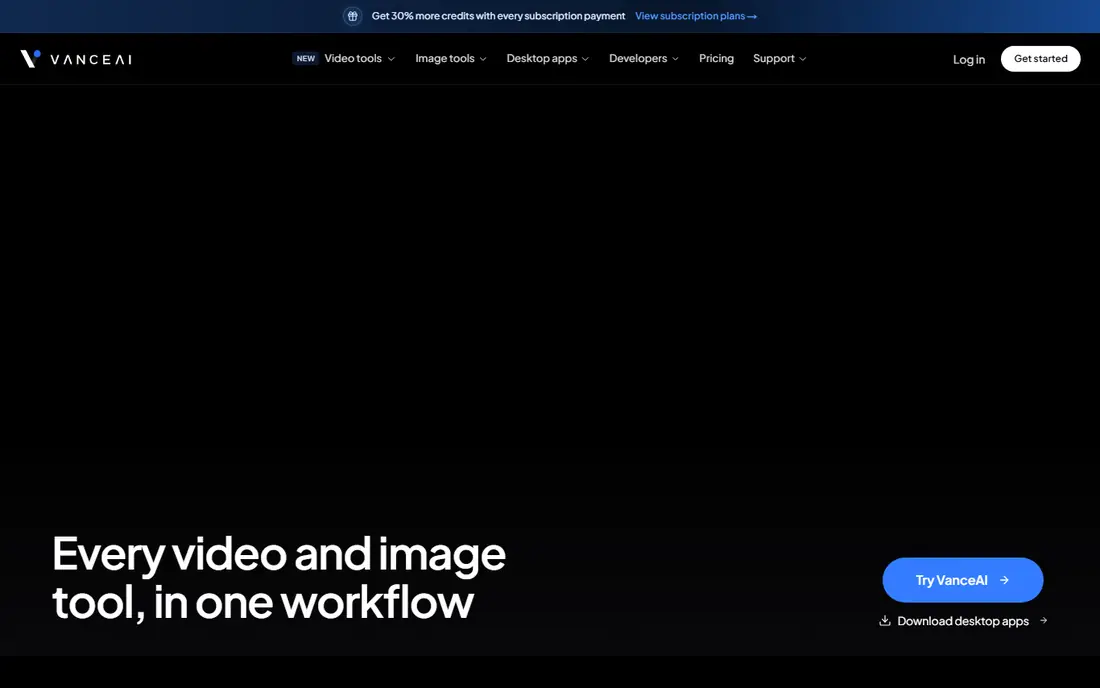
VanceAI Photo Restorer runs in a browser and combines scratch removal, fade correction, noise reduction, and face enhancement in a single workflow. Users upload a scan, run restoration, and preview the result before downloading, which suits family photos with mixed damage. Batch processing helps when an album contains many photos with similar fading or scratches. Credit-based pricing means large albums can cost more than expected, and free credits cover only a small test batch. Processing also requires an internet connection, since work happens in the cloud. For one-click restoration without learning photo editing software, VanceAI is a strong first choice.
- Dedicated scratch and fade repair
- Face enhancement included
- Batch processing available
- Credit-based pricing limits large albums
- Processing needs an internet connection
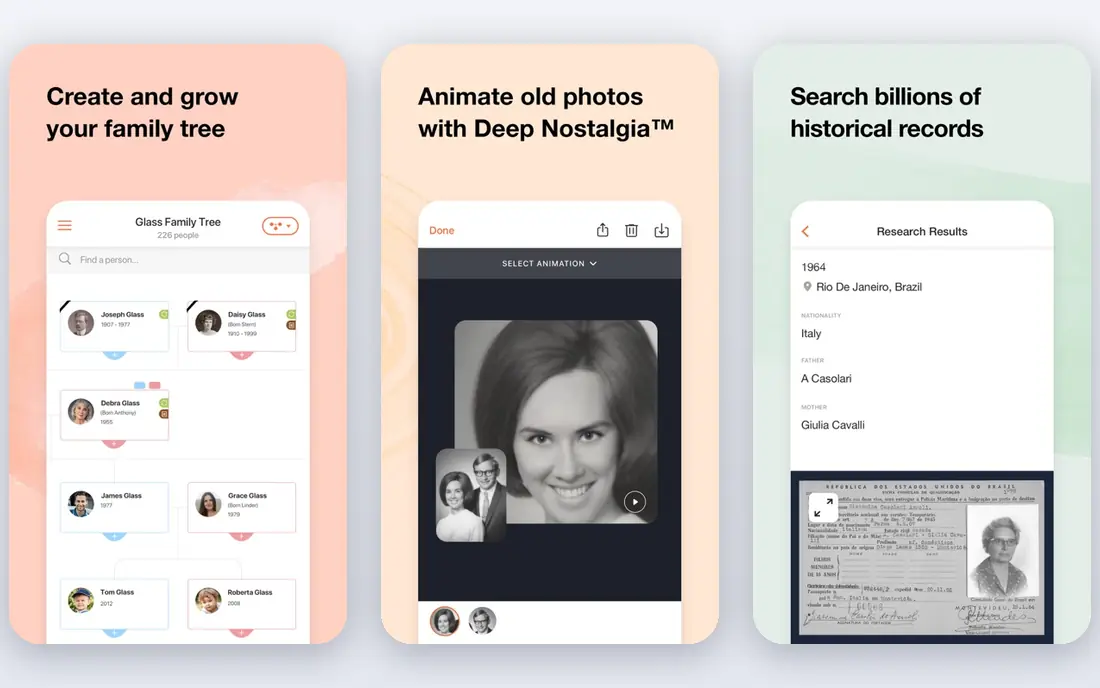
MyHeritage offers photo repair, enhancement, and colorization tools built for family historians who already manage trees, records, and archives on the platform. Restored photos can sit alongside family tree entries, making it easy to share results with relatives and preserve context about people and dates. That archive link is a real advantage over standalone editors. Full photo features sit inside a genealogy subscription, so users who only want restoration may pay for tools they do not need. Free photo counts are also limited, which suits testing but not whole albums. For family historians, MyHeritage combines restoration with research in a useful way.
- Photo repair and colorization for family archives
- Links to family tree research
- Easy sharing with relatives
- Full features sit inside a genealogy subscription
- Free photo count is limited
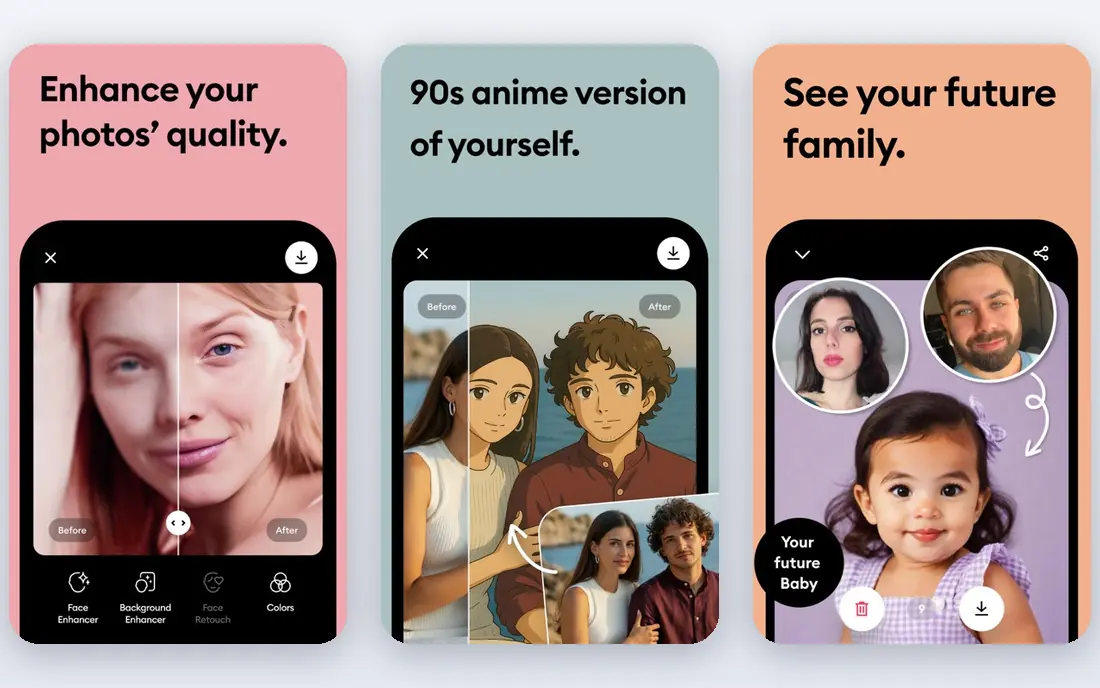
Remini focuses on facial detail, using AI to sharpen blurry faces, recover features in old portraits, and enhance photos taken on phones. The mobile workflow is fast, with one-tap enhancement that suits users who want quick results to share with family. That face strength makes Remini stand out for portraits where other tools soften features. Pricing is often weekly, which adds up quickly for large archives compared with monthly or credit-based tools. Manual control for tears, stains, and missing sections is also limited. For phone-based portrait restoration and quick sharing, Remini is the fastest option in this list.
- Very strong facial detail recovery
- Fast mobile workflow
- Simple one-tap enhancement
- Weekly pricing can add up for large archives
- Less control for manual damage repair
Fotor is a browser-based photo editor with AI enhancement and repair tools that handle light fading, blur, and color problems at low cost. The free tier covers basic work, and extra editing tools for cropping, color, and design sit in the same workspace. That breadth suits users who want restoration plus general editing without installing software. Restoration depth is lighter than VanceAI or MyHeritage for heavily damaged prints, and some advanced features require a paid plan. Large tears and missing sections still need manual work elsewhere. For budget users with lightly damaged photos, Fotor offers a practical free starting point.
- Free tier for basic repair
- Browser-based editing
- Extra tools for cropping and color
- Restoration depth is lighter than dedicated tools
- Some features require a paid plan
Topaz Photo AI gives photographers detailed control over sharpening, noise reduction, and upscaling, with manual adjustments that web one-click tools lack. That control suits scanned photos destined for print, where output quality and fine detail matter more than speed. The desktop workflow also keeps files local, which some users prefer for private archives. Topaz is not a dedicated scratch-and-tear restoration tool, so heavy physical damage still needs manual repair in an editor. Cost and learning curve are also higher than free web tools. For photographers who want control and print quality, Topaz Photo AI is a strong professional option.
- Strong sharpening and noise control
- Manual adjustment options
- High-quality output for print
- Not a one-click restoration tool
- Cost and learning curve are higher than web tools
Hotpot.ai offers web-based AI tools for photo restoration, enhancement, and colorization with a simple interface and low credit costs. Some basic tasks work without an account, which lowers friction for a quick test on a single photo. That simplicity suits users who want a fast fix without signing up for a subscription. Feature depth varies across tools, and batch processing and advanced repair options are more limited than in dedicated restoration platforms. Results on heavy damage also vary. For cheap, quick web restoration on lightly damaged photos, Hotpot.ai is a useful low-cost option.
- Basic web restoration without an account for some tasks
- Low credit costs
- Simple interface
- Feature depth varies by tool
- Batch and advanced options are limited
Photomyne focuses on digitizing whole albums with a phone, automatically detecting, cropping, and organizing multiple photos from a single scan. That workflow saves huge time compared with scanning one photo at a time, and sharing tools help families view albums together. Restoration and enhancement sit inside the same app, so digitized photos can be improved quickly. Restoration depth is secondary to scanning, so heavily damaged photos may still need a dedicated tool such as VanceAI. Full use also requires a paid plan after a trial period. For users starting with physical albums rather than digital scans, Photomyne is the most efficient first step.
- Phone scanning for whole albums
- Automatic cropping and organization
- Sharing tools for family
- Restoration features are secondary to scanning
- Full use requires a paid plan
PicWish offers AI enhancement, restoration, and cleanup tools with batch processing that suits users with many photos to improve at once. Free daily enhancements let beginners test results before paying, and the browser and mobile workflows stay simple. That combination works well for social sharing, family albums, and light archive work. Restoration here leans toward enhancement and cleanup rather than deep repair of tears, stains, and missing sections. Free limits also apply daily, so large batches may need a paid plan. For batch enhancement and quick cleanup, PicWish is a friendly and affordable choice.
- Free daily enhancements
- Batch processing for many photos
- Simple browser and mobile workflows
- Restoration is mainly enhancement, not deep damage repair
- Free limits apply daily
How we picked these
We compared official feature pages, pricing pages, app store listings, privacy policies, and public reviews for photo restoration tools used for old photos. We favored tools with clear restoration features, a usable free tier or trial, and a distinct fit for browser, mobile, or photographer workflows. We did not claim hands-on testing, and prices were left as See website where vendor pricing was not confirmed at the time of writing.
What to look for before you choose
Start with a high-quality scan, since AI cannot recover detail that was never captured, and a low-resolution photo limits every tool. Scan at the highest resolution you can, keep the original file untouched, and work on a copy. Then match damage to tool type, using VanceAI or MyHeritage for scratches and fading, Remini for faces, and a manual editor for tears and missing sections. Check free limits and total cost for your album size before committing, since credit, weekly, and subscription models differ greatly. Compare before-and-after results at full zoom, especially faces, eyes, and text, where AI can invent plausible but wrong detail. For precious photos, that close check matters more than speed.
Work in stages for precious photos, starting with a clean scan, then light repair, then color or face work, and save a copy after each stage. That staged approach lets you step back if a later step invents detail you do not want, such as changed eyes or invented clothing patterns. Share the staged copies with family members who remember the people in the photo, since they can spot errors that software cannot. For photos with historical value, label restored copies as restored, and keep the original scan as the record. That habit protects family history while still giving everyone a clearer image to enjoy and share. Store restored copies in two places, such as a local drive and a cloud folder, so a single device failure does not erase the work you put into an album.
Frequently asked questions
What is the best ai photo restoration tool?
VanceAI suits one-click browser restoration, MyHeritage suits family archives, and Remini suits mobile faces. The best tool depends on damage type and batch size. Try free credits on the same photo before paying.
Can AI restore heavily damaged old photos?
AI handles fading, scratches, and blur well, but large tears and missing sections force it to invent plausible detail. That result works as a keepsake, but it is not a true record of the original. Manual repair suits precious or historical photos.
What is the best free photo restoration software?
Fotor, Hotpot.ai, and PicWish offer usable free tiers for light damage and small batches. VanceAI and MyHeritage offer limited free credits for testing. For large albums, compare credit and subscription costs first.
Should I colorize old black and white photos?
Colorization can make old photos feel vivid, but AI colors are guesses, not records of real colors. Keep an uncolorized restored copy alongside any color version. That way family history stays accurate while sharing stays engaging.
How do I scan old photos for restoration?
Use the highest resolution your scanner or phone app allows, with even lighting and no glare. Save scans as high-quality files and keep originals untouched. Photomyne can speed up whole-album phone scanning.
Sources
See where you really rank - block by block
ProMapRanker scans Google Maps across a grid of your service area. Simple monthly plans from $19, white-label on every plan.
Start freeKeep reading
 zendesk alternatives
Best Zendesk Alternatives in 2026
Compare the best Zendesk alternatives in 2026, from budget help desks to AI-first support tools, with current pricing, free plans, and honest trade-offs.
Read → wordpress alternatives
Best WordPress Alternatives in 2026
Looking for the best WordPress alternatives? We compare 8 free and paid options for blogs, business sites, stores, and developer-led projects in 2026.
Read → which real estate company has the best training
Best Real Estate Company Training in 2026
Compare which real estate company has the best training, from Keller Williams and eXp to Compass and Coldwell Banker, by program, mentor, and fit in 2026.
Read →