 ProMapRanker
Best AI Photo Enhancer Tools in 2026

Key takeaways
- Remini is best for quick face and old-photo fixes on a phone, while Topaz Photo AI suits photographers who want control over noise, sharpening and upscaling.
- Free tiers help for a few photos, but exports, watermarks, resolution caps and daily limits matter more than the headline free label.
- Lets Enhance and VanceAI suit batch work and web use, while Fotor and Picsart suit people who also want wider editing in the same app.
- AI enhancement can invent detail, so keep the original file and check faces, text and fine patterns before you publish or print.
Quick comparison
| Pick | Great for | Pricing starts at | Free tier | |
|---|---|---|---|---|
 Remini | Old photos and portraits on mobile | $6.99 per week | Yes | Visit |
 Topaz Photo AI | Professional noise and upscale work | $199 one-time | Free trial | Visit |
 Lets Enhance | Batch upscaling on the web | $9 per month | Free trial | Visit |
 VanceAI | Simple web enhancement | $9.90 per month | Free trial | Visit |
 HitPaw FotorPea | Desktop batch enhancement | $22.39 per month | Free trial | Visit |
 Fotor | Quick web edits and enhancement | $8.99 per month | Yes | Visit |
 Picsart | Mobile editing plus enhancement | See website | Yes | Visit |
 Adobe Lightroom | Photographers editing full libraries | See website | Free trial | Visit |
The best ai photo enhancer tools
A good enhancer should sharpen what is there without turning a photo into a plastic-looking copy. The tools below differ in control, batch handling, price model and output quality, so the best choice depends on if you fix a few phone photos or prepare many images for print, listings or social posts. Use only your own photos, or photos you have clear permission to edit, and keep the original safe.
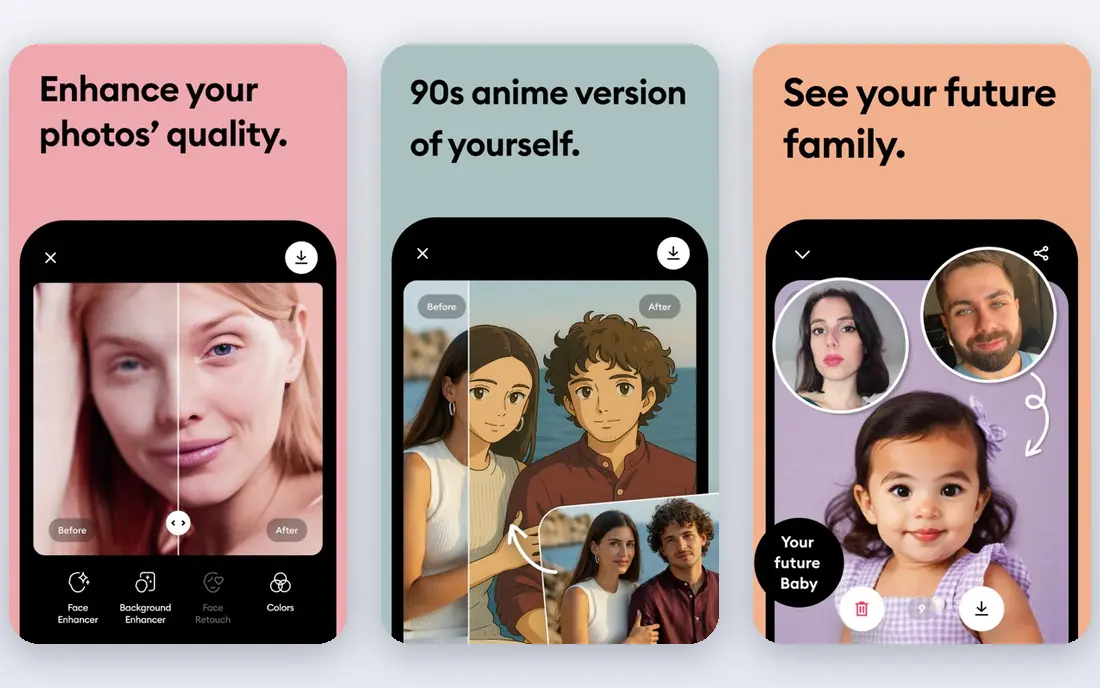
Remini is the tool most people reach for when an old family photo or a soft portrait needs help in seconds. Its face model can rebuild eyes, skin texture and hair detail that a basic sharpen filter would miss, and the mobile flow is simple: upload, enhance, compare and save. For a small set of treasured prints, that speed is the whole point, and the free tier can be enough to test whether the style suits your photos.
The limits are real. Free use is capped and ad-supported, and weekly billing makes a long subscription costly compared with a monthly or one-time tool. Remini can also over-smooth skin or invent facial detail, so results can look convincing without being faithful to the original. Keep the scan, check the result at full size, and do not use it to alter photos of other people without permission.
- Very fast one-tap face enhancement
- Strong for old and blurry portraits
- Mobile and web access
- Weekly pricing adds up fast
- Free tier has ads, limits and watermarks
- Limited manual control
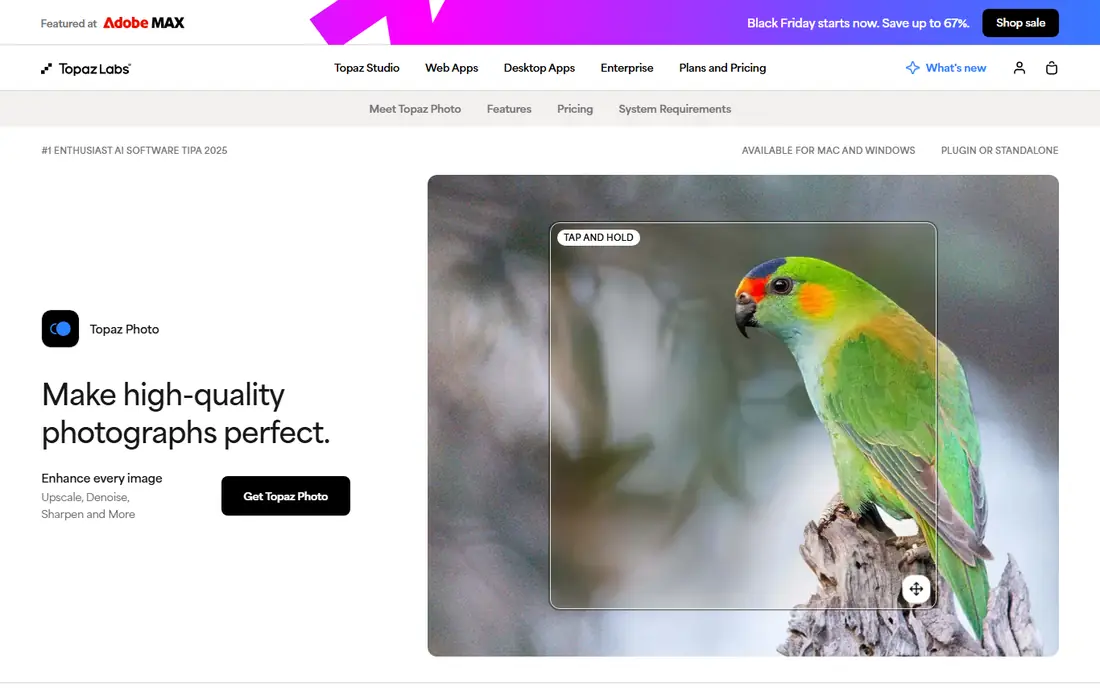
Topaz Photo AI is built for photographers who want control rather than a single tap. Autopilot reviews each image and suggests denoise, sharpening, upscaling and face recovery settings, and you can adjust each one before export. That matters for high-ISO shots, wildlife photos and large prints, where a generic enhancer can smear fine detail or leave noise in smooth areas.
The price is a one-time license with one year of upgrades included, which suits regular users better than occasional editors. It runs locally, so a slower computer will feel the load on large batches. It is also not a magic fix for a badly out-of-focus shot: it can improve soft images, but it cannot recover detail that was never captured. Use the trial on your hardest files before you buy.
- Strong denoise, sharpen and upscale in one app
- Autopilot suggestions
- Batch processing
- One-time price is high
- Needs a capable computer
- Results need checking on complex subjects
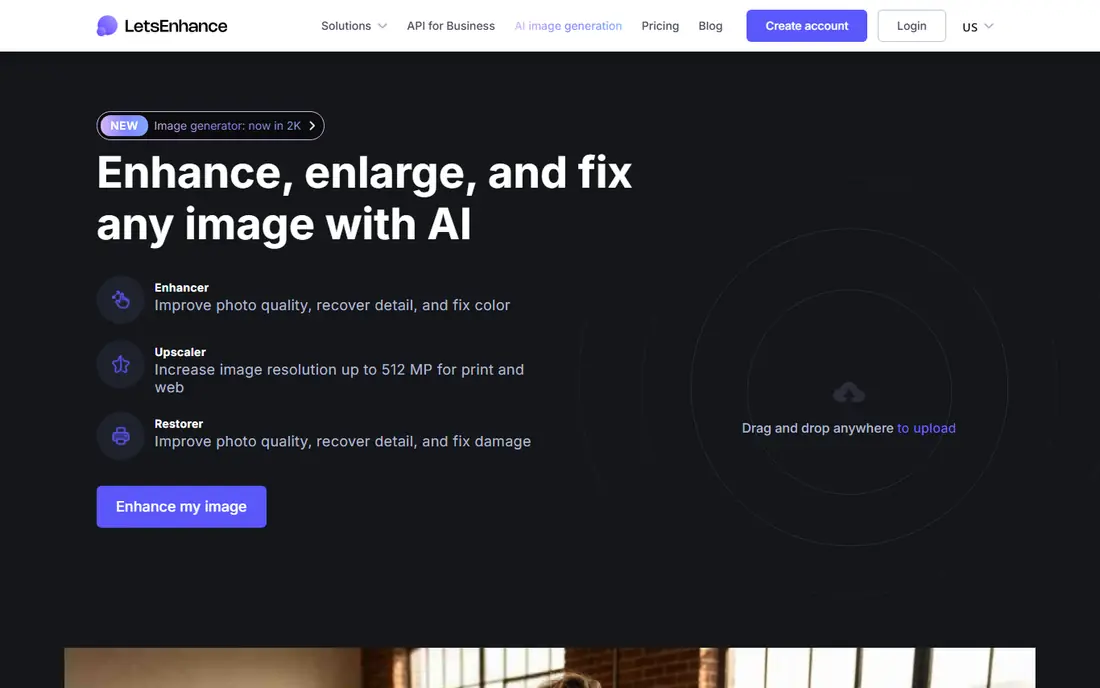
Lets Enhance suits people who need many images improved without installing desktop software. Upload a batch, pick an upscale size and enhancement style, and download the results for listings, articles or print preparation. Credit rollover on some plans helps when work comes in bursts rather than every week, because unused credits do not always vanish at month end.
The credit system is also the main thing to watch. A large upscale or a long batch can use credits faster than a flat monthly plan would suggest, so check how credits map to your image sizes. Lets Enhance is an enhancer first, not a full editor, so colour work, retouching and layout still need another app. For pure resolution and clarity work, it is a practical middle ground.
- Web-based batch processing
- Credit rollover on some plans
- Upscaling to large sizes
- Credit model needs tracking
- Free trial is limited
- Less manual editing than a desktop editor
VanceAI keeps enhancement simple by splitting the job into clear models: one for sharpening, one for denoising, one for upscaling and others for portraits or old photos. That structure helps when you know the main problem, such as grain in a low-light shot or softness in a small web image. The web interface avoids downloads, which suits occasional users and shared computers.
The trade-off is depth. VanceAI does not replace a full editor, and its subscription can feel steep if you only enhance a handful of images each month. Check the credit allowance on the plan you pick, and test the free credits on varied photos, including outdoor scenes and text, where AI models can behave differently than they do on faces. For straightforward clarity work, it is easy to learn and quick to use.
- Separate models for denoise, sharpen and upscale
- Simple web workflow
- No install needed
- Premium plans can feel costly for light use
- Fewer creative editing tools than rivals
HitPaw FotorPea, formerly sold as HitPaw Photo Enhancer, is a desktop tool for people who process many photos at once. Its models cover faces, general scenes, denoising, low light, scratch repair and colour work, so one app can handle a mixed set of old scans and modern phone shots. Batch processing and high-resolution export suit sellers, archivists and creators who prepare images in bulk.
The monthly price is the main barrier for casual users, and the range of models can feel busy at first. Take time to preview each model on a copy of your photo, because the best model for a portrait is not always the best for an outdoor scene. If you enhance photos weekly, the desktop speed and batch flow justify the cost. If you enhance a few photos a year, a web tool or free tier is a better fit.
- Multiple AI models including face and low-light
- Batch processing
- Upscaling to high resolution
- Monthly price is high for casual use
- Desktop install required
- Model choice takes learning
Fotor is a good first stop when enhancement is one step in a wider edit. The web editor combines AI enhancement with cropping, colour adjustment, templates and social sizes, so a photo can go from dull to post-ready without moving between apps. Beginners benefit from clear controls, and the free plan lets you test the workflow before paying.
Specialist tools beat Fotor on hard cases such as heavy noise, tiny faces or large print upscales. Free use also comes with limits that vary by feature and export, so check the export size and watermark rules for your plan. If you mainly need cleaner social photos and quick edits, Fotor is enough. If you need print-grade recovery, pair it with Topaz Photo AI or Lets Enhance for the hard files.
- Free web editing
- Enhancement plus templates and design tools
- Easy for beginners
- Free exports may carry limits or ads
- Enhancement depth is lower than specialist tools
Picsart suits phone users who want enhancement inside a full creative app. You can enhance a photo, then adjust colour, add text, remove a background or build a social post without exporting to another editor. That flow is useful for creators who post often and want one app for most visual work, and the free plan covers basic editing with limits.
The drawback is focus. Picsart enhancement is convenient, but it does not offer the same fine control as Topaz Photo AI for noise and upscale work, and pricing and feature availability can differ between web, iOS and Android. Check the plan on the device you actually use. For everyday social photos, it is a strong all-rounder. For archival or print work, use a specialist enhancer for the final version.
- Wide mobile editing suite
- AI enhance alongside filters and design tools
- Large template library
- Paid features vary by platform
- Enhancement is part of a larger app, not a specialist tool
Adobe Lightroom is best for photographers who already manage large libraries and want enhancement inside their normal edit. Enhance Detail and Super Resolution can improve RAW files, reduce noise and increase resolution while keeping edits non-destructive, so you can return to the original at any time. Presets, organisation and cloud sync help when the same photos feed a website, print order and social post.
Lightroom is not a one-tap fix for a single old phone photo, and its subscription adds up if you only need occasional enhancement. It also rewards users who learn its masking, colour and export controls. If you shoot regularly and edit in batches, it is a sound long-term home for enhanced photos. If you only need a quick fix, start with Remini or Fotor and keep Lightroom for library work.
- Enhance detail and Super Resolution for RAW files
- Library organisation
- Editing across devices
- Subscription cost
- Learning curve
- Enhancement is part of a larger photo workflow
How we picked these
We compared official pricing pages, app store listings, free tier limits and enhancement features for tools that are live in October 2026. We required a clear enhancement function, not just filters, and we favoured a mix of mobile, web and desktop tools at different price points. We excluded tools focused on undressing, non-consensual imagery or face swapping without consent, and we did not list tools that only remove backgrounds without enhancing detail. Prices vary by platform and billing period, so check the vendor page before you buy.
How to choose the right enhancer for your photos
Start with the photo, not the app. A soft portrait, a grainy night shot, a small product image and a faded scan each need a different model, and the best tool for one can fail on another. Run the same test photo through two or three free tiers or trials, view the result at full size, and check faces, hands, text and repeating patterns for invented detail or smearing.
Next, count your volume and output needs. A few photos a month suit a free tier or a low-cost web tool, while weekly batches suit a desktop tool with batch processing and higher export sizes. Check whether the plan limits daily exports, adds a watermark, caps resolution or restricts commercial use, because those limits often matter more than the monthly price. Keep originals in a separate folder, and never overwrite the only copy of an old photo with an AI version.
Frequently asked questions
What is the best free ai photo enhancer app?
For a few photos, Remini, Fotor and Picsart all offer free tiers, but each limits daily use, exports or resolution, and some free exports carry a watermark. Test the free tier on your own photos before you rely on it, and use the best free ai photo enhancer app label only for the tool that fits your photo type and export needs.
Are free ai photo enhancer tools good enough for printing?
Sometimes, for small prints, but free tiers often cap resolution and may add a watermark. For large prints, use a specialist tool such as Topaz Photo AI or Lets Enhance, check the export at full size, and keep the original file in case the AI invents detail.
Can AI photo enhancer tools fix very blurry photos?
They can improve soft, noisy or low-resolution photos, especially faces, but they cannot recover detail that was never captured. Very blurry or badly out-of-focus photos may look sharper yet less faithful, so compare the result with the original before you share it.
What is the best ai photo enhancer tool for old photos?
Remini is a strong pick for old portraits because its face model is built for that job, while HitPaw FotorPea adds scratch repair and colour models for damaged scans. Scan at high resolution first, keep the original, and check the restored face against other photos of the same person where possible.
Do AI enhancers work on outdoor scenes and product photos?
Yes, but results vary. Face models can over-smooth outdoor scenes, while general upscale models suit product and scene photos better. Try the general model first for non-portrait work, and check edges, text and fine patterns at full size.
Is it safe to upload personal photos to an enhancer?
Use only your own photos or photos you have permission to edit, read the privacy policy for storage and training use, and avoid uploading sensitive images to a tool you do not trust. Delete uploads where the tool allows it, and do not use enhancers to create images of other people without consent.
Sources
See where you really rank - block by block
ProMapRanker scans Google Maps across a grid of your service area. Simple monthly plans from $19, white-label on every plan.
Start freeKeep reading
 outreach alternatives
Outreach Alternatives in 2026
Compare outreach alternatives for 2026, from Salesloft and Apollo to HubSpot and Lemlist, with pricing, channels, features, limits, and honest trade-offs.
Read → best web conference tools
Best Web Conference Tools in 2026
Compare the best web conference tools for meetings, webinars and team calls, with current pricing, free plans and honest limits for each option here today.
Read → best voice cloning tools
Best Voice Cloning Tools in 2026
Compare the best voice cloning tools in 2026, from ElevenLabs and Descript to Resemble and Cartesia, with consent rules, pricing, licenses, and limits.
Read →