 ProMapRanker
Best AI Photo Editing Tools in 2026

Key takeaways
- Adobe Photoshop is our pick for full creative control, with generative fill and expand built into a professional editor.
- Luminar Neo and Topaz Photo AI suit photographers who want one-click AI help without learning a full suite.
- Canva, Pixlr, and Fotor are the best starting points for quick social and web edits, with real free plans.
- The best ai photo editing software depends on the job: repair, retouching, and product cutouts each favour a different tool.
Quick comparison
| Pick | Great for | Pricing starts at | Free tier | |
|---|---|---|---|---|
 Adobe Photoshop Adobe Photoshop | Full creative control | $22.99 per month | No | Visit |
 Adobe Lightroom Adobe Lightroom | RAW workflow and libraries | $9.99 per month | No | Visit |
 Luminar Neo Luminar Neo | One-click AI enhancements | $99 one-time | No | Visit |
 Topaz Photo AI Topaz Photo AI | Denoise, sharpen, upscale | $199 per year | No | Visit |
 Canva Canva | Quick social and marketing edits | See website | Yes | Visit |
 Pixlr Pixlr | Browser editing with layers | $4.90 per month | Yes | Visit |
 Fotor Fotor | Beginner-friendly one-click edits | $8.99 per month | Yes | Visit |
 PhotoRoom PhotoRoom | Product photos and cutouts | $12.99 per month | Yes | Visit |
The best AI photo editing tools
AI photo editing now covers the dull jobs well: removing backgrounds, erasing objects, fixing noise, and sharpening soft shots. The tools below split into full editors, photographer workflows, and quick online fixers. We compared official feature pages, pricing pages, and public reviews, and we focused on tools that work in October 2026.
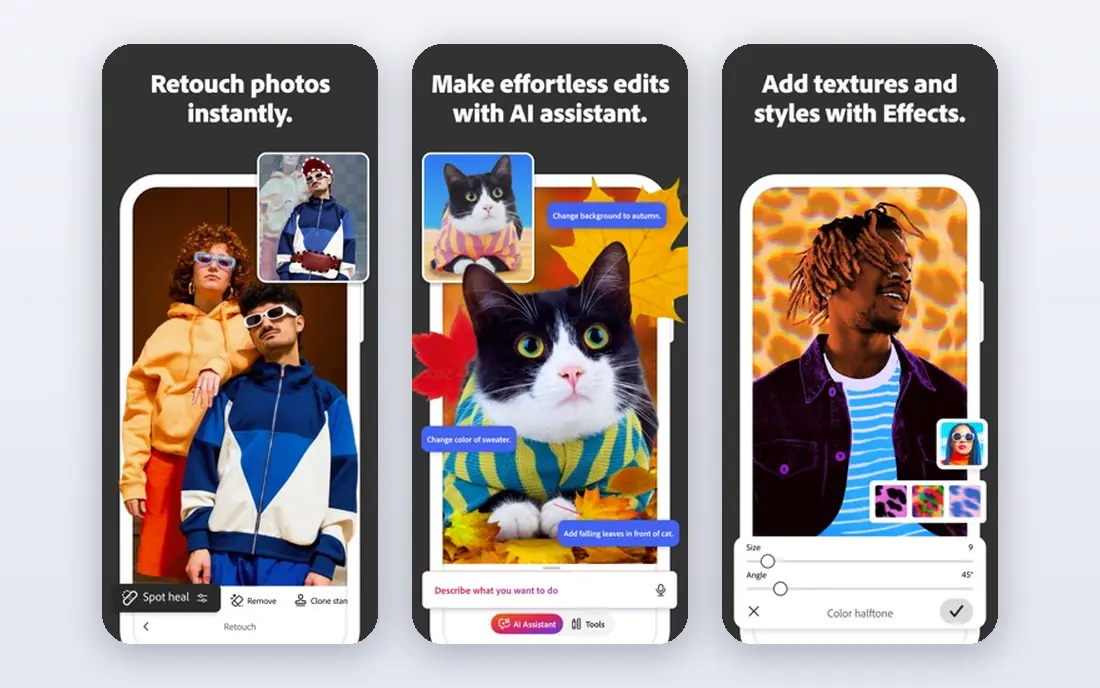
Photoshop remains the reference point for serious editing. Its AI features let you select an area and describe what to add, remove, or extend, and the results sit inside a full layer-based editor, so you can refine them by hand. That combination of AI speed and manual control is why professionals still return to it.
The price and learning curve are real barriers. A single-app subscription costs $22.99 per month in published 2026 pricing, and beginners can feel lost among its panels. If you edit often and need composites, retouching, and print output, it earns its cost. For quick fixes, a simpler tool below will be faster.
- Generative Fill, Remove, and Expand
- Layers and masks
- Huge plugin and tutorial ecosystem
- Subscription cost adds up
- Steep learning curve for beginners
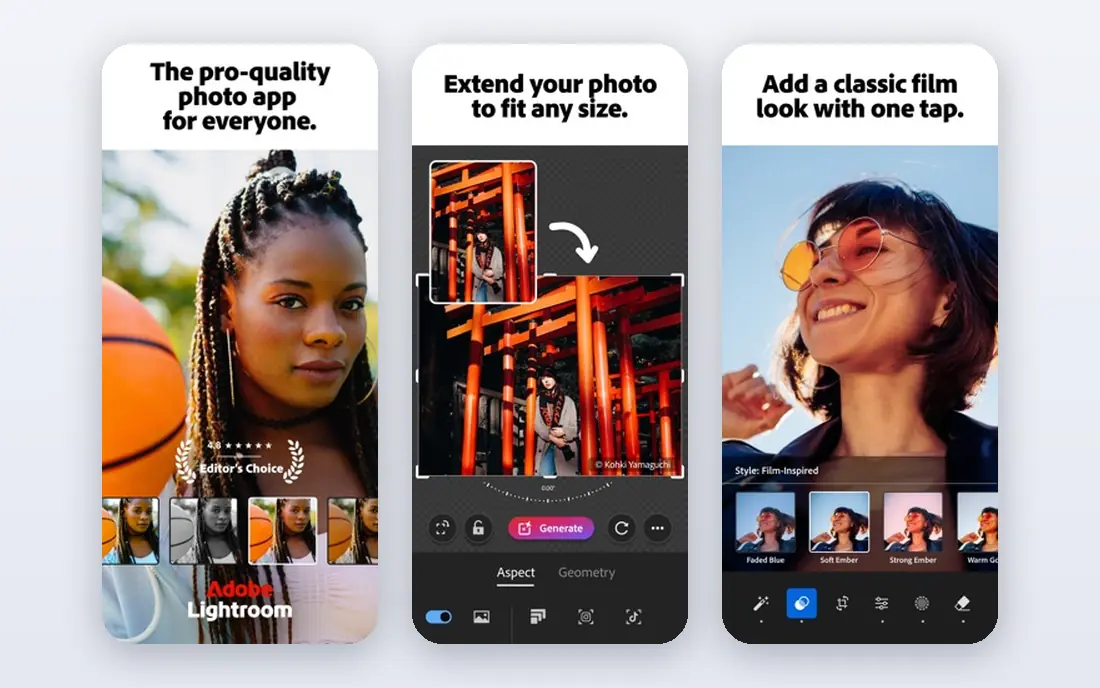
Lightroom is the workflow tool for photographers with large libraries. Its AI masking can select skies, subjects, and backgrounds in a click, and its denoise tool rescues high-ISO shots that would once have been deleted. The Photography plan, at $9.99 per month billed annually in published pricing, includes Photoshop and 20 GB of storage, which makes the pair good value for photographers.
Lightroom is less suited to heavy compositing or graphic design, and its catalogue approach can confuse new users. If your main job is sorting, grading, and exporting hundreds of RAW files, Lightroom is the right home base, with Photoshop alongside for the hard edits.
- AI masking and denoise
- Strong library and preset system
- Photography plan includes Photoshop
- Generative tools need internet
- Catalogue system takes time to learn

Luminar Neo is built for photographers who want AI to do the heavy lifting. Sky replacement, relighting, and portrait tools work with sliders rather than masks, and the desktop licence at $99 one-time in published 2026 pricing appeals to people who dislike subscriptions. It works as a standalone app or as a plugin for Lightroom and Photoshop.
It will not replace Photoshop for layered composites or advanced retouching. Think of Luminar Neo as the fast editor for travel, outdoor, and portrait work, and keep Photoshop for jobs that need precise manual control.
- Sky replacement, relight, and skin tools
- Works offline for most tools
- One-time licence option
- Generative tools need internet
- Less depth than Photoshop for compositing
Topaz Photo AI is the specialist for technically flawed photos. Its models handle noise, motion blur, soft focus, and low resolution better than general editors, and face recovery can rescue small portraits. Photographers use it standalone or as a Lightroom plugin, often as the first step before creative editing.
The shift to a subscription model, at $199 per year in published 2026 pricing, changed its value calculation. It is also demanding on older hardware, and default settings can make skin look plastic, so dial the sliders back on portraits. For repair work, though, it remains the tool we would check first.
- Strong denoise, sharpen, and upscale models
- Face recovery
- Works as a plugin
- Subscription-only since late 2025
- Slow on older machines
- Skin can look over-smoothed at defaults
Canva is not a photographer-first editor, but it is the fastest route from a photo to a finished social post. Its Magic Studio tools include background removal, Magic Edit, and Magic Eraser, and its template library covers almost every social format. The free plan is genuinely useful for basic edits and designs.
Precision is the limit. Canva cannot match Photoshop for masking, colour grading, or print work, and its best AI features require Pro. Use Canva when speed and templates matter more than pixel-level control, and use a dedicated editor for the photo itself.
- Huge template library
- Magic Edit and background remover
- Easy sharing and team use
- Less precise than a desktop editor
- Best AI features sit behind Pro
Pixlr answers a simple question: which ai tool is best for photo editing when you do not want to install anything. It runs in a browser, offers layers, masks, and AI background removal, and its Plus plan starts at $4.90 per month in published pricing. That makes it a strong choice for school, work, or shared computers.
The free plan has limits, and its AI tools are simpler than those in Photoshop or Luminar Neo. Pixlr suits quick edits, social graphics, and learning the basics of layered editing. For large RAW workflows or high-end retouching, a desktop tool will serve you better.
- Runs in a browser with no install
- Layers and masks
- Low entry price
- Free plan has limits and ads
- AI tools are simpler than Photoshop
Fotor is the friendly option for people who want better photos without learning editing theory. Its one-click enhance, AI object removal, and portrait tools handle the most common fixes, and batch editing helps when you have a folder of similar shots. The free plan lets you test the workflow before paying.
Free exports can carry watermarks, and Fotor gives you less manual control than Photoshop or Lightroom. That trade is fine for social posts, listings, and family photos. If you need precise colour work or layered composites, start with a different tool on this list.
- One-click enhance and AI object removal
- Batch editing
- Headshot tools
- Free plan adds watermarks on some exports
- Less control than desktop editors
PhotoRoom is the best ai photo editor app for sellers. It removes backgrounds, adds studio-style backdrops and shadows, and processes product photos in batches, which matters when you list dozens of items. The free plan covers basic use, with Pro at $12.99 per month in published pricing for higher resolution and batch features.
Its focus is also its limit. PhotoRoom is less useful for portrait retouching, outdoor grading, or creative composites. If you sell online, it can replace hours of manual cutout work. If you shoot people or places, pair it with a general editor instead.
- Fast background removal
- Product templates and shadows
- Batch processing for catalogues
- Focused on product shots
- Less useful for portraits or outdoor shots
How we picked these
We compared official feature pages, pricing pages, app store listings, and public reviews for tools that work in October 2026. We included full editors, RAW workflows, repair specialists, and quick online tools, and we favoured tools with published pricing and a free plan or trial. We did not claim hands-on testing, and we noted where published prices conflict so you can check the vendor page before buying.
Which tool fits your editing job
Match the tool to the job, not to the longest feature list. For repair, start with Topaz Photo AI. For portraits and outdoor shots, try Luminar Neo or Lightroom. For product photos, PhotoRoom will save the most time. For social posts, Canva or Pixlr will get you published fastest, and for composites and print, Photoshop remains the standard.
Test any shortlisted tool on the same photo. Look at skin texture, edges around hair, text in the image, and colour after export. AI tools handle simple scenes well, but hair, hands, and small text still reveal differences between models. A ten-minute test on your own photos beats a week of reading reviews.
A practical buying guide
Check the export limits before you pay: resolution, watermark, and commercial use all vary by plan. Check whether the tool works offline, since generative features usually need internet even in desktop apps. Check the subscription model too: one-time licences, yearly plans, and monthly plans change the long-term cost a lot. Finally, confirm file support for your camera, especially if you shoot RAW.
Frequently asked questions
Which AI tool is best for photo editing?
It depends on the job. Photoshop is best for full creative control, Lightroom for RAW workflows, Topaz Photo AI for repair, and Canva for quick social edits. The best ai photo editing app for you is the one that handles your most common job well and fits your budget.
Which AI photo editing software is the best for beginners?
Fotor, Canva, and Pixlr are the easiest starting points, with free plans and one-click tools. Luminar Neo is the next step if you want more photographic control without learning Photoshop. Start free, then pay only when you hit a limit that matters.
Are free AI photo editors good enough?
For social posts, listings, and quick fixes, yes. Free plans from Canva, Pixlr, Fotor, and PhotoRoom cover background removal and basic enhancement. Paid plans add higher resolution, watermark-free exports, batch processing, and commercial use, which matter for professional work.
Can AI editing replace Photoshop?
For common fixes, often yes. AI tools now handle background removal, object removal, and enhancement well. Photoshop still leads for layered composites, precise retouching, print work, and cases where AI results need manual correction. Many photographers use both: an AI tool for speed, Photoshop for the hard edits.
Do AI photo editors work on phones?
Yes. Canva, PhotoRoom, Fotor, and Pixlr all offer mobile apps or mobile web editing, and Adobe offers mobile Lightroom. Desktop tools like Photoshop, Luminar Neo, and Topaz Photo AI give more control, but mobile apps are enough for quick social edits.
Sources
See where you really rank - block by block
ProMapRanker scans Google Maps across a grid of your service area. Simple monthly plans from $19, white-label on every plan.
Start freeKeep reading
 youtube alternatives
Best YouTube Alternatives in 2026
Looking for youtube alternatives in 2026? We compare Vimeo, Dailymotion, Twitch, Rumble, and more on price, audience, monetization, control and privacy.
Read → what's the best ai tool for photo editing
What Is the Best AI Tool for Photo Editing in 2026
What is the best AI tool for photo editing? We compare ten tools for 2026, from Photoshop and Lightroom to Luminar, Topaz, Canva and mobile editors today.
Read → twitter alternatives
Best Twitter Alternatives in 2026
Compare the best twitter alternatives for 2026, from Bluesky, Threads, and Mastodon to Reddit, Tumblr, and Micro.blog, with free plans and audience notes.
Read →