 ProMapRanker
Best AI Photo Editing Software Comparison in 2026


Large libraries and AI editing · Pricing starts at: $11.99 per month
Key takeaways
- Adobe Lightroom is the best all-round pick for photographers who edit large libraries and want AI masking, denoise, and cloud sync.
- Luminar Neo is the fastest route to a polished portrait or scene edit, with AI tools that do much of the work in a few clicks.
- Topaz Photo is the specialist for rescuing noisy, soft, or low-resolution files, rather than a full photo library editor.
- DxO PhotoLab and ON1 Photo RAW suit photographers who want to buy once and avoid a subscription.
- Canva and Affinity cover fast social edits and full pixel editing at a much lower cost, with Affinity now free through Canva.
Quick comparison
| Pick | Great for | Pricing starts at | Free tier | |
|---|---|---|---|---|
| Adobe Lightroom | Large libraries and AI editing | $11.99 per month | Free trial | Visit |
 Adobe Photoshop | Full generative and layer editing | $22.99 per month | Free trial | Visit |
 Luminar Neo | Fast AI portrait and scene edits | See website | Free trial | Visit |
 Topaz Photo | Denoise, sharpen, and upscale | $199 per year | No | Visit |
 DxO PhotoLab | High-quality raw conversion | $249.99 one-time | Free trial | Visit |
 ON1 Photo RAW | All-in-one editing without a subscription | $99.99 one-time | Free trial | Visit |
 Capture One | Studio and tethered shooting | $18 per month | Free trial | Visit |
 Canva | Fast browser and social edits | See website | Yes | Visit |
 Affinity | Full pixel editing at no cost | Free | Yes | Visit |
The best ai photo editing software comparison
This comparison focuses on AI features that save real time, such as masking, denoise, object removal, and portrait retouching, rather than AI generation alone. Prices change with promotions, so check the vendor checkout page before you buy.

Lightroom remains the default for photographers who shoot often and need to organize thousands of files. Its AI masking can select a subject, sky, background, or individual people with one click, and its denoise tool cleans high-ISO files without leaving the catalog. Batch edits, presets, and cloud sync mean a wedding or travel set can move from import to delivery in one place.
The cost is the main drawback. Lightroom alone is a monthly subscription, and many photographers end up on the Photography plan that adds Photoshop. If you edit only a few photos a month, a one-time purchase tool may be better value, but for volume work, Lightroom still sets the pace for speed and consistency.
- AI masking, denoise, and lens blur in one catalog
- Syncs edits across desktop, tablet, and phone
- Strong preset and batch workflow
- Subscription only
- Full Photography plan costs more when you also want Photoshop
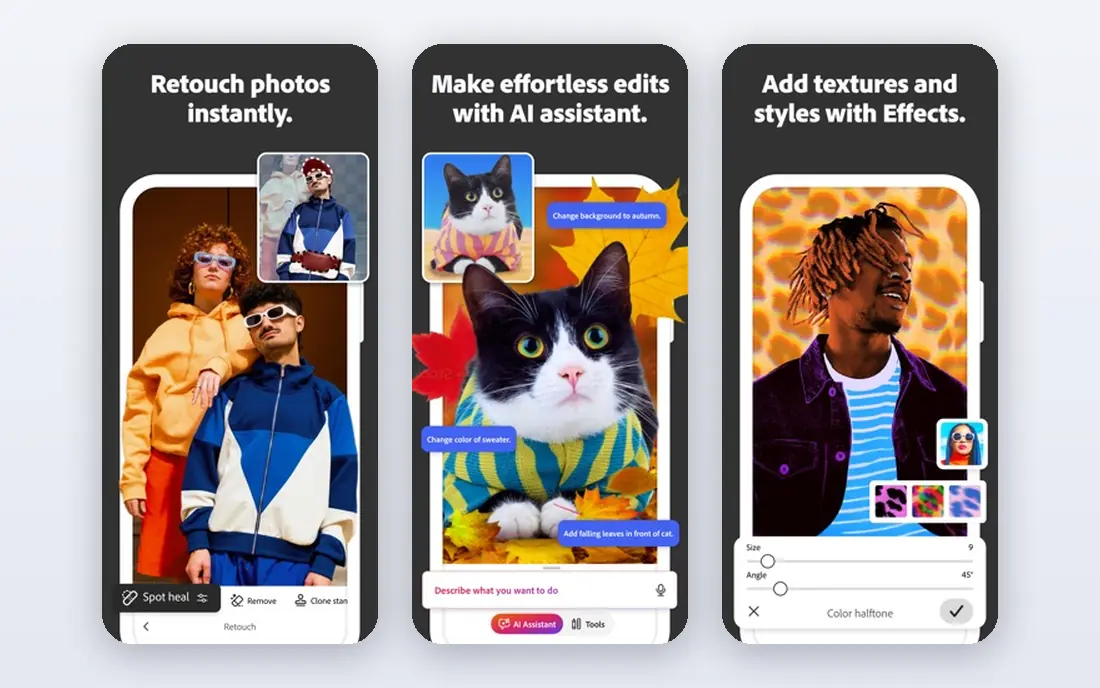
Photoshop is the tool for edits that go beyond exposure and color. Generative Fill can extend a background or replace an object, the Remove tool cleans distractions, and layers give precise control over every part of an image. For compositing, product retouching, and detailed portrait work, no other tool on this list matches its depth.
That depth comes with complexity. A beginner can feel lost in panels and menus, and the monthly price is higher than most rivals. Photoshop earns its place when you need pixel-level control or generative edits, while Lightroom is the better daily editor for straightforward photo sets. Many photographers use both, with Lightroom for culling and color and Photoshop for finishing.
- Generative Fill and Remove tools for complex edits
- Full layer, mask, and retouching control
- Huge plugin and tutorial ecosystem
- Steeper learning curve than Lightroom or Luminar Neo
- Subscription cost adds up over time
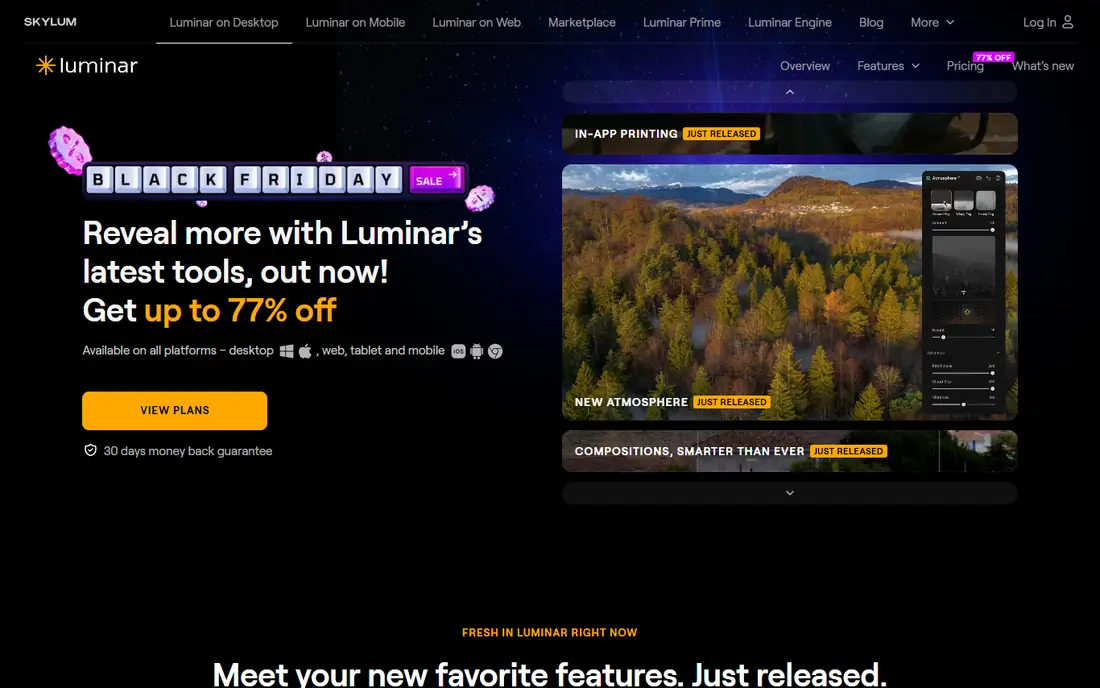
Luminar Neo is built for speed. Its AI tools can replace a dull sky, relight a scene, clean skin, and enhance eyes and lips without manual masking, which makes it a strong pick for portrait and travel photographers who want polished results fast. The interface is friendly, and the standalone app works alongside Lightroom or Photoshop as a plugin when you need it.
The limits show up in organization. Luminar Neo does not manage a large library as smoothly as Lightroom, and its AI results sometimes need a manual touch on tricky files. Pricing also varies between subscription and perpetual license offers, so check the current checkout page. For quick, attractive edits, it is hard to beat, but it is not a full Lightroom replacement.
- AI sky replacement, portrait retouching, and scene relighting in a few clicks
- Works as a standalone app or plugin
- Good for fast social and client delivery
- Catalog and library tools are weaker than Lightroom
- Pricing and license options change often
Topaz Photo is a rescue tool first and an editor second. It uses AI models to remove noise, sharpen soft detail, recover faces, and upscale images that would otherwise be too small to print or post. Photographers who shoot in low light, crop heavily, or restore older files will notice the difference most, especially on high-ISO wildlife and event photos.
It is not a place to organize a library or apply broad color grades across a set. The yearly subscription is also a real cost for a single-purpose tool, and results depend on your computer graphics hardware for speed. Pair it with Lightroom, Capture One, or ON1 Photo RAW, and use it only on files that need rescue work.
- Strong AI denoise, sharpening, and face recovery
- Autopilot suggests settings per image
- Useful for old, noisy, or cropped files
- Subscription only since 2025
- Not a library editor, so it works best alongside another app
DxO PhotoLab puts image quality first. Its lens modules are measured in a lab for specific camera and lens combinations, so distortion, vignetting, and softness are corrected automatically and accurately. DeepPRIME denoise, now in its newer XD form, handles high-ISO files with natural detail, and AI masking in the latest version speeds up local edits on people and depth.
The trade-off is workflow. PhotoLab does not offer the cloud sync, mobile apps, or deep catalog features of Lightroom, and its interface feels more traditional. For photographers who care most about raw quality and want to pay once, it is a strong choice, especially for scenery, wildlife, and low-light work where clean files matter most.
- Lab-measured lens corrections for specific camera and lens pairs
- DeepPRIME denoise is excellent on high-ISO files
- One-time purchase with no subscription
- Library tools are basic compared with Lightroom
- No tablet version for mobile editing
ON1 Photo RAW tries to give you Lightroom plus Photoshop in a single purchase. It includes browsing without a forced import step, raw editing, layers, effects, AI masking, and portrait tools, all for a one-time price. For photographers who want one app for most jobs and dislike subscriptions, that breadth is appealing.
The app asks for patience at first. Menus are dense, and large libraries can feel slower than Lightroom on modest computers. AI tools are solid for everyday edits, though they do not always match Adobe on the hardest masks or generative work. If you value a single purchase and a broad toolset over the slickest interface, ON1 Photo RAW is easy to recommend.
- Catalog, editing, layers, and effects in one purchase
- AI masking, denoise, and portrait tools included
- No import step needed for browsing
- Interface can feel crowded
- Performance varies with large catalogs and older hardware
Capture One is the studio pick. Tethered shooting is fast and reliable, color editing is precise, and session-based workflow suits commercial shoots where files move from camera to client quickly. Recent versions add AI masking and improved denoise, which close much of the gap with Lightroom for everyday edits.
The price is the barrier. A subscription costs more than Lightroom alone, and the perpetual license is a larger one-time outlay. Photographers who do not shoot tethered may not need its strengths, but studio, fashion, and product photographers often find the color control and tethered speed worth the cost.
- Excellent tethered shooting and color tools
- Strong studio and fashion workflow
- Perpetual license option alongside subscription
- Higher cost than many rivals
- Learning curve for photographers coming from Lightroom
Canva is not a rival to Lightroom for raw photography, but it belongs here for fast, everyday image work. Its AI tools remove backgrounds, erase objects, and adjust photos inside social templates in a browser, with no install needed. For small businesses, creators, and anyone who needs a clean social image in minutes, that speed matters more than raw precision.
The limits are clear. Canva does not offer the raw conversion, denoise quality, or color depth of a dedicated photo editor, and its free tier locks some AI features behind a paid plan. Use it for social graphics, quick cleanups, and marketing images, and keep a dedicated photo editor for serious photography work.
- Very easy browser editing with AI background removal and Magic Edit
- Huge template library for social posts
- Free tier covers many quick jobs
- Not a raw photo editor for serious photography
- Advanced control is limited compared with Lightroom or Photoshop
Affinity, formerly Affinity Photo, became free in late 2025 through Canva, which changes the value equation for pixel editing. You get full layer editing, masks, retouching, and compositing without a subscription, in a desktop app that feels close to Photoshop for many everyday jobs. For students, hobbyists, and small businesses, that free price is hard to argue with.
The gaps are catalog and AI depth. Affinity does not manage a large photo library like Lightroom, and its AI tools are less extensive than Adobe or Luminar Neo. Pair it with a free organizer or with Lightroom-style browsing in another app, and use Affinity for the detailed edits where layers matter. At no cost, it is the best value pixel editor on this list.
- Full layer-based photo editing, now free with a Canva account
- Strong retouching, masking, and compositing tools
- No subscription
- No built-in photo catalog like Lightroom
- AI features are thinner than Adobe or Luminar Neo
How we picked these
We compared official feature pages, pricing pages, and public documentation for tools with real AI editing features, not just filters. We kept only tools that exist and work in October 2026, that handle real photo files, and that fit creative editing use. We left out novelty face-swap apps and tools built for non-consensual image manipulation, since they do not belong in a legitimate creative comparison.
How to choose from this comparison
Match the tool to the job you do most often, not to the longest feature list. Library photographers should start with Lightroom or Capture One, fast portrait editors with Luminar Neo, rescue work with Topaz Photo, and one-time buyers with DxO PhotoLab or ON1 Photo RAW. Social and marketing work belongs in Canva, while detailed pixel edits at no cost belong in Affinity.
A note on consent for face editing
AI portrait tools make it easy to change skin, eyes, and facial features, and that power needs care. Only edit faces of people who have agreed to the edit, and do not use AI tools to create realistic images of real people without their consent, or to mislead viewers about what a photo shows. For client work, keep the original file, note what was changed, and agree the retouching level before you deliver.
Try before you buy
Most paid tools here offer a free trial, so test them on your own files, not on sample images. Run the same high-ISO photo through Lightroom denoise, DxO DeepPRIME, and Topaz Photo, and compare detail at full size. Try an AI mask on a busy portrait, and check how long batch exports take on your computer. The tool that handles your files fastest, with results you trust, is the right one, even if it is not the most famous name.
Frequently asked questions
What is the best ai photo editing software comparison for beginners?
Luminar Neo and Canva are the easiest starting points, since AI tools do much of the work in a few clicks and the interfaces are friendly. Lightroom is the better long-term pick if you plan to edit large libraries regularly. Try the free trials on your own photos before you pay, since ease of use depends on the files you shoot.
What are the best ai photo editing tools comparison picks for portraits?
Luminar Neo leads for fast AI portrait retouching, with skin, eyes, and lighting tools that work quickly. Photoshop offers deeper manual control for professional retouching, and Lightroom handles AI masking for people well across a full set. For consent, only retouch faces with the subject agreement, and keep edits honest for client work.
What is the top ai photo editing software comparison for raw quality?
DxO PhotoLab leads for raw conversion quality, thanks to lab-measured lens corrections and DeepPRIME denoise. Lightroom and Capture One are close behind, with stronger library and studio workflows. If raw quality is your main goal and you want a one-time purchase, DxO PhotoLab is the pick to test first.
What are the best ai photo editing apps comparison options without a subscription?
DxO PhotoLab and ON1 Photo RAW offer one-time purchases with AI masking and denoise included. Affinity is now free and covers full pixel editing, though its AI set is thinner. Canva offers a free tier for quick browser edits, with paid AI features on top.
Which AI photo editor is best for denoise and upscaling?
Topaz Photo is the specialist for denoise, sharpening, and upscaling, especially for noisy or low-resolution files. DxO PhotoLab and Lightroom also offer strong denoise inside a full editor, so you may not need a separate tool unless you rescue files often. Test all three on your hardest high-ISO photo before you decide.
Sources
- https://www.adobe.com/products/photoshop-lightroom.html
- https://www.adobe.com/products/photoshop.html
- https://skylum.com/luminar
- https://www.topazlabs.com/topaz-photo
- https://www.dxo.com/dxo-photolab
- https://www.on1.com/products/photo-raw
- https://www.captureone.com
- https://www.canva.com
- https://affinity.serif.com
See where you really rank - block by block
ProMapRanker scans Google Maps across a grid of your service area. Simple monthly plans from $19, white-label on every plan.
Start freeKeep reading
 zscaler alternatives
Best Zscaler Alternatives in 2026
Looking for zscaler alternatives? We compare 9 SASE and zero trust platforms on architecture, data protection, pricing, and fit for your network and team.
Read → zapier alternatives free
Best Zapier Alternatives Free in 2026
Nine automation tools for zapier alternatives free in 2026, all with genuinely free tiers, plus free plan limits, starting prices and upgrade paths explained.
Read → which platform is best for online reputation
Which Platform Is Best for Online Reputation in 2026
Wondering which platform is best for online reputation? We compare 8 review, listing, and response tools for small and multi-location businesses and agencies.
Read →