 ProMapRanker
Best AI Mobile Apps in 2026: 10 Apps Compared

Key takeaways
- ChatGPT is the best all-round mobile assistant for most people, with a generous free tier and broad writing, coding, and image tools.
- Gemini suits Google users best, while Copilot suits Microsoft 365 users, because each assistant works best inside its own ecosystem.
- Perplexity is the best pick for sourced research on a phone, since answers link to sources that can be checked.
- Claude suits long documents and careful writing, while DeepSeek and Meta AI are the strongest fully free options.
- Check privacy settings before connecting email, calendars, or files, and do not paste sensitive personal or client data into any chatbot.
Quick comparison
| Pick | Great for | Pricing starts at | Free tier | |
|---|---|---|---|---|
 ChatGPT | Everyday all-round use | Free | Yes | Visit |
 Gemini | Google ecosystem users | Free | Yes | Visit |
 Claude | Long documents and writing | Free | Yes | Visit |
 Microsoft Copilot | Microsoft 365 users | Free | Yes | Visit |
 Perplexity | Sourced research | Free | Yes | Visit |
 Meta AI | Free social and chat use | Free | Yes | Visit |
 Grok | Real-time social topics | Free | Yes | Visit |
 DeepSeek | Free math and coding help | Free | Yes | Visit |
 Mistral Le Chat | Fast European alternative | Free | Yes | Visit |
 Poe | Many models in one app | Free | Yes | Visit |
The best ai mobile apps
AI mobile apps now cover chat, search, writing, coding, images, and voice, all from a phone. The best pick depends on which ecosystem you already use, whether you need sources, and how much you want to pay for higher limits.
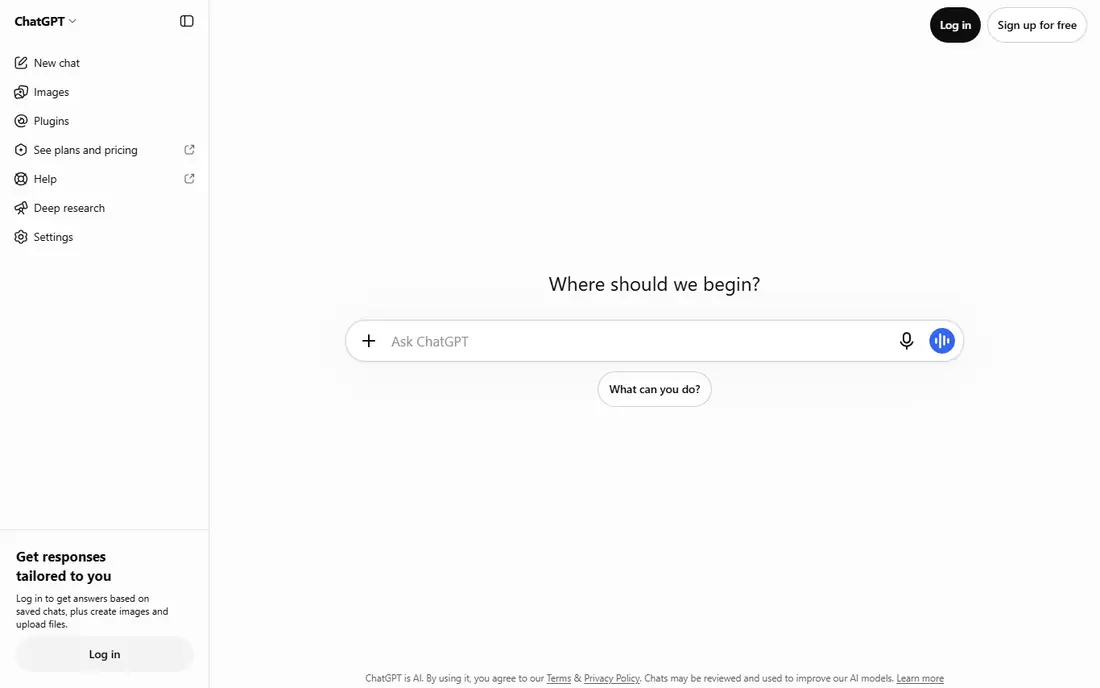
ChatGPT is our pick for most people because it handles the widest range of everyday phone tasks in one app. Users can draft messages, brainstorm ideas, explain a document, get coding help, and create images, then continue the same chat on desktop. Voice mode also makes it useful on the move, for hands-free questions or dictating a draft.
The free tier is generous for plain text chat, but heavier use hits caps on uploads, image generation, and deep research tools. Plus, listed at $20 per month in recent comparisons, raises those limits and adds faster access to newer models. Students, writers, and general users should start free and pay only if caps interrupt daily work.
- Broad writing, brainstorming, coding, and image tools
- Voice mode on mobile
- Generous free tier for text chat
- Free tier caps file uploads, image creation, and advanced tools
- Paid Plus plan is $20 per month
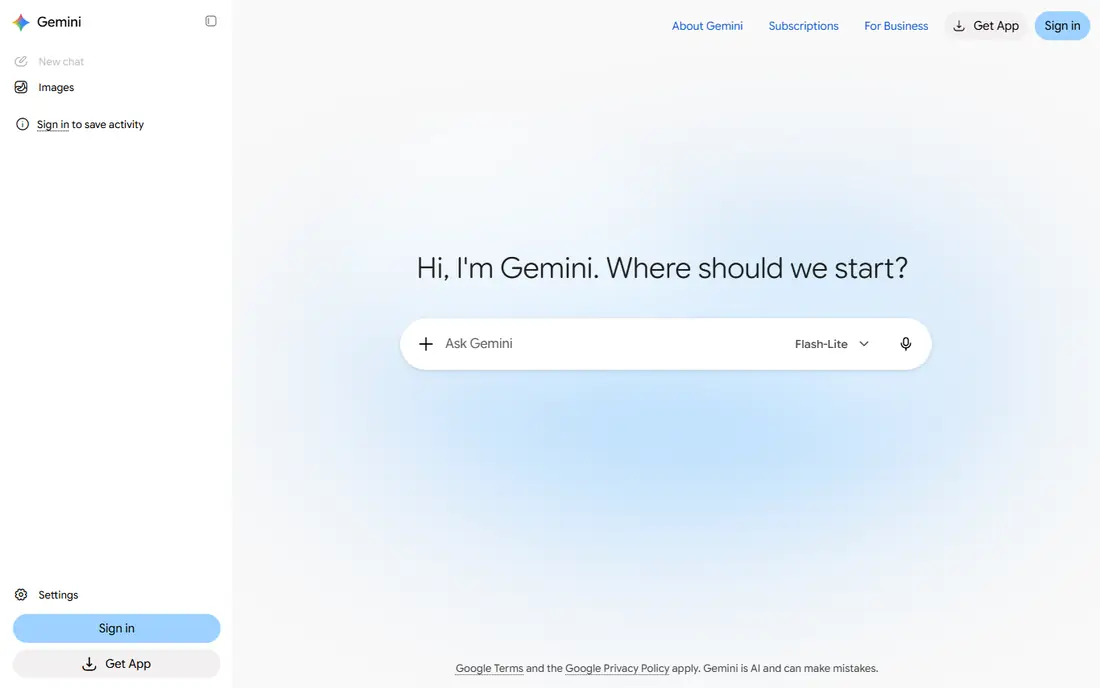
Gemini is the natural pick for people who already use Google apps. On Android, it can act as the phone assistant, and on both Android and iOS it can summarize Gmail threads, search Drive files, and help draft Docs, with permission. Long documents and multimodal input, such as photos and voice, are strengths, and the free tier covers everyday questions well.
Pricing needs checking at sign-up, because Google has offered AI Plus, AI Pro, and AI Ultra tiers at different prices during 2026, with Pro listed at $19.99 per month in recent comparisons. Users who do not want Google to access email or files should review activity settings before connecting accounts. For a Google household, Gemini is the lowest-friction assistant.
- Strong links to Gmail, Drive, Docs, and YouTube
- Long document handling
- Voice and camera input on mobile
- Paid tiers and model names have changed often, so check the current plan
- Best features need a Google account and app permissions
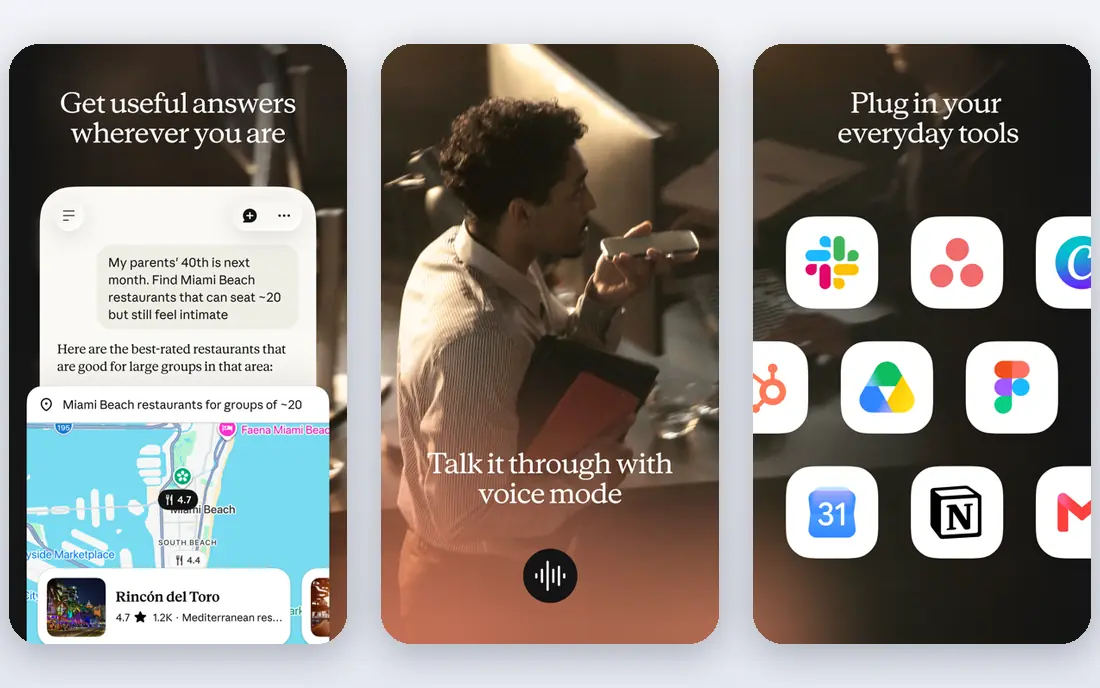
Claude suits readers and writers who work with long material on a phone. It summarizes reports, compares document versions, drafts structured outlines, and reviews code with clear explanations. The tone tends to be careful and organized, which helps for work emails, study notes, and technical writing where accuracy matters more than speed.
The free tier is useful but limited, with lower daily message limits than ChatGPT free in many comparisons. Pro, listed at $20 per month, raises limits and gives access to stronger models. Claude is less focused on live social trends than Grok and less tied to a productivity suite than Gemini or Copilot, so it fits best as a thinking and writing partner.
- Careful, structured writing and summaries
- Strong on long documents and code review
- Clean mobile app
- Free tier has lower daily limits than some rivals
- Pro plan is $20 per month
Copilot is the best pick for people who already pay for Microsoft 365. In Word, Excel, PowerPoint, and Outlook, it can draft, summarize, and analyze documents, while the free mobile chat covers everyday questions and web search. Windows and Edge users also get Copilot without installing a separate app, which lowers friction for office work.
The catch is the paywall. Copilot Pro is listed at $20 per month in recent comparisons, and full Microsoft 365 Copilot features sit in higher business plans. Users who only need a general chatbot will get more depth from ChatGPT or Claude for the same price. For a Microsoft household or office, though, Copilot turns existing documents into the assistant's working material.
- Works inside Word, Excel, PowerPoint, and Outlook on paid plans
- Built into Windows and Edge
- Free chat on mobile
- The most useful Office features need a paid Microsoft 365 plan
- Standalone app is less deep than dedicated chatbots for long work
Perplexity is the best mobile pick when the answer must be checked. It searches the web, summarizes findings, and links to sources, so a user can open the original page and confirm a price, date, or claim. That makes it useful for shopping research, news, health information, and study topics where a plain chatbot answer is not enough.
Perplexity is not a replacement for a general writer or coder. Long drafts, complex code projects, and multi-step work feel better in ChatGPT or Claude. Pro is listed at $20 per month, or $17 per month billed yearly, in recent comparisons, and it adds more Pro searches and model choice. Start free for quick research, and pay only if daily research volume hits the free limits.
- Answers include sources that can be opened and checked
- Strong for news, facts, and comparisons
- Clean mobile search experience
- Less suited to long-form writing or coding than general chatbots
- Pro searches are capped even on paid plans
Meta AI is the simplest free option, because there is no paid tier to weigh. It lives inside WhatsApp, Instagram, Facebook, and Messenger, as well as in its own app and on the web, so many users can try it without installing anything new. It handles chat, questions, image creation, and social planning, and it is a good first assistant for casual use.
The limits are control and depth. Meta AI does not offer a paid plan for higher limits, and it is less strong than Claude or ChatGPT for long documents and coding. Users should also review privacy settings, since Meta AI operates inside social apps with large amounts of personal data. For free, everyday questions, it is a practical starting point.
- Fully free with no paid tier for the core assistant
- Built into WhatsApp, Instagram, Facebook, and Messenger
- Voice and image tools
- No paid tier for higher limits or priority access
- Privacy and data use need careful settings review
Grok, from xAI, suits users who follow breaking news and social trends closely. Its link to X gives it real-time posts and discussion that other assistants may not surface as quickly, and it can summarize fast-moving topics in plain language. The mobile app also covers general chat, images, and voice, so it works as a daily assistant for X users.
Pricing is less simple than a single $20 plan. Recent comparisons list limited free access, with fuller access through X Premium tiers, so users should check the current X subscription page before assuming full access is free. Grok is also less suited to careful document work than Claude. For real-time social research, it earns a place, but it should not be the only assistant for work that needs sources.
- Real-time access to posts on X
- Strong for breaking news and social trends
- Image tools on mobile
- Full access is tied to X subscription tiers in many cases
- Tone and safety controls differ from other assistants
DeepSeek is the strongest fully free alternative to the paid assistants. The chat app is free, with no consumer subscription tier, and it handles math, logic, and coding questions well for a free tool. That makes it a good second assistant for students and developers who hit caps on other free plans and need another place to work.
DeepSeek is less integrated than Gemini or Copilot, with no major productivity suite behind it, and users should review its privacy policy before pasting work or personal data. For casual and study use, those limits matter less than the price, which is zero. Keep a mainstream assistant for work that needs ecosystem links, and use DeepSeek as a free, capable backup.
- Free chat app with no paid consumer tier
- Strong for math, logic, and coding
- No subscription needed for core use
- No paid tier for priority access
- Availability and model updates can change
- Check data handling before use for work
Le Chat, from Mistral AI, is a fast, straightforward chatbot for users who want an alternative to US-based assistants. It covers chat, writing, coding, and document questions, with a clean mobile app and quick replies. Its European base and privacy messaging appeal to users who prefer a non-US provider for personal data.
The trade-off is ecosystem depth. Le Chat does not match Gemini in Google apps, Copilot in Office, or ChatGPT in third-party tools and breadth. Pro is listed at about $14.99 per month in recent comparisons, which undercuts the $20 plans of larger rivals. For a fast, low-cost daily assistant, Le Chat is worth trying beside a mainstream pick.
- Fast responses
- Free tier for everyday chat
- European company with a clear privacy stance
- Mobile app on iOS and Android
- Smaller ecosystem than Google or Microsoft
- Fewer third-party links and tools
Poe suits curious users who want to compare models without installing five apps. One account can ask the same question to different models and see which answer is clearest, most accurate, or best written. That comparison is useful for writers, students, and developers who want to learn the strengths of each model before committing to one paid plan.
Free use is limited per model, and heavy use needs a paid subscription, whose price varies by plan and region, so check the current Poe pricing page. Poe also adds a layer between the user and the model, so advanced features may differ from the native apps. For model shopping and occasional cross-checks, Poe is a practical hub.
- Access to many AI models, including ChatGPT, Claude, and Gemini models, in one app
- Easy model comparison
- Mobile apps
- Free tier limits messages per model
- Paid plan needed for heavy use across models
- Features depend on the underlying model
How we picked these
We compared official app pages, pricing pages, and app store listings, plus recent October 2026 AI pricing comparisons, and kept only mobile apps that are live on iOS or Android, offer a free tier or free access, and cover chat, search, writing, or research. We favored a mix of ecosystem assistants, sourced research, and free alternatives, rather than listing every chatbot. We did not claim hands-on testing, and we used See website only where pricing varies by subscription bundle, since most core prices here are published monthly rates.
How to choose an AI mobile app
Start with the apps you already use every day. If your mail, files, and calendar live in Google, Gemini will feel natural. If they live in Microsoft 365, Copilot will feel natural. If neither ecosystem dominates, start with ChatGPT free, then add Perplexity for research that needs sources and Claude for long writing.
Check privacy before you connect accounts
Review what the app can access, whether chats are used for training, and how to turn off activity history. Avoid pasting passwords, financial details, medical records, or client data into any chatbot, and use a separate, non-sensitive example when testing a new tool. For work, check whether your employer allows the app at all.
Test free tiers with real tasks
Run the same three tasks through two free apps, such as summarizing a long article, drafting a difficult email, and checking a factual claim with sources. Judge clarity, accuracy, and how often caps interrupt you, rather than judging by marketing claims. Pay only when a cap regularly blocks work you actually do.
Keep one main assistant and one backup
One main assistant keeps history and habits in one place, while a free backup such as DeepSeek or Meta AI covers days when the main app hits a limit. Too many paid subscriptions add cost without adding value, since most daily tasks work well in any leading assistant.
Frequently asked questions
What is the best mobile AI app?
ChatGPT is the best all-round mobile AI app for most people, because of its broad tools, voice mode, and generous free tier. Gemini is better for Google users, Copilot is better for Microsoft 365 users, and Perplexity is better for sourced research.
What is the best AI tools for mobile use?
The best tools for mobile use are ChatGPT for general tasks, Perplexity for research, Claude for writing, and Gemini or Copilot for ecosystem work. Most users need only one general assistant plus Perplexity for fact-checking.
What is the best AI phone app for free use?
DeepSeek and Meta AI are the strongest fully free options, since neither requires a paid tier for core chat. ChatGPT free is also generous for text chat, while Claude free and Gemini free suit users who need writing or Google links.
What is the best AI apps for mobile research?
Perplexity is the best research app, because answers link to sources that can be opened and checked. ChatGPT and Gemini also search the web, but Perplexity makes source checking the main workflow, not an extra step.
Is it safe to use AI apps on a phone?
AI apps are safe for general questions, but users should avoid sharing sensitive personal, financial, or work data, and should review privacy and activity settings. For medical, legal, or financial decisions, treat AI answers as a starting point and confirm them with a qualified professional or official source.
Do I need to pay for an AI mobile app?
Most users do not need to pay at first, since free tiers cover everyday chat and research. Pay when caps, model access, or ecosystem features regularly block work, and cancel if the paid plan does not save time within a month.
Sources
- https://chatgpt.com
- https://gemini.google.com
- https://claude.ai
- https://copilot.microsoft.com
- https://www.perplexity.ai
- https://www.meta.ai
- https://grok.com
- https://www.deepseek.com
- https://chat.mistral.ai
- https://poe.com
- https://aipricecompare.org/best/best-ai-for-beginners.html
- https://www.eweek.com/news/ai-pricing-cheat-sheet-2026/
See where you really rank - block by block
ProMapRanker scans Google Maps across a grid of your service area. Simple monthly plans from $19, white-label on every plan.
Start freeKeep reading
 who has the best home internet service
Who Has the Best Home Internet Service in 2026
Who has the best home internet service in 2026? Compare fiber, cable, and 5G providers on speed, price, data caps, and availability at your address today.
Read → visio alternatives
Best Visio Alternatives in 2026
Compare 9 Visio alternatives for flowcharts, org charts, and network diagrams, with free plans, pricing, and the best pick for teams and solo users in 2026.
Read → top 10 logistics software
Top 10 Logistics Software in 2026
We compared the top 10 logistics software tools for transport, warehousing, visibility and shipping, for shippers, carriers and 3PL teams in 2026 today.
Read →