 ProMapRanker
Best AI Mobile App Builder in 2026

Key takeaways
- FlutterFlow is the strongest choice for teams that want visual building plus code they can export and maintain.
- Glide and Softr suit data-driven internal apps fastest, with Glide built around sheets and Softr around existing data sources.
- Adalo and Thunkable suit true native mobile apps for beginners, with Adalo offering a simpler path and Thunkable offering block logic.
- AI generation speeds a first version, but plan for testing, store rules, data costs and ongoing maintenance before launch.
Quick comparison
| Pick | Great for | Pricing starts at | Free tier | |
|---|---|---|---|---|
 Glide | Spreadsheet to mobile app | $25 per month | Yes | Visit |
 FlutterFlow | Visual building with code export | $39 per month | Yes | Visit |
 Adalo | Simple native mobile apps | $36 per month | Yes | Visit |
 Thunkable | Beginner block-based apps | See website | Yes | Visit |
 Appy Pie | Template-based mobile apps | See website | No | Visit |
 Softr | Client portals and internal apps | See website | Yes | Visit |
 Bravo Studio | Design to native app | See website | Yes | Visit |
 BuildFire | Managed native app builds | See website | No | Visit |
 Draftbit | Visual apps with code export | See website | Yes | Visit |
The best AI mobile app builders
These builders cover the main paths to a mobile app in 2026: prompt-led generation, visual no-code building and low-code building with exportable code. We favoured tools with a clear mobile output, a free tier or trial and AI help that goes beyond a template gallery.
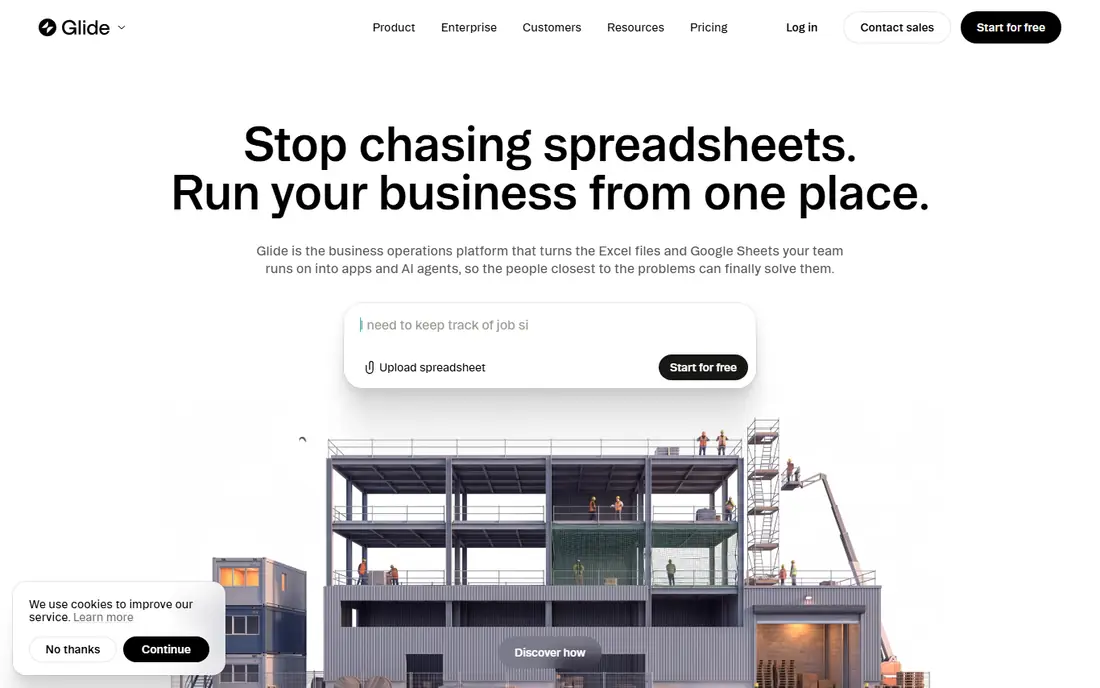
Glide is the fastest route from a spreadsheet to a usable mobile app. Connect Google Sheets, Excel, Airtable or Glide Tables, choose a layout and add screens for lists, details and forms. AI features help with data columns, summaries and content, which suits internal tools, directories, inventories and simple customer apps.
The limit is native output. Glide apps work well on phones through the web, but they are not the same as a compiled native app in the App Store or Google Play. For internal teams, that trade-off is often fine. For a consumer app that needs store presence and deep device features, FlutterFlow or Adalo fit better.
- Turns sheets and tables into a working app fast
- AI columns and helpers for data tasks
- Large template library
- Output is mainly web and progressive web app, not a fully native store app
- Design control is limited for complex apps
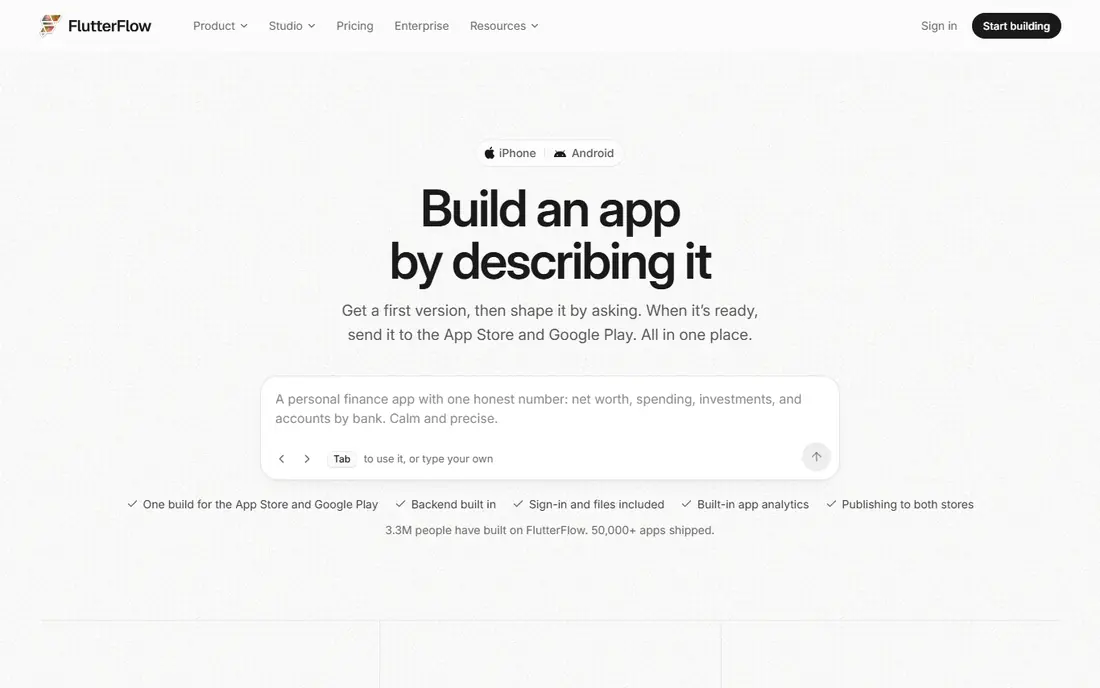
FlutterFlow suits founders and teams who want a real mobile product, not just a prototype. Build screens visually, connect Firebase or Supabase, add logic and export Flutter code for further development. AI help supports code and layout generation, which speeds early screens, while the visual editor keeps the project maintainable.
The learning curve is real. Beginners will need time to understand data, state and app logic, and the free plan limits publishing and export. For a serious consumer app with a long life, that investment pays off, since you own code you can hand to developers later.
- Visual builder for iOS, Android and web
- Flutter code export
- Firebase and Supabase integrations
- Steeper learning curve than Glide or Adalo
- Paid plan needed for code download and store publishing features

Adalo is a strong middle path between Glide simplicity and FlutterFlow depth. You build visually, use a built-in database and publish native apps to both major stores. AI features help start an app from a description and add components, which shortens the first build. Small businesses, clubs and startups can launch a simple app without hiring developers.
Scaling is the watch point. Larger data sets, complex logic or heavy traffic may need a higher plan or a different platform. Test with realistic data volumes before launch, and check push notification and payment features against your plan, since some sit on higher tiers.
- True native iOS and Android output from one build
- Visual editor with components
- AI direction and magic start features
- Database and scaling limits on lower plans
- Fewer deep customisation options than FlutterFlow
Thunkable suits beginners, students and educators who want to learn app logic while building a real app. Blocks make actions, conditions and data flows visible, and live testing shows changes on a phone quickly. AI help is more limited than on newer prompt-led tools, but the visual logic system teaches the concepts behind an app.
For a commercial app with complex backend needs, Thunkable may feel limited. For a first app, a school project or a simple business app, it offers a gentle path to a published native app. Check current pricing, since plans have varied by billing period in recent comparisons.
- Drag-and-drop builder with block logic
- Live testing on phones
- Good for learning and education
- Database options are more limited
- Advanced customisation is less deep than FlutterFlow
Appy Pie suits small businesses that want a familiar app fast, such as a restaurant menu, a shop catalogue or a service booking app. Templates cover common industries, and AI-assisted setup helps fill content and structure. The hosted backend removes server setup, which helps non-technical owners.
The trade-off is flexibility. Template-based apps can look similar and may struggle with unusual workflows. Check the total monthly cost, including any add-ons, and confirm store publishing support before committing. For a standard business app, Appy Pie is a practical shortcut.
- Many industry templates for restaurants, shops and services
- AI-assisted setup
- Hosted backend
- Less design freedom than visual builders
- Monthly subscription needed
- Code export is limited
Softr is best for client portals, member directories and internal tools where data already lives in Airtable or Sheets. Set access rules, build list and detail pages and share a mobile-friendly app with clients or staff. AI and template help speed setup, and the result feels polished without code.
Like Glide, Softr is not a native store builder first. If you need App Store presence, choose Adalo or FlutterFlow. If you need a secure portal that works well on phones, Softr offers a faster, cleaner path than building a custom web app.
- Builds portals and internal apps on Airtable or Google Sheets
- Strong access controls
- Fast setup for data apps
- Output is mainly web and progressive web app, not native store apps
- Design options are template-led
Bravo Studio suits design-led teams who already work in Figma. Design screens in Figma, connect data and publish a native app that matches the design closely. That workflow preserves visual quality better than many template builders, which matters for brand-led consumer apps.
The catch is that design is only part of an app. Logic, user accounts, payments and backend rules need extra work or external tools. Bravo Studio works best when a designer and a product owner build together, with a clear plan for data and logic. Confirm current pricing and publishing features before starting a client project.
- Turns Figma designs into native apps
- Keeps design control with designers
- Supports real data connections
- Needs a Figma design first
- Logic and backend features are less complete than full builders
BuildFire suits businesses that want a native app without building it alone. Plugins cover common features such as loyalty, ordering, content and messaging, and managed support helps with publishing. That service layer justifies the higher price for owners who value support over DIY control.
Self-serve builders are cheaper for simple apps, and FlutterFlow offers more code control for product teams. BuildFire earns its place when a business wants a native app, plugin features and help with launch, and is willing to pay a higher monthly fee for that package.
- Native iOS and Android apps with many plugins
- Managed publishing support
- Industry templates
- Higher monthly cost than self-serve builders
- Subscription needed
- Design freedom is plugin-led
Draftbit offers a visual path to a React Native app with code you can export. That mix appeals to teams who want visual speed plus a codebase they can maintain. Supabase integration covers data and auth for many apps, and the free tier lets teams test the builder before paying.
The community and template range are smaller than FlutterFlow, so support and examples may take more searching. Technical users will get the most from Draftbit, since data setup and code export reward some development knowledge. For a product team that values React Native output, it is worth testing alongside FlutterFlow.
- Visual builder with React Native code export
- Supabase integration
- Unlimited projects on some plans
- Smaller community than FlutterFlow
- Some features vary by plan and need technical setup
How we picked these
We compared official feature pages, pricing pages and recent builder comparisons in October 2026, and favoured tools with a clear mobile output, AI assistance and a free tier or trial. We did not claim hands-on testing. Where prices conflicted across sources or varied by seat and plan, we wrote the verified starting figure or See website.
Choosing the right builder for your app
Start with the output you need, not the AI demo. A store app, a web app for staff and a client portal are different products, and the best builder changes with each one. Test the free tier with your real data before paying.
Decide native, web or portal first
Native store apps need Adalo, FlutterFlow, Thunkable, Appy Pie, Bravo Studio, BuildFire or Draftbit. Internal tools and portals work well on Glide or Softr as mobile-friendly web apps. Choosing the wrong output wastes weeks, since a web app cannot simply become a native app later.
Test AI output, then own it
AI generation gives a fast first draft, but check screens, data rules, permissions and edge cases yourself. Generated logic can miss validation, privacy rules and store requirements. Treat AI output as a draft to review, test and document, not as a finished product.
Budget for launch and maintenance
Add store fees, data costs, push and payment fees and support time to the builder subscription. Plan for updates when phones, stores or connected services change. A builder with code export, such as FlutterFlow or Draftbit, gives you more options if you outgrow the platform later.
Frequently asked questions
What is the best ai mobile app builder?
FlutterFlow is the best all-round choice for a serious mobile product, thanks to visual building and code export. Glide is best for fast data apps, Adalo is best for simple native apps and Softr is best for client portals. Pick by output first, then by AI features.
What are the best rated ai app builders for mobile apps?
The strongest rated options in recent comparisons are FlutterFlow, Glide, Adalo and Thunkable, with Softr and Draftbit close behind for specific jobs. Ratings vary by use case, so test the free tier with your own data and screens before judging.
Can AI build a full mobile app from a prompt?
AI can generate a strong first version, including screens, data models and basic logic, but it rarely produces a launch-ready app alone. You still need to test flows, fix edge cases, set permissions, meet store rules and plan maintenance. Treat prompt output as a draft, not a finished product.
Do I need to code to use an AI app builder?
No for Glide, Softr, Adalo and Appy Pie, where visual and template tools cover most needs. FlutterFlow and Draftbit reward some technical knowledge, especially for data, logic and code export. Beginners should start with a simpler builder and move up only if the app needs it.
How much does an AI mobile app builder cost?
Free tiers let you start on most builders here. Paid plans we could verify start around $25 per month for Glide, $36 for Adalo and $39 for FlutterFlow, with other builders priced by quote or varied plans. Confirm current pricing, seat limits and publishing features before committing.
Sources
See where you really rank - block by block
ProMapRanker scans Google Maps across a grid of your service area. Simple monthly plans from $19, white-label on every plan.
Start freeKeep reading
 zscaler alternatives
Best Zscaler Alternatives in 2026
Looking for zscaler alternatives? We compare 9 SASE and zero trust platforms on architecture, data protection, pricing, and fit for your network and team.
Read → zapier alternatives free
Best Zapier Alternatives Free in 2026
Nine automation tools for zapier alternatives free in 2026, all with genuinely free tiers, plus free plan limits, starting prices and upgrade paths explained.
Read → which platform is best for online reputation
Which Platform Is Best for Online Reputation in 2026
Wondering which platform is best for online reputation? We compare 8 review, listing, and response tools for small and multi-location businesses and agencies.
Read →