 ProMapRanker
Best AI Lip Sync Tools in 2026

Key takeaways
- HeyGen is the strongest all-round pick for avatar video and dubbed talking-head clips, with lip sync across a large set of languages.
- Hedra and D-ID are better when you start from a single photo and want a talking character without building a full video project.
- Sync.so is the specialist choice for developers and editors who need lip sync applied to footage they already shot.
- Captions and Viggle suit short-form creators who want quick social clips rather than long training videos.
- Credit systems decide the real cost here, so compare minutes or credits per finished video, not just the monthly headline price.
Quick comparison
| Pick | Great for | Pricing starts at | Free tier | |
|---|---|---|---|---|
 HeyGen | Avatar video and dubbing | $29 per month | Yes | Visit |
 Hedra | Talking characters from a photo | $20 per month | Yes | Visit |
 D-ID | Budget photo avatars and API use | $5.90 per month | Free trial | Visit |
 Synthesia | Business training video | $29 per month | Yes | Visit |
 Captions | Short-form social video | $24.99 per month | Yes | Visit |
 Sync.so | Lip sync for existing footage | $19 per month | No | Visit |
 Akool | Face swap and talking avatars | See website | Yes | Visit |
 Viggle | Fun character motion clips | $9.99 per month | Yes | Visit |
 Vidnoz | Low-cost avatar video | $26.99 per month | Yes | Visit |
The best AI lip sync tools
AI lip sync tools match mouth movement to speech, either by animating a photo, driving a stock or custom avatar, or re-syncing the lips in footage you already have. Use them only to animate faces you own or have permission to use, and never animate a real person without their consent. We compared official pricing pages, feature pages, and free tiers to build this list.
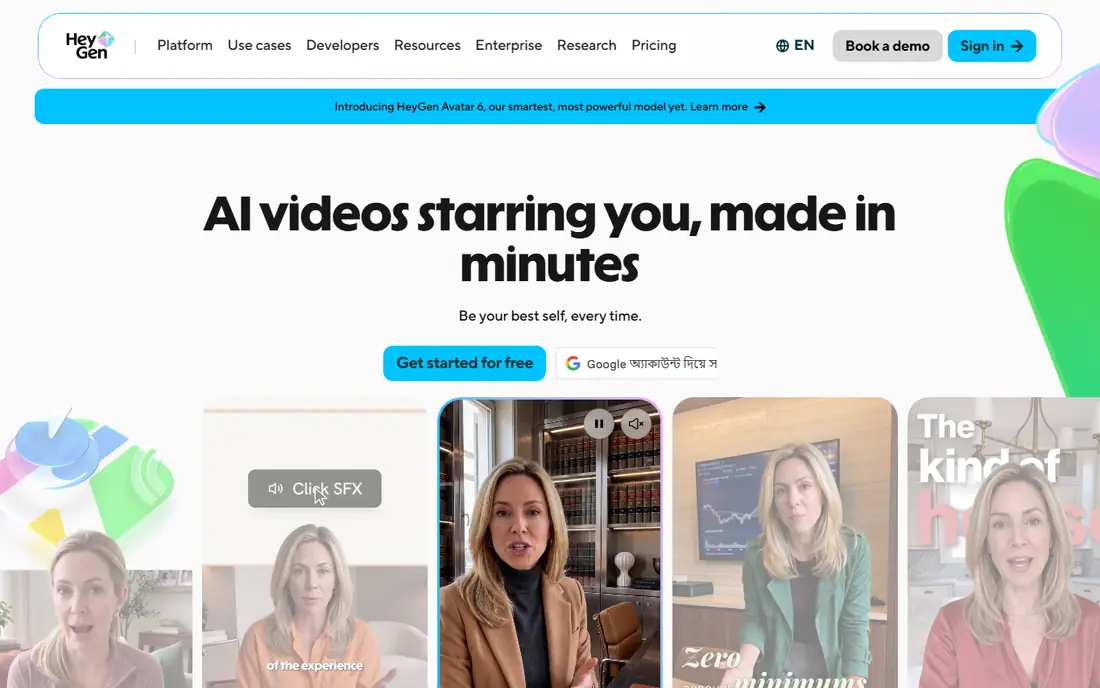
HeyGen is the most complete lip sync platform on this list for most creators. You can pick a stock avatar, create a custom avatar from your own recording, or dub an existing video into another language while the lip movement is re-timed to the new audio. That combination covers marketing clips, explainers, and localized training in one account, and the template and brand tools help small teams keep output consistent.
The price needs a careful read. The Creator plan starts at $29 per month and includes a credit pool, and premium avatar rendering uses credits per minute, so a few long videos can use the pool faster than the headline suggests. Start on the free plan with your own footage, test lip closure on short sentences, and only move up when you know how many finished minutes you need each month.
- Large avatar library and language coverage
- Video translation with re-timed lip sync
- Strong API for teams
- Credit system makes long premium videos costly
- Free plan caps videos and adds a watermark
Hedra stands out when the starting point is a character rather than a presenter script. Upload a portrait, add audio or a script, and the tool produces a talking character with expressive movement, and it can handle scenes with more than one speaker. That makes it a natural fit for storytellers, game-style content, and creators who build recurring characters instead of one-off presenters.
The Basic plan starts at $20 per month with a monthly credit allowance, so longer or higher-quality renders will cost more credits. The free grant is small, which is enough to judge quality but not to run a series. Hedra is the pick if character feel matters more than a corporate presenter look, and if you are happy to budget in credits rather than flat minutes.
- Expressive character animation from one image
- Supports dialogue scenes
- Web and API access
- Paid plans use credits rather than fixed minutes
- Basic plan renders can be slower
D-ID is the budget entry point for photo-based lip sync. The Lite plan starts at $5.90 per month when billed annually and includes a monthly minute allowance, and the workflow is simple: pick a photo you have rights to use, add text or audio, and get a talking-head clip. Developers also get an API route for agents and interactive avatars, which is unusual at this price.
The limits are clear. The free option is a 14-day trial rather than an ongoing free plan, and trial output carries a watermark. Minute allowances stay modest on Lite, so D-ID fits testing, small projects, and personal clips best. If you need regular commercial output, compare the Pro plan and the minute allowance before you commit.
- Lowest paid entry price here
- Photo-to-talking-head workflow is simple
- API suits developers
- Trial is time limited with a watermark
- Higher plans are needed for commercial and API scale
Synthesia is built for teams that make training, onboarding, and internal communication videos at scale. Stock avatars speak from a script, the editor supports slides and screen content, and enterprise controls such as single sign-on and SCORM export suit learning teams. Lip sync holds up well for short, scripted presenter segments, which is exactly how most training videos are built.
The cost structure rewards careful planning. The Starter plan is $29 per month, or $18 per month when billed annually, with a credit-based minute allowance that does not roll over, and re-renders count against that allowance. Custom avatars are a separate paid add-on. Choose Synthesia when governance, consistency, and a large course library matter most, and choose HeyGen or Hedra when realism or character work matters more.
- Strong governance and compliance tooling
- Large language coverage
- Templates for training and onboarding
- Minutes do not roll over
- Custom avatars cost extra
- Avatar delivery can feel stiff on long clips
Captions started as a captioning app and has grown into a short-form video tool with avatar and lip sync features, including its Mirage avatar option. The appeal is speed: record or import a clip, generate an avatar segment, add captions, and export a social-ready video without moving between several apps. For creators who publish short ads, explainers, and social posts every week, that single workflow saves time.
The Max plan at $24.99 per month is a lot if you only need a lip sync clip once in a while, and free credits run out quickly. Captions is also not the best home for long courses or detailed dubbing projects. Pick it when short, frequent video is the job, and pair it with a tool like HeyGen or Synthesia if you also need longer training content.
- Fast short-form workflow
- Avatar and lip sync tools sit beside captioning and editing
- Good for social ads
- Monthly price is high for occasional use
- Free credits are limited
- Long-form training is not its strength
Sync.so answers a different question from the avatar tools above. It does not give you a presenter. It takes video you already shot and audio you already have, then re-syncs the mouth to the new speech. That is the right tool for dubbing an interview, fixing a voiceover, or localizing a talking-head clip where the person on screen must stay the same.
Because it is an API-first product, the workflow suits developers and editors who can feed it files and handle the output, rather than casual users who want a one-click avatar. Pricing starts at $19 per month on the Creator tier, with per-second usage on top of the base plan in some tiers, so check the current usage rate before a large project. If your footage is real and your audio is ready, Sync.so gives the most direct lip sync result here.
- Focused lip sync API for real footage
- Language agnostic, since it only re-syncs lips
- No avatar library to learn
- No free plan listed
- Needs your own video and audio
- Developer setup suits technical users best
Akool combines talking avatars with face-related tools, which makes it a flexible option for ad creative and product videos. You can generate an avatar presenter, animate a photo you have rights to, and test different faces and voices for a campaign without a shoot. The platform is aimed at marketing teams who need many short variations quickly.
Pricing is credit based and varies by plan, so we list it as See website rather than pinning a figure that may change with the credit pack you pick. The consent warning matters more than usual here: only use faces you own or have clear permission to use, and keep records of that permission for commercial work. Akool fits teams who will use that check on every project and want avatar variety in one place.
- Talking avatar and face tools in one platform
- Useful for ads and product clips
- API available
- Pricing varies by plan and credits
- Face tools need strict consent checks on every project
Viggle is the playful pick on this list. It animates characters with movement and lip sync, and the free plan allows a small number of videos per day, which makes it easy to test ideas before paying. The Pro plan starts at $9.99 per month when billed annually, with a larger credit allowance for regular creators.
Do not buy Viggle expecting a polished corporate presenter. Its strength is expressive, social, meme-style character clips, and results can vary with the source image and the motion you ask for. For short-form creators who want character energy at a low price, it is a good fit. For training or client-facing presenter video, HeyGen, Synthesia, or D-ID will look more professional.
- Low-cost entry for character motion
- Free videos each day on the free plan
- Fun for memes and social clips
- Built for character fun, not corporate presenters
- Lip sync quality varies by clip and motion style
Vidnoz offers a large library of stock avatars and a simple path from script to video, with a free plan that grants daily credits. That makes it a useful test bed: you can try several avatars and voices, check lip sync on your own script, and only pay when you have a presenter style you like. The paid plan starts at $26.99 per month, or $19.99 per month when billed annually.
Free output carries a watermark and a lower resolution cap, so it is for testing rather than publishing. Vidnoz also sits in the presenter category rather than the specialist lip sync category, so if you need to re-sync lips on footage you shot yourself, Sync.so is the better tool. For low-cost avatar video with plenty of presenter choice, Vidnoz is a solid option.
- Very large stock avatar library
- Free plan gives daily credits
- Simple avatar video workflow
- Free output is watermarked and capped at lower resolution
- Annual billing gives the lower monthly rate
How we picked these
We compared official pricing pages, free tiers, and feature pages, and we kept only tools that offer lip sync as a clear, current feature in October 2026. We included avatar platforms, photo-to-character tools, and one focused lip sync API, because the best tool depends on whether you start from a script, a photo, or footage you already shot. We left out tools built for undressing people or non-consensual imagery, and we left out tools whose main pitch is copying a real person without consent controls.
What to check before you pay
First, decide what you are animating. A script calls for an avatar platform such as HeyGen or Synthesia. A photo calls for Hedra or D-ID. Footage you already shot calls for Sync.so. Mixing those jobs up is the fastest way to pay for the wrong tool.
Second, test lip sync on your own material. Use the same 15-second audio clip in each free plan, watch lip closure on P, B, and M sounds, and watch for a mouth that keeps moving through pauses. Third, read the credit rules. Check if unused credits roll over, if re-renders cost credits, and if commercial use needs a higher plan. Finally, keep consent in writing for any real face you animate, and label synthetic presenters clearly when the audience could mistake them for a real person.
Frequently asked questions
What is the best free AI lip sync tool?
HeyGen, Hedra, Synthesia, Captions, and Vidnoz all offer free plans or free credits, but each caps minutes or videos and most add a watermark. D-ID offers a 14-day trial instead of an ongoing free plan. Use the free tiers to test lip sync quality on your own footage, and expect to pay for regular publishing.
What is the best AI lip sync tool for dubbing a video?
HeyGen is a strong choice for dubbing because it re-times lip movement to translated audio across many languages. Sync.so is better when you must keep the exact person and footage from the original video and only change the speech. Choose HeyGen for avatar-led dubbing and Sync.so for footage-led dubbing.
Can AI lip sync animate any photo?
Technically many tools accept a photo, but you should only animate faces you own or have permission to use. Never animate a real person without consent, and never use these tools to create misleading videos of a real person. For commercial work, keep a record of the permission you relied on.
How much does AI lip sync cost per month?
Entry paid plans here run from $5.90 per month for D-ID Lite to $29 per month for HeyGen Creator and Synthesia Starter, with Viggle and Hedra in between. The real cost depends on credits per finished minute, so a short clip and a long training video can cost very different amounts on the same plan.
Is AI lip sync good enough to look real?
Short avatar clips can look convincing, especially in small social formats, but longer clips often show stiffness, drifting gestures, or lip errors on fast speech. Test with your own audio, watch at half speed once, and keep clips short when realism matters most.
Sources
See where you really rank - block by block
ProMapRanker scans Google Maps across a grid of your service area. Simple monthly plans from $19, white-label on every plan.
Start freeKeep reading
 zoho inventory alternatives
6 Alternatives to Zoho Inventory, Compared on Price and Fit
Zoho Inventory alternatives: 6 tools compared on price, free plans and fit. Katana leads the list for manufacturers. Fit and flaws are laid out for each entry.
Read → zoho crm alternatives
Best Zoho CRM Alternatives (2026)
Need Zoho CRM alternatives? We compare 7 tools on cost, free access and who each suits. Every pick gets a straight assessment. Built for quick decisions.
Read → zelle alternatives
Best Zelle Alternatives in 2026
Compare the best Zelle alternatives for sending money to friends, paying sellers and moving funds abroad, with honest notes on fees, speed and safety in 2026.
Read →