 ProMapRanker
AI Legal Drafting Software: 6 Options Compared in 2026

Businesses already using MyCase · Pricing starts at: $130 per user/month (billed yearly)
Direct answer
This list puts Woodpecker first for businesses already using MyCase. Listed starting prices: Woodpecker from $130 per user/month, Gavel from $160 per user/month and Formstack Documents from $250 per month. Look at Definely for Drafting and reviewing inside Microsoft Word, and at HotDocs for high-volume document automation. Details, prices and limits for the rest of the 6 tools are below.
This ProMapRanker guide covers 6 options for AI legal Drafting software. Each profile lists a starting price, free plan details, strengths and drawbacks, so you can drop poor fits quickly.
Key takeaways
- Woodpecker takes the first slot, best suited to businesses already using MyCase.
- For the cheapest start, look at Woodpecker: $130 per user/month.
- Formstack Documents suits turning form submissions into finished documents.
- Before buying CoCounsel Drafting, weigh this: no standalone drafting price is published, and drafting needs a CoCounsel subscription.
Quick comparison
| Pick | Great for | Pricing starts at | Free tier | |
|---|---|---|---|---|
| Woodpecker | Businesses already using MyCase | $130 per user/month (billed yearly) | Free trial (10 days) | Visit |
 Definely | Drafting and reviewing inside Microsoft Word | Quote only | No | Visit |
 HotDocs | High-volume document automation | Quote only | No | Visit |
 CoCounsel Drafting | Large businesses with a CoCounsel subscription | Quote only | No | Visit |
 Gavel | AI drafting and redlining with document automation | $160 per user/month (billed yearly) | Yes | Visit |
 Formstack Documents | Turning form submissions into finished documents | $250 per month (billed yearly) | Free trial (14 days) | Visit |
AI Legal Drafting Software, one by one
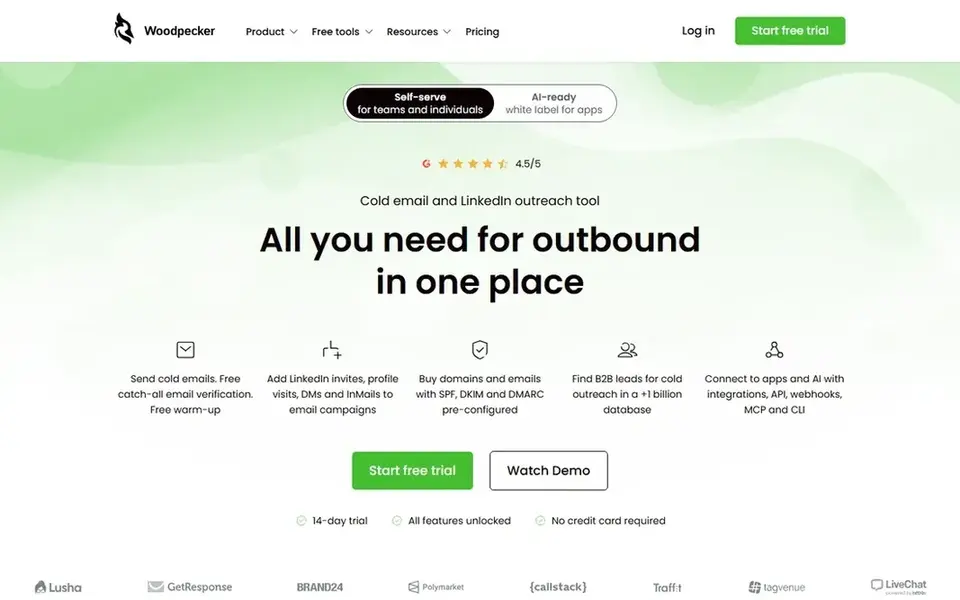
Woodpecker was built for businesses already using MyCase. A firm that does not use MyCase would have to adopt the entire practice management suite to get the automation, which is a much bigger change than adding a drafting add-in.
A 10-day free trial is available with no credit card required. The starting price for Woodpecker: $130 per user/month. As for free access: Free trial (10 days).
What to check first: full automation needs the Advanced level.
- Clear published pricing on the MyCase Advanced level
- Deep automation inside MyCase, with document generation tied to case data
- Standalone Woodpecker is no longer sold, so new buyers must take the full MyCase suite
Definely is built with Drafting and reviewing inside Microsoft Word in mind. The vendor site provides no published price, and the pricing page returned a 404 on the day we checked.
The main drawbacks: No published pricing.
So every buyer goes through a demo and a custom quote. The Word-only design is also a limit for firms that draft in Google Docs or in a browser-based practice system. Pricing for Definely is quote based, so budget talks start with the vendor. Definely has no free plan.
- Clause review
- Solid focus on drafting, proofreading
- Word-only, with no standalone web drafting product
HotDocs works best for high-volume document automation. HotDocs is one of the oldest names in legal document automation, and it is now part of Mitratech. It is aimed at businesses and legal departments that produce large volumes of documents from templates, with interviews that guide staff through the questions needed to complete a form.
Limits to weigh: No published price and no free trial, with buyers asked to request a demo.
There is no self-serve path, so a firm cannot test the product before talking to sales. The vendor page presents no price and no trial, and buyers must request a demo before they can learn the cost. There is no fixed entry price for HotDocs; pricing comes through a quote. HotDocs has no permanent free option.
- Made for high-volume document production
- Long track record in template automation for large businesses and legal departments
- Positioned for enterprise use, which can mean long sales cycles
CoCounsel Drafting
Great for: Large businesses with a CoCounsel subscription
Choose CoCounsel Drafting for large businesses with a CoCounsel subscription. CoCounsel Drafting is the drafting layer of Thomson Reuters CoCounsel, and it is aimed at businesses that already use CoCounsel for research and document review.
That bundling is the primary limit. CoCounsel Drafting does not show a fixed starting price, so you request a quote. CoCounsel Drafting has no free tier.
The main drawbacks: no free trial for the drafting features.
- Suits businesses already inside the CoCounsel workflow
- Drafting features backed by Thomson Reuters content and research tools
- Drafting needs a CoCounsel subscription
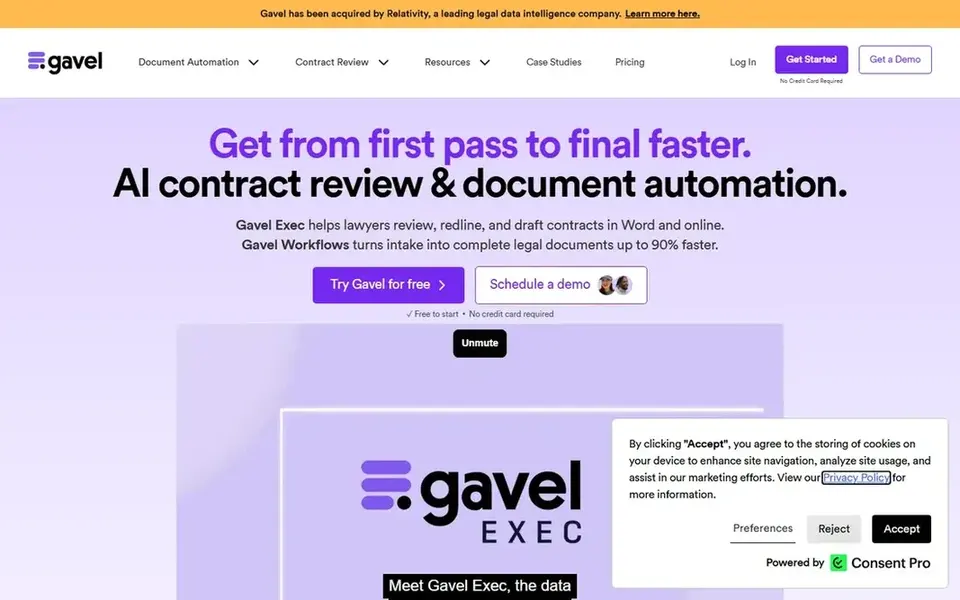
Gavel is aimed squarely at AI drafting and redlining with document automation. Gavel Exec is the AI drafting product from Gavel, and it sits alongside Gavel Workflows, the document automation side of the product. From a buyer's view, the practical limit to plan around is the cap of 1,000 queries per user a month on the subscription plans, which is ample for most small businesses but worth checking for a high-volume practice.
Worth adding: the other gap is integration: Gavel has no native connection to iManage or NetDocuments today, so businesses that store documents in those systems should confirm how files move in and out. Beyond that, the free allowance of 25 queries per user lets a small team test the drafting quality on real documents before committing, and no credit card is required to start. Workflows opens at $83 a month for businesses that mainly need template automation without the AI drafting layer. Gavel pricing: $160 per user/month. Gavel offers a free plan.
Honest limits: Usage is capped at 1,000 queries per user per month on the subscription plans.
- Published pricing with a clear AI drafting product
- Merges automation and AI drafting in one tool
- No native iManage or NetDocuments integration
For turning form submissions into finished documents, Formstack Documents is a natural candidate. The document generation features sit in the Formstack Suite plan, which begins at $250 a month when billed yearly, or $299 a month on a monthly basis. Also, the strength is the form workflow: a firm that already collects client data through Formstack forms will find the document step almost automatic.
What to check first: Document generation is not in the $83 a month Forms plan, so the real entry price is the Suite plan.
On top of that, Formstack Documents turns data collected in web forms into finished documents, which fits businesses that collect client details through intake forms and then need a retainer, letter, or agreement built from those answers. In practice, the Suite plan is the real entry point for drafting use. Its $250 a month starting price puts it above Gavel for a single user. Formstack Documents pricing: $250 per month. Free options: Free trial (14 days).
- Solid form-to-document workflow, with data from web forms flowing straight into documents
- Published Suite pricing
- The 14-day trial spans the core Forms product only
Our selection method
Each tool was reviewed on what its vendor publishes: price, plan limits, core features and stated drawbacks. We did not run hands-on tests. Plan names, prices and limits change often. Treat the figures here as a starting point and verify them with the vendor. Tools are placed by general fit for AI legal Drafting software, with price clarity and free access as tie-breakers. A different team can reasonably rank them differently.
Things to verify first
- Ask Definely, HotDocs and CoCounsel Drafting for a written quote, since no starting price is shown.
- Look at the free plan from Gavel closely: its caps decide whether it is usable for real work.
- Use real work to test the free trial from Woodpecker and Formstack Documents, rather than a demo project.
- Before choosing Woodpecker, weigh its main limit: standalone Woodpecker is no longer sold, so new buyers must take the full MyCase suite.
- Ask Formstack Documents whether prices are locked for the first term and what happens at renewal.
- Map your must-have features to a specific Woodpecker plan before you compare prices.
Frequently asked questions
How are the tools for AI legal Drafting software ordered?
The order follows typical fit for AI legal Drafting software, with Woodpecker first and Formstack Documents last, then price clarity and free access. It is editorial judgement, not a score, so another team could rank the tools differently.
What is the cheapest option for AI legal Drafting software in this list?
On published monthly entry prices, Woodpecker is the lowest here at $130 per user/month. Entry price is only part of the cost, because seats, add-ons and billing terms can change the total.
Can I try these options before paying?
Often, yes. Gavel has a free plan and Woodpecker and Formstack Documents offer a free trial. Use your own data and a real task during the test, and check what the free tier or trial limits before you rely on it.
Which options for AI legal Drafting software have a free plan?
Gavel is the only tool in this list with a free plan. Free plans usually cap users, projects or features, so check the limits on the vendor page. Several others offer a trial instead.
Why do so plenty of drafting tools hide their prices?
That is typical for enterprise tools like HotDocs and Definely. For a small firm, a missing price is a useful signal that the tool may be aimed at bigger buyers.
Does Gavel work without MyCase or Clio?
Yes, Gavel is a standalone product, and it does not need a practice management system to work. You can upload documents and templates straight, and the automation features run on their own.
Sources
See where you really rank - block by block
ProMapRanker scans Google Maps across a grid of your service area. Simple monthly plans from $19, white-label on every plan.
Start freeBrowse all guides
← Best AI Legal Drafting Software for Solo Attorneys in 20266 Best Willmaker Software for 2026 →
 best ai legal assistant software for litigation firms
6 Best AI Legal Assistant Software for Litigation Firms for 2026
Best AI legal assistant software for litigation firms: 6 tools compared on price, free plans and fit. Details on cost, catches and fit. Prices checked.
Read → best ai legal assistant software for small law firms
Best AI Legal Assistant Software for Small Law Firms (2026)
6 best AI legal assistant software for small law firms, with entry costs, free tiers and the buyer each one serves. Verdicts stay brief and factual. No filler.
Read → top estate settlement software reviews
Estate Settlement Software Reviews: Best Picks of 2026
Searching for the top estate settlement software reviews? Here are 6 options with prices and free plans. Every profile names its biggest catch. Quick to scan.
Read → best anime app
Best Anime App in 2026: 9 Legal Apps Compared
Compare the best anime app options in 2026, from Crunchyroll and HIDIVE to Netflix, Hulu, and free legal services like Tubi and RetroCrush for fans today.
Read → best apps for managing contract deadlines
6 Managing Contract Deadlines Compared on Price and Fit
Need the best apps for managing contract deadlines? We compare 6 tools on cost, free access and who each suits. Real limits included. See the full list.
Read → best law enforcement software
Best Law Enforcement Software in 2026
Compare the best law enforcement software for CAD, records, evidence and dispatch, with pricing notes and honest trade-offs for agencies of all sizes.
Read →More in Legal & Compliance · All guides A to Z by date · Latest guides