 ProMapRanker
Best AI Interior Design App Free in 2026

Key takeaways
- The best free ai interior design app depends on the job: photo restyling, floor plans, or shopping for real furniture.
- Planner 5D and Homestyler give the most ongoing free use, while most photo tools give a small set of trial credits.
- RoomGPT is the fastest test for one room, but it does not give you an editable plan or a shopping list.
- IKEA Kreativ is the strongest free choice when you want to preview real IKEA furniture at true scale.
- Always measure before you buy, because AI images are not drawn to scale.
Quick comparison
| Pick | Great for | Pricing starts at | Free tier | |
|---|---|---|---|---|
 RoomGPT RoomGPT | Quick photo restyle | Free | Yes | Visit |
 Planner 5D Planner 5D | Floor plans and layouts | Free | Yes | Visit |
 Homestyler Homestyler | 3D room planning | Free | Yes | Visit |
 REimagineHome REimagineHome | Chat edits and staging | Free | Free trial | Visit |
 Spacely AI Spacely AI | Clean renders without watermark | Free | Free trial | Visit |
 Interior AI Interior AI | Wide style range | See website | Free trial | Visit |
 HomeDesigns AI HomeDesigns AI | Interior and exterior ideas | See website | Free trial | Visit |
 IKEA Kreativ IKEA Kreativ | Real IKEA furniture previews | Free | Yes | Visit |
 DecorMatters DecorMatters | Mobile AR furniture placement | Free | Yes | Visit |
The best AI interior design apps free to try in 2026
We compared official feature pages, pricing pages, app store listings, and public reviews to find tools that still work in October 2026 and give real value without a paid plan. The list below covers photo restyling, 3D planning, and furniture preview, so you can start with the job you have rather than the tool with the loudest claims.

RoomGPT asks for a photo, a room type, and a style, then returns a redesigned version of that same room. That simple flow is why it works well as a first test. You can check a style in minutes, before you spend money on paint, fabric, or furniture, and you do not need design skills to get a useful result. The output is an image, not a plan, so treat it as direction rather than a finished specification. The limits matter too. RoomGPT does not keep your layout as an editable project, and it does not link the furniture it shows to real products you can buy. If the render changes a window, a door, or a fixed feature, you will need to correct that yourself. Use it for inspiration and for shortlisting styles, then move to a planner when you are ready to measure and buy.
- Very fast to use
- No complex setup
- Works from a single room photo
- No editable floor plan
- Furniture in results is not shoppable
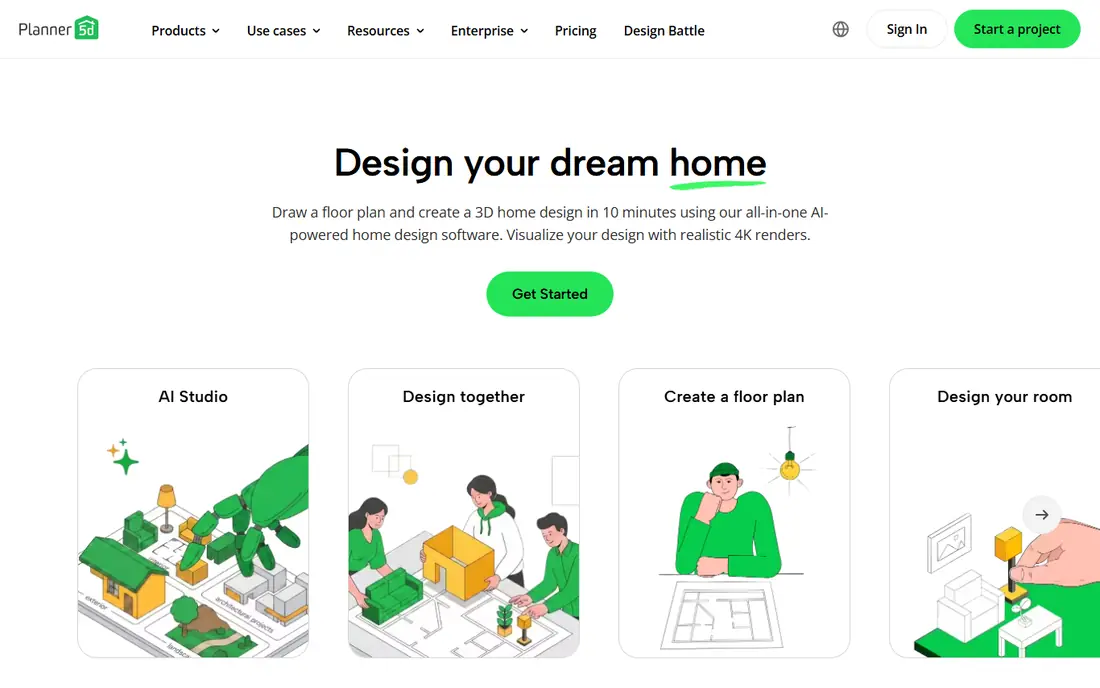
Planner 5D is the practical choice when you want to plan a room rather than just look at a picture of one. You can draw a floor plan, place furniture, and switch between 2D and 3D views to check walkways, door swings, and storage. That planning step catches problems that a pretty render hides, such as a sofa that blocks a door or a table that leaves too little space to pull out a chair. The free plan covers unlimited projects with about half the furniture catalog, which is enough for many home projects. Paid plans add the full catalog and higher quality renders. If you want AI image generation inside an editable project, check the current plan details before you pay, because AI features are not all on the free plan. For layout work, this is the most useful free starting point in this list.
- Unlimited free projects
- 2D and 3D views
- Large furniture catalog on paid plans
- Half the catalog is paid
- AI tools sit mainly on paid tiers
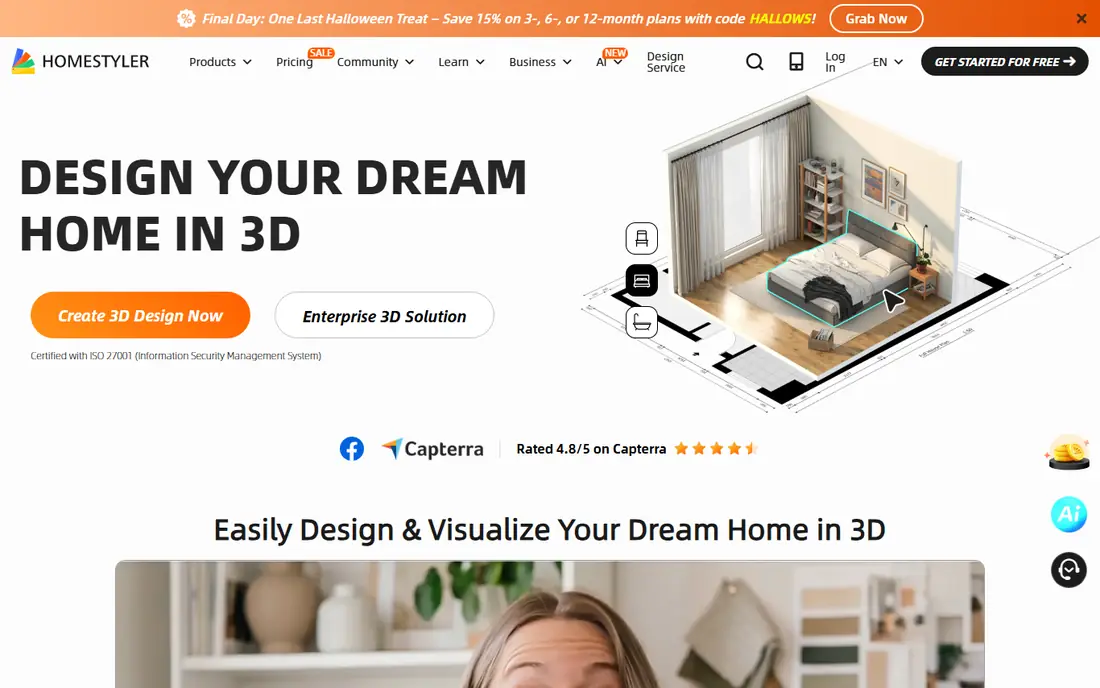
Homestyler gives you a full 3D design workspace with a free basic plan, which makes it a good second step after a photo tool sparks an idea. You can build walls, add windows and doors, and furnish the space from a large library of models. The ability to view the room from different angles helps you judge light, sight lines, and how crowded a layout feels. The trade off is effort. You build the room yourself instead of uploading a photo and getting an instant restyle, so the first project takes longer. Free AI credits are also limited, so do not expect unlimited AI renders on the basic plan. If you enjoy hands on planning and want renders you can adjust, Homestyler is a strong free option.
- Free basic plan
- Unlimited 1K renders on basic
- Large model library
- You build the room in 3D
- Free AI credits are limited
REimagineHome stands out for its conversational approach. You can describe changes in plain words and ask for a new version, which feels closer to briefing a designer than picking from a fixed menu. It also supports virtual staging, so an empty room can be shown furnished, a useful step for sellers and landlords who want listing photos to read well. The free offer is a trial rather than ongoing free use, with five designs and no card required in current listings. After that, you need a paid plan for continued work and for features such as reference photos and shoppable products. Try it on one real room first, and save the designs you like before the trial ends.
- Five free designs with no card
- Chat style edits
- Real product links on paid plans
- Trial ends after five designs
- Best features need a paid plan
Spacely AI is aimed at people who need a clean render to share, including designers and agents. The trial credits come without a watermark in current listings, which makes the output easier to use in a presentation or a listing draft. It accepts photos and sketches, and it can furnish empty rooms, relight scenes, and support 3D workflows. The limit is the same as with most photo tools: the trial is finite, and the furniture shown is generated rather than linked to a store. That makes Spacely AI good for visual direction and client discussion, but not for building a buy list. If you need watermark free output for a small number of rooms, start here and use the credits on your best photos.
- Trial credits with no watermark
- Sketch and photo inputs
- 3D model options
- Trial credits run out
- Furniture is AI generated, not shoppable
Interior AI offers one of the widest style libraries in this group, from Scandinavian and coastal looks to Art Deco and Japanese Zen. That range helps when you are not sure what you like yet and want to compare several directions for the same room. Higher tiers add virtual staging for empty rooms, which is useful for property work. The main drawback is access. Current listings describe a trial rather than a lasting free plan, so check the pricing page before you start a project. The tool also favors looks over feasibility, so a render may show a layout that would not work in a real room. Use it to explore styles, then check measurements, storage, and light in a planner before you commit.
- Very wide style library
- Virtual staging options
- Sharp newer renders
- No lasting free plan in current listings
- Output can ignore practical limits
HomeDesigns AI is useful when a project goes beyond one room. It covers interior redesign, exterior looks, and garden ideas in one place, so a whole property refresh can stay in a single workflow. That breadth suits homeowners planning a larger update, and it also helps agents who need consistent visuals across indoor and outdoor shots. Free access is limited and terms vary by offer, so treat the trial as a test rather than a long term plan. Credit costs also differ from tool to tool, which makes direct price comparison tricky. Start with your most important room, note what each credit buys, and only pay once you know the output quality suits your project.
- Covers interiors, exteriors, and gardens
- Daily credit refills in some plans
- Many room types
- Trial terms vary
- Credits are not directly comparable across tools
IKEA Kreativ is different from every other tool here, because the furniture it shows is real and sold by IKEA. That matters when you move from inspiration to buying. You can place true to scale pieces in a room view and check whether a wardrobe, sofa, or storage unit fits the space you actually have. For small rooms, that scale check alone can save a costly return. The limit is scope. You are working inside the IKEA catalog, so it will not help you compare brands or plan a room around pieces you already own from other stores. A full 3D scan also needs supported hardware. Use Kreativ to test IKEA pieces, and use a planner for the full layout when your room mixes brands.
- Free to use
- Real IKEA products at scale
- Room scan on supported devices
- Limited to the IKEA catalog
- Full 3D scan needs supported hardware
DecorMatters is built for phone users who want to see furniture in their own room through augmented reality. You can try a piece in place, move it, and get a sense of scale and color before you order. The app also includes design ideas from other users, which can help when you are stuck on a starting point. AR placement depends on your phone, your lighting, and a clear floor view, so results will vary from room to room. Some deeper features and catalog items sit behind paid plans. Treat AR as a helpful check, not a final measurement, and confirm dimensions on the product page before you buy.
- Mobile first
- AR placement in your room
- Community design ideas
- AR results vary by phone and light
- Deeper features are paid
How we picked these
We started with tools that are still live and working in October 2026, then checked official feature pages, pricing pages, and app store listings for each one. We kept tools with a clear free plan or a real trial, and we left out tools that had shut down or that only showed pricing after a forced sign up with no useful free access. We also favored tools that cover different jobs, so the list includes photo restyling, 3D planning, staging, and real furniture preview rather than nine versions of the same photo filter. We did not claim hands on testing that did not happen. Our comparison rests on published features, stated free limits, pricing pages, and public reviews, and we note where free limits change often. Prices and free credits can change without notice, so check the vendor page linked for each tool before you pay or plan a project around a trial.
What to check before you choose a free AI design tool
Start with the job, not the app. If you need a quick style test, a photo tool is enough. If you need to know whether furniture fits, use a planner or an AR tool that works at scale. If you need to sell or rent a property, staging and clean exports matter more than the number of styles on offer.
Photo tools
Upload a daylight photo taken straight on, clear clutter, and name what must stay unchanged, such as windows, flooring, or a fireplace. Generate several versions of the same room, because results vary from run to run, and save the ones you like before a trial ends.
Planners and AR tools
Measure your room first, including door widths, ceiling height, and fixed features. Build the plan to those numbers, then use AI renders as a finish and color guide. A render that ignores a radiator, a door swing, or a low ceiling will look good and fail in real life.
Free limits and cost
Read the free limit as a total, not a promise. Some tools refill credits daily, some give a one time set, and some charge per render. If you have ten rooms, a tool with three free renders will not finish the job, while a planner with a lasting free plan might, even if its renders are simpler.
Frequently asked questions
What is the best free ai interior design app?
The best free ai interior design app depends on your task. Planner 5D is best for lasting free floor plans, Homestyler is best for free 3D planning, and RoomGPT is best for a fast single room style test. If you want real furniture, IKEA Kreativ is the strongest free choice for IKEA pieces.
Which is the best free ai interior design app for a photo restyle?
RoomGPT, REimagineHome, and Spacely AI all restyle a real room photo, but their free offers differ. RoomGPT is the simplest test, REimagineHome adds chat style edits, and Spacely AI offers trial renders without a watermark. Try the same photo in two tools and compare which one keeps your layout intact.
Are there best free ai interior design tools that stay free?
Yes, but they work differently from trial tools. Planner 5D, Homestyler, IKEA Kreativ, and DecorMatters offer ongoing free plans with limits, while most photo restylers give a small trial set. Ongoing free plans usually limit the catalog, render quality, or AI credits, so check those limits before you start.
What is the best free ai app for interior design on a phone?
DecorMatters and Planner 5D both work well on mobile, with DecorMatters focused on AR placement and Planner 5D focused on plans. RoomGPT also works from a phone browser for quick photo tests. Pick AR for a scale check and a planner for a layout you can edit later.
Can a free AI tool design a whole house?
A free tool can help with ideas for a whole house, but it will not finish the job on its own. Use a planner for layouts across rooms, photo tools for style direction room by room, and real product pages for dimensions and prices. For structural changes, wiring, or plumbing, get advice from a qualified professional.
Do AI interior images show real furniture I can buy?
Most photo tools show generated furniture that is not linked to a store, so you cannot buy the exact sofa or lamp in the image. IKEA Kreativ is the exception in this list for IKEA products, and some paid tiers of staging tools add shoppable links. Treat generated images as a style guide and shop by dimensions, material, and color.
Sources
See where you really rank - block by block
ProMapRanker scans Google Maps across a grid of your service area. Simple monthly plans from $19, white-label on every plan.
Start freeKeep reading
 zendesk alternatives
Best Zendesk Alternatives in 2026
Compare the best Zendesk alternatives in 2026, from budget help desks to AI-first support tools, with current pricing, free plans, and honest trade-offs.
Read → wordpress alternatives
Best WordPress Alternatives in 2026
Looking for the best WordPress alternatives? We compare 8 free and paid options for blogs, business sites, stores, and developer-led projects in 2026.
Read → which real estate company has the best training
Best Real Estate Company Training in 2026
Compare which real estate company has the best training, from Keller Williams and eXp to Compass and Coldwell Banker, by program, mentor, and fit in 2026.
Read →