 ProMapRanker
Best AI Interior Design App in 2026


Editable floor plans and 3D design · Pricing starts at: $19.99 per month
Key takeaways
- Planner 5D and Homestyler are the best starting points if you want an editable floor plan, not just a pretty picture.
- RoomGPT, REimagineHome, and HomeDesigns AI are best for fast photo restyles and virtual staging from a single room photo.
- IKEA Kreativ is the most practical free tool if you plan to buy IKEA furniture, because it places real products in your actual room.
- AI images are concepts, not construction plans: measure your room, check paint samples in your own light, and consult a professional for structural work.
Quick comparison
| Pick | Great for | Pricing starts at | Free tier | |
|---|---|---|---|---|
| Planner 5D | Editable floor plans and 3D design | $19.99 per month | Yes | Visit |
 Homestyler Homestyler | Free 3D planning and renders | $6.80 per month | Yes | Visit |
 RoomGPT RoomGPT | Fast single-photo restyles | $9 for 30 credits | Yes | Visit |
 Interior AI Interior AI | Photorealistic restyles at volume | See website | Yes | Visit |
 REimagineHome REimagineHome | Chat-style restyles and staging | $19 per month | Yes | Visit |
 HomeDesigns AI HomeDesigns AI | Many styles for interiors and exteriors | $22 per month | Yes | Visit |
 Collov AI Collov AI | Virtual staging for listings | $19 per month | Yes | Visit |
 Spacely AI Spacely AI | Sketch and photo to render | See website | Yes | Visit |
 IKEA Kreativ IKEA Kreativ | Placing real IKEA furniture | Free | Yes | Visit |
The best AI interior design apps
AI interior design tools fall into two groups: photo restylers that repaint a room photo in a new style, and planners that let you build and edit a measured floor plan. We compared official pricing pages, free limits, input types, and output types for tools live in October 2026. Prices are in US dollars and change often, so check the pricing page before you pay. Credit systems are not directly comparable across tools, because one credit buys a different output on each platform. AI results also vary with photo quality, so use a bright, wide-angle photo for the best restyle.
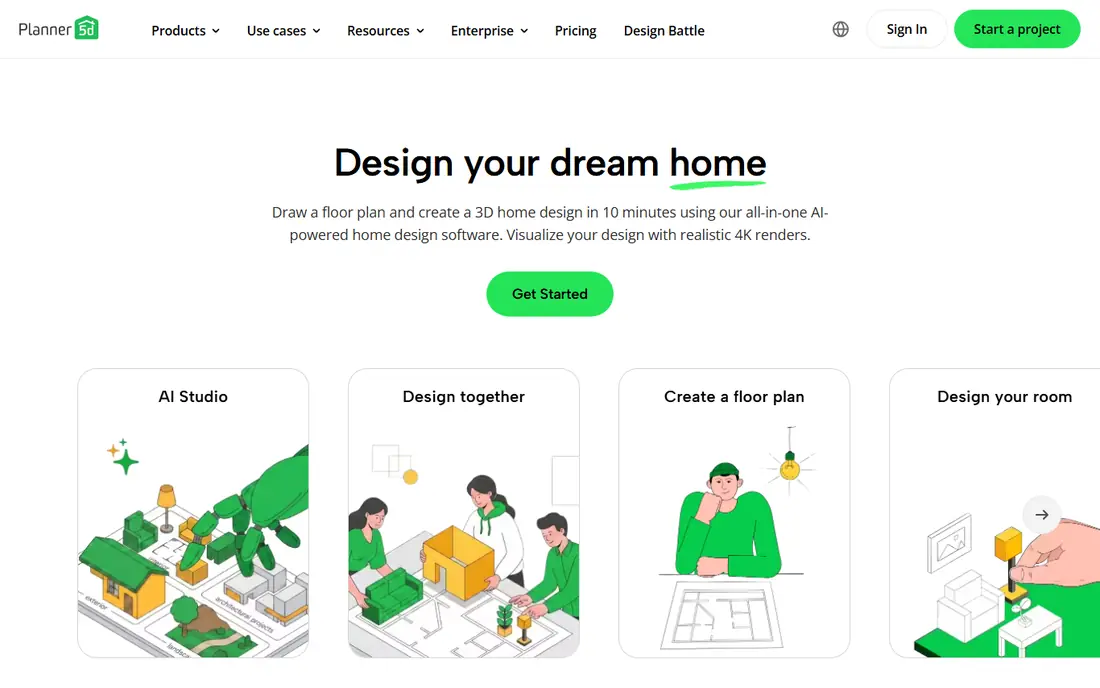
Planner 5D is our pick for most homeowners who want a plan they can actually build from. You draw a measured floor plan, place furniture from a large catalogue, and view the room in 2D and 3D. That editable model matters when you need to check whether a sofa fits a wall, not just whether it looks good in a photo. AI tools can recognise a plan, generate images, and create panoramas, which helps at the concept stage.
The catch is the paywall for the full experience. The free plan gives unlimited projects but only half the catalogue, and Premium costs $19.99 per month or $59.99 per year, with a Professional tier for higher-resolution renders. If you only want one quick restyle, a photo tool is faster. If you are planning a renovation, Planner 5D is the tool to learn.
- Unlimited projects on the free plan with half the furniture catalogue
- Full 2D and 3D planning with measurements
- AI tools for plan recognition and image generation
- Full catalogue and advanced rendering require Premium
- AI features are paid on many plans
- Learning curve is higher than photo-only tools

Homestyler is the best free planner for many users. The Basic plan offers unlimited 1K renders and a large library of free models, so you can build a room, try layouts, and render views without paying. Pro+ starts at $6.80 per month and adds higher-quality output and more features. For renters and homeowners testing layouts before buying furniture, that free tier is genuinely useful.
The limit is AI staging. Free AI credits are few, and a staging image can cost more credits than a basic render, so photo restyling is not Homestyler's strength. Use Homestyler to plan the layout and test furniture placement, then use a photo restyler for style inspiration. Together, those two steps cover most home projects.
- Free Basic plan with unlimited 1K renders
- Large free model library
- Editable 2D and 3D layouts with realistic rendering
- Free AI credits are limited to a small total
- 4K renders cost extra
- Staging images cost more credits than basic renders

RoomGPT is the fastest way to see a room in a new style. Upload one photo, pick a room type and a style, and receive a redesigned image with a before-and-after view. That speed suits homeowners who want ten ideas in an evening, or agents who want a quick concept for a listing photo. Credit packs start at $9 for 30 credits in many listings, which makes occasional use cheap.
The weakness is what RoomGPT does not do. You cannot edit the room plan, move walls, or get measurements from the output, and the site does not publish its free allowance or prices before login, so check inside the app before buying credits. Use RoomGPT for inspiration, then measure and plan the winning idea in Planner 5D or Homestyler.
- Simplest upload-and-redesign workflow
- One free design to test the tool
- Clear style choices for common room types
- No editable floor plan
- Pricing is shown after sign-in on the site
- Output quality depends heavily on the input photo
Interior AI suits users who need many restyles quickly, especially for virtual staging. Upload a photo of an empty or furnished room, choose a style, and receive a photorealistic version that can help buyers picture the space furnished. That volume use case, for listings or rental adverts, is where Interior AI earns its place over single-use tools.
The caution is pricing. Published prices have varied across 2026 listings, from monthly subscriptions to yearly tiers, so the only reliable figure is the one on the pricing page today. Start with the free trial or limited free renders, test the styles you actually need, and only then choose a plan. For one room, a cheaper credit pack elsewhere may be enough.
- Fast, photorealistic restyles from a room photo
- Many styles for staging and redesign
- Suited to agents and landlords with many rooms
- Pricing has changed several times, so check the current page
- No editable floor plan
- Results vary by photo quality and style
REimagineHome stands out for its conversational flow. Instead of picking from a fixed style list alone, you can describe changes in plain language and refine the result, which feels closer to briefing a designer than pressing a filter button. Five free designs let you test that flow without a card, and Pro plans add shoppable product links and batch processing for listings.
The trade-off is tiering. The features that make REimagineHome distinct, including chat edits, reference photos, and real product links, sit on paid plans, and monthly prices range from $19 to higher tiers depending on credits. If you want fast staging with products you can buy, REimagineHome is a strong pick. If you want a floor plan, pair it with a planner.
- 5 free designs with no card required
- Conversational editing flow
- Real shoppable products and batch processing on Pro plans
- Chat, reference images, and real products require Pro on many plans
- Monthly price rises with credit volume
- No measured floor plan
HomeDesigns AI is the broadest photo tool here. It covers living rooms, bedrooms, kitchens, bathrooms, and home offices, plus exteriors and gardens, with a large style library that helps when you are unsure what you like. Starting at $22 per month for 100 credits in many listings, it suits homeowners exploring several rooms or several styles at once.
The catch is credit maths. Different tools cost different credit amounts, so a plan that looks generous can run out faster on high-resolution or exterior renders. Test the free credits first, count how many designs your project actually needs, and choose the tier that covers that count. For style exploration across a whole home, HomeDesigns AI is a good value pick.
- 80 or more styles on standard plans
- Covers interiors, exteriors, and gardens
- Floor plan and staging tools in one site
- Free credits are limited
- Credit costs vary by tool
- Advanced tools and higher styles sit on higher tiers
Collov AI is built for virtual staging, and that focus shows. Upload a listing photo, choose a style, and receive a furnished version that helps buyers see potential in an empty room. Unlimited regeneration on paid plans means you can retry a room until the furniture placement looks natural, without worrying about each retry costing extra credits.
The free trial is small and watermarked, so treat it as a quality test, not a staging solution. For agents and landlords, the $19 per month starting price in many listings is reasonable if you stage several listings a month. For a single home project, a credit pack tool may be cheaper.
- Fast virtual staging from listing photos
- Unlimited regeneration on every plan in many listings
- Focused toolset for real estate use
- Free trial is limited to a handful of watermarked images
- Less suited to full home planning
- Staging quality depends on photo quality
Spacely AI suits users who start from a sketch or a model, not just a photo. Architects, designers, and keen renovators can turn a sketch into a photorealistic render, or restyle a photo with more control than a one-click tool offers. Trial credits let you test that workflow before paying, and credit packs suit occasional professional use.
The downside is complexity and price movement. Subscription and pack prices have shifted during 2026, so check the pricing page for the current offer, and expect a learning curve if you use sketch or model inputs. For pure photo restyling, a simpler tool may be faster. For design professionals who need sketch-to-render, Spacely AI is worth testing.
- Works from photos, sketches, and 3D models
- Trial credits with no watermark in many listings
- Useful for designers and architects
- Credit packs and subscriptions have changed over 2026
- Output quality varies by rendering engine
- Less beginner-friendly than RoomGPT
IKEA Kreativ solves a different problem from the rest of this list, and for many buyers it is the most useful tool here. Instead of imagining a room, you scan your room and place real IKEA furniture in it, at real sizes, so you can see whether a bookcase fits and how it looks with your walls. There is no design subscription, and the tool lives inside the IKEA app and website.
The limit is obvious: you can only preview IKEA products. If you plan to buy elsewhere, Kreativ will not help, and a full 3D scan needs a supported phone. Use Kreativ when you are ready to buy from IKEA, and use a planner or restyler for the wider design question. For IKEA shoppers, it is free, practical, and hard to beat.
- Free to use
- Places real IKEA furniture in a scan of your own room
- AI redesign layer added for style ideas
- Limited to the IKEA catalogue
- Full 3D room scan needs supported hardware
- Not a general floor plan tool
How we picked these
We compared official pricing pages, free limits, input types, and output types for AI interior design tools live in October 2026. We favoured tools with a working free tier or trial, a clear pricing page, and a real use case for homeowners, renters, agents, or designers, and we mixed photo restylers with editable planners. We did not claim hands-on testing, and we did not include tools we could not verify as active. Credit systems differ across tools, so compare the number of designs you need, not just the credit count.
How to get good results from AI design tools
Start with a good photo. Use a bright, wide-angle shot taken from a corner, with clutter removed and curtains open, because AI tools preserve room structure better when the structure is clear. Generate several styles for the same room, save the ones you like, and note what you like about each: wall colour, furniture shape, or layout, rather than the whole image at once.
Next, turn the winning concept into a plan. Measure wall lengths, ceiling height, door swings, and window positions, then rebuild the layout in Planner 5D or Homestyler to check furniture sizes. Order paint samples and fabric swatches, and view them in your own light at different times of day, because screen colours shift. AI images are a starting point for decisions, not a substitute for measuring.
Virtual staging and selling a home
For listings, use staging tools to show an empty room furnished, but disclose that images are virtually staged where your listing platform requires it. Keep the original empty photo available, avoid removing structural features in the staged image, and do not use staging to hide damage. A staged image should help buyers picture the space, not mislead them about its condition.
When to hire a professional
Hire a designer or contractor for structural changes, electrical or plumbing moves, and any work that needs permits or code compliance. AI tools cannot check load-bearing walls, wiring safety, or building rules. A professional can also confirm that a layout works for daily life, not just in a render. Use AI to explore ideas and communicate them, then let a qualified person check the plan before you build.
Frequently asked questions
What is the best AI interior design app?
Planner 5D is our pick for editable floor plans, Homestyler for free 3D planning, and RoomGPT for fast photo restyles. The best app depends on whether you want a plan you can build from, a staged photo, or a quick style idea.
What is the best AI app for interior design from a photo?
RoomGPT, Interior AI, and REimagineHome are strong photo restylers, because they turn one room photo into a redesigned image in common styles. HomeDesigns AI adds more styles and exterior options. Use a bright, wide-angle photo for the best result.
What are the best AI tools for interior design for professionals?
Planner 5D Professional, Spacely AI, and Collov AI suit professional workflows, thanks to higher-resolution renders, sketch-to-render tools, and staging at volume. Professionals should check commercial-use terms on the pricing page before using outputs in client work.
Is there a free AI interior design app?
Yes. Planner 5D and Homestyler offer ongoing free plans, IKEA Kreativ is free for IKEA furniture previews, and RoomGPT, REimagineHome, and Collov AI offer limited free designs or trials. Free tiers are best for testing a tool before you pay.
Can AI interior design replace a human designer?
No. AI tools are strong for ideas, style exploration, and staging, but they do not measure rooms, check structure, or handle permits. Use AI to explore options and communicate ideas, then consult a designer or contractor for structural or technical work.
How much do AI interior design apps cost?
Prices vary by tool and credit system. Homestyler Pro+ starts at $6.80 per month, Planner 5D Premium at $19.99 per month or $59.99 per year, and several photo tools start around $19 to $22 per month. Credit packs, such as $9 for 30 RoomGPT credits, suit occasional use. Check the pricing page before you pay.
Sources
- https://planner5d.com
- https://www.homestyler.com
- https://www.roomgpt.io
- https://interiorai.com
- https://www.reimaginehome.ai
- https://homedesigns.ai
- https://collov.ai
- https://spacely.ai
- https://www.ikea.com
- https://planner5d.com/blog/top-ai-interior-design-tools/
- https://roomstaging.net/blog/10-best-free-ai-interior-design-apps
See where you really rank - block by block
ProMapRanker scans Google Maps across a grid of your service area. Simple monthly plans from $19, white-label on every plan.
Start freeKeep reading
 youtube alternatives
Best YouTube Alternatives in 2026
Looking for youtube alternatives in 2026? We compare Vimeo, Dailymotion, Twitch, Rumble, and more on price, audience, monetization, control and privacy.
Read → what's the best ai tool for photo editing
What Is the Best AI Tool for Photo Editing in 2026
What is the best AI tool for photo editing? We compare ten tools for 2026, from Photoshop and Lightroom to Luminar, Topaz, Canva and mobile editors today.
Read → twitter alternatives
Best Twitter Alternatives in 2026
Compare the best twitter alternatives for 2026, from Bluesky, Threads, and Mastodon to Reddit, Tumblr, and Micro.blog, with free plans and audience notes.
Read →