 ProMapRanker
Best AI Image Enhancement Tools in 2026


Repairing noise, blur, and resolution · Pricing starts at: See website
Key takeaways
- Topaz Photo AI is the strongest repair tool for noise, blur, and low resolution, while Lightroom suits photographers with large libraries.
- Free and low-cost tools such as Upscayl, Upscale.media, and PhotoRoom cover most everyday upscaling and product photo needs.
- Generative enhancers can invent detail that was not in the original photo, so use a faithful repair mode for evidence, documents, and portraits.
- Only enhance your own photos or photos you have permission to use, and do not use these tools to alter images of other people without consent.
Quick comparison
| Pick | Great for | Pricing starts at | Free tier | |
|---|---|---|---|---|
| Topaz Photo AI | Repairing noise, blur, and resolution | See website | Free trial | Visit |
 Adobe Lightroom | Photographer libraries and RAW files | See website | Free trial | Visit |
 Luminar Neo | Creative AI editing for photographers | See website | Free trial | Visit |
 Remini | Restoring old and blurry portraits | See website | Yes | Visit |
 Let's Enhance | Batch upscaling for sellers | $9 per month | Yes | Visit |
 Upscale.media | Occasional free upscaling | $9.99 per month | Yes | Visit |
 Magnific AI | Dramatic generative detail | $39 per month | No | Visit |
 DxO PhotoLab | RAW quality and lens correction | See website | Free trial | Visit |
 HitPaw FotorPea | All-round desktop enhancement | $22.39 per month | Free trial | Visit |
 PhotoRoom | Product photos and catalogs | See website | Yes | Visit |
The best AI image enhancement tools
Image enhancement covers several jobs: removing noise, sharpening soft photos, upscaling small images, restoring old portraits, and cleaning up product shots. No single tool is best for all of them, so the list below groups tools by the job they do best. A plain consent warning applies to every tool here: only enhance your own photos or photos you have permission to use, and never alter images of other people in ways they have not agreed to.
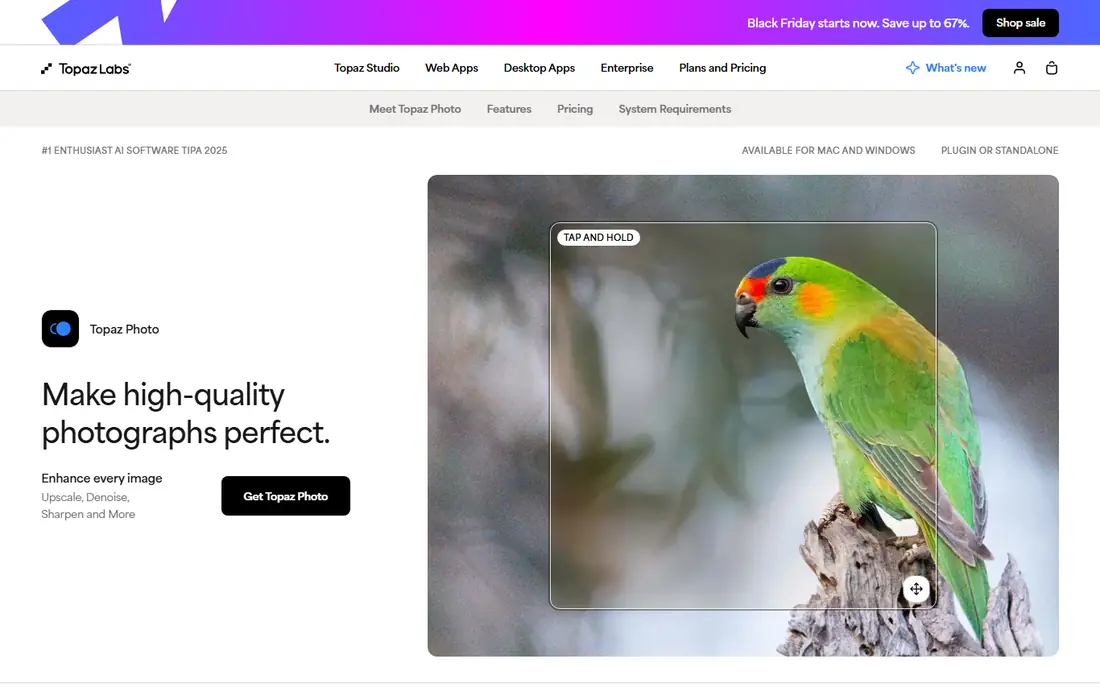
Topaz Photo AI is our pick for photographers who need faithful repair rather than invented detail. Its models target high ISO noise, motion blur, soft focus, and low resolution, with automatic subject detection and controls to dial back strength so skin does not look plastic. It runs locally on Windows and Mac, which suits photographers who process large batches without uploading every file.
The catch is pricing. Recent sources list both a one-time price near $199 and subscription figures, and one 2026 summary lists a subscription model, so we list the price as See website rather than risk an outdated figure. Processing can also be slow on older machines. If quality matters more than speed, Topaz Photo AI remains the repair benchmark in this list.
- Strong sharpen, denoise, and upscale models
- Runs locally
- Works as a Lightroom plugin
- Pricing has changed and sources conflict, so confirm on the vendor site
- Slow on older machines
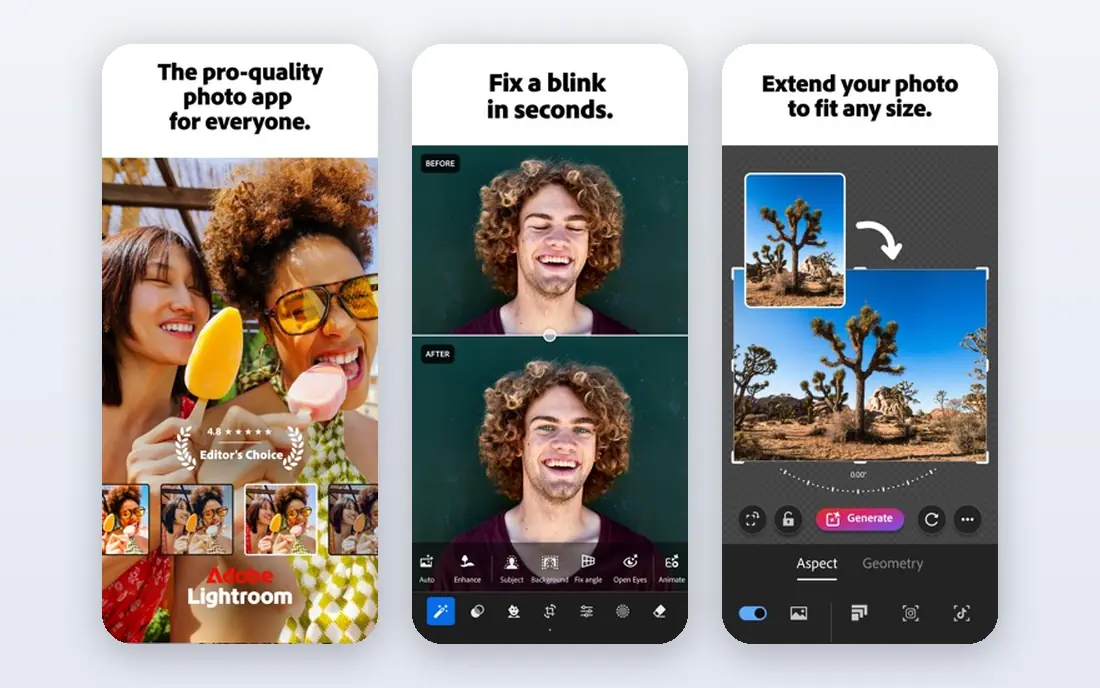
Lightroom suits photographers who enhance images as part of a larger library workflow. Its Enhance features cover denoise and resolution improvement, and its catalog, presets, and batch tools make it easy to apply consistent edits across hundreds of photos. For RAW shooters, the combination of library management and AI enhancement in one app is hard to replace.
The downside is that Lightroom is subscription only, with no permanent free plan, only a trial, and plan prices vary by bundle and region, so we list the price as See website. New users may also need time to learn the catalog system. If you already use Adobe tools, Lightroom is the natural enhancement home. If you only need occasional upscaling, a cheaper single-purpose tool will do.
- Strong library, RAW, and batch workflow
- Enhance tools for denoise and resolution
- Wide plugin support
- Subscription only
- Learning curve for new users
- Pricing varies by plan and region

Luminar Neo is the creative pick in this list. Its AI tools help with lighting, color, portrait retouching, and detail enhancement, with a friendlier interface than a full professional suite. Recent summaries list subscription pricing near $59 per year and one-time desktop licenses near $99 to $129 depending on edition, which is why we list the price as See website rather than picking one figure.
The honest weakness is focus. Luminar Neo is a full creative editor, not a dedicated repair engine, so photographers with badly damaged photos may still prefer Topaz Photo AI for denoise and upscale work. For everyday photographers who want AI help plus creative control, Luminar Neo is an enjoyable middle ground.
- Friendly AI tools for light, color, and portraits
- One-time license options in recent summaries
- Works on desktop and mobile
- Pricing varies by edition, so confirm on the vendor site
- Less focused on pure repair than Topaz Photo AI
Remini dominates mobile portrait restoration. Its models are tuned for faces, so old, blurry, and low-light portraits often return looking like themselves, where a general upscaler produces a smooth but generic face. The app is simple and fast on iPhone and Android, with free limited access, ads, and daily caps, plus paid plans for heavier use.
The billing warning matters. Recent summaries list paid pricing from about $4.99 per week to yearly plans in a wide range, and weekly subscriptions add up quickly if you forget to cancel. Check the exact price and period in the app store before subscribing, and set a reminder to cancel after a restoration project. For family photos, Remini is still the easiest mobile choice.
- Very strong face and portrait restoration
- Simple mobile workflow
- Free limited access with daily caps
- Paid pricing varies by platform and plan
- Weekly billing can add up fast
Let's Enhance is a cloud-based upscaler with a clean web interface and an API that suits online sellers and small teams. It handles smart upscaling, compression artifact removal, and color enhancement, with batch processing for product catalogs. Recent summaries list a starting plan at $9 per month on annual billing with 100 credits, plus 10 one-time free credits.
The catch is that free credits do not renew, so the free tier is a trial rather than an ongoing free plan in practice. Cloud processing also means upload and download time for large batches. For sellers who need consistent product images at scale, Let's Enhance offers a practical balance of quality, batch tools, and API access.
- Clean web interface
- Batch processing and API access
- Credit rollover in recent summaries
- Cloud-based, so large batches depend on upload speed
- Free credits are one-time, not recurring
Upscale.media is the simplest web upscaler in this list. Upload an image, pick an upscale factor, and download the result, with no desktop install. Recent summaries list a free tier of two to three images per month and a paid plan at $9.99 per month for 100 credits, which covers occasional use well.
The limit is volume. Heavy users and sellers with large catalogs will outgrow the free tier quickly and may prefer a batch tool such as Let's Enhance or a desktop tool such as Upscayl. For a one-off upscale, a social post, or a small product image, Upscale.media is fast, cheap, and easy to use.
- Free tier for occasional use
- Simple web workflow
- No software install needed
- Free tier is limited to a few images per month
- Paid credits suit light use better than heavy batches
Magnific AI is a generative enhancer, not a faithful repair tool. Its engine can add plausible new texture and detail as it upscales, guided by prompts, which produces striking results for art, concept work, and marketing visuals. Recent summaries list starting pricing near $39 per month standalone, or inside Freepik plans, with high upscale factors.
The honest warning is that invented detail is a feature here, not a flaw, but it makes Magnific AI wrong for evidence, documents, and faithful portraits. Use its precision mode when the subject must stay unchanged, and always label generative results where accuracy matters. For creative work where drama matters more than fidelity, Magnific AI is in a class of its own.
- Striking generative detail for art and marketing visuals
- Prompt-guided enhancement
- High upscale factors
- No permanent free tier
- Generative detail can invent texture that was not in the original
DxO PhotoLab suits photographers who care about RAW quality, lens correction, and noise handling in a desktop workflow. Its denoising and optical corrections are built on detailed camera and lens profiles, which helps RAW files from many camera bodies. For photographers who shoot RAW and print, that foundation matters more than a one-click mobile filter.
The trade-off is that PhotoLab is a full RAW editor with edition and upgrade pricing that varies, so we list the price as See website. It is also less focused on generative enhancement than Magnific AI or Krea-style tools. For a photographer-first workflow where quality and control matter, DxO PhotoLab remains a respected choice.
- Strong RAW processing and denoising
- Deep lens and camera profiles
- Local desktop workflow
- Pricing varies by edition and upgrade path
- Less focused on generative enhancement
HitPaw FotorPea, formerly HitPaw Photo Enhancer, is an all-round desktop enhancer for Windows and Mac. It covers upscale, sharpen, denoise, and face enhancement in one app, with recent summaries listing pricing from $22.39 per month, $90.39 per year, or $130.39 perpetual. That range suits users who want one desktop tool for many jobs rather than several subscriptions.
The catch is monthly cost. At the monthly rate, HitPaw FotorPea costs more than a web upscaler for occasional use, so the yearly or perpetual options make more sense for regular users. Face enhancement also needs strength control to avoid an over-smoothed look. For regular desktop enhancement across many photo types, it is a solid all-rounder.
- Upscale, sharpen, denoise, and face enhancement in one desktop app
- Perpetual license option in recent summaries
- Monthly price is high compared with single-purpose tools
- Face results need strength control
PhotoRoom is the product photo pick in this list. It cleans up backgrounds, sharpens products, and creates staged marketplace scenes, with batch tools that help sellers keep a catalog consistent. A free tier exists with limits, and recent summaries list Pro pricing in a range from about $7.50 to $13 per month depending on source and billing, so we list the price as See website.
The honest limit is scope. PhotoRoom is built for product work, and portrait restoration or faithful RAW repair will be better elsewhere. Free exports can also be lower resolution in some summaries. For sellers on Amazon, Etsy, or Shopify who need clean product images fast, PhotoRoom is one of the most practical tools here.
- Strong product photo cleanup and backgrounds
- Batch tools for sellers
- Free tier with limits
- Built mainly for product work, not portraits
- Paid pricing varies by source and billing period
How we picked these
We compared official vendor pages, pricing pages, and October 2026 public tool summaries for tools that enhance real photos through sharpening, denoising, upscaling, or restoration. We favored tools that are live today, state what they do clearly, and fit a distinct job, from faithful repair to product catalogs. We listed prices as See website where recent sources conflicted, rather than inventing a single figure, and we excluded tools built for non-consensual imagery. We did not claim hands-on testing of every tool on the same photo set.
How to choose the right enhancer for your photo
Start with the job, not the tool. For a noisy or blurry original, use a faithful repair tool such as Topaz Photo AI or DxO PhotoLab. For an old portrait, use Remini. For a product catalog, use PhotoRoom or Let's Enhance. For a creative project where invented detail is welcome, use Magnific AI, but label the result as enhanced where accuracy matters.
Test on the same photo before you pay
Run two or three tools on the same photo and compare edges, skin texture, and text at full size, not only in a small preview. Watch for over-smoothing on skin, invented text, and warped hands or patterns, which are signs the strength is too high or the tool is generative. Dial strength back, try a precision or faithful mode where available, and keep the original file untouched so you can start again. A tool that looks good in a preview can still fail at print size.
Respect consent and keep originals
Only enhance your own photos or photos you have permission to use. Do not enhance photos of other people to change their appearance, age, clothing, or identity without their clear permission, and do not use enhancement to create misleading images of real people or events. Keep originals, note where AI enhancement was used for published work, and check platform rules before posting enhanced portraits or product images.
Frequently asked questions
What is the best AI tool for image enhancement?
Topaz Photo AI is the strongest faithful repair tool for noise, blur, and resolution, while Remini is best for old portraits and PhotoRoom is best for product photos. The best tool depends on whether you need repair, restoration, product cleanup, or creative detail.
What is the best free AI image enhancement tool?
Upscayl is a strong free desktop option for upscaling, and Upscale.media covers occasional free web upscaling. PhotoRoom and Remini offer free tiers with limits, while Let's Enhance offers one-time free credits for testing.
Can AI enhancement restore a very blurry photo?
It can improve many blurry photos, especially portraits in Remini and general photos in Topaz Photo AI, but it cannot recover detail that was never captured. Generative tools may invent plausible detail instead, which looks good but is not a true restoration.
Is it safe to upload personal photos to an AI enhancer?
Check the privacy policy before uploading sensitive photos, and prefer local tools such as Topaz Photo AI or DxO PhotoLab for private images. Avoid uploading photos of other people without permission, and delete cloud uploads after download where the tool allows it.
Do AI enhancers work for product photos?
Yes. PhotoRoom and Let's Enhance are built for product catalogs, with background cleanup, batch processing, and consistent sizing for marketplaces. For a single product image, Upscale.media or PhotoRoom free tiers may be enough.
Sources
- https://www.topazlabs.com/topaz-photo-ai
- https://www.adobe.com/products/photoshop-lightroom.html
- https://skylum.com/luminar
- https://remini.ai
- https://letsenhance.io
- https://www.upscale.media
- https://magnific.ai
- https://www.dxo.com/dxo-photolab/
- https://www.hitpaw.com/photo-enhancer.html
- https://www.photoroom.com
See where you really rank - block by block
ProMapRanker scans Google Maps across a grid of your service area. Simple monthly plans from $19, white-label on every plan.
Start freeKeep reading
 zoho inventory alternatives
6 Alternatives to Zoho Inventory, Compared on Price and Fit
Zoho Inventory alternatives: 6 tools compared on price, free plans and fit. Katana leads the list for manufacturers. Fit and flaws are laid out for each entry.
Read → zoho crm alternatives
Best Zoho CRM Alternatives (2026)
Need Zoho CRM alternatives? We compare 7 tools on cost, free access and who each suits. Every pick gets a straight assessment. Built for quick decisions.
Read → zelle alternatives
Best Zelle Alternatives in 2026
Compare the best Zelle alternatives for sending money to friends, paying sellers and moving funds abroad, with honest notes on fees, speed and safety in 2026.
Read →