 ProMapRanker
Best AI Image Detector Tools in 2026


Platforms and teams that need API detection at volume · Pricing starts at: See website
Key takeaways
- No AI image detector gives a certain verdict, so treat every result as a signal that needs human review.
- Hive Moderation and Sightengine suit platforms and developers that need an API at volume.
- Illuminarty, AI or Not, and Is It AI suit quick single-image checks with visual explanations.
- Pangram Labs and Reality Defender add image checks alongside text or deepfake detection, which helps mixed content workflows.
- Compression, cropping, and heavy editing lower accuracy for every tool, so check the original file when you can.
Quick comparison
| Pick | Great for | Pricing starts at | Free tier | |
|---|---|---|---|---|
| Hive Moderation | Platforms and teams that need API detection at volume | See website | Free trial | Visit |
 Illuminarty | Visual explanations and heatmaps for single images | Free | Yes | Visit |
 AI or Not | Quick, free checks without a long setup | Free | Yes | Visit |
 Is It AI | Generator identification and visual markers | Free | Yes | Visit |
 Sightengine | Affordable API moderation for apps and sites | Free | Yes | Visit |
 Pangram Labs | Combined text and image detection for content teams | Free | Yes | Visit |
 Deepware Scanner | Free deepfake and synthetic media checks | Free | Yes | Visit |
 Reality Defender | Deepfake detection for organisations and teams | See website | Free trial | Visit |
The best AI image detector tools
AI-generated images now look close enough to real photos to fool casual viewers, which makes detectors useful for journalists, teachers, moderators, and anyone checking a suspicious image. The tools below analyse patterns, artefacts, and metadata to estimate whether an image was made by AI. None of them is perfect, and results vary with the generator, the file quality, and how much the image was edited. We compared official product pages and current roundups for each tool, and we note where pricing is API-based rather than a flat monthly fee.
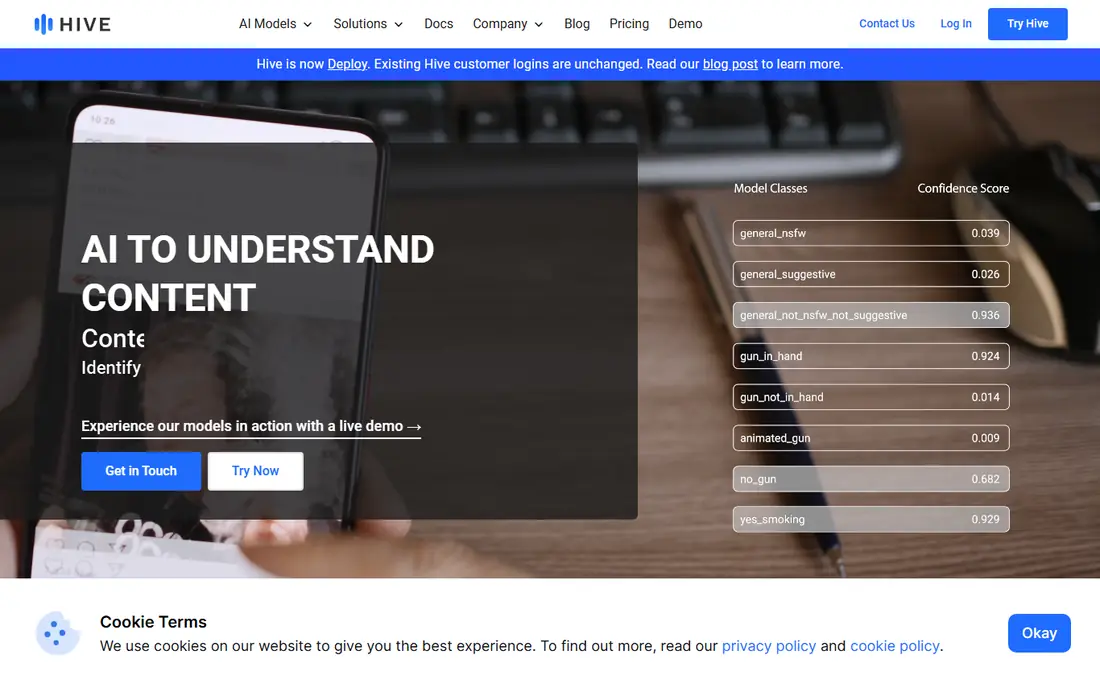
Hive Moderation is the production pick in this list. It offers AI-generated image detection through an API, alongside moderation classifiers for other content types, which lets a platform check uploads as they arrive rather than by hand. Hive can also point to the likely generator family behind an image, which helps moderators decide how much weight to give a result. For a marketplace, newsroom system, or social app, that API design matters more than a pretty web page.
The drawback for casual users is access. Pricing is usage-based and partly set through sales for larger volumes, so a person who wants to check one photo will find the web demo or a simpler tool faster. Hive also shares the limits of every detector: compressed or heavily edited images score less reliably. Choose Hive when you need detection inside a product or pipeline. Choose a free web checker when you only need occasional single-image checks.
- API built for production use
- Can identify likely generator families
- Scales for moderation pipelines
- Enterprise pricing is not fully public
- Single-image casual checks are not the main focus

Illuminarty stands out because it shows its work. Instead of only giving a score, it can highlight regions of an image that look AI-generated, which helps a reader understand why a result came back as synthetic. That visual explanation is useful for teaching, for fact-checking, and for showing a colleague why an image needs a second look. It also handles text detection, so a mixed submission can be checked in one place.
The free tier limits how many checks you can run per day, and paid plans add more capacity and detail. Like other detectors, Illuminarty struggles when an AI image has been heavily retouched, compressed, or cropped, because editing removes some of the signals it reads. Use Illuminarty as a first-pass checker with explanations, then confirm important cases with a second tool and with source checks.
- Heatmaps highlight suspect regions
- Free checks for occasional use
- Covers images and text
- Free tier limits daily checks
- Accuracy drops on heavily edited images

AI or Not, from Optic, is built for speed. You upload an image, you get a result quickly, and you move on. That simplicity suits a teacher checking a student submission, a buyer checking a listing photo, or a reader checking a viral image. The free tier covers casual use, and the interface needs no technical knowledge, which is a real advantage when the person checking is not a developer.
Heavy users will hit limits and will want more detail, such as generator identification, heatmaps, or API access, which other tools in this list provide in more depth. AI or Not is also subject to the same accuracy limits as every detector, especially on compressed social media images. Use it for quick triage, not as a final verdict on a high-stakes image.
- Simple upload and instant result
- Free casual checks
- Audio and image options in some plans
- Free tier is limited for heavy use
- Less detail than API platforms for production work
Is It AI focuses on photos and profile images, with a clear result that names the likely generator alongside a confidence score in many cases. Visual highlighting shows which parts of the image triggered the detection, which helps when you need to explain a result to someone else. Paid plans start low, so occasional users can upgrade without an enterprise contract.
The free plan is limited, with only a few checks per month in recent listings, so regular users will need to pay or rotate tools. Is It AI also performs best on clean, uncompressed photos, and social media compression can weaken the signal. For a quick check of a portrait or a product photo, with a likely generator name attached, Is It AI is a strong option.
- Names the likely generator in many cases
- Visual markers show suspect areas
- Low cost paid plans
- Free plan covers only a few checks per month
- Compressed images lower reliability
Sightengine suits developers and small platforms that need detection inside their own product without enterprise pricing. The free tier offers a monthly allowance of operations, with a daily cap, and paid plans scale by operation count. The same API can check AI-generated images, moderation categories, and image quality, which reduces the number of vendors a small team must manage.
It is not a general image recognition API, so teams that also need object or scene labelling will need a second service. The web interface is also thinner than Illuminarty or Is It AI for manual checks. Sightengine earns its place for apps, marketplaces, and moderation pipelines that need a low cost, well documented API with a usable free tier.
- Free tier with monthly operations
- API covers AI images plus moderation
- Clear per-operation pricing on paid plans
- No general object labelling
- Web interface is thinner than dedicated checkers
Pangram Labs is best known for text detection, but it also offers image detection, which makes it useful for teams that check both parts of a submission. A publisher or teacher can check an essay and its images in one dashboard, rather than switching tools. The free tier covers a small number of daily checks, and paid plans add larger allowances and API access.
Image scans are metered separately from text, so a team that checks many images should read the plan limits carefully. Pangram image detection is also newer and less specialised than Hive or Illuminarty for pure image work. Choose Pangram when you already check text and you want image checks in the same workflow. Choose a dedicated image detector when images are the whole job.
- Free daily checks
- Sentence-level detail for text
- Image scans included on paid plans
- Image detection is metered separately
- Text remains the stronger product
Deepware Scanner focuses on manipulated media, including deepfake video and synthetic images, and it offers free scans that suit journalists, researchers, and concerned readers. The tool analyses media for signs of manipulation and gives a result that helps prioritise further review. Its free access makes it a useful second opinion when a paid tool gives a borderline score.
The simplicity is also a limit. Deepware Scanner does not offer the same reporting, API depth, or generator detail as enterprise platforms, and its result should not be quoted as proof in a dispute. Use it as part of a layered check: run a free scan, compare with Illuminarty or AI or Not, and look for source evidence such as the original file, metadata, and the account that posted the image.
- Free to use for scans
- Focus on manipulated video and images
- No account needed for basic checks in many cases
- Results are a signal, not proof
- Interface is simpler than enterprise platforms
Reality Defender is the team pick for deepfake risk, covering images, video, and audio in one platform rather than images alone. That breadth matters for fraud, impersonation, and media verification, where a fake can arrive as a voice clip, a video call still, or a photo. Organisations can use the platform or API to check media as part of a review workflow, with audit and reporting features that casual checkers lack.
Pricing is set through sales for many plans, which makes budgeting harder for a small team, and the platform is more than a casual user needs for one photo. Reality Defender fits newsrooms, financial teams, and platforms that face impersonation risk regularly. For a one-off photo check, start with a free tool in this list and escalate only if the stakes justify it.
- Covers image, video, and audio deepfakes
- Built for organisational workflows
- API and platform options
- Pricing is not fully public
- Overkill for a single casual check
How we picked these
We compared official product pages, pricing pages, and current roundups for AI image detectors that are live in October 2026. We kept tools that check still images, that offer a web checker or an API, and that publish enough detail to judge free limits and paid pricing. We did not list tools that only detect AI text, and we did not repeat vendor accuracy claims as facts, because accuracy varies by generator, compression, and editing. Where pricing is usage-based or set through sales, we wrote See website rather than inventing a figure.
What to check before you buy
Start with how you will use the result. A casual check needs a free web tool with a clear score. A platform needs an API, rate limits, and reporting. A newsroom needs explanations and a second opinion workflow. Buying an enterprise API for occasional checks wastes money, while relying on a free checker for platform moderation wastes time and misses volume.
Next, test with images you know. Run a real photo, a known AI image, and a compressed version of each through the tool, and note where scores shift. That simple test teaches more than any marketing claim, because it shows how compression and editing affect your actual files. Keep the original file when possible, since re-uploads from social media lose metadata and detail that detectors use.
Finally, build a layered workflow for important cases. Use one tool for a first pass, a second tool for a borderline case, and source checks for the final call: who posted the image, when, where else it appears, and whether metadata or a watermark supports the claim. No detector alone should decide a hiring, academic, legal, or publishing outcome. Treat the score as a prompt for human review, not as proof.
Frequently asked questions
Can an AI image detector prove an image is fake?
No, a detector gives a probability based on patterns in the file, not proof. Accuracy drops with compression, cropping, retouching, and newer generators that the detector has not seen. Use the result to prioritise human review and source checks, especially for hiring, academic, legal, or publishing decisions.
Which AI image detector is best for free checks?
Illuminarty, AI or Not, and Is It AI all offer free checks for occasional use, with different daily or monthly limits. Illuminarty adds heatmaps, AI or Not is fastest for a quick result, and Is It AI adds generator names in many cases. Try two free tools on the same image when the result matters, because agreement across tools is more useful than one score alone.
Do detectors work on screenshots and social media images?
They work less well on screenshots and social media images, because compression and resizing remove detail and add artefacts that confuse detection. Results on a downloaded social media copy should be treated as weaker than results on the original file. Ask for the original file, with metadata intact, when the image matters.
Can detectors tell which AI generator made an image?
Some tools, such as Hive Moderation and Is It AI, name a likely generator family in many cases, but that identification is also probabilistic. Newer models, mixed editing, and heavy compression make generator identification harder. Treat a generator name as a helpful hint, not as a confirmed source.
Should I use a detector for student work or job applications?
Use detectors only as one signal, with a human review and a chance for the person to explain the work. False positives happen with real photos, especially after editing, and false negatives happen with well-made AI images. For academic or hiring decisions, combine detector results with interviews, drafts, source files, and other evidence, rather than acting on a score alone.
Sources
See where you really rank - block by block
ProMapRanker scans Google Maps across a grid of your service area. Simple monthly plans from $19, white-label on every plan.
Start freeKeep reading
 zscaler alternatives
Best Zscaler Alternatives in 2026
Looking for zscaler alternatives? We compare 9 SASE and zero trust platforms on architecture, data protection, pricing, and fit for your network and team.
Read → zapier alternatives free
Best Zapier Alternatives Free in 2026
Nine automation tools for zapier alternatives free in 2026, all with genuinely free tiers, plus free plan limits, starting prices and upgrade paths explained.
Read → which platform is best for online reputation
Which Platform Is Best for Online Reputation in 2026
Wondering which platform is best for online reputation? We compare 8 review, listing, and response tools for small and multi-location businesses and agencies.
Read →