 ProMapRanker
Best AI Home Design Apps in 2026

Key takeaways
- Planner 5D and Homestyler are the best picks for editable floor plans, while photo tools like REimagineHome and RoomGPT are faster for style ideas.
- Free plans are real on Planner 5D, Homestyler, and IKEA Kreativ, but high-resolution renders and full catalogs usually sit behind paid plans.
- Credit systems make photo tools hard to compare by monthly price alone, so check how many credits one render costs before you subscribe.
- AI renders are concept images, not construction plans, so keep measurements and structural changes with a qualified professional.
- IKEA Kreativ is the best free option if you plan to buy IKEA furniture, but it only previews that catalog.
Quick comparison
| Pick | Great for | Pricing starts at | Free tier | |
|---|---|---|---|---|
 Planner 5D Planner 5D | Editable floor plans and 3D rooms | Free | Yes | Visit |
 Homestyler Homestyler | Floor plans with AI rendering | Free | Yes | Visit |
 REimagineHome REimagineHome | Photo restyles and virtual staging | $19 per month | Free trial (5 free designs) | Visit |
 RoomGPT RoomGPT | One quick room restyle | $9 per credit pack | Free trial (1 free redesign) | Visit |
 HomeDesignsAI HomeDesignsAI | Interiors, exteriors, and gardens | See website | Free trial | Visit |
 Spacely AI Spacely AI | Designers and sketch-based concepts | $25 per month | Free trial (40 trial credits) | Visit |
 Interior AI Interior AI | Fast photorealistic restyles | See website | Free trial | Visit |
 Foyr Neo Foyr Neo | Professional 3D design and renders | See website | Free trial (14 days) | Visit |
 IKEA Kreativ IKEA Kreativ | Previewing real IKEA furniture | Free | Yes | Visit |
The best AI home design apps
We split this list into planners that build editable rooms and photo tools that restyle a picture. Our pick for most homeowners is Planner 5D for layout work, paired with a photo tool for style ideas.
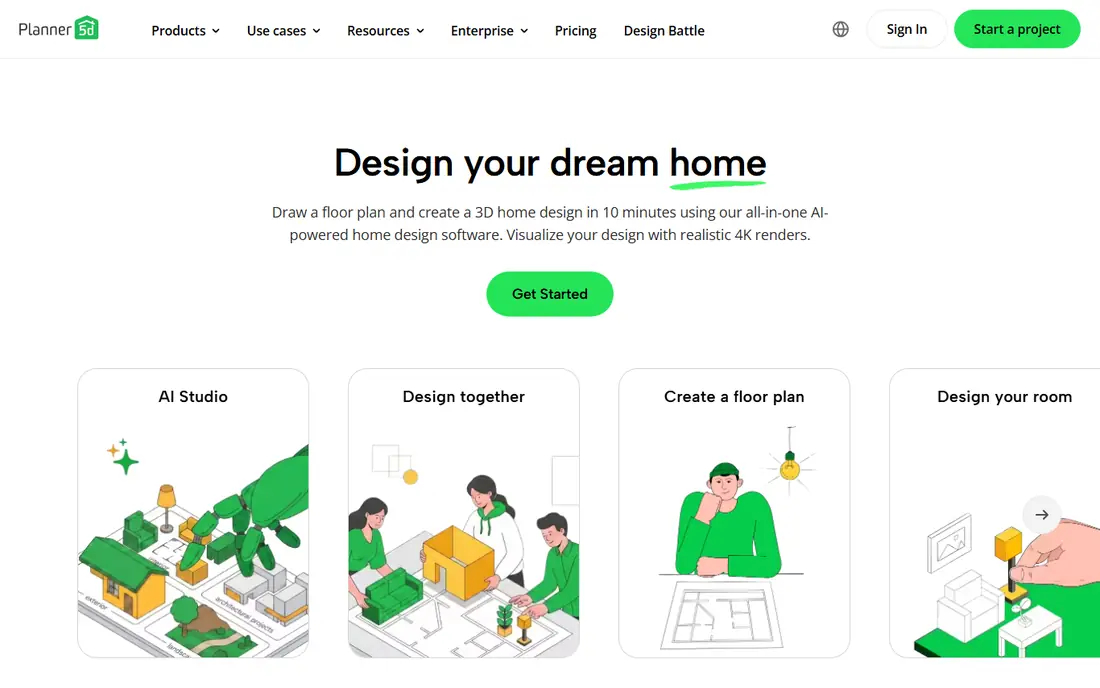
Planner 5D is the best home design app on this list if you want to change a layout, not just a picture. You can draw a floor plan from scratch, upload an existing plan, and furnish the room in 2D or 3D. That editable model matters when you need to test wall positions, furniture sizes, and room flow before buying anything.
The free plan covers unlimited projects and about half of the furniture catalog, which is enough to plan a room and share a basic view. Premium starts at $19.99 per month, or $59.99 per year when billed annually, and adds the full catalog and stronger renders. If your project starts with dimensions rather than a photo, start here.
- Unlimited projects on the free plan
- Drag-and-drop 2D and 3D planning
- AI floor plan recognition
- Full furniture catalog and high-end renders are paid
- Photo restyling is not the main strength
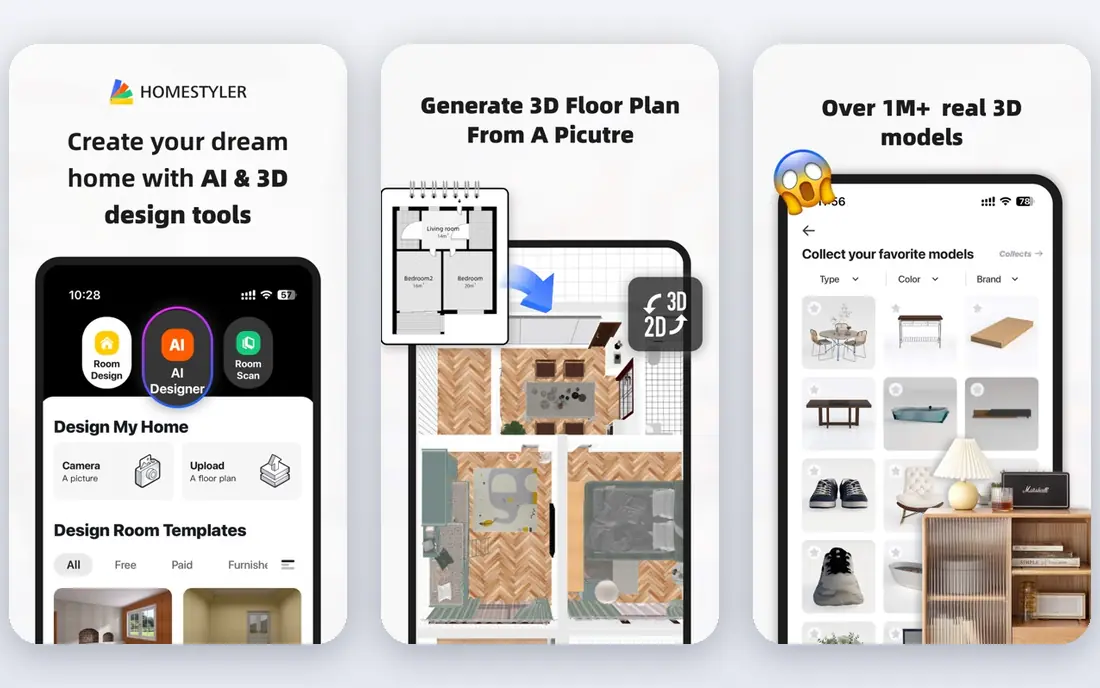
Homestyler gives homeowners a middle path between a full planner and a quick photo tool. You can build a floor plan, furnish it in 3D, and render views of the room. The free Basic plan includes cloud-based 3D planning and unlimited 1K renders, which is generous for early planning.
Paid plans start from $6.80 per month for Pro features in recent listings, with higher tiers adding resolution and render quotas. That low entry price makes Homestyler a good second tool for people who like Planner 5D but want a different catalog or render style. Check the render credits on your plan before you rely on it for a full presentation set.
- Free Basic plan with 3D planning
- Unlimited 1K renders on the free tier
- Paid plans from $6.80 per month
- Higher-resolution renders cost extra on some plans
- AI credits are limited on the free tier
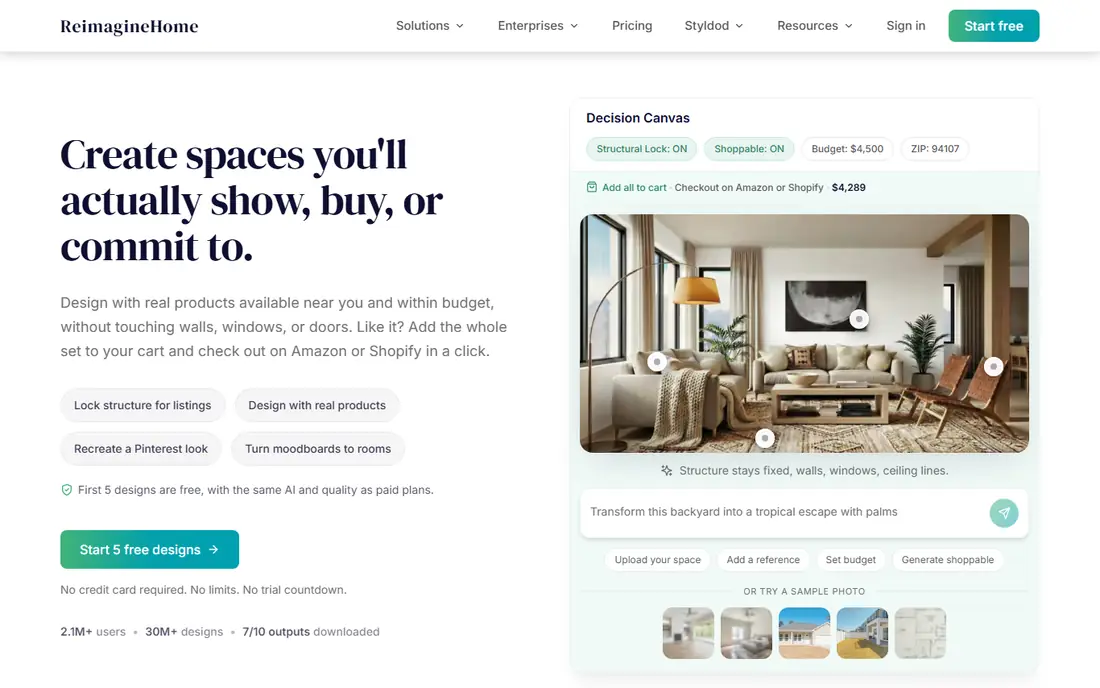
REimagineHome is built for speed. Upload a photo of a room, pick a style, and get a redesigned version back in minutes. That workflow suits homeowners who want to test a look, and agents who need a staged photo for a listing. The service offers five free designs without a card on its trial terms, and paid plans start at $19 per month.
The limit is control. You get a new image of the room, not a measured floor plan you can edit wall by wall. Higher plans add chat-style edits, reference photos, and real product links, which help if you want to buy the look you see. Use REimagineHome for ideas and staging, then move to a planner for exact sizes.
- Fast photo redesigns
- Virtual staging for listings
- Shoppable product links on higher plans
- Output is an image, not an editable plan
- Chat and reference features need higher plans
RoomGPT is the simplest tool on this list. You upload one room photo, choose a style, and receive a redesigned image. There is no floor plan to build and no catalog to learn, so a first result can arrive in minutes. That simplicity is the whole appeal.
The trade is depth. RoomGPT does not give you an editable room model, and its free access covers only one redesign in recent listings. Paid access is sold as a $9 credit pack for 30 credits, which suits occasional tests better than daily design work. Pick RoomGPT when you want one fast answer to the question of how a style might look in your room.
- Very simple three-step workflow
- No long setup
- Good for a single style test
- No editable floor plan
- Credit packs make repeat use hard to price
- Output quality varies by photo
HomeDesignsAI is the broadest photo tool here. It handles interior rooms, house exteriors, and garden concepts, plus floor plan generation and virtual staging tools. That range helps homeowners whose project touches both inside and outside the house, instead of splitting work across two apps.
Pricing is the weak point for comparison. Listings in 2026 show different monthly rates and credit packs, so we list the starting price as See website rather than a figure that may already be out of date. Check the credits included, the cost per render, and whether commercial use is covered before you pay. For a whole-property concept set, HomeDesignsAI still earns a place.
- Covers interiors, exteriors, and gardens in one account
- Many styles
- Floor plan tools included
- Pricing and credit packs change often
- Trial terms vary by offer
Spacely AI sits closer to professional design work than most photo tools. It turns room photos, sketches, and 3D models into photorealistic concepts, and it offers a SketchUp extension for designers who already model in that program. Paid plans start at $25 per month for the Personal tier in recent listings, with Studio and Agency tiers above it.
The trial gives 40 credits without a card, which is enough to test a few rooms and render styles. Credit use varies by output type, so a high-resolution or multi-result render can cost more than a basic one. Spacely AI is a strong pick for designers and architects, and a good option for homeowners who already have sketches or models to work from.
- Works from photos, sketches, and 3D models
- SketchUp extension
- Watermark-free output on paid plans
- Credit cost varies by render type
- Best features suit designers more than casual users
Interior AI focuses on one job and does it quickly: restyle a room photo in a chosen style. The interface is minimal, which helps homeowners who do not want to learn a planner. You upload a photo, pick a style, and review photorealistic results without managing a 3D model.
Pricing is listed as See website here because 2026 listings show a wide range of monthly and yearly tiers, and the right figure depends on the plan and billing period on the vendor page at checkout. Confirm the render count, resolution, and renewal price before subscribing. For fast style exploration, Interior AI remains a useful tool, even if it does not replace a planner.
- Fast renders with a minimal interface
- Many interior styles
- Simple photo workflow
- Pricing tiers vary widely in listings
- No editable floor plan
Foyr Neo is the professional tool on this list. It offers 2D and 3D floor plans, a large furniture catalog, lighting controls, and high-resolution renders, plus 360-degree views and walkthroughs on higher tiers. Designers can present a client-ready room rather than a single AI image.
That depth comes at a professional price, and listings vary between monthly and yearly billing, so we list the starting price as See website. The trial lasts 14 days rather than offering an ongoing free tier, so plan your test project before you start it. Homeowners with one room to refresh should pick a simpler tool. Designers who present work to clients will get more from Foyr Neo.
- CAD-like 3D tools
- High-resolution renders
- Strong furniture catalog with AI search
- Priced for professionals
- Trial runs on a clock
- Overkill for a single room refresh
IKEA Kreativ solves a practical problem that concept tools do not: will this exact sofa fit and look right in your room. You can place real IKEA furniture in your space using your phone camera, and recent versions add an AI redesign layer for broader style ideas. There is no design subscription to pay.
The limit is the catalog. If you plan to shop elsewhere, Kreativ will not preview those products. A full 3D room scan also needs supported hardware, though basic previews work more widely. For anyone already planning an IKEA purchase, Kreativ is the best free AI home design app to try before ordering.
- Free to use
- Places real IKEA products in your room
- AI redesign layer added in recent versions
- Limited to the IKEA catalog
- Full 3D scans need supported hardware
How we picked these
We compared official feature pages, pricing pages, and app store listings, plus public reviews that noted render limits, credit costs, and catalog gaps. We kept only tools that still work in October 2026 and that use AI for design, whether for floor plans, photo restyles, or renders. Tools that only sold furniture, or that had no clear current access path, were left out.
We did not claim hands-on testing. We weighted whether the output is editable or only an image, what the free tier actually allows, how credits or renders are counted, and whether pricing was clear enough to quote. Where pricing listings conflicted, we wrote See website instead of guessing.
A buying guide for AI home design apps
Start by deciding what you need to leave with. A planner gives you dimensions and an editable room. A photo tool gives you a style image. Many projects need both, but buying two subscriptions for one room is wasteful, so pick the output that matters first.
Planners versus photo tools
Planners like Planner 5D and Homestyler suit renovations, furniture placement, and any project where size matters. Photo tools like REimagineHome, RoomGPT, and Interior AI suit style tests, staging, and quick inspiration. If you need both, use a free planner tier for layout and a trial or credit pack for style images.
Credits, renders, and resolution
Credit systems hide the real cost. One render may cost one credit on a basic setting and several credits at high resolution or with multiple results. Before you subscribe, check the credit cost for the exact render size you want, and whether unused credits roll over. A cheap monthly plan with costly renders can beat a pricier plan with generous credits, or the reverse.
Limits to keep in mind
AI images can change room proportions, remove features, or invent furniture that does not exist at that size. Always measure the real room, confirm paint colors with physical samples in your own light, and get a qualified professional for structural, electrical, or plumbing changes. For listings, label virtually staged images as staged where your local rules require it.
Frequently asked questions
What is the best AI app for home design?
Planner 5D is our pick for most people, because it builds editable floor plans and 3D rooms rather than only a picture. Homestyler is a close second for planning with AI rendering. If you only want a fast style idea from a photo, REimagineHome or RoomGPT will get there faster.
What is the best AI home design app for free?
Planner 5D, Homestyler, and IKEA Kreativ all offer ongoing free access, though each limits catalogs or render quality. Planner 5D gives unlimited projects with about half the catalog, Homestyler gives unlimited 1K renders on its Basic plan, and IKEA Kreativ is free but limited to IKEA products. Try the free tier first and pay only for the renders or catalog you actually need.
Which is the best AI tool for home design with real furniture?
IKEA Kreativ is best if you plan to buy IKEA furniture, because it previews real products in your room. REimagineHome links designs to real products on higher plans, and Planner 5D includes a shopping list view for cost estimates. For non-IKEA shopping, check whether the tool links to products you can actually buy.
Can AI home design apps make floor plans?
Yes, but only planners do this well. Planner 5D, Homestyler, and Foyr Neo build dimensioned floor plans you can edit. Photo tools can generate a floor plan image in some cases, but that image is not a measured plan. Use a planner for layout work and a photo tool for style, not the other way around.
What is the best home AI design app for real estate staging?
REimagineHome is a strong staging pick, because it is built for fast photo redesigns and virtual staging from listing photos. Spacely AI also suits agents who need varied styles and clean output. Label staged images clearly, and keep an unstaged photo available so buyers can see the real room.
Sources
- https://www.planner5d.com
- https://www.homestyler.com
- https://www.reimaginehome.ai
- https://www.roomgpt.io
- https://www.homedesigns.ai
- https://www.spacely.ai
- https://www.interiorai.com
- https://www.foyr.com
- https://planner5d.com/blog/top-ai-interior-design-tools/
- https://roomstaging.net/blog/10-best-free-ai-interior-design-apps
See where you really rank - block by block
ProMapRanker scans Google Maps across a grid of your service area. Simple monthly plans from $19, white-label on every plan.
Start freeKeep reading
 zendesk alternatives
Best Zendesk Alternatives in 2026
Compare the best Zendesk alternatives in 2026, from budget help desks to AI-first support tools, with current pricing, free plans, and honest trade-offs.
Read → wordpress alternatives
Best WordPress Alternatives in 2026
Looking for the best WordPress alternatives? We compare 8 free and paid options for blogs, business sites, stores, and developer-led projects in 2026.
Read → which real estate company has the best training
Best Real Estate Company Training in 2026
Compare which real estate company has the best training, from Keller Williams and eXp to Compass and Coldwell Banker, by program, mentor, and fit in 2026.
Read →