 ProMapRanker
7 Strong AI Email Assistant Tools in 2026

Direct answer
SaneBox comes first here, mainly for cleaning an existing inbox. If your case is different, Shortwave suits Gmail search and summaries and Gmail with Gemini suits Gmail users who want built-in AI. The other 4 tools in the list cover narrower or pricier cases.
Key takeaways
- SaneBox takes the first slot, best suited to cleaning an existing inbox.
- Missive suits shared team inboxes.
- Starting prices begin at $9.49 per month with SaneBox.
- A free plan is available from 4 of the 7 tools: Shortwave, Gmail with Gemini, Canary Mail, Spark Mail.
- The main caution on SaneBox: no full email client of its own.
Quick comparison
| Pick | Great for | Pricing starts at | Free tier | |
|---|---|---|---|---|
 SaneBox | Cleaning an existing inbox | $9.49 a month | Free trial | Visit |
 Shortwave | Gmail search and summaries | See website | Yes | Visit |
 Gmail with Gemini | Gmail users who want built-in AI | See website | Yes | Visit |
 Canary Mail | Private email with AI help | See website | Yes | Visit |
 Spark Mail | Low cost multi-account email | $10 per user/month | Yes | Visit |
 Superhuman | Quick keyboard triage | $30 per user/month | No | Visit |
 Missive | Shared team inboxes | See website | Free trial | Visit |
The best AI email assistant tools
ProMapRanker put together this guide to AI email assistant tools for readers who want a clear shortlist without reading every vendor page. It compares 7 tools on starting price, free plans, who each one suits and where each one falls short.
Pick SaneBox if this describes you: cleaning an existing inbox. It fits best as a filter layer, frequently paired with Gmail, Outlook, or Apple Mail.
If your central pain is volume instead of drafting or team sharing, SaneBox is a lower friction fix than changing clients entirely. The starting price for SaneBox: $9.49 per month. Trial and free access: Free trial.
Downsides: No full email client of its own.
- SaneLater and similar folders cut noise
- Server side sorting needs no new app
- No AI drafting in the same way as clients above
Shortwave serves Gmail search and summaries. Shortwave treats old email as a searchable record, not just a pile to clear. Also, if your central account is Outlook or another provider, Shortwave is not a direct fit.
Gmail is the limit here. More specifically, you can ask for a thread, a document, or a decision buried in past messages. The AI summary provides you the shape of a long conversation before you open every reply. Pricing for Shortwave is not stated here, so ask the vendor for current figures. A free plan is available with Shortwave.
What to check first: Higher plans needed for full AI features.
- AI drafting with context from past mail
- Capable natural language search
- Search history limits on lower plans
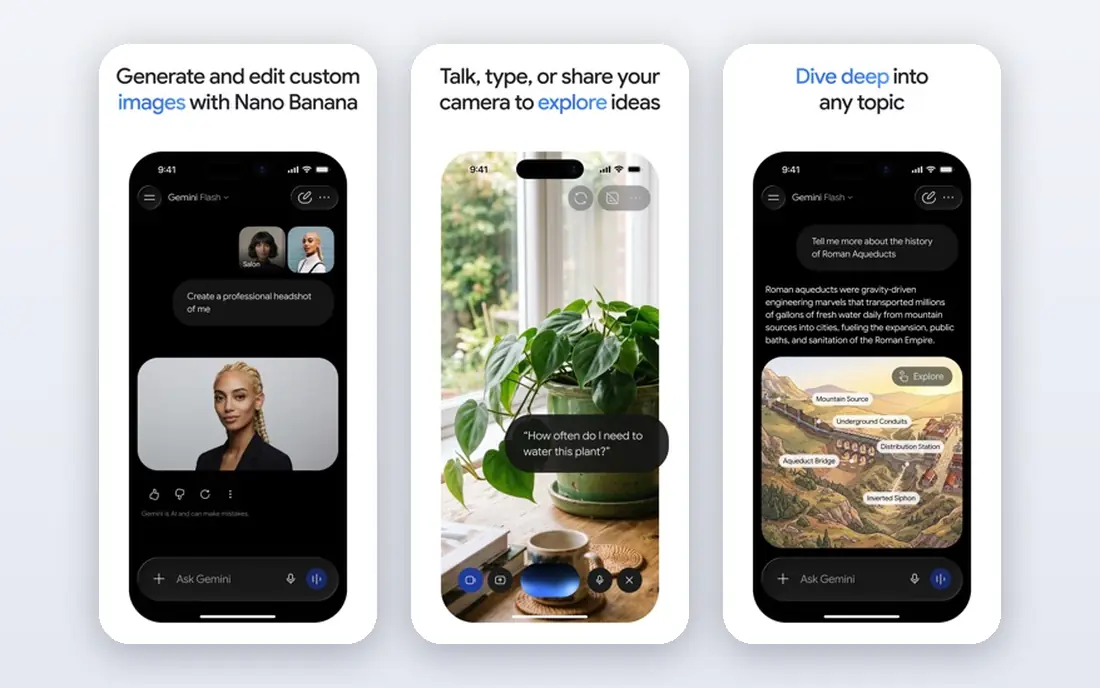
Gmail with Gemini is designed for Gmail users who want built-in AI. It does not solve the design complaints some users have about Gmail, and it does not help Outlook users.
Downsides: Not a separate client for people who want a new inbox design.
In daily use, AI availability also relies on whether you use free Gmail or a premium Google plan, so check what your account comes with. This comparison lists no price for Gmail with Gemini; ask the vendor. Gmail with Gemini has a free plan.
- Already included for numerous Gmail users
- Summaries and drafting inside Gmail
- Gmail only
Canary Mail is built with private email with AI help in mind. It supports major providers and IMAP, bundles AI summarization and writing help, and gives you encryption features that matter for sensitive mail.
Also, the free plan lets you test the core client before paying. The trade is polish and scale. Canary Mail does not show a starting price in this comparison, so check the vendor site for current pricing. Canary Mail offers a free plan.
Drawbacks to consider: Some advanced features need premium plans.
- Lower price than premium clients
- On device AI choices and encryption features
- Interface is less refined in places
Pick Spark Mail if this describes you: low cost multi-account email. Premium plans add more AI use, templates, and team features for example shared drafts and comments. Spark Mail is the practical middle choice for most readers.
It brings multiple accounts into one inbox, sorts mail into personal, notification, and newsletter groups, and layers on AI writing help and summaries on premium plans. Also, Spark does not match Shortwave for Gmail search or Superhuman for keyboard speed, but it handles more providers at a lower price. The free plan is usable for daily mail, not just a short demo, which makes it a safe first step. More specifically, if you want one client for work and personal mail without a high monthly fee, start here. Entry price for Spark Mail: $10 per user/month. Spark Mail has a free plan.
Where it is weaker: Design choices may not suit every user.
- Works across Gmail, Outlook, iCloud, IMAP
- Smart inbox sorts mail into handy groups
- Some team features need the Pro plan
Superhuman serves fast keyboard triage. AI drafting and summaries sit inside that quick workflow. So a reply can start from a short prompt and stay close to your tone after editing.
In daily use, Superhuman works with Gmail and Outlook, so users on other providers need a different client. More specifically, at $30 per user a month, it makes sense when email takes a large part of the day, and less sense when you check mail only a handful of times daily. Speed is the reason people pay for Superhuman. Price to start with Superhuman: $30 per user/month. Superhuman has no free tier.
Limits to weigh: No free plan.
- AI drafting and auto labels
- Very quick interface
- Gmail and Outlook only
Missive works best for shared team inboxes. Messages can be assigned, discussed internally without forwarding, and tracked so two people do not reply to the same customer. That shared view is the core value, and AI prompts help with drafting and sorting inside it.
What to check first: Setup takes longer than a solo client.
When a shared inbox is the problem, Missive belongs near the top of the shortlist. Missive answers a different question from the solo clients above. It is designed for two or more people who answer the same inbox, like support, sales, or operations teams. Check the vendor site for Missive pricing; none is listed in this comparison. Free access: Free trial.
- Shared inboxes with internal chat
- Social messages in one place
- AI features vary by plan
How the list was put together
Pricing pages, product documentation and feature lists were the main sources, and every entry carries at least one honest drawback. Where a price is missing, the vendor does not list one publicly or ties it to a quote. Always confirm before budgeting. The sequence is a judgement call: typical use case first, then pricing transparency, then free access. Use the profiles to check fit.
Questions to settle before buying
- Ask Shortwave, Gmail with Gemini, Canary Mail and Missive for a written quote, since no starting price is shown.
- Look at free plan limits closely: Shortwave, Gmail with Gemini, Canary Mail and Spark Mail have one, and the caps decide whether it is usable for real work.
- Take the trial from SaneBox and Missive and push a live task through it before you pay.
- Read the limits listed for SaneBox first: no full email client of its own.
- Get the contract term, renewal terms and any onboarding fees from Shortwave in writing.
- Test the integrations you rely on with Superhuman before committing; some connectors sit on upper tiers.
Frequently asked questions
Can I try these options before paying?
Often, yes. Shortwave, Gmail with Gemini, Canary Mail and Spark Mail have a free plan and SaneBox and Missive offer a free trial. Use your own data and a real task during the test, and check what the free tier or trial limits before you rely on it.
Do AI email tools send mail without my approval?
Check auto send, auto reply, and workflow settings before you connect a tool to a work inbox. Keep human approval on for external, legal, or sensitive messages.
Which options for AI email assistant tools have a free plan?
On this list, Shortwave, Gmail with Gemini, Canary Mail and Spark Mail include a free plan. Caps on seats, usage or features are common, so test the free plan against your real workload. Several others offer a trial instead.
Is a free AI email tool enough?
A free plan can be enough for light mail, entry-level sorting, and occasional drafting help. Heavy users frequently hit limits on AI use, search history, or team features, and then need a premium plan.
Is SaneBox the right pick for everyone comparing AI email assistant tools?
No single tool suits every team. SaneBox comes first because it fits cleaning an existing inbox, while Shortwave suits Gmail search and summaries and Gmail with Gemini suits Gmail users who want built-in AI. Match the tool to your own size, budget and workflow before deciding.
Do these tools publish their prices?
Not all of them. Shortwave, Gmail with Gemini, Canary Mail and Missive publish no starting price, so expect a quote request for those. The rest, SaneBox included, show a starting price, though seats and billing terms still change the final cost.
Sources
See where you really rank - block by block
ProMapRanker scans Google Maps across a grid of your service area. Simple monthly plans from $19, white-label on every plan.
Start freeKeep reading
 zoho inventory alternatives
6 Alternatives to Zoho Inventory, Compared on Price and Fit
Zoho Inventory alternatives: 6 tools compared on price, free plans and fit. Katana leads the list for manufacturers. Fit and flaws are laid out for each entry.
Read → zoho crm alternatives
Best Zoho CRM Alternatives (2026)
Need Zoho CRM alternatives? We compare 7 tools on cost, free access and who each suits. Every pick gets a straight assessment. Built for quick decisions.
Read → zelle alternatives
Best Zelle Alternatives in 2026
Compare the best Zelle alternatives for sending money to friends, paying sellers and moving funds abroad, with honest notes on fees, speed and safety in 2026.
Read →