 ProMapRanker
Best AI Editing App in 2026: 9 Apps Compared


Pro layered editing with AI fill · Pricing starts at: From $22.99 per month
Key takeaways
- Photoshop and Lightroom remain the strongest all-round choices for photographers who need layers, RAW editing and AI masking together.
- Luminar Neo and Topaz Photo AI suit different jobs: creative one-click enhancements versus denoise, sharpening and upscaling.
- Canva, Pixlr and Fotor are better for fast social and marketing edits, while Picsart and Lensa focus on mobile portraits and effects.
- Free plans usually limit resolution, exports or AI uses, so test your exact export size before you rely on a free tier.
- AI edits can invent detail, so check faces, hands, text and product details closely before you publish a result.
Quick comparison
| Pick | Great for | Pricing starts at | Free tier | |
|---|---|---|---|---|
| Adobe Photoshop | Pro layered editing with AI fill | From $22.99 per month | Free trial | Visit |
 Adobe Lightroom | RAW libraries and AI masking | From $9.99 per month | Free trial | Visit |
 Luminar Neo | One-click creative enhancements | From $99 one-time | Free trial | Visit |
 Topaz Photo AI | Denoise, sharpen and upscale | See website | Free trial | Visit |
 Canva | Social and marketing edits | Free | Yes | Visit |
 Pixlr | Browser editing with layers | Free | Yes | Visit |
 Fotor | Beginner-friendly batch edits | Free | Yes | Visit |
 Picsart | Mobile creative edits | Free | Yes | Visit |
 Photoroom | Product photos and cutouts | Free | Yes | Visit |
The best ai editing apps
AI editing now covers many jobs, from removing an object to rebuilding a sky, upscaling an old photo and masking a portrait in one click. These apps differ in depth, price and platform, so we grouped them by the job they do best rather than by AI claims alone.
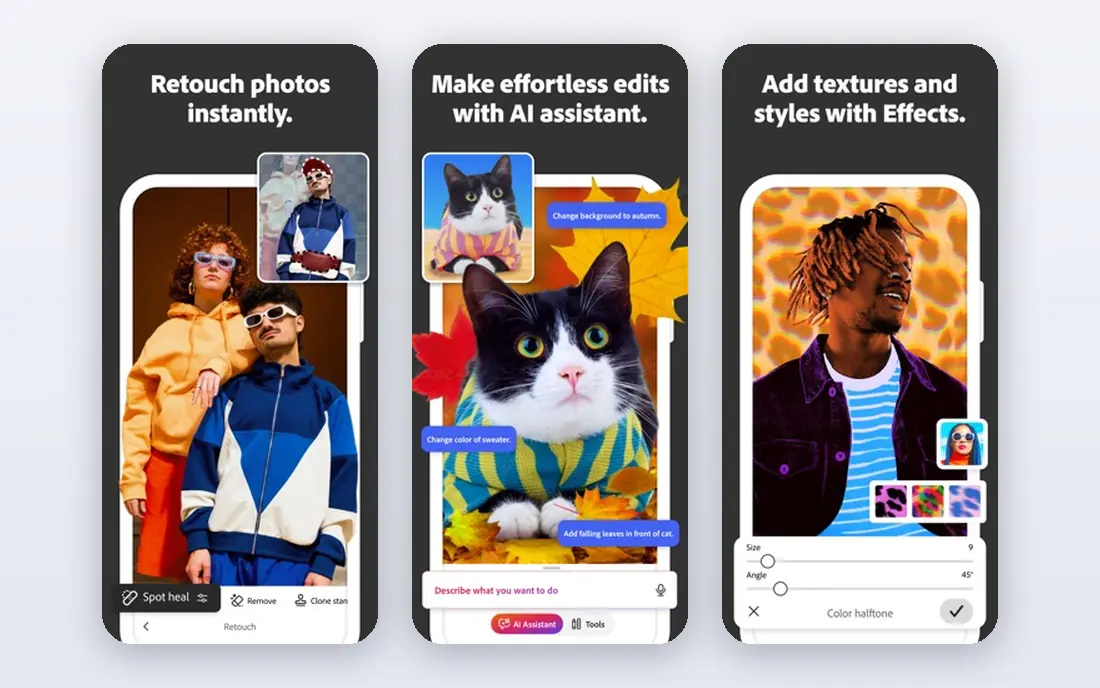
Photoshop remains the deepest AI editor for people who need control after the AI step. Generative Fill can extend a background, remove an object or replace a region, and you can then refine the result with layers, masks and manual retouching. Recent comparisons list Photoshop from $22.99 per month, with a Photography plan option that bundles Lightroom in some regions.
The trade-off is time and cost. Photoshop rewards skill, and a beginner who only needs a quick social edit may finish faster in Canva or Pixlr. For compositing, product work and client edits where precision matters, its depth is still hard to match.
- Generative Fill and Expand
- Full layers, masks and retouching
- Commercially focused Firefly models
- Subscription cost
- Learning curve for beginners
- Full power needs a capable computer
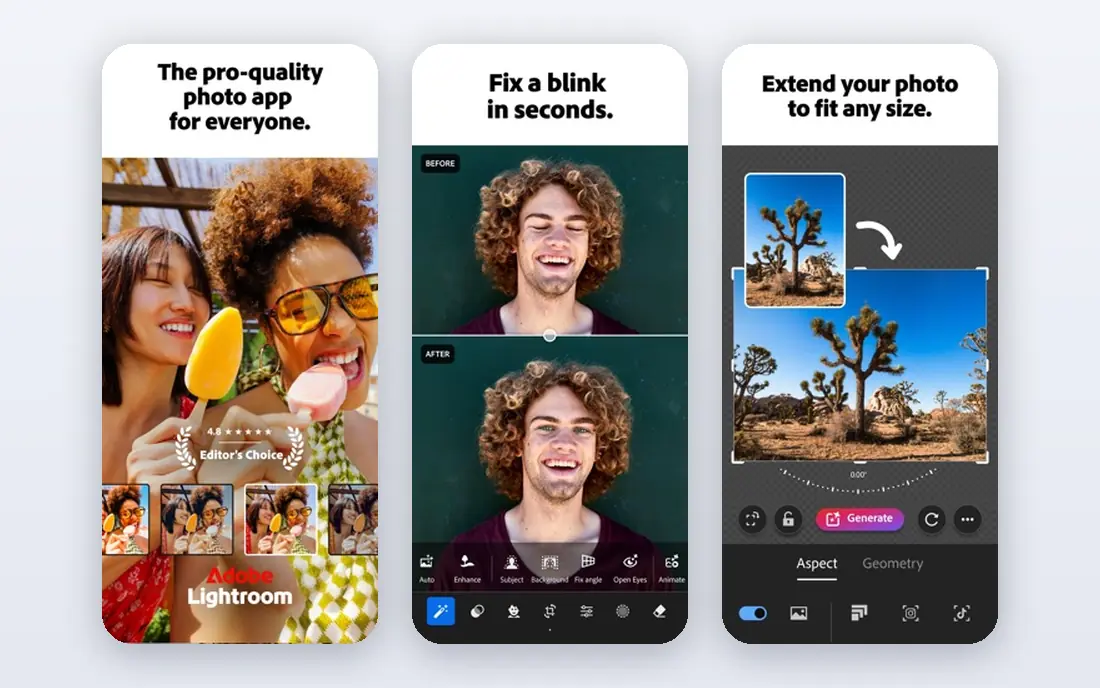
Lightroom is the better pick when you edit many photos rather than one complex composite. Its AI masking can select a person, a sky or an object quickly, and its library tools help you organise, rate and export large shoots. Recent comparisons list a Photography plan from $9.99 per month on annual billing, including Photoshop and 20 GB in some bundles, with higher storage plans available.
Lightroom is not a replacement for Photoshop when you need deep compositing. Use it for colour, exposure, noise, masking and batch exports, and move a single image to Photoshop when you need layers and generative edits.
- Strong RAW workflow
- AI masks for people, skies and objects
- Cloud sync across devices
- No full layer compositing like Photoshop
- Subscription cost
- Storage limits depend on plan

Luminar Neo suits photographers who want a fast, creative result without building masks by hand. Sky replacement, relighting and AI erase can change the mood of a photo in a few clicks, and its templates help beginners get a coherent look. Recent comparisons list a desktop perpetual licence from $99, with a Max licence at $159, and subscription options in some regions.
The limit is control. Luminar Neo is strong for enhancement, but it does not replace Photoshop for layered compositing or fine retouching. Check which licence covers desktop, mobile and future updates before you buy.
- Sky AI, Relight AI and generative erase
- Fast creative results
- Desktop and mobile options
- Perpetual pricing varies by licence
- Less precise than Photoshop for compositing
- Some features need newer hardware
Topaz Photo AI is a specialist, not an all-round editor. It focuses on fixing noisy, soft or low-resolution photos, and its models are trained for photographic detail rather than general image generation. Recent comparisons have listed conflicting prices as Topaz moved from one-time licences to subscription, so we list See website and advise checking the current plan before you buy.
Use Topaz when quality matters: old photos, high-ISO shots, archive restoration and print preparation. Pair it with Lightroom or Photoshop for colour and compositing, rather than expecting it to replace either one.
- Strong denoise and sharpening models
- Upscaling for print
- Local processing on your computer
- Pricing has changed to subscription in recent comparisons
- No generative fill for creative edits
Canva is the fastest AI editor for social posts, ads and marketing images, because editing sits inside design. You can remove a background, edit an object, add text and export a sized post without leaving the workspace. Canva offers a free plan, with Pro listed around $12 to $15 per month per user in recent comparisons, depending on billing.
Canva is not a RAW photo editor or a deep retoucher. For a product post or a social graphic, it is often the quickest path. For a large photo library or a client retouch, Lightroom or Photoshop will give you more control.
- Magic Edit, Magic Grab and background tools
- Huge template library
- Easy sharing and team use
- AI features need Pro for full use
- Less precise than Photoshop for photo retouching
- Premium elements cost extra
Pixlr is a good middle ground between a phone filter app and a desktop suite. It runs in the browser, supports layers, and includes AI generative expand, object removal and background tools. Recent comparisons list a free tier, with Plus around $2.49 per month and Premium higher, depending on plan.
The catch is scale and precision. Pixlr handles everyday edits well, but heavy RAW work and complex compositing still favour desktop tools. For quick browser edits on a shared computer or Chromebook, it is a practical choice.
- Browser-based layers and AI tools
- Free tier for casual edits
- No install needed
- AI depth is less than Photoshop
- Some features and exports need a paid plan
- Ads and limits on free tier
Fotor suits beginners who want a clean result without learning layers. Its AI tools cover enhancement, background removal, headshots and batch edits, which helps small businesses that need many similar images fast. Recent comparisons list a free tier with watermark limits, and Pro around $8.99 per month or $39.99 per year.
Fotor is not a pro RAW workflow, and its AI results need a close check on faces and text. For social images, listings and quick batches, its speed is the appeal. For a wedding or commercial shoot, a dedicated photo editor will serve you better.
- Simple interface
- Batch editing and headshot tools
- Browser and mobile apps
- Free exports can carry a watermark
- Pro features needed for full AI access
- Less depth than Lightroom
Picsart is a mobile-first creative editor, best for portraits, social content and playful effects. Its AI tools cover background removal, object edits, style effects and quick retouching, all from a phone. Recent comparisons list a free tier, with Gold around $7 per month, depending on billing.
Picsart is not a replacement for Lightroom or Photoshop for large shoots or print work. Use it when speed, effects and phone editing matter most, and export at the highest quality your plan allows for anything you plan to print.
- Strong mobile effects and stickers
- AI background and object tools
- Large creative community
- Free tier is limited and can show ads
- Gold subscription needed for full AI features
- Desktop depth is limited
Photoroom is built for product photos: remove a background, add a clean studio backdrop, add a shadow and export a listing image in minutes. That focus makes it faster than a general editor for shops, marketplaces and catalogues. Recent comparisons list a free tier with watermarked exports, and Pro around $12.99 per month or $7.50 per month on annual billing.
The limit is general editing. Photoroom does not replace a full photo editor for portraits, scenery or complex retouching. For product images at volume, its templates and batch tools are the reason to choose it.
- Fast background removal
- Product templates and shadows
- Batch processing for catalogues
- Free exports are watermarked in comparisons
- Full product features need Pro
- Less general editing depth
How we picked these
We compared official feature and pricing pages, app store listings and recent 2026 AI editor comparisons on AI features, RAW support, export limits, free tiers and pricing. We kept only editors with a current product and a clear AI editing use, and we left out tools whose main job is image generation rather than editing a photo you already have. Where prices differed across sources, we used the most recent vendor-aligned figure or wrote See website.
Buying guide: picking an AI editing app that fits your photos
Match the app to the job, not the AI label
A product seller needs cutouts and batch exports, a wedding photographer needs RAW and masking, and a social creator needs templates and fast exports. List your top three jobs, then pick the app that does those jobs well, even if another app has more AI features overall.
Check export size, watermark and commercial terms
Free tiers often limit resolution or add a watermark, which matters for print and client work. Test an export at your real size before you commit, and check whether your plan allows commercial use. A free edit that cannot be used for a listing is not really free for a business.
Keep a human check on AI results
AI can smooth skin too much, invent text, change product details and alter hands or faces. Zoom in at full size, compare with the original, and fix errors by hand. For product and documentary photos, accuracy matters more than a dramatic AI effect.
Frequently asked questions
What is the best ai editing app for most people?
Canva is the best starting point for most casual and marketing users, because it combines AI edits with templates and easy sharing. Photographers who edit RAW files should start with Lightroom, and add Photoshop when they need layers and generative fill. Test your exact export and editing job on the free tier first.
What are the best ai editing apps for photos?
Photoshop, Lightroom, Luminar Neo and Topaz Photo AI lead for photo quality, while Canva, Pixlr and Fotor lead for speed and simplicity. Topaz is best for denoise and upscaling, Luminar Neo is best for creative sky and light changes, and Lightroom is best for large libraries. Picsart and Photoroom cover mobile and product niches.
Is there a best ai editing tool that is free?
Yes, Canva, Pixlr, Fotor, Picsart and Photoroom all offer free tiers, but free plans limit AI uses, resolution or exports. For a single social image, a free tier is often enough. For client work, print or batch product images, a paid plan usually pays for itself in export quality and time saved.
Can AI editing replace Photoshop?
For many everyday edits, yes, but not for deep compositing, precise retouching and large professional workflows. AI tools in Canva, Pixlr and Luminar Neo handle common jobs fast, while Photoshop still leads when you need layers, masks, generative fill and manual control together. Many photographers use both: Lightroom or Luminar Neo for most edits, Photoshop for the hard ones.
Does AI editing work well on a phone?
Yes, for social and portrait edits. Picsart, Canva and Lensa-style mobile apps handle background removal, retouching and effects well on a phone. For RAW files, large batches and print exports, a desktop app such as Lightroom or Luminar Neo gives you more control and a larger screen for checking detail.
Sources
- https://toolradar.com/guides/best-ai-photo-editors
- https://www.jotform.com/ai/best-ai-photo-editor/
- https://aitool.business/best/ai-tools-to-edit-photos/
- https://www.adobe.com/products/photoshop.html
- https://www.adobe.com/products/lightroom.html
- https://skylum.com/luminar
- https://www.topazlabs.com/topaz-photo-ai
- https://www.canva.com
- https://pixlr.com
- https://www.fotor.com
- https://picsart.com
- https://www.photoroom.com
See where you really rank - block by block
ProMapRanker scans Google Maps across a grid of your service area. Simple monthly plans from $19, white-label on every plan.
Start freeKeep reading
 zscaler alternatives
Best Zscaler Alternatives in 2026
Looking for zscaler alternatives? We compare 9 SASE and zero trust platforms on architecture, data protection, pricing, and fit for your network and team.
Read → zapier alternatives free
Best Zapier Alternatives Free in 2026
Nine automation tools for zapier alternatives free in 2026, all with genuinely free tiers, plus free plan limits, starting prices and upgrade paths explained.
Read → which platform is best for online reputation
Which Platform Is Best for Online Reputation in 2026
Wondering which platform is best for online reputation? We compare 8 review, listing, and response tools for small and multi-location businesses and agencies.
Read →