 ProMapRanker
Best AI Document Collaboration Tools in 2026


All-in-one team docs with built-in AI · Pricing starts at: $20 per member per month
Key takeaways
- Notion and Google Docs give most teams the shortest path to AI help inside documents they already share.
- Microsoft Word with Copilot suits teams already committed to Microsoft 365, while Coda suits teams that want documents that also act as trackers.
- AI features are often gated behind a higher plan, so check the plan that actually includes AI before you compare headline prices.
- Free plans are useful for trying an editor, but AI drafting, summaries, and search are usually limited or absent on free tiers.
Quick comparison
| Pick | Great for | Pricing starts at | Free tier | |
|---|---|---|---|---|
| Notion | All-in-one team docs with built-in AI | $20 per member per month | Yes | Visit |
 Google Docs with Gemini | Teams already using Google Workspace | See website | Yes | Visit |
 Microsoft Word with Copilot | Microsoft 365 teams | See website | No | Visit |
 Coda | Docs that work like apps and trackers | $12 per Doc Maker per month | Yes | Visit |
 Confluence with Rovo | Company knowledge bases | See website | Yes | Visit |
 ClickUp Docs with Brain | Teams pairing docs with tasks | See website | Yes | Visit |
 Slite | Simple team knowledge docs | See website | No | Visit |
 Craft | Polished docs on Apple devices | See website | Yes | Visit |
 Zoho Writer | Budget teams in the Zoho suite | See website | Yes | Visit |
The best AI document collaboration tools
These tools combine live editing with AI help for drafting, summarizing, and finding information inside shared documents. We compared official feature pages, pricing pages, and plan limits.
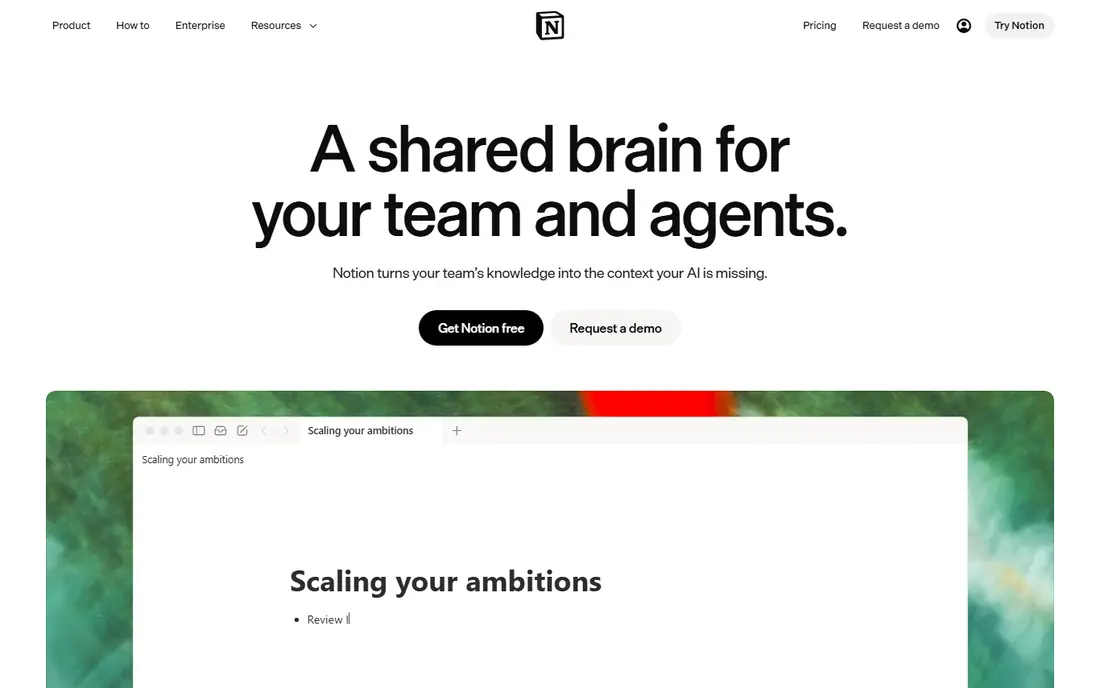
Notion works best for teams that want documents, notes, and lightweight databases in one place. You can draft with AI, ask questions across your workspace, and turn rough notes into structured pages without switching apps. The shared workspace keeps comments, tasks, and reference pages close together, which helps small teams stay organized.
The catch is pricing. The Business plan, listed at 20 dollars per member per month on annual billing, is where full AI access sits, while lower plans offer only a limited trial. That makes Notion a strong pick for teams that will use the whole workspace, and a weaker value pick for teams that only need a shared document editor. Check how many people truly need paid seats before you commit.
- AI writing and search inside the same workspace
- Flexible pages and databases
- Strong templates
- Full AI requires the Business plan
- Per-member pricing adds up for large teams
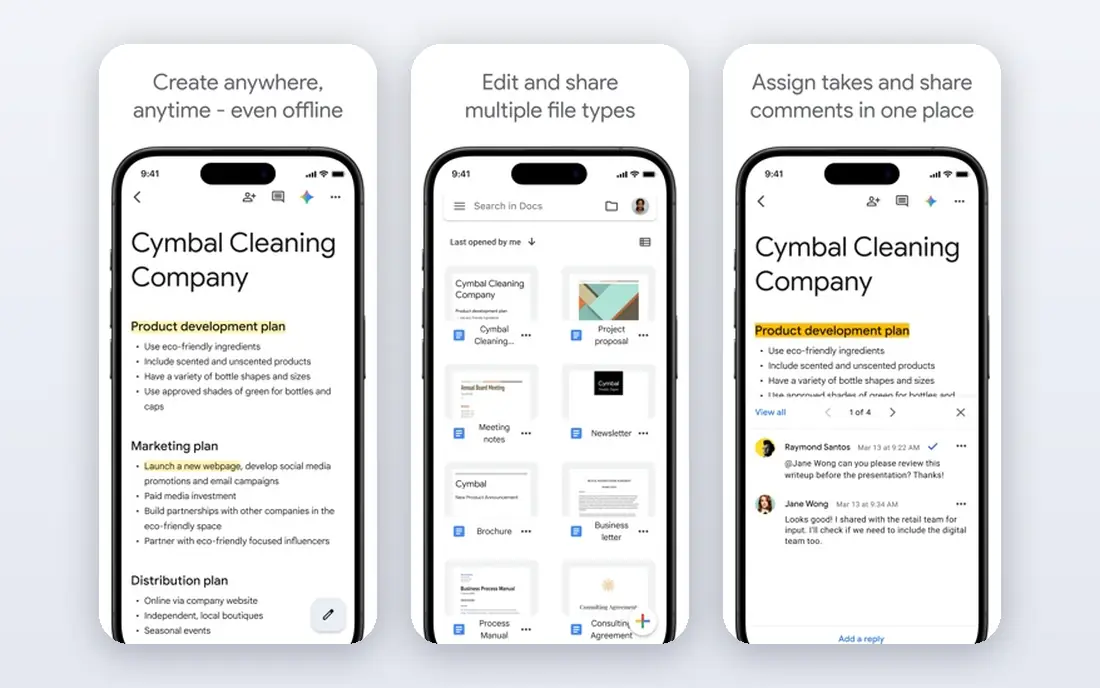
Google Docs remains the easiest shared editor for many teams, because most people already know it and sharing takes seconds. Gemini can help draft, rewrite, summarize, and polish text inside a document, and the same AI help appears across Gmail and Drive on eligible Workspace plans. Version history and comments make it easy to see who changed what.
The main limit is plan confusion. A free personal account is not the same as a business Workspace account with Gemini in Docs, and the AI features depend on the plan you buy. If your team already pays for Workspace, this is the lowest friction choice. If you only need occasional AI help, compare the Workspace cost against a standalone editor first.
- Familiar editor with live collaboration
- Gemini help inside Docs, Gmail, and Drive
- Simple sharing controls
- Business AI features require a paid Workspace plan
- Individual free accounts get a different AI offer
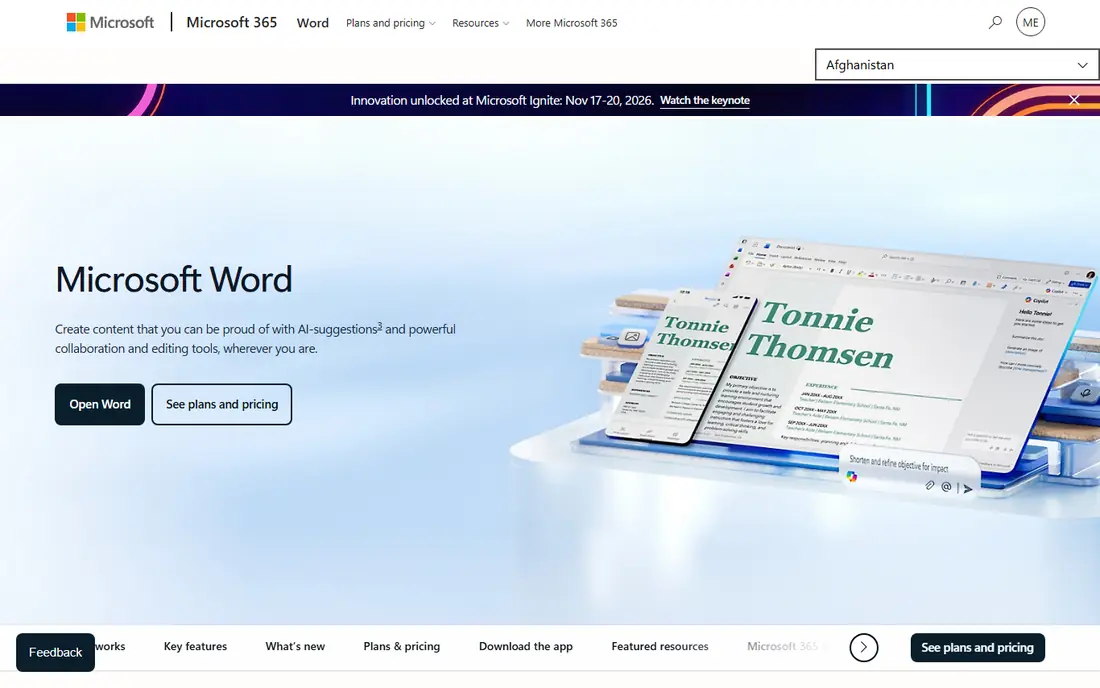
Word with Copilot suits teams that produce formal reports, proposals, and long documents in Microsoft formats. Copilot can draft from a prompt, summarize a long document, rewrite a passage, and help turn notes into a structured draft. Because it sits inside Word, tables, styles, and tracked changes stay in the workflow many offices already use.
The downside is cost and setup. You need the right Microsoft 365 plan and Copilot access, so this is not a cheap add-on for a casual team. It also makes less sense if your team mostly writes short notes or web pages. For Microsoft-centered workplaces, though, the integration is hard to beat, and the output stays in a format clients and colleagues expect.
- Copilot drafting and rewriting inside Word
- Deep Microsoft 365 integration
- Strong formatting for formal documents
- Requires a paid Microsoft 365 plan plus Copilot access
- Can feel heavy for simple shared notes
Coda, now presented as Superhuman Docs, is the pick for teams whose documents need to do more than hold text. A single doc can include tables, trackers, buttons, and automations, and AI can help build tables, write formulas, and summarize information. The pricing model helps larger teams, because editors and viewers are free and only Doc Makers pay.
The trade-off is complexity. Teams that just want a clean page for meeting notes may find the building blocks more than they need, and formula-heavy docs take time to design well. If your team already tracks work in spreadsheets and wants that tracking inside the document itself, Coda is a strong and distinctive choice.
- AI inside docs and tables
- You pay for Doc Makers, not every viewer
- Strong automations
- Learning curve for building tables and formulas
- AI credits and limits vary by plan
Confluence suits companies that need a durable knowledge base rather than a pile of loose documents. Spaces, pages, and templates give teams a clear structure for handbooks, project notes, and technical docs, and Rovo AI can search across that content and help draft or summarize. Permission controls help larger teams keep sensitive pages restricted.
The weakness is speed for informal writing. Starting a page in Confluence can feel heavier than opening a blank doc, and teams that mostly write short, fast-moving notes may prefer a lighter editor. For a growing company that needs its knowledge to stay findable months later, that structure is a real benefit.
- Structured spaces for team knowledge
- Rovo AI search across connected content
- Good permission controls
- Can feel formal for quick drafts
- AI allowances depend on plan
ClickUp Docs makes sense when documents and work live together. A project brief can sit beside its tasks, deadlines, and owners, and ClickUp Brain can summarize threads, draft text, and surface answers from your workspace. Teams that already plan work in ClickUp get the most value, because docs do not become a separate silo.
The risk is bloat. ClickUp packs in tasks, goals, chat, and dashboards, and a team that only wants documents may find the rest distracting. Start with docs and tasks only, and add other features slowly. If your team wants one hub for plans and the documents behind them, this pairing is practical.
- Docs linked directly to tasks and projects
- ClickUp Brain for summaries and writing help
- Broad project tools
- Large feature set can overwhelm new users
- AI availability depends on plan
Slite is a focused choice for teams that want a tidy knowledge base without a full project platform. The editor is clean, pages are easy to organize, and its AI agent can answer questions from your docs. That focus helps teams that found larger tools noisy, because there are fewer features competing for attention.
The limits are scope and price entry. There is no permanent free plan, so you need a trial to judge it, and teams that also need databases or task tracking will need another tool beside it. For a small team that mainly needs shared notes, handbooks, and quick answers, Slite is a calm and readable option.
- Clean editor focused on team knowledge
- AI agent for finding answers
- Simple structure
- No free plan, only a trial
- Smaller template and integration range than larger suites
Craft stands out for presentation. Documents look polished with little effort, which matters for client-facing notes, portfolios, and shared guides. It works well on Mac, iPad, and iPhone, with offline access, and paid plans add AI credits for drafting help. Sharing and collaboration cover the basics for small teams.
The main caution is platform fit. Teams on Windows or mixed devices should test sharing and editing on their own hardware before switching, because Craft has historically felt most at home on Apple devices. If your team is Apple-centered and values clean, readable documents, Craft is a pleasant daily editor.
- Attractive documents and pages
- Good offline use on Apple devices
- AI help on paid plans
- Strongest on Apple platforms
- Collaboration and AI limits vary by plan
Zoho Writer is the sensible budget pick for teams already using Zoho apps. It covers the core word processor needs, including real-time collaboration, comments, version history, and document sharing, without requiring a separate suite purchase. For small businesses that already pay for Zoho, the added cost is low.
The honest limit is AI depth. Zoho Writer offers writing help, but it does not match the breadth of AI search, agents, and drafting found in Notion, Google, or Microsoft products. If AI is the main reason you are switching, test it on your own documents first. If value and a complete office suite matter more, Zoho Writer is a solid fit.
- Full word processor with collaboration
- Fits Zoho Workplace and other Zoho apps
- Free plan available
- AI features are more modest than the leaders
- Smaller third-party ecosystem
How we picked these
We compared official feature pages, pricing pages, and plan descriptions for tools that combine live document collaboration with AI help. We kept only tools that are live in October 2026, offer shared editing, and include AI drafting, summarizing, or search in some paid or trial form. We left out tools that are only chatbots, only note apps without shared editing, or only project tools without a real document editor.
What to check before you pay
Start with the plan that includes AI, not the cheapest plan on the pricing page. Many vendors advertise a low entry price, then gate AI drafting or AI search behind a higher tier, and that gap changes the real monthly cost. Count paid seats carefully, especially with per-member pricing, and check whether viewers or editors are free.
Next, test AI on your own material. Ask it to summarize a real meeting note, draft from a rough outline, and find an answer in an older document. Watch for invented details, lost formatting, and answers that sound confident but miss your source text. Finally, check sharing controls, version history, and export options, so you can leave with your documents intact if you switch later.
Frequently asked questions
What is the best ai document collaboration tool for a small team?
For most small teams, Notion or Google Docs are the safest starting points, because both combine familiar editing with AI help and clear sharing controls. Choose Notion if you want pages and databases in one workspace, and Google Docs if your team already lives in Workspace and email.
What are the best ai document collaboration tools for documents that also track work?
Coda and ClickUp Docs are the strongest options here, because their documents can include tables, trackers, and linked tasks. Coda is better for custom trackers built inside a doc, while ClickUp is better when tasks and projects are the main work.
What is the best ai collaboration tool for documents in a large company?
Confluence and Microsoft Word with Copilot suit larger companies best, because both offer stronger permission controls and fit established IT setups. Confluence works well for a lasting knowledge base, while Word suits formal documents in a Microsoft-centered workplace.
Do these tools offer a free plan with AI?
Some do, but AI on free plans is usually limited to a trial or a small allowance. Notion, Google Docs, Coda, ClickUp, Craft, and Zoho Writer all offer free access to editing, so you can test the editor before paying for fuller AI features.
Is AI in shared documents safe for private company notes?
It can be, but you should read the vendor privacy terms for your plan, check who can access shared pages, and avoid pasting sensitive personal data into AI prompts. Business and enterprise plans usually offer clearer controls than free plans.
Sources
See where you really rank - block by block
ProMapRanker scans Google Maps across a grid of your service area. Simple monthly plans from $19, white-label on every plan.
Start freeKeep reading
 zscaler alternatives
Best Zscaler Alternatives in 2026
Looking for zscaler alternatives? We compare 9 SASE and zero trust platforms on architecture, data protection, pricing, and fit for your network and team.
Read → zapier alternatives free
Best Zapier Alternatives Free in 2026
Nine automation tools for zapier alternatives free in 2026, all with genuinely free tiers, plus free plan limits, starting prices and upgrade paths explained.
Read → which platform is best for online reputation
Which Platform Is Best for Online Reputation in 2026
Wondering which platform is best for online reputation? We compare 8 review, listing, and response tools for small and multi-location businesses and agencies.
Read →