 ProMapRanker
Best AI Construction Management Software

Key takeaways
- Procore, Autodesk Construction Cloud, and Buildertrend cover the full project lifecycle, but all three use quote only pricing, so you need a sales call to get a firm number.
- Fieldwire is the clearest low cost entry point, with a free Basic plan and Pro at $39 per user per month when billed annually.
- OpenSpace, Buildots, and ALICE Technologies are specialist AI tools for site capture, progress tracking, and schedule planning, and they work best next to a main project platform.
- Togal.AI is the only tool here with a published per user price for AI takeoff, at $299 per user per month billed annually.
- Match the tool to your project size, drawings, schedule, and cost data first.
Quick comparison
| Pick | Great for | Pricing starts at | Free tier | |
|---|---|---|---|---|
 Procore | Large general contractors | quote only | No | Visit |
 Autodesk Construction Cloud | BIM led commercial teams | quote only | Free trial (30 days) | Visit |
 Buildertrend | Home builders and remodelers | quote only | No | Visit |
 Fieldwire | Field crews and trade contractors | $39 per user/month (billed annually) | Yes | Visit |
 OpenSpace | Visual site records and progress | quote only | No | Visit |
 Buildots | AI progress tracking on large sites | quote only | No | Visit |
 ALICE Technologies | Schedule planning on major projects | quote only | No | Visit |
 Togal.AI | AI takeoff for estimators | $299 per user/month (billed annually) | No | Visit |
Best AI construction management software
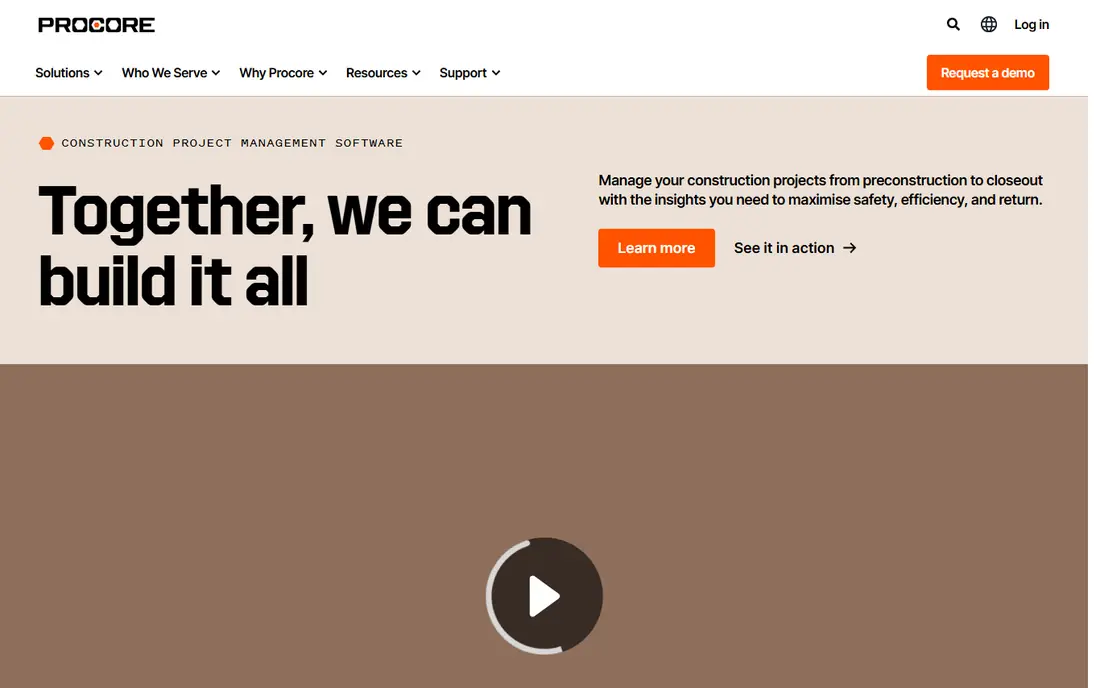
Procore is a construction management platform for owners, general contractors, and specialty contractors. It covers project management, financials, field work, and preconstruction in one system, so drawings, RFIs, submittals, budgets, and daily logs stay connected. Procore AI adds search across project records, document summaries, and agents that can answer questions from your own project data. The vendor also uses a credit model for some AI actions, so you should ask how credits are counted in your contract.
The main trade off is price transparency. Procore does not publish a price on its pricing page. Its own page says pricing depends on the products you need and your annual construction volume, with an upfront annual fee and unlimited users. That model suits large teams that run many projects at once, but it makes early comparison hard for smaller firms.
- Full project, financial, and field tools in one system
- AI search and agents work across project documents and data
- No published price, so budgeting needs a sales quote
- Cost can rise with annual construction volume and the modules you select
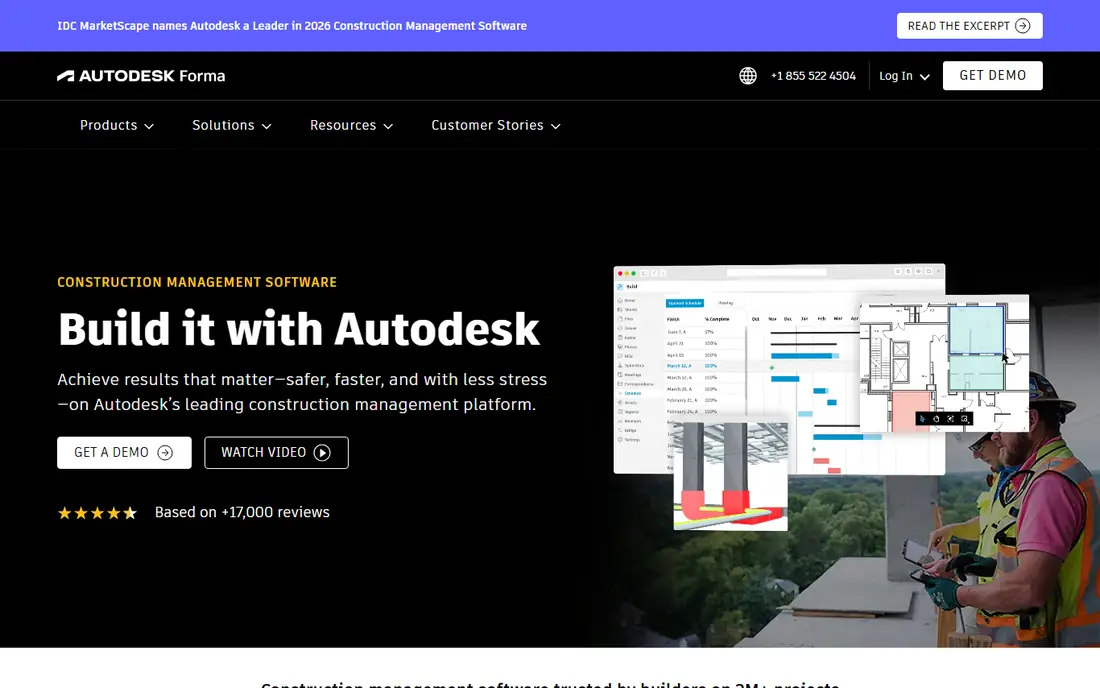
Autodesk Construction Cloud, now sold under the Autodesk Forma name, connects design, planning, build, and closeout work. Forma Build handles project management, RFIs, submittals, cost, quality, and safety, while Forma Data Management acts as the common data environment for drawings and documents. Model coordination and clash detection help teams find design conflicts before work starts on site. AI features in the Autodesk range assist with document search, drawing comparison, and schedule insight.
The pricing page lists three bundles, Model Management, Preconstruction, and Construction Operations, and each one leads to a quote request rather than a published figure. That makes Autodesk a strong fit for teams already using Revit and other Autodesk design tools, and a harder choice for a small builder that wants a simple monthly price.
- Strong BIM coordination and document control
- Forma Build links field work, cost, and schedule data
- No published price on the vendor pricing page
- Module based pricing can be hard to compare across bundles
Buildertrend is built for home builders, remodelers, and specialty contractors. It brings scheduling, estimating, project management, client communication, and financial tools into one platform, with a client portal that keeps homeowners informed about selections, change orders, and progress. AI support sits inside estimating, scheduling, and client messages, where it can draft text, pull figures from documents, and flag items that need attention. The aim is to cut the admin work that slows down a small residential team.
Pricing is tailored to each business. The vendor pricing page asks for builder type and annual volume, then offers a custom quote, and it notes a 10 percent discount when you pay annually upfront. Every plan includes the full platform and unlimited users, which helps a growing builder add office and field staff without counting seats.
- All in one system for residential builders, with scheduling, estimating, and client tools
- Unlimited users and projects on subscription plans
- No published price, so you must request a custom quote
- No free trial, so you judge it from a demo
Fieldwire by Hilti is a field first jobsite platform for superintendents, foremen, and trade crews. It centers on plan viewing, tasks, photos, checklists, and punch lists, with mobile access that works offline on site. The Pro plan adds reports, sheet compare, project templates, and custom task statuses. Business adds custom forms, app integrations, and a BIM viewer, while Business Plus adds RFIs, submittals, change orders, and budget tracking. AI style help appears in submittal extraction and in tools that pull data from drawings and documents.
Pricing is the clearest in this list. Basic is free for up to 5 users, 3 projects, and 100 sheets. Pro costs $39 per user per month, Business costs $64, and Business Plus costs $89, all when billed annually. Monthly billing costs more, at $54, $79, and $104 per user per month. Fieldwire suits a trade contractor that needs drawings and tasks in the field fast, and it pairs well with a larger office platform when a project needs full cost control.
- Free Basic plan for small teams
- Clear per user pricing with offline plan viewing and task tools
- RFIs, submittals, and budget tools need the top Business Plus plan at $89 per user per month
- AI features are narrower than full project platforms
OpenSpace is a visual intelligence platform for builders. A worker walks the site with a phone or a 360 camera on a hard hat, and OpenSpace pins the images to the drawing so anyone can revisit any location on any date. The Core plan covers capture from any device, unlimited capture across projects, BIM comparison, and guided onboarding. Enterprise adds SSO, API access, and support for standard use across a portfolio. OpenSpace Track is an add on that checks progress against the plan and flags work that is behind or at risk.
Pricing is based on annual construction volume and the tier you choose, Core or Enterprise, not on users or projects. The vendor pricing page shows no figures and asks you to request a quote, and a Core pilot can be requested before buying. OpenSpace is strongest as a visual record and progress tool, so check how it connects with Procore or Autodesk Construction Cloud before you rely on it as your only system.
- Fast 360 capture from phones, cameras, and drones
- BIM comparison and progress tracking add context to site photos
- No published price, with pricing based on annual construction volume
- Needs a main project platform for budgets, RFIs, and schedules
Buildots is an AI construction intelligence platform for general contractors and developers on large commercial and residential projects. It issues a 360 camera that clips to a hard hat, then compares the captured site images with the BIM model and the schedule. The system tracks progress, spots work that is out of sequence, and flags delays and risks while the work is still in progress. That gives project managers a current view of percent complete without waiting for manual reports from each trade.
Pricing is not published. The vendor quotes per project, based on size, duration, and scope, and camera hardware is part of the engagement. Model onboarding and setup are quoted separately, so the total cost depends on how many projects you run through it. Buildots fits large projects where a week of delay costs far more than the platform, and it is less suited to small residential jobs. Ask for a quote that separates the subscription, the hardware, and the onboarding work.
- AI compares site captures with the BIM model and schedule
- Progress and delay alerts come from real site evidence
- No published price, with quotes set per project
- Needs 360 capture hardware and model setup, so small jobs may not justify the cost
ALICE Technologies is an AI planning and scheduling platform for large construction projects. It takes a schedule, a set of recipes that describe how each activity is built, and a resource pool, then generates a large number of feasible build sequences and scores them on duration, cost, and resource use. Planners can test what happens if a crew size changes, a sequence shifts, or a delay hits one part of the job, and then pick the plan that best fits the project goals. It also helps teams recover a schedule after a delay.
Pricing is custom, based on project size and scope, and the vendor pricing page asks for project value, company type, and priorities before a consultation call. The page notes unlimited users and data, plus training workshops and implementation support. ALICE is built for capital and infrastructure projects, not for a small builder that needs a simple schedule. Before you commit, check who will build the recipes, how long that modelling takes, and what the engagement includes.
- AI generates and compares many build sequences to find faster or cheaper schedules
- Works with Primavera P6 and Microsoft Project schedules
- Quote only pricing aimed at large projects, typically $75 million and above
- Setup needs detailed recipes for crews, equipment, and logic
Togal.AI is cloud based takeoff software that reads drawing sets and detects, measures, and labels spaces automatically. Estimators upload plans and get area and count takeoffs without tracing each polygon by hand. The Growth plan includes unlimited automated takeoffs, unlimited chat prompts, and unlimited image and symbol searches, plus internal and external collaboration. It also exports quantities to Excel and connects with estimating tools, so the takeoff feeds the estimate instead of living in a separate file.
Pricing is published on the vendor pricing page. Growth costs $299 per user per month, billed yearly, which is $3,588 per user per year. A Business plan for teams of 4 or more users is custom priced and adds onboarding, training, a dedicated support representative, SSO, and quantity discounts. Togal.AI is a specialist tool, so it suits an estimating team that bids often enough for takeoff hours to add up, and it works best next to a full estimating platform.
- AI detects, measures, and counts spaces from drawings in minutes
- Published price with unlimited automated takeoffs on the Growth plan
- Annual billing only on the Growth plan, with no monthly option
- Takeoff only, so you still need separate estimating and pricing tools
How we chose
We picked tools with a real AI feature that a construction team can use today, not a marketing label. Each tool had to have an official homepage that loads, a clear construction use case, and a pricing page or pricing statement we could check on 2026-11-11. We opened the vendor pricing pages for Procore, Buildertrend, Fieldwire, OpenSpace, ALICE Technologies, and Togal.AI, and we checked the Autodesk Forma pricing page, which shows bundles with quote requests and no published figures. Buildots has no pricing page on its site, so we list it as quote only and note that its price is set per project.
We compared vendor pricing pages, product pages, and help docs, and we looked at plan limits, free plans, trial terms, and integration options. Where a vendor hides the price, we wrote quote only rather than copying a third party estimate. CoConstruct was left out because it is no longer sold to new customers, and new buyers are sent to Buildertrend, so Togal.AI takes its place in this list.
What to check before you buy
Start with your project data, not the feature list. A tool that needs a BIM model will not help if your drawings arrive as PDFs, and a schedule tool will not help if your recipe data is thin. Ask each vendor for a demo using your own drawings, schedule, and cost codes, and check who owns setup, training, and data export if you leave. Confirm the contract length, renewal terms, and what happens to your data at the end of the term.
Use the decision table below to match a tool to your team size and budget. Small teams should favor published prices and free plans, while large teams should budget for onboarding and quote based tools. Check the per user cost for a full year, not one month, and count every user who needs access, including office staff, field staff, and regular subcontractors.
| Team size and budget | Best starting point | What to watch | | 1 to 5 users, under $500 per month | Fieldwire Pro | Top tier features such as RFIs need Business Plus at $89 per user per month | | 5 to 20 users, $500 to $3,000 per month | Fieldwire Business or Togal.AI for estimating | Fieldwire Business is $64 per user per month, and Togal.AI is $299 per user per month | | 20 to 100 users, quote based budget | Buildertrend or Procore | Both need a sales quote, and cost scales with volume and modules | | 100 or more users, large commercial work | Procore or Autodesk Construction Cloud | Ask for unlimited user terms and the full module list in writing | | Large single projects, $75 million and above | ALICE Technologies, Buildots, or OpenSpace | These are add on tools, so budget for setup, hardware, and onboarding |
Also check these points before you sign. First, confirm the AI features are included in the plan you buy, not a separate add on. Second, confirm how the vendor charges for AI use, such as credits, seats, or project fees. Third, check mobile and offline access for field staff. Fourth, check integrations with your accounting, scheduling, and document tools. Fifth, confirm support hours, training, and the time needed to get your first project live.
Frequently asked questions
What is AI construction management software?
AI construction management software uses machine learning to read drawings, documents, schedules, and site photos, then turns that data into takeoffs, progress checks, risk alerts, and schedule options. It does not replace project controls. It cuts manual data entry and gives managers a current view of work, cost, and time, so they can act before small issues grow into delays.
How much does AI construction management software cost?
Costs range from free to quote only enterprise contracts. Fieldwire starts with a free Basic plan and Pro at $39 per user per month billed annually. Togal.AI Growth costs $299 per user per month billed annually. Procore, Autodesk Construction Cloud, Buildertrend, OpenSpace, Buildots, and ALICE Technologies do not publish prices, so you need a written quote for each one.
Which AI construction tool is best for small builders?
Fieldwire is the best starting point for most small builders, because the free Basic plan covers up to 5 users and 3 projects, and Pro costs $39 per user per month billed annually. Buildertrend suits residential builders that want estimating, scheduling, and client tools in one system, but it is quote only and has no free trial, so you should judge it from a demo first.
Do these tools work with BIM and drawings?
Yes, most of them do, but the depth varies. Autodesk Construction Cloud and Procore link BIM models, drawings, RFIs, and cost data in one system. OpenSpace and Buildots compare site captures with the BIM model to check progress. Togal.AI reads drawing sets for takeoff. Fieldwire handles plan viewing and sheet compare. Check your file formats before you buy.
Can AI replace a project manager or scheduler?
No, AI cannot replace a project manager or scheduler. It can draft text, measure drawings, track progress, and test schedule options, but it cannot manage people, negotiate with owners and trades, or take responsibility for safety and quality on site. Use AI to cut admin work and to surface risks early, and keep an experienced person in charge of each decision.
Sources
See where you really rank - block by block
ProMapRanker scans Google Maps across a grid of your service area. Simple monthly plans from $19, white-label on every plan.
Start freeKeep reading
 what’s the best risk software for enterprises
What Is the Best Risk Software for Enterprises in 2026
We compared what’s the best risk software for enterprises on risk registers, controls, third-party risk, and reporting, with pricing notes for large teams.
Read → what's the best pam software for enterprises
What is the Best PAM Software for Enterprises in 2026
Find what's the best pam software for enterprises, with vaulting, session recording, just in time access and pricing compared for large enterprise IT teams.
Read → what’s the best grc software
What Is the Best GRC Software in 2026
We compared what’s the best grc software on risk, compliance, audit and vendor risk, so teams can pick a platform that fits their frameworks and budget.
Read →