 ProMapRanker
The 6 Best AI Collaboration Tools to Shortlist in 2026

Direct answer
Fathom leads the list, best for free meeting notes. Miro is better for visual collaboration, and Zoom AI Companion is better for meeting recaps. The remaining 3 options are covered below with prices and limits.
Key takeaways
- This list starts with Fathom, which is built for free meeting notes.
- Slack AI is the lowest-priced starter here at $15 per user per month.
- Slack AI fits async chat catch-up.
- 3 of 6 tools offer a free plan: Fathom, Miro, ClickUp Brain.
- Notion comes with a trade-off: full AI lives on Business at $20 per member a month, double the Plus price.
Quick comparison
| Pick | Great for | Pricing starts at | Free tier | |
|---|---|---|---|---|
 Fathom | Free meeting notes | Free | Yes | Visit |
 Miro | Visual collaboration | $20 per user a month | Yes | Visit |
 Zoom AI Companion | Meeting recaps | See website | Free trial | Visit |
 Notion | AI docs and knowledge | $20 per member per month | Free trial | Visit |
 ClickUp Brain | All-in-one AI workspace | $21 per user a month | Yes | Visit |
 Slack AI | Async chat catch-up | $15 per user a month | Free trial | Visit |
The 6 tools in detail
If you are comparing AI collaboration tools, this page covers 6 tools in one place: what each is best for, what it costs to start, whether it has a free plan, and the main limit to know about.
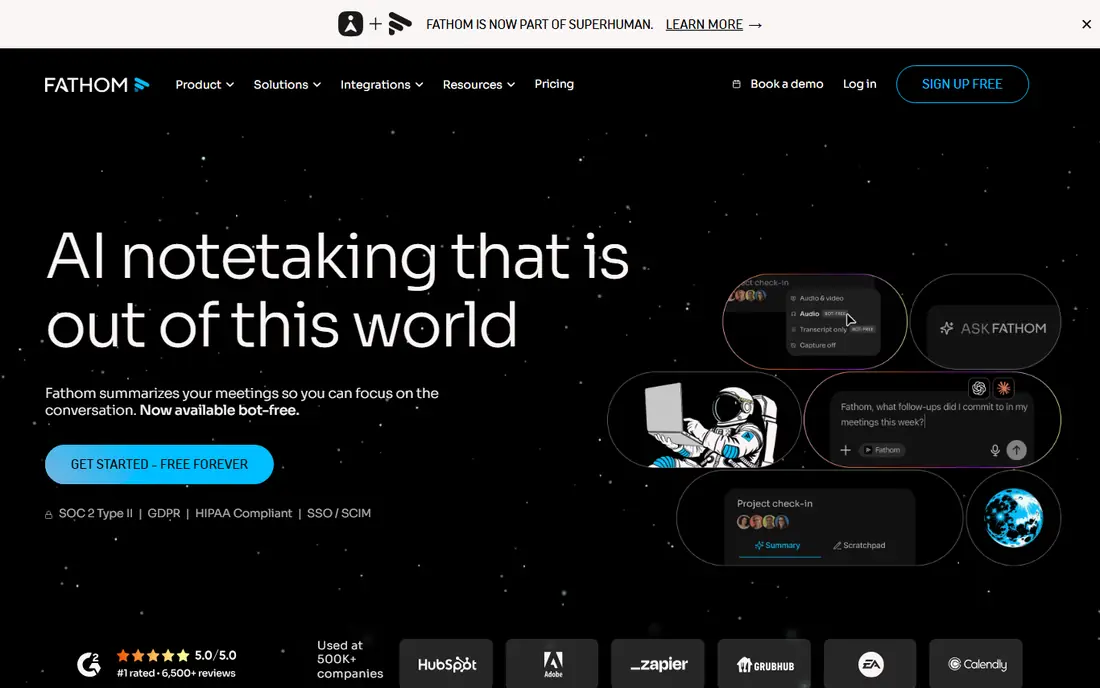
Fathom serves free meeting notes. Its free level gives you unlimited recording and transcription, with summaries and action items that turn calls into usable notes, and guides report very high user ratings.
What to check first: Premium at $20 per user a month for advanced features; Value relies on meeting volume.
Starting cost for Fathom: Free. You can start on Fathom without paying.
- Unlimited recording and transcription on the free level
- High user ratings in guides
- Not a full workspace
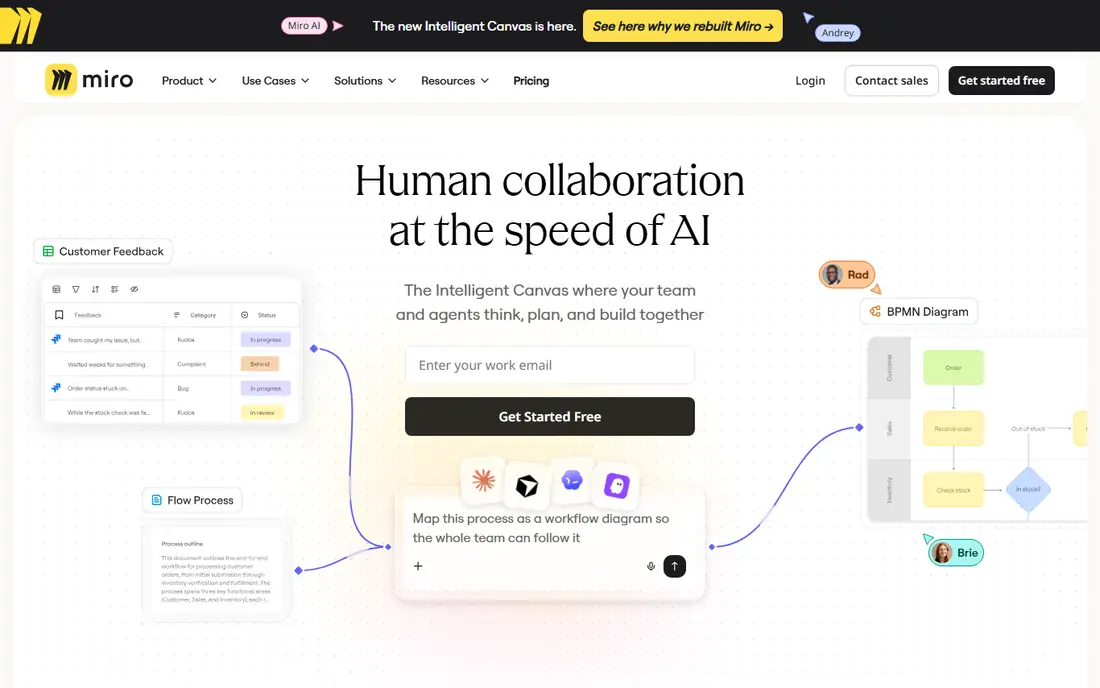
Think of Miro for visual collaboration. For brainstorming sessions, design sprints, and workshops, the combination of a wide whiteboard and assistive AI keeps sessions moving and output usable.
As for the details, per-member pricing grows with headcount, so large workshops get pricey. As for the details, guides list Business at $20 per user a month, whereas the free level spans 3 boards, which fits small teams testing the tool. Miro starts at: $20 per user per month. Miro includes a free tier.
Points against: AI features need premium plans.
- Wide whiteboard with templates
- Free level with 3 boards
- Business at $20 per user a month in guides

Think of Zoom AI Companion for meeting recaps. Zoom AI Companion turns meetings into usable output: recaps, action items, and summaries that land after the call, without anyone taking notes.
Also, since it is bundled into premium Workplace plans instead of sold as a separate AI seat, teams already paying for Zoom get AI meeting help at no additional per-user charge. Check the vendor site for Zoom AI Companion pricing; none is listed in this comparison. On free options: Free trial.
Where it falls short: Bundled means pricing is opaque.
- Works across large meetings
- Meeting recaps and action items bundled into premium Workplace plans
- Best value only for Zoom-first teams
Choose Notion for AI docs and knowledge. Notion Business is where the AI actually lives. The typical mispricing is to shortlist Notion at $10 per member for Plus, but Plus and Free only get a trial of the AI, a shared pool of complimentary responses, not the full suite.
Watch-outs: Free and Plus get only a trial; double the Plus price.
For everyday use, the Business plan at $20 per member a month comes with Notion Agent, which completes complicated multi-step tasks using context from Notion, connected apps. The web, plus AI Meeting Notes and Enterprise Search in beta. Notion pricing: $20 per member per month. Trial and free access: Free trial.
- Enterprise Search and AI Meeting Notes on Business
- Notion Agent completes multi-step tasks using workspace context
- Per-member cost scales with headcount
Where ClickUp Brain fits: all-in-one AI workspace. Guides price it as Business at $12 plus Brain at $9 per user a month, or $21 combined, with a Free Forever level for entry-level use.
Downsides: Setup takes time.
Setup also takes time, since ClickUp includes so much ground. The starting price for ClickUp Brain: $21 per user per month. ClickUp Brain offers a free plan.
- Free Forever level
- Business $12 plus Brain $9 per user per month
- Breadth can overwhelm small teams
In short, Slack AI is for async chat catch-up. Slack AI solves the most typical remote-work pain: returning to hundreds of unread messages. It summarizes channels and threads, surfaces decisions, and lets you search conversations in plain language, so catch-up takes minutes rather than an hour of scrolling.
What to check first: AI sits on Business Plus at $15 per user a month in guides.
In practice, guides place the AI on Business Plus at $15 per user a month. The free level keeps only 90 days of history, so history and AI both push teams toward premium plans. Price to start with Slack AI: $15 per user per month. Free access: Free trial.
- Built into the chat teams already use
- Channel and thread summaries for quick catch-up
- Value drops if your team chats elsewhere
Selection criteria
We compared the tools on published pricing, free plan or trial availability, feature coverage for AI collaboration tools, and the limits each vendor documents. Plan names, prices and limits change often. Treat the figures here as a starting point and verify them with the vendor. The sequence is a judgement call: typical use case first, then pricing transparency, then free access. Use the profiles to check fit.
What to confirm before you sign up
- Confirm the entry price on the vendor page. For Zoom AI Companion that means a quote rather than a fixed price.
- Look at free plan limits closely: Fathom, Miro and ClickUp Brain have one, and the caps decide whether it is usable for real work.
- Use real work to test the free trial from Zoom AI Companion, Notion and Slack AI, rather than a demo project.
- Before choosing Fathom, weigh its main limit: premium at $20 per user a month for advanced features.
- Ask the daily users to test Miro on a live task before you roll it out to everyone.
- Look at the help docs and support options for Slack AI before you commit.
Frequently asked questions
Is Fathom the right pick for everyone comparing AI collaboration tools?
No single tool suits every team. Fathom comes first because it fits free meeting notes, while Miro suits visual collaboration and Zoom AI Companion suits meeting recaps. Match the tool to your own size, budget and workflow before deciding.
What is the cheapest option for AI collaboration tools in this list?
On published monthly entry prices, Slack AI is the lowest here at $15 per user per month. Entry price is only part of the cost, because seats, add-ons and billing terms can change the total.
Is Notion AI really $10 a month?
The old $10 AI add-on was retired in May 2025, and full Notion AI now needs Business at $20 per member a month. Free and Plus plans get only a trial pool of AI responses.
Can I try these options before paying?
Often, yes. Fathom, Miro and ClickUp Brain have a free plan and Zoom AI Companion, Notion and Slack AI offer a free trial. Use your own data and a real task during the test, and check what the free tier or trial limits before you rely on it.
Which AI collaboration tool is a good match for small teams?
For most readers this guide would start with Fathom, built for free meeting notes. Miro is the alternative for visual collaboration, and Zoom AI Companion for meeting recaps. The right answer depends on budget and workflow.
Do AI meeting tools replace note-taking?
For routine meetings, yes. Fathom and Zoom AI Companion record, transcribe, summarize, and list action items without a note-taker. For sensitive or complicated decisions, a human still reviews the summary before it becomes the record.
Sources
See where you really rank - block by block
ProMapRanker scans Google Maps across a grid of your service area. Simple monthly plans from $19, white-label on every plan.
Start freeKeep reading
 zoho inventory alternatives
6 Alternatives to Zoho Inventory, Compared on Price and Fit
Zoho Inventory alternatives: 6 tools compared on price, free plans and fit. Katana leads the list for manufacturers. Fit and flaws are laid out for each entry.
Read → zoho crm alternatives
Best Zoho CRM Alternatives (2026)
Need Zoho CRM alternatives? We compare 7 tools on cost, free access and who each suits. Every pick gets a straight assessment. Built for quick decisions.
Read → zelle alternatives
Best Zelle Alternatives in 2026
Compare the best Zelle alternatives for sending money to friends, paying sellers and moving funds abroad, with honest notes on fees, speed and safety in 2026.
Read →