 ProMapRanker
Best AI Code Generation Tools in 2026


Low-cost coding help in your editor · Pricing starts at: $10 per month
Key takeaways
- GitHub Copilot is the best low-cost starting point, with completions, chat, and agent features inside editors developers already use.
- Cursor suits developers who want an AI-first editor with multi-file edits and codebase-wide context.
- Claude Code suits terminal-first developers tackling complex, multi-file tasks with an agentic workflow.
- Windsurf, Amazon Q Developer, and JetBrains AI each fit a specific ecosystem: agentic IDE work, AWS work, and JetBrains IDEs.
- Sourcegraph Cody and Continue.dev suit large codebases and privacy-conscious teams respectively, with free options worth testing first.
Quick comparison
| Pick | Great for | Pricing starts at | Free tier | |
|---|---|---|---|---|
| GitHub Copilot | Low-cost coding help in your editor | $10 per month | Yes | Visit |
 Cursor | AI-first editing and multi-file changes | See website | Yes | Visit |
 Claude Code | Terminal-based agentic coding | $20 per month | No | Visit |
 Windsurf | Agentic coding in its own IDE | $20 per month | Yes | Visit |
 Amazon Q Developer | AWS-centered development | $19 per month | Yes | Visit |
 JetBrains AI | Coding help inside JetBrains IDEs | $10 per month | Yes | Visit |
 Sourcegraph Cody | Large codebase context and search | See website | Yes | Visit |
 Continue.dev | Open source, bring-your-own-model coding | Free | Yes | Visit |
The best ai code generation tools
AI code generation tools now cover a range from inline completions to agents that plan and apply multi-file changes. The right tool depends on your editor, your codebase size, and how much control you want to keep over each change. All of these tools produce code that needs review, testing, and security checks, since generated code can contain bugs, outdated patterns, or insecure defaults.
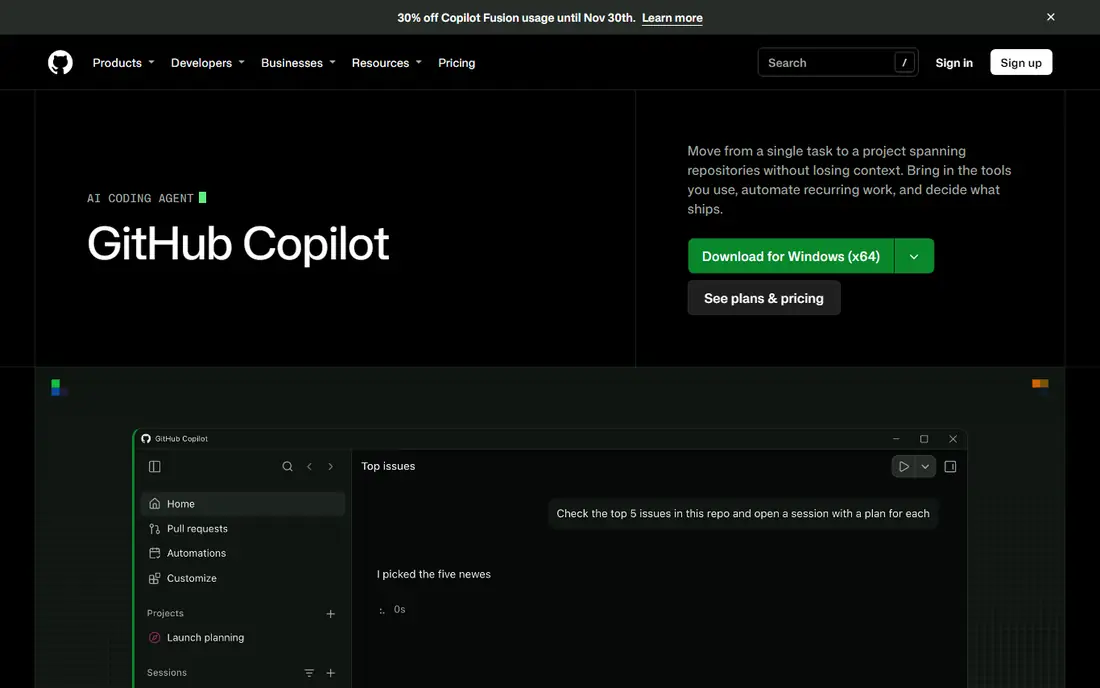
GitHub Copilot remains the default recommendation for most developers because it lives inside the editor they already use. Inline completions suggest the next lines as you type, chat answers questions about your code, and agent mode can apply multi-file changes for review. Integration with GitHub pull requests and code review adds value for teams already on the platform.
The free tier caps monthly completions and chats, so heavy users need a paid plan, and agent features draw on usage credits in newer billing models. Copilot is less of a full agentic IDE than Cursor or Claude Code, but it is the cheapest paid entry point and the easiest to adopt without changing workflows. For teams that want broad, low-friction help, it is the safe first pick.
- Works in VS Code, JetBrains, and Neovim
- Strong completions and chat
- GitHub integration
- Free tier limits completions and chats
- Agent features use credits on paid plans
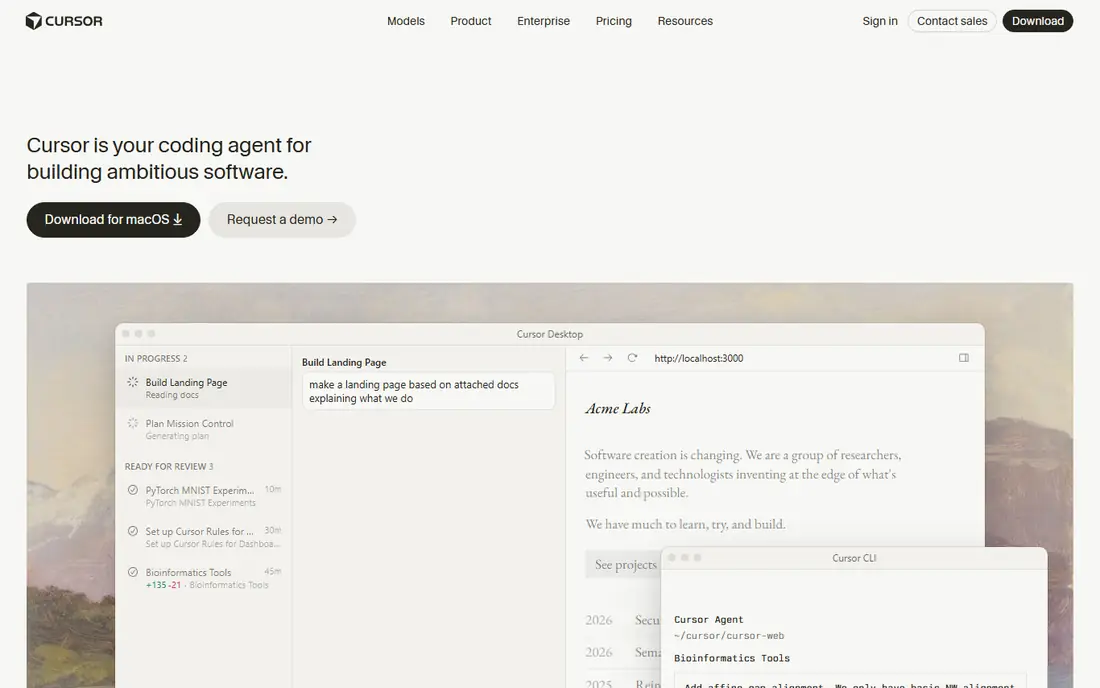
Cursor is a VS Code-based editor rebuilt around AI, with inline editing, codebase-wide chat, and agent features that carry changes across many files. Developers who refactor often, or who build features from a short description, gain the most, since Cursor can read project context and propose coherent edits rather than isolated snippets. Existing VS Code extensions, themes, and keybindings transfer easily.
Pricing has changed during 2026, with tiers restructured and some models billed separately, so the current pricing page is the only reliable source before subscribing. Moving to a new IDE is also a real switch, even for a VS Code fork. For developers who want the strongest in-editor agentic experience, Cursor is worth that switch.
- AI-native editor
- Codebase-wide context
- Multi-file agent edits
- Pricing and tiers have changed during 2026
- Requires moving to its own IDE

Claude Code is Anthropic's terminal-based agentic coding tool, included with Claude Pro and higher plans or billed through API usage. It reads a repository, plans multi-step work, edits files, and runs commands, which suits complex refactors, migrations, and features that span many modules. Developers drive it deliberately from the terminal, reviewing diffs as the agent works.
It is not an editor plugin in the usual sense, and beginners may find the terminal workflow less approachable than Copilot or Cursor. Heavy agent use can push users toward higher-priced plans. For senior developers who want deep reasoning and autonomous multi-file work, Claude Code is a leading choice.
- Strong multi-file reasoning
- Terminal-native agent workflow
- Handles complex refactors
- No free tier for the tool itself
- Terminal workflow suits experienced developers best
Windsurf, formerly Codeium's editor product and now under Cognition, offers an AI IDE with agentic coding flows that understand project context and apply changes across files. Its free tier includes a daily agent quota and completions, which makes it easy to test before paying. Team plans add collaboration and management features for larger groups.
The product has changed ownership and pricing during 2026, so buyers should confirm current terms rather than relying on older reviews. Its community and extension ecosystem are also smaller than VS Code's. For developers who want an agentic IDE alternative to Cursor with a usable free tier, Windsurf is a credible option.
- Agentic flows with codebase context
- Free tier with daily quota
- Team plans available
- Newer ecosystem than Copilot
- Pricing changed during 2026
Amazon Q Developer is an AI assistant for developers working with AWS, offering code completions, chat, and agents that understand AWS services, infrastructure code, and modernization tasks. It can help upgrade language versions, transform code, and generate infrastructure-related code, which saves time on AWS-heavy projects. A free tier covers a limited number of agentic requests each month.
Teams outside AWS gain less from its specialized knowledge, and the paid Pro tier is priced per user per month. For organizations building mainly on AWS, Q Developer fits the stack in a way general tools do not, especially for migration and infrastructure work.
- Strong AWS service knowledge
- Code transformation tools
- Works in IDEs and the command line
- Best value inside AWS
- Less general appeal outside AWS projects
JetBrains AI brings completions, chat, code generation, and inline editing to IntelliJ IDEA, PyCharm, WebStorm, and other JetBrains IDEs. Developers who already live in those IDEs gain AI help without switching editors or losing refactoring, navigation, and debugging features they rely on. A free tier in recent IDE versions covers basic completions and a small credit allowance.
Paid tiers moved toward credit-based pricing during 2026, so heavy agent use needs a check of current terms. The tool is also irrelevant to VS Code-only developers. For JetBrains users, it is the most natural AI coding choice, and the low entry price makes it easy to try.
- Native JetBrains integration
- Completions, chat, and inline edits
- Free tier in recent IDEs
- Only useful inside JetBrains IDEs
- Higher tiers use credit-based pricing
Sourcegraph Cody is an AI coding assistant built on Sourcegraph's code search, which gives it strong context over large and unfamiliar codebases. Developers can ask questions about a repository, generate code with awareness of existing patterns, and navigate dependencies that span many services. Free tiers cover individual use, while enterprise tiers add governance and larger-scale features.
Teams that do not use Sourcegraph will get a simpler experience than those with a full Sourcegraph instance, and enterprise pricing varies. For organizations with large monorepos or many services, Cody's search-first context is a real advantage over tools that only see open files.
- Codebase-wide search and context
- Chat over large repos
- Enterprise options
- Full value needs a Sourcegraph setup for large teams
- Pricing varies by tier
Continue.dev is an open source AI coding extension for VS Code and JetBrains IDEs that lets developers connect their own models, including local models and major provider APIs. That flexibility suits privacy-conscious teams, developers who want to control model choice, and anyone who wants coding help without a subscription. The core extension is free, and team hub plans add shared configuration.
Flexibility means setup work: choosing models, managing API keys, and tuning prompts falls on the user. Support is community-led rather than a vendor help desk. For developers who value openness and control over a polished, single-vendor experience, Continue.dev is the best free starting point.
- Free and open source
- Works with many models, including local ones
- VS Code and JetBrains support
- You manage models and API keys
- Setup takes more effort than a hosted tool
How we picked these
We compared official pricing pages, product documentation, and public reviews, and we favored tools that are available in October 2026 and that generate or edit code in a real development workflow. We mixed editor plugins, AI-first IDEs, terminal agents, and open source options, and we used See website where pricing tiers changed during 2026 or vary by plan. We did not claim hands-on testing, and we excluded tools whose current availability or pricing we could not confirm.
How to choose without wasting a month
Start with your editor. Copilot and Continue.dev fit VS Code and JetBrains users with the least disruption, JetBrains AI fits JetBrains-only teams, and Cursor and Windsurf ask you to move into a new IDE. Changing editors costs time, so only switch if the agentic features clearly beat what your current editor offers.
Test on your own codebase
Run the same tasks on each trial: a small feature, a refactor across several files, and a bug fix in unfamiliar code. Check how well the tool uses project context, how clean its diffs are, and how often you must rewrite its output. A tool that shines on a demo project can struggle on a large, older codebase.
Review every change like a colleague wrote it
Generated code needs tests, security review, and a check for outdated libraries or insecure patterns. Require tests for generated features, run linters and security scans, and never paste secrets into prompts. Treat the AI as a fast junior developer: useful, sometimes wrong, and always in need of review.
Watch usage-based costs
Many tools now combine a base price with credits for chat and agent work, so a busy month can cost more than the headline plan. Track credit use in the first month, set limits where the tool allows them, and compare the total against a simpler plan if agent use is low. A cheap plan that runs out of credits mid-month is not cheap.
Frequently asked questions
What is the best ai code generation software for beginners?
GitHub Copilot is the best start for most beginners because it is cheap, works in familiar editors, and gives completions and chat without a new IDE. Continue.dev is a good free alternative for developers comfortable with setup. Start with completions, learn to review diffs carefully, and add agent features later.
Which ai code generation software is the best for large codebases?
Sourcegraph Cody stands out for large codebases because its search-first design gives the assistant context across many repositories. Cursor and Claude Code also handle multi-file work well. Test each tool on your own repository, since codebase size and structure change results more than marketing claims do.
What are the best ai tools for code generation on a budget?
GitHub Copilot at its entry price, JetBrains AI at its entry price, and free Continue.dev cover most budget needs. Free tiers from Copilot, Cursor, Windsurf, and Cody also help for light use. Compare free limits and credit rules before committing, since heavy use changes the cheapest option.
Is AI-generated code safe to use?
AI-generated code can contain bugs, outdated patterns, and security flaws, so it needs the same review, testing, and scanning as human-written code. Never paste passwords, keys, or private customer data into prompts, and check licenses for generated snippets in commercial projects. Human review remains essential.
Do AI code tools replace developers?
No. These tools speed up boilerplate, completions, and some refactors, but they do not replace design judgment, debugging, testing, or accountability for shipped code. Developers who review carefully and understand their codebase gain the most, while blind acceptance of generated code creates risk.
Sources
See where you really rank - block by block
ProMapRanker scans Google Maps across a grid of your service area. Simple monthly plans from $19, white-label on every plan.
Start freeKeep reading
 zoho inventory alternatives
6 Alternatives to Zoho Inventory, Compared on Price and Fit
Zoho Inventory alternatives: 6 tools compared on price, free plans and fit. Katana leads the list for manufacturers. Fit and flaws are laid out for each entry.
Read → zoho crm alternatives
Best Zoho CRM Alternatives (2026)
Need Zoho CRM alternatives? We compare 7 tools on cost, free access and who each suits. Every pick gets a straight assessment. Built for quick decisions.
Read → zelle alternatives
Best Zelle Alternatives in 2026
Compare the best Zelle alternatives for sending money to friends, paying sellers and moving funds abroad, with honest notes on fees, speed and safety in 2026.
Read →